How every finance number is worked out — and how to check it
Before you sign something, you should be able to say where the figure came from and prove it in two minutes. For each number: where it lives, the arithmetic behind it, the check that proves it, and what a difference usually means.
Nothing matches that. Try a shorter word.
Net pay on a payslip #
Where Payroll → My payslips → a month, or Payslips → a row
How it is worked out Every rule in the person's salary structure fires in sequence. Earnings add into gross, deductions subtract, and net is what is left.
Check it like this Add the earnings lines and subtract the deduction lines on a calculator. It will match to the fils, because each line is rounded as it is calculated rather than at the end.
If it disagrees A net that is out by a round number is usually one deduction — a loan instalment or a court order — that started this month.
Employer cost for the month #
Where Payroll → Payroll reports → Headcount cost
How it is worked out Gross plus the employer's own half of every statutory contribution, summed per department, branch or country.
Check it like this It must always be larger than gross. Compare it with the same figure on the run detail, which totals the same payslips.
If it disagrees People quote gross when they mean employer cost and vice versa. In the Gulf the two differ by a lot, and a budget set against the wrong one is short every month.
What is owed to a social-insurance scheme #
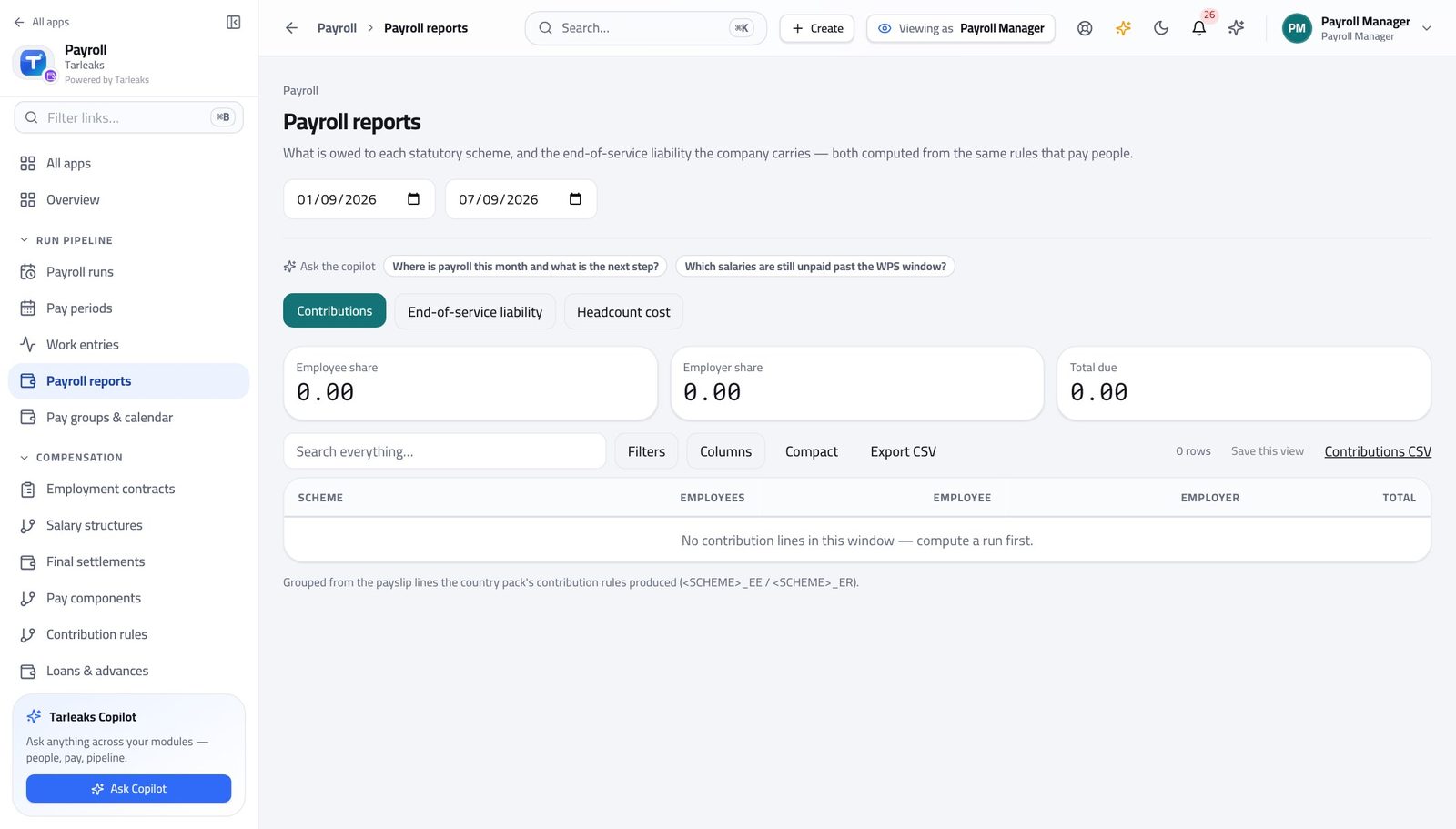
Where Payroll → Payroll reports → Contributions
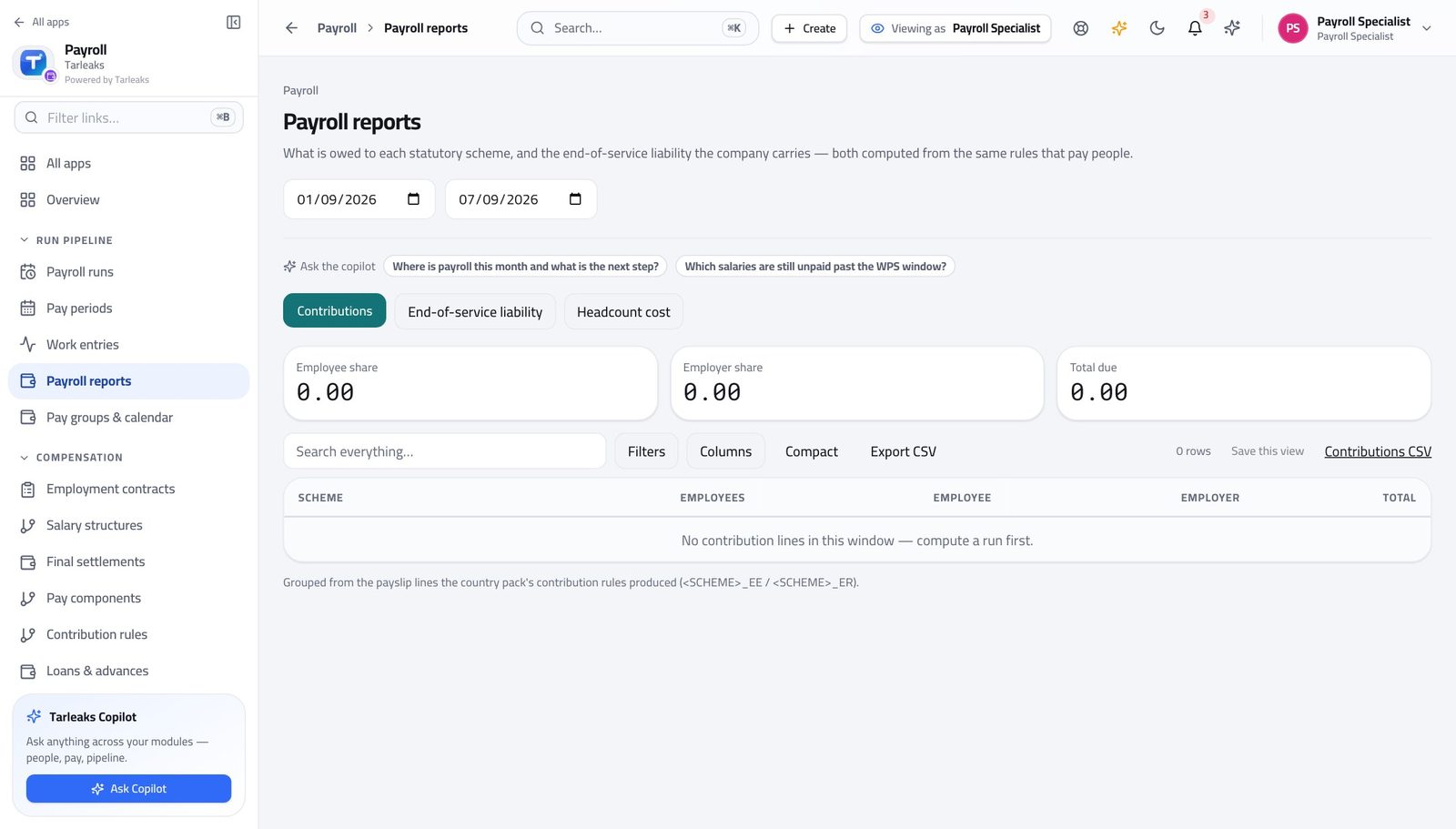
How it is worked out Every contribution line on every payslip in the window, grouped by scheme and split into the employee's share and the employer's.
Check it like this Click the scheme name — it opens the payslips carrying those lines. The sum of those lines is the figure.
If it disagrees A scheme missing from the report usually means a contribution rule with no effective row covering the period, not a scheme with nothing owed.
End-of-service liability across the company #
Where Payroll → Payroll reports → End-of-service liability
How it is worked out Each active contract's entitlement to the chosen date, computed with the same country calculator a real settlement uses.
Check it like this Pick one person from the list, open their contract and run the end-of-service quote for the same date. The two must agree — they share the calculator.
If it disagrees A figure that jumps between months is usually joiners and leavers, not a rate change. Check the headcount alongside it.
One person's end-of-service entitlement #
Where Payroll → Employment contracts → a contract → End-of-service benefit
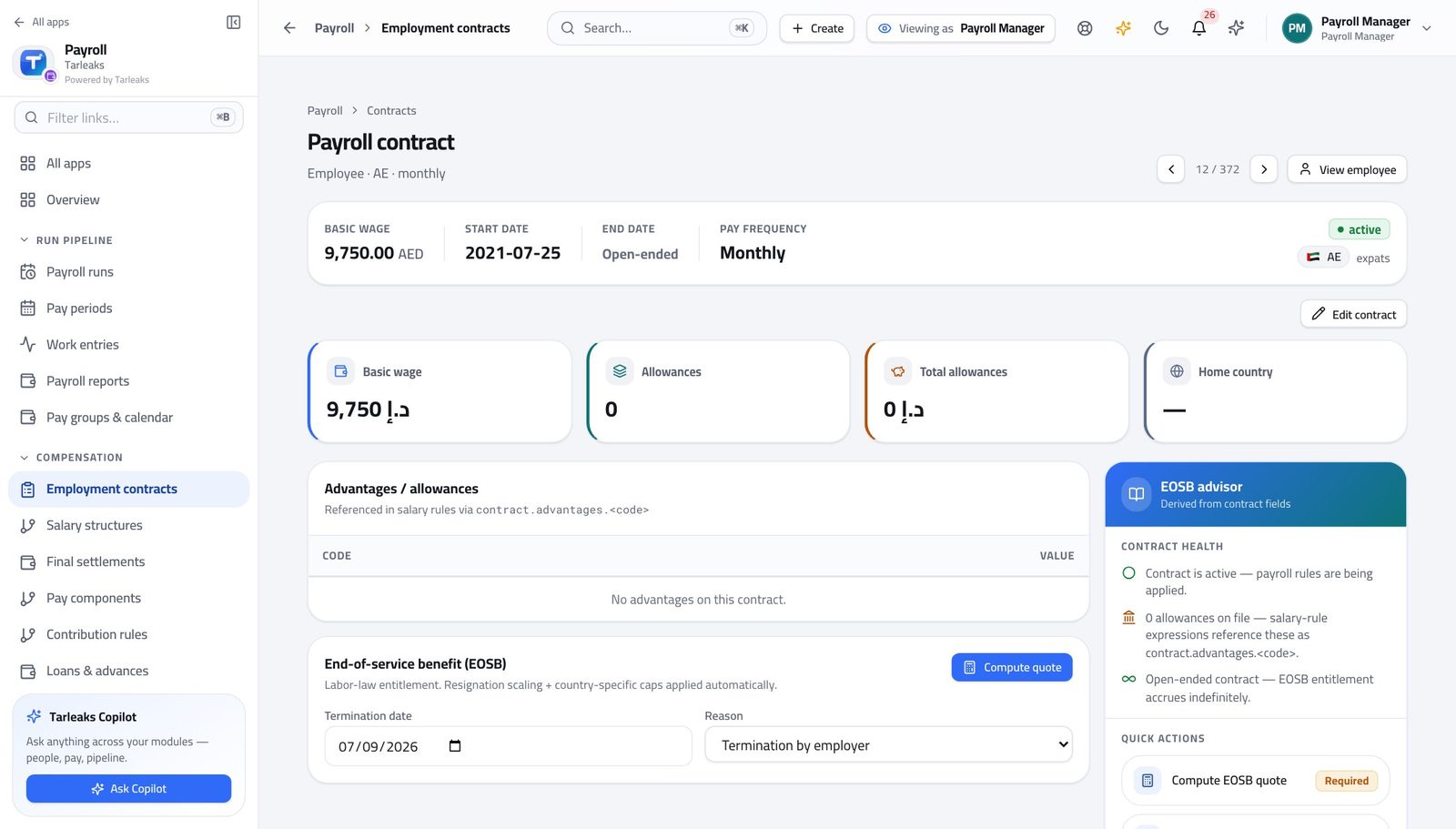
How it is worked out Years of service against the country's tiers, on the base the company configured — basic only, or basic plus housing — with a reduction factor for reasons like resignation and a country cap where one applies.
Check it like this Change the reason from termination to resignation and watch the reduction factor move. The tier breakdown shows exactly which years were paid at which rate.
If it disagrees A quote that refuses usually means the contract has no country set, so no calculator matches.
The variance against last month #
Where Payroll → Payroll runs → a run → Variance
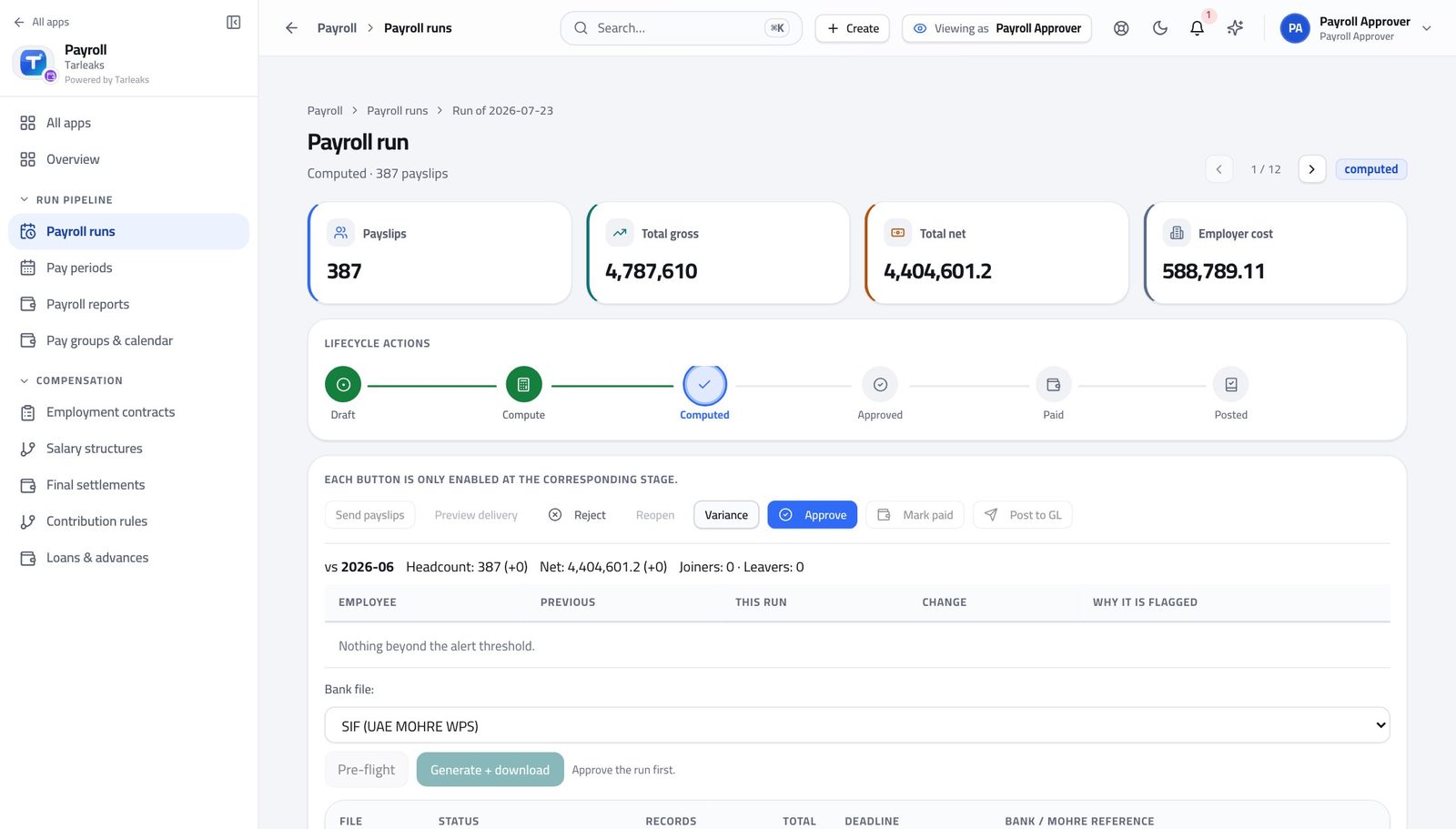
How it is worked out This run's headcount, gross, net and employer cost against the previous run of the same pay group, plus every person whose net moved beyond the alert threshold.
Check it like this Joiners minus leavers should explain most of the headcount move, and the named people should explain most of the rest.
If it disagrees A comparison against nothing means this is the first run for that pay group — the panel says so rather than showing a hundred per cent change.
What is left on a loan #
Where Payroll → Loans & advances → a loan, or Me → My loans → Schedule
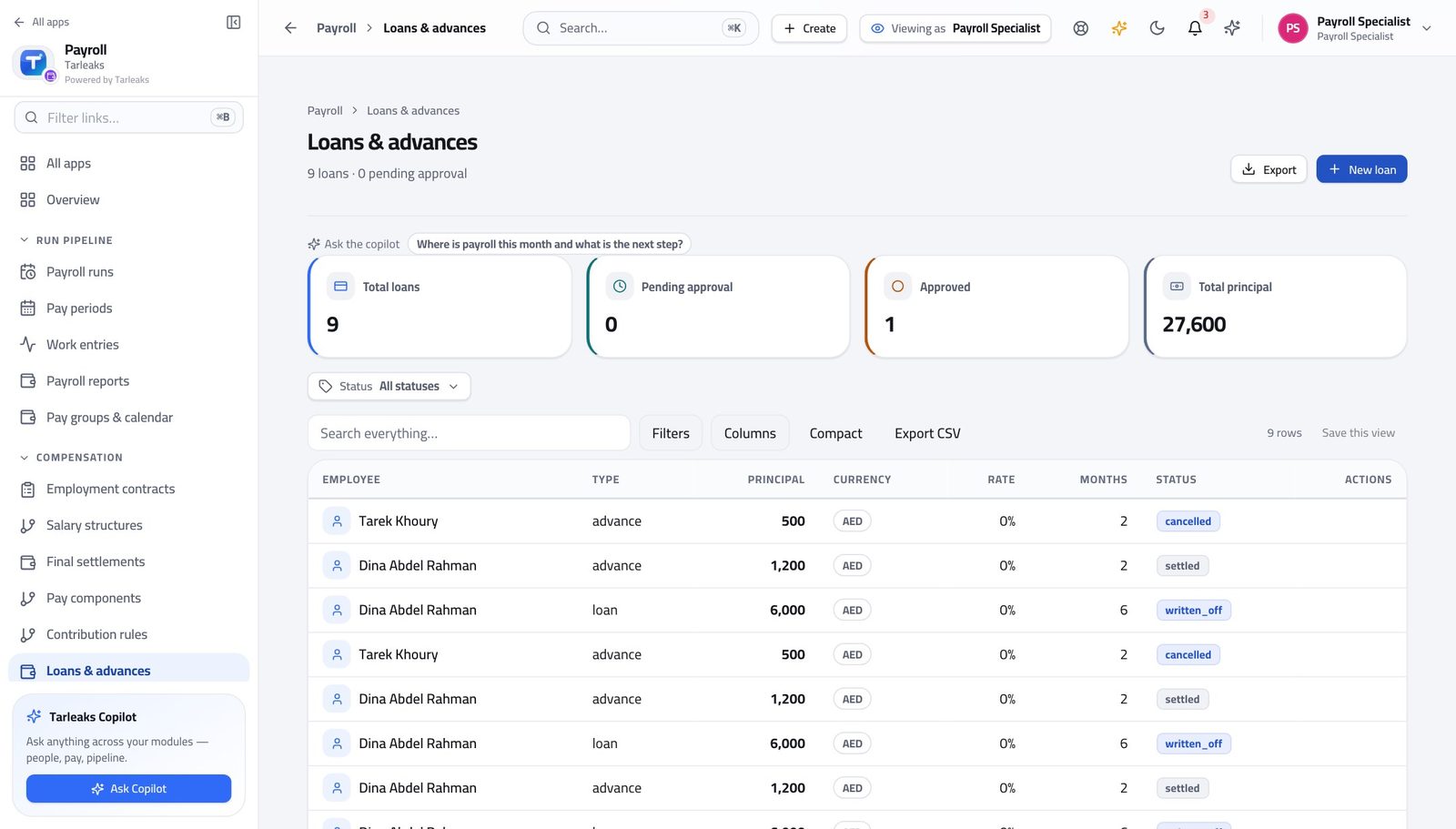
How it is worked out Equal instalments over the agreed months, with simple interest and the rounding taken on the last one. Each run deducts the next unpaid instalment and stamps it paid.
Check it like this The unpaid instalments must add up to the balance shown. If they do not, the loan was rescheduled — the unpaid ones were regenerated.
If it disagrees A loan that shows no deduction on the last three runs is one whose first deduction date is still in the future.
The bank file total #
Where Payroll → Payroll runs → a run → Bank / WPS → Pre-flight
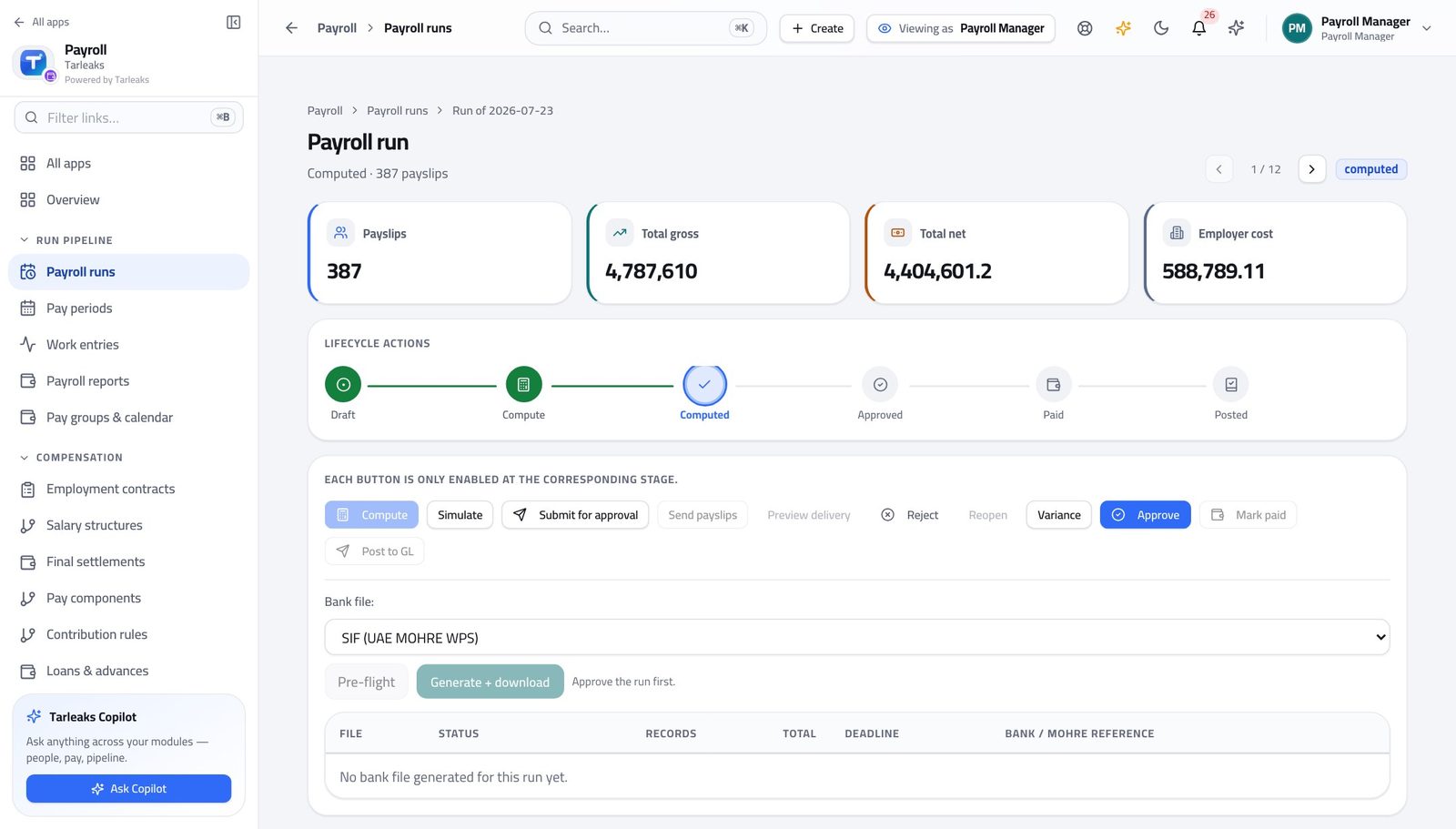
How it is worked out The sum of every payslip's net in the run, one record per person.
Check it like this It must equal the run's total net. If it does not, somebody in the run has no payable line — the pre-flight names them.
If it disagrees A record count lower than the payslip count means people were dropped for a missing account number, and the pre-flight lists each one.
Days left on the statutory payment deadline #
Where Payroll → Payroll runs → a run → Bank / WPS
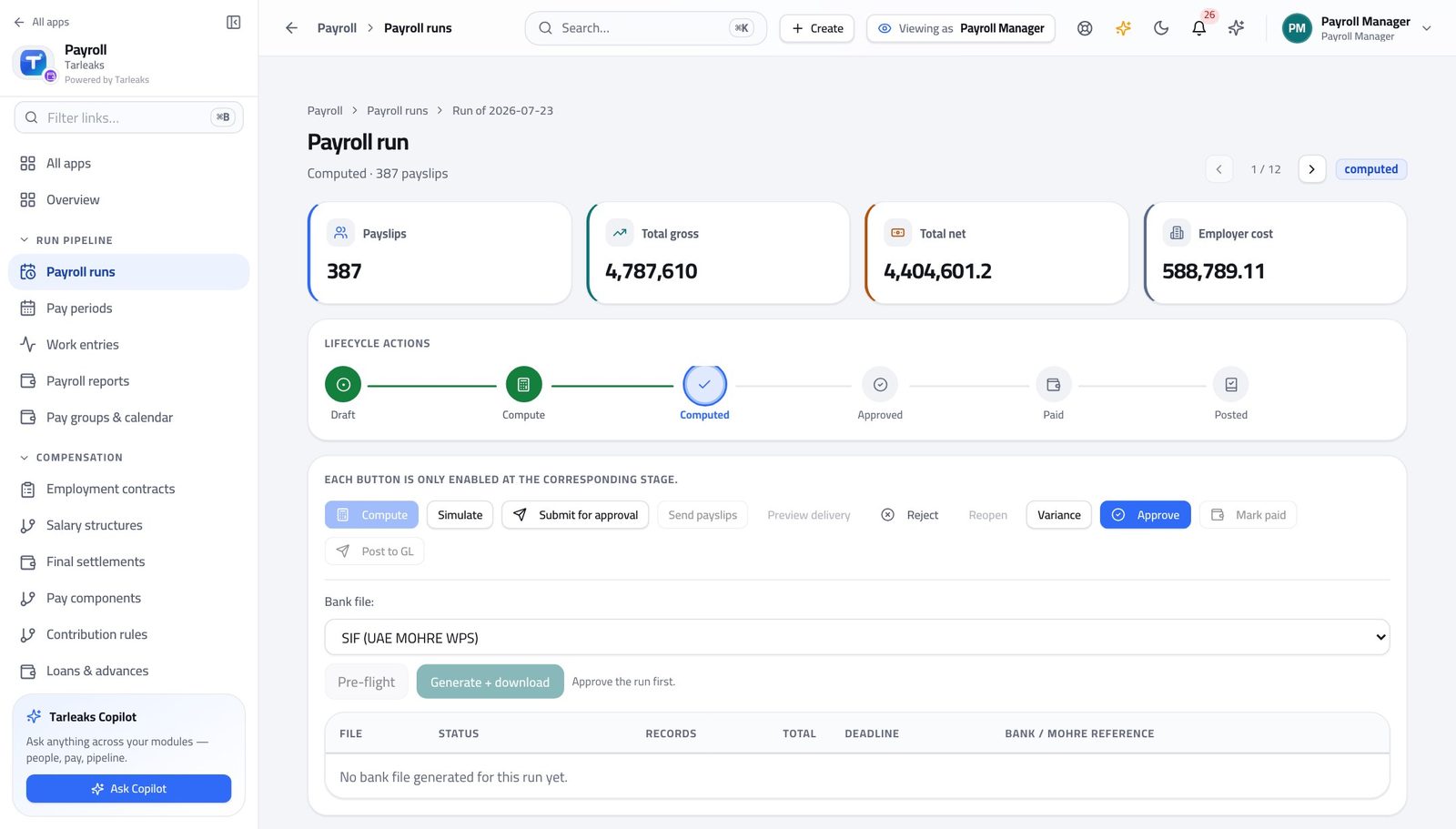
How it is worked out The period's end date plus the window your country allows, which the administrator sets once in the payroll settings.
Check it like this Count it yourself from the period end shown on the run. It does not count from the day the file was generated.
If it disagrees Regenerating a file after a rejection does not restart the clock. The banner counts the whole company, so a red banner may be about a different run entirely.
Your own totals for the year #
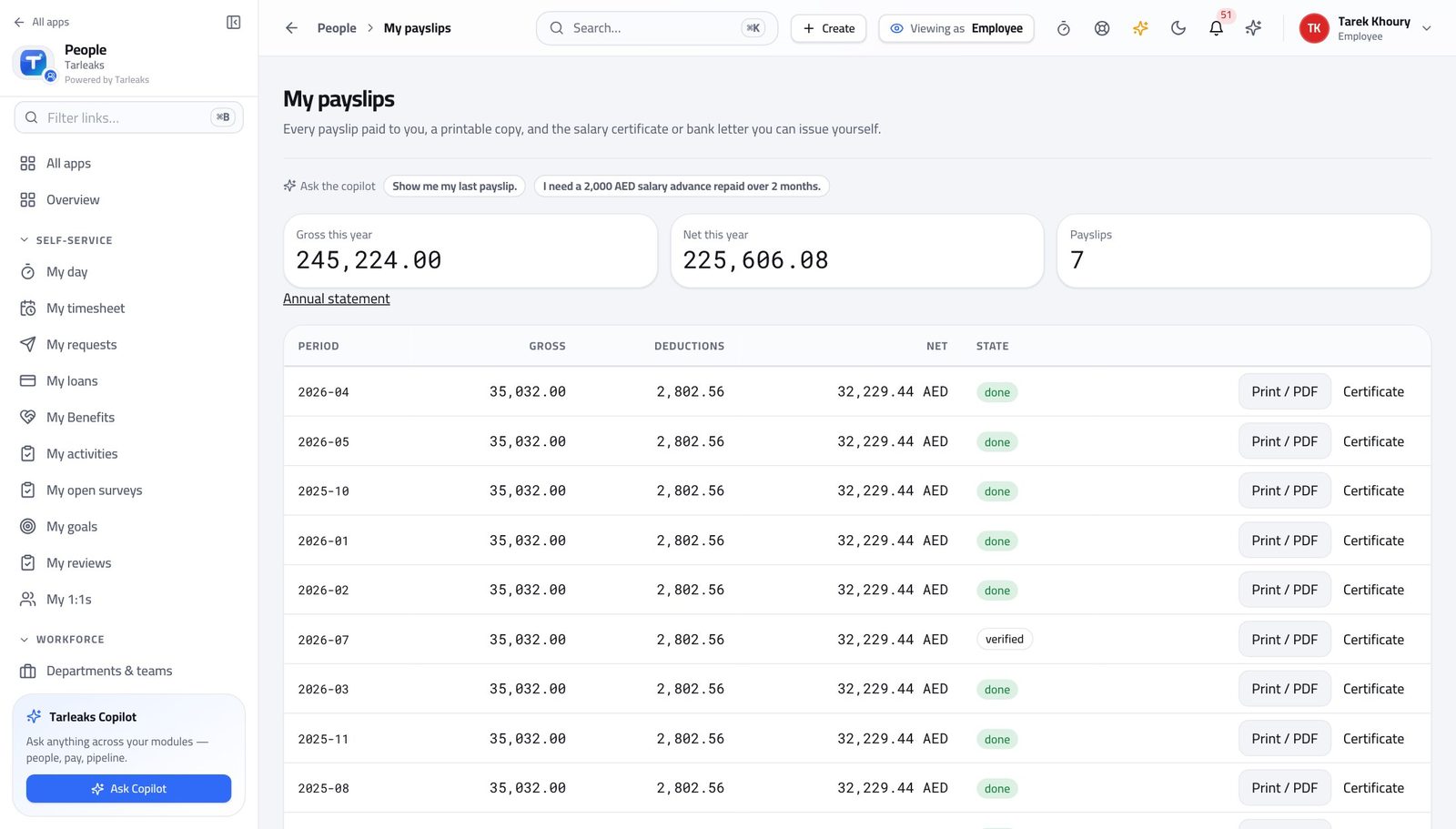
Where Payroll → My payslips
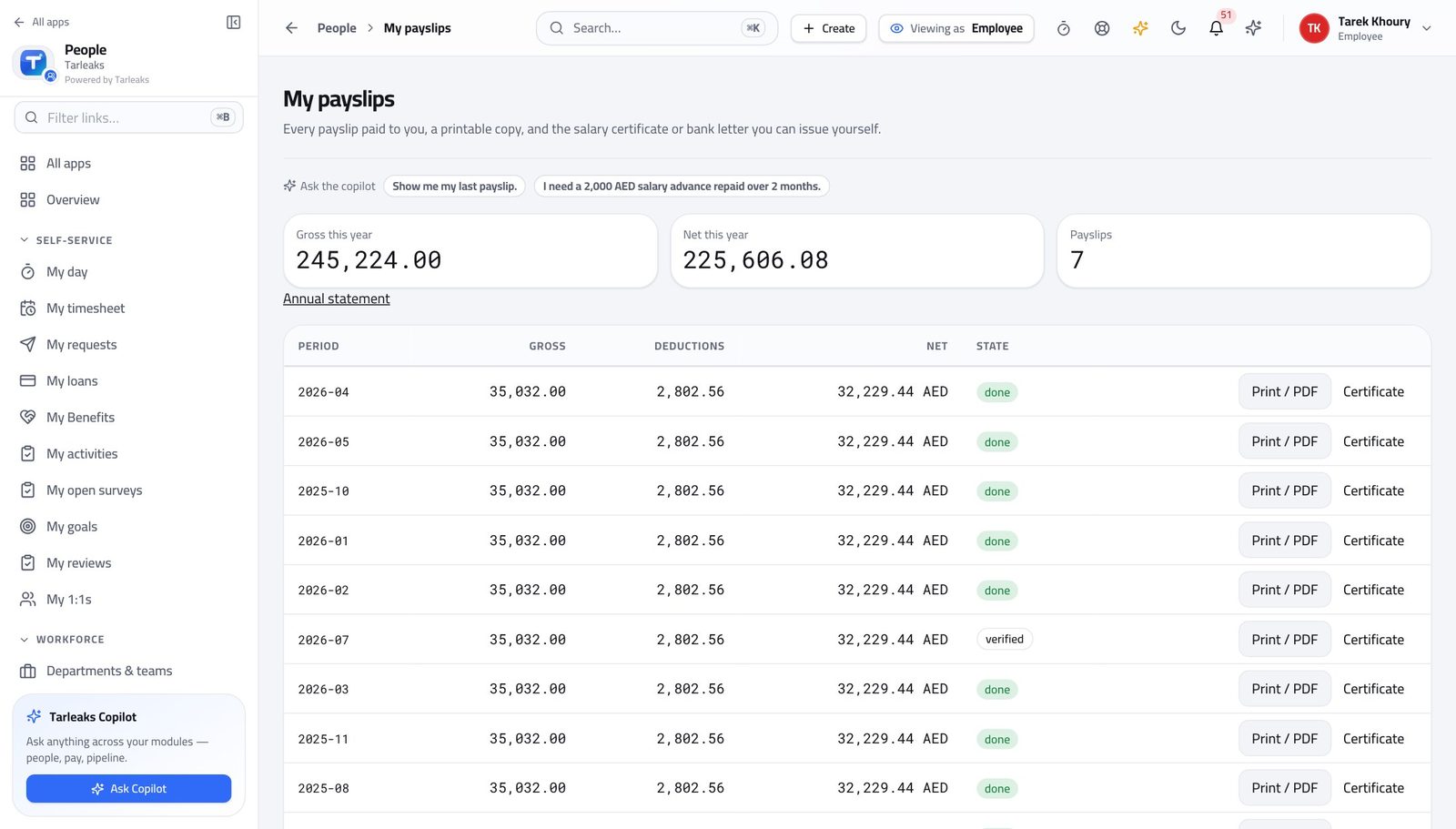
How it is worked out Every payslip whose period falls in the current year, added up.
Check it like this The count in the third box must equal the number of rows in the table for this year.
If it disagrees A month that has been calculated but not yet paid is not in here, so the figure lags the calendar by up to a month.
Faster ways to do the same work
| What you want | How |
|---|---|
| Jump to anything without the menu | Press ⌘K (or Ctrl K) and start typing — pages, records and actions are all in the same box. |
| See the month before it is real | Simulate on a draft run. It calculates a throwaway copy, shows you the totals and every payslip, then deletes itself. The run is untouched. |
| Send a colleague exactly what you are looking at | Copy the address bar. The search, the filters and the sort on every payroll list are written into the URL, so they see your screen and not the default one. |
| Get from a report figure to the people behind it | Click the figure. The scheme name, the employee name and the department name in Payroll reports all open the payslips that make up that number. |
| Move between records without going back to the list | The ‹ › arrows at the top of a payslip or a contract walk the list in the order you came from. ⌘← / ⌘→ do the same from the keyboard. |
| Do the same thing to four hundred rows | Tick the rows, then use the bar at the bottom. It only offers actions your role can perform, and each row is still checked on its own. |
| Check a batch before you run it | Ask for a practice run: every row is validated against the real write path and then rolled back. Nothing changes and you see what would have failed. |
| Test a pay rule without touching a payslip | Salary structures → Edit a rule → the live tester at the bottom. Type a sample wage and press Evaluate. |
| Find out what a leaver would cost before anyone commits | The end-of-service quote on their contract, or the full quote on Final settlements. Both compute and record nothing. |
| Generate a whole year of pay dates at once | Pay groups & calendar → pick the group and the year → Generate. Cut-off, approval, pay and WPS dates are created for every period. |
| Tell everyone their payslip is ready | Send payslips on an approved run. Preview delivery first — it tells you how many would be messaged without messaging anybody. The message never carries the amount. |
| Ask instead of hunting | The prompt strip under the header on each payroll page offers the two or three questions that fit that screen and your permissions. |
| Work in Arabic | Switch the language in your profile. The interface mirrors right to left, and payslips and certificates print in the language the reader expects. |