Tenant Administrator — Documents guide
Shape the vault once: who gets a workspace, and what happens to a file over time.
Shapes the vault: workspaces, document types, retention and where the files are actually stored.
What you will be able to do
- Create workspaces, which are the unit of access
- Read who can see what, in one screen
- Recover something deleted by mistake
- Decide where the files are actually stored
What this role can and cannot do
| Can | Cannot |
|---|---|
|
|
4 steps, each one carried out in the product on .
Check what your sign-in can do #
Where Your name, top right » Profile
- Open your company's address in the browser — it looks like yourcompany.tarleaks.com.
- Type the e-mail address your administrator set up for you, then your password.
- You land on the app launcher: a grid of the apps your company uses.
- Click your name, top right.
- Choose Profile.
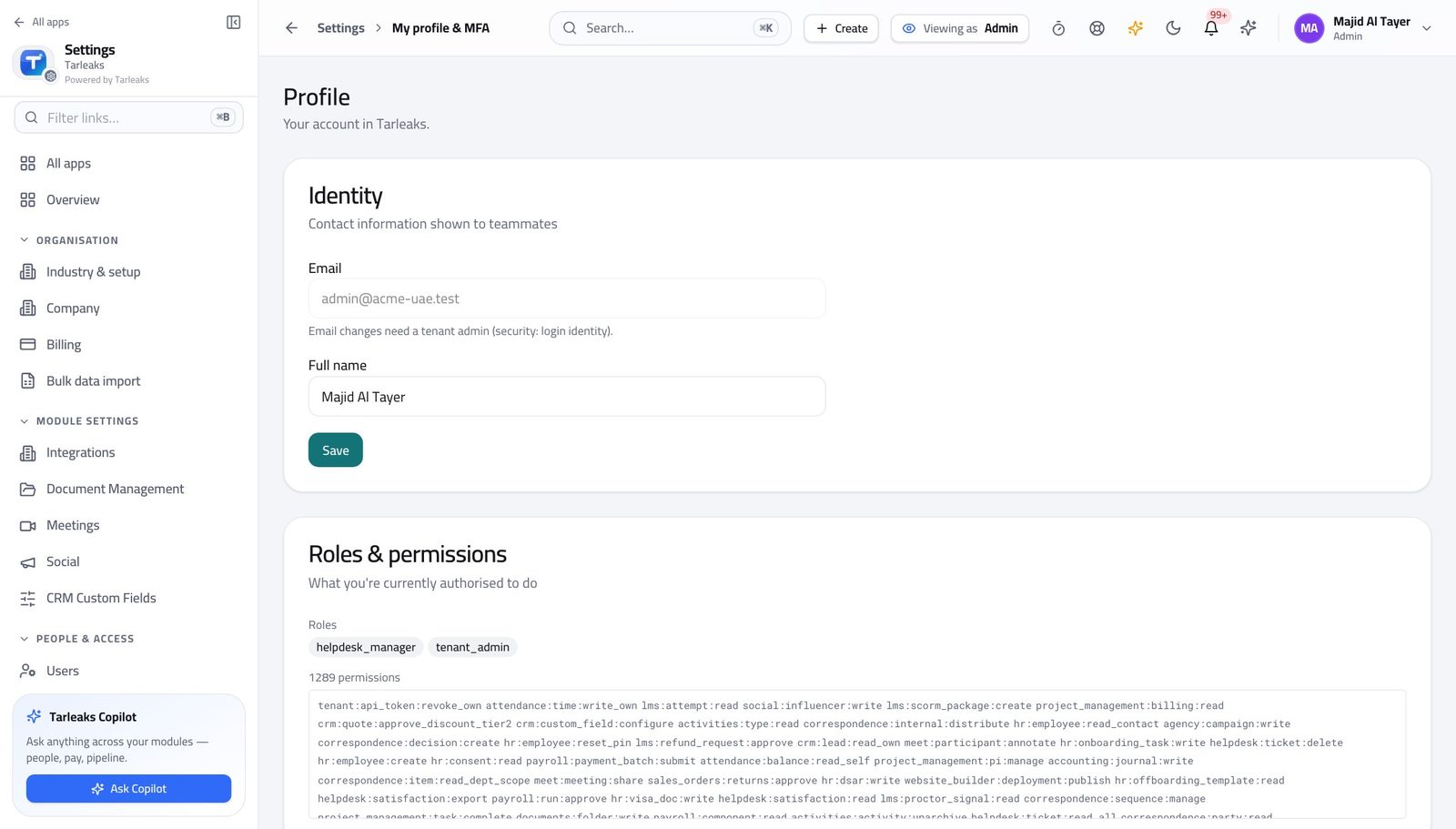
You should see Workspaces, access and storage are yours.
Create a workspace #
Where Documents » Home
- Open Documents.
- Create a workspace for the area — one per team, project or client.
- Add the people who need it.
| Field | What to put in it |
|---|---|
| Name | What the area is called in conversation — 'HR', 'Client: Emirates Steel' — not a code. |
| Members | Who gets sight of everything inside it. This is the access decision; the files inherit it. |
| Description | One line so somebody else knows what belongs here and what does not. |
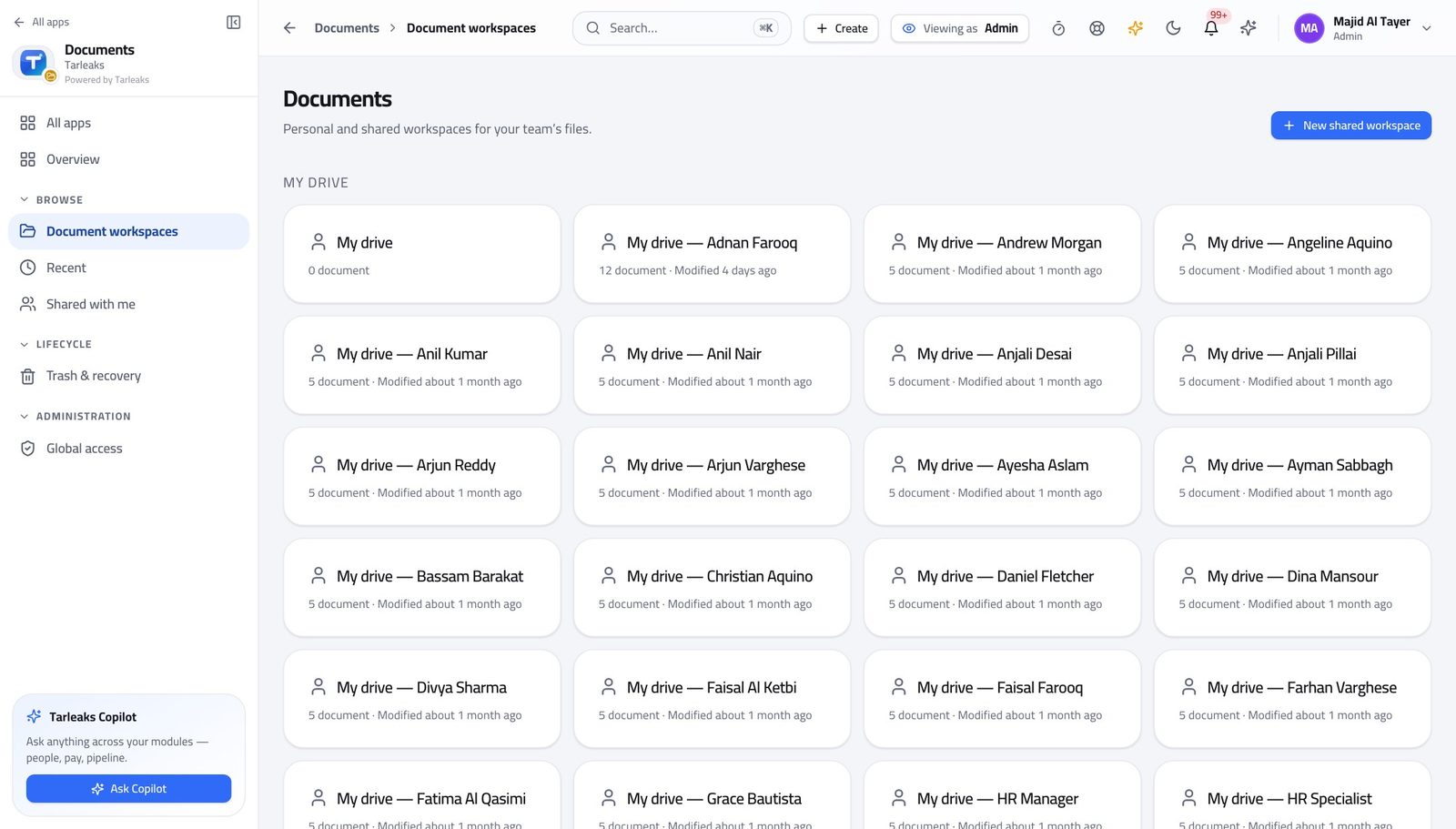
You should see Access is granted per workspace, so getting these boundaries right is most of the work.
Watch out A workspace per document is unusable; a single workspace for everything is a leak. One per team or client is the shape that works.
Read who can see what #
Where Documents » Access
- Open Access.
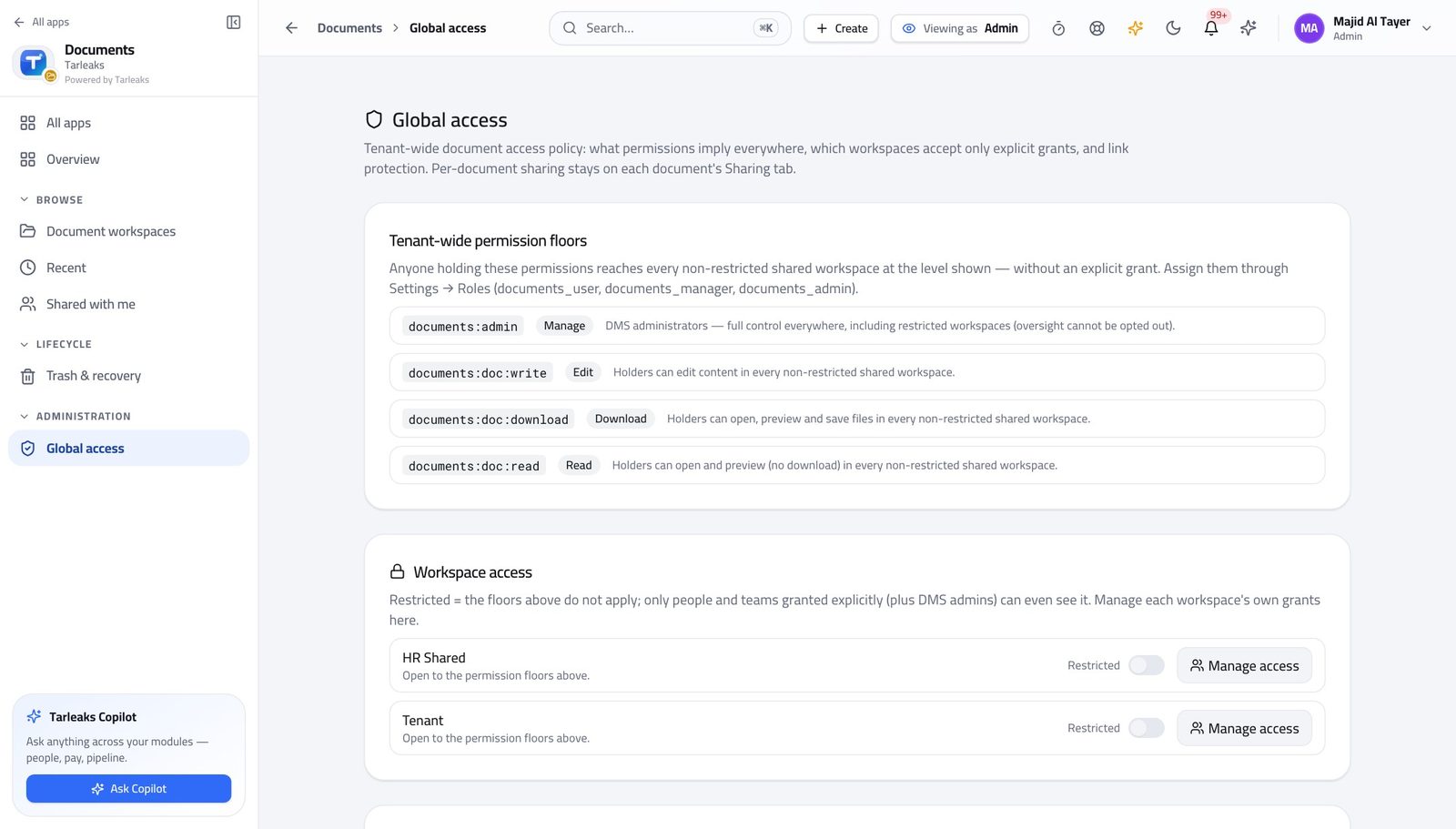
You should see One screen answers the question an auditor asks, instead of opening files one by one.
Recover something deleted by mistake #
Where Documents » Trash
- Open Trash.
- Restore what was deleted by mistake.
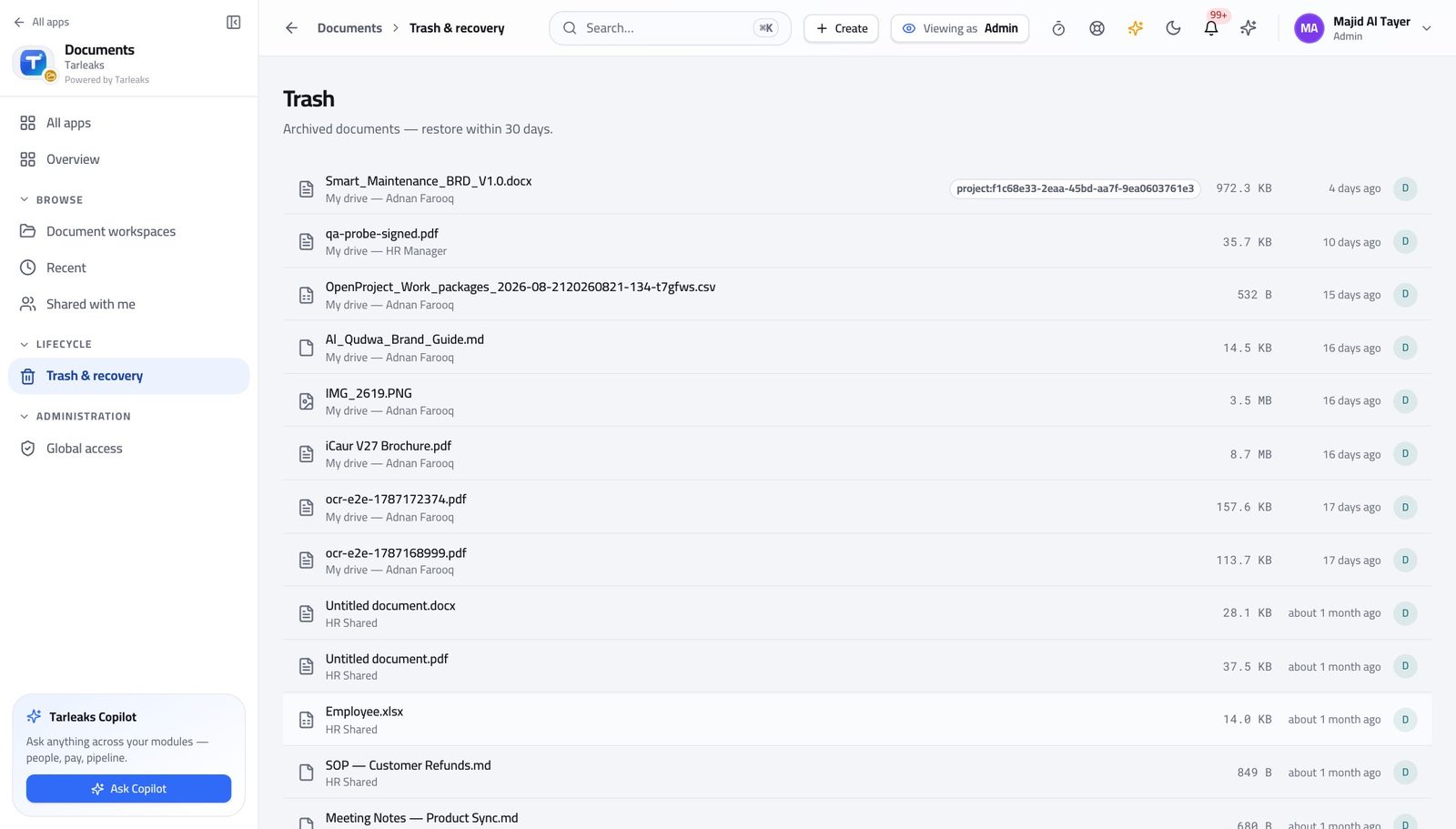
You should see Deleting is reversible; destruction is the retention sweep, and a legal hold stops that.
Watch out A legal hold stops destruction even after retention expires. Place it before the sweep runs, not after.
Use cases — the work, step by step
Each one is a sequence somebody actually performs, with the screen behind every step. Every screen here was opened in the product as this role before it was published.
monthlyGive a new team the right sight of things #
Access is granted per workspace, so a joiner gets forty documents by joining one workspace rather than by being handed forty links.
Create the workspace for the team, project or client.
Documents » Home — verified: the page says “Document” Read the access screen afterwards — it answers 'who can see this' in one place.
Documents » Access — verified: the page says “Access”
urgentSomebody deleted something they should not have #
Deleting is reversible; destruction is the retention sweep, and a legal hold stops that.
Open Trash and restore the file.
Documents » Trash — verified: the page says “Trash” Check who could reach it in the first place, and fix the workspace membership rather than the file.
Documents » Access — verified: the page says “Access”
Access is granted per workspace rather than per file, so a new joiner gets the right sight of things by joining a workspace, not by being given forty documents.