The crm calendar — who does what, and when
16 use cases across 4 roles, placed by when they happen. Each one opens as a numbered sequence with the screen behind every step — nothing here is advice we have not carried out in the product. Filter to your own role, or read it once to know what lands on your desk and from whom.
Nothing matches that. Try a shorter word, or pick Everyone.
Every day
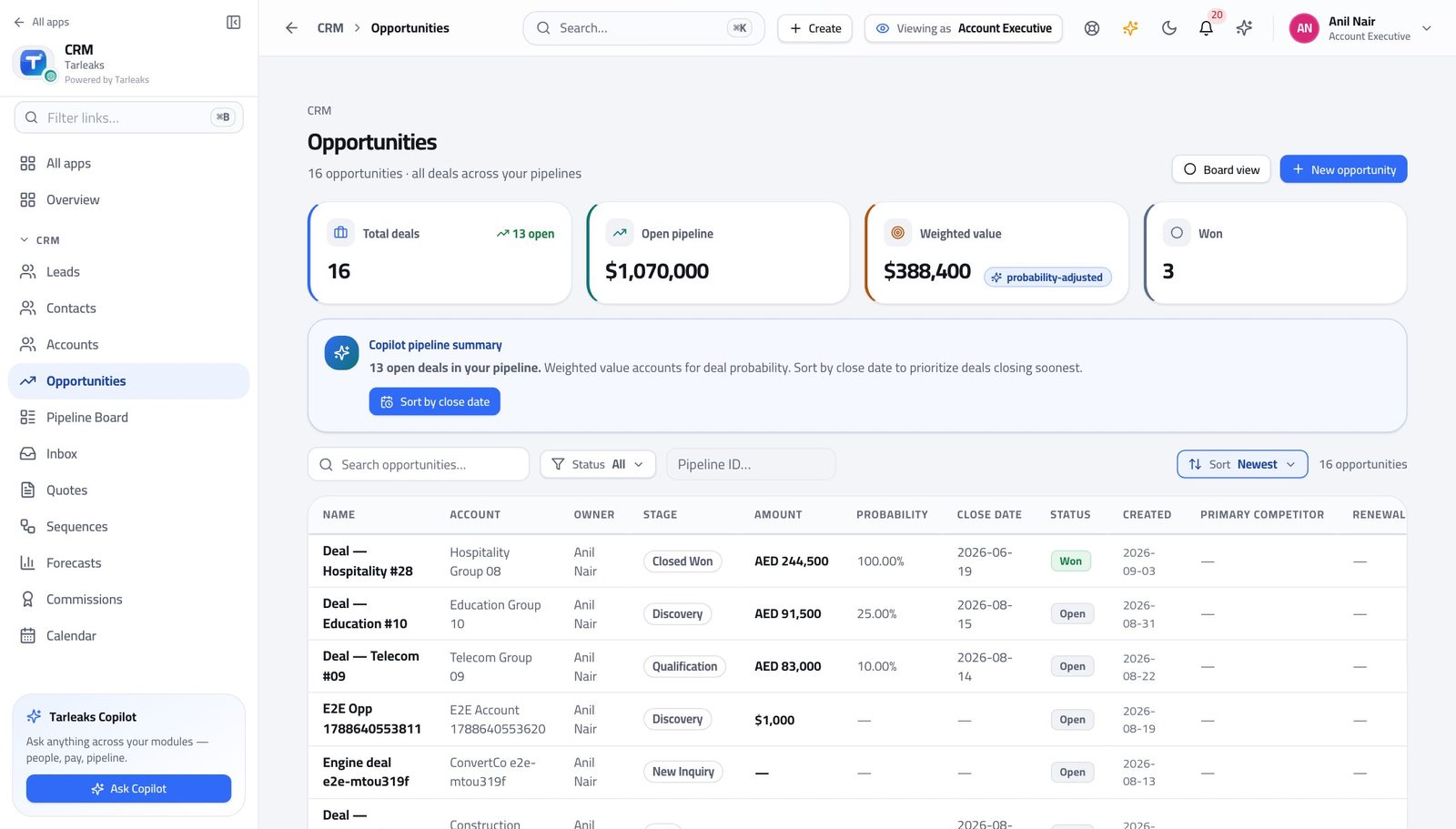
Account ExecutiveTurn a handed-over deal into a sent quote
The order matters: understand the account, build the quote against the right price book, and only then discover whether the discount needs approving.
5 steps, each with the screen it happens on.
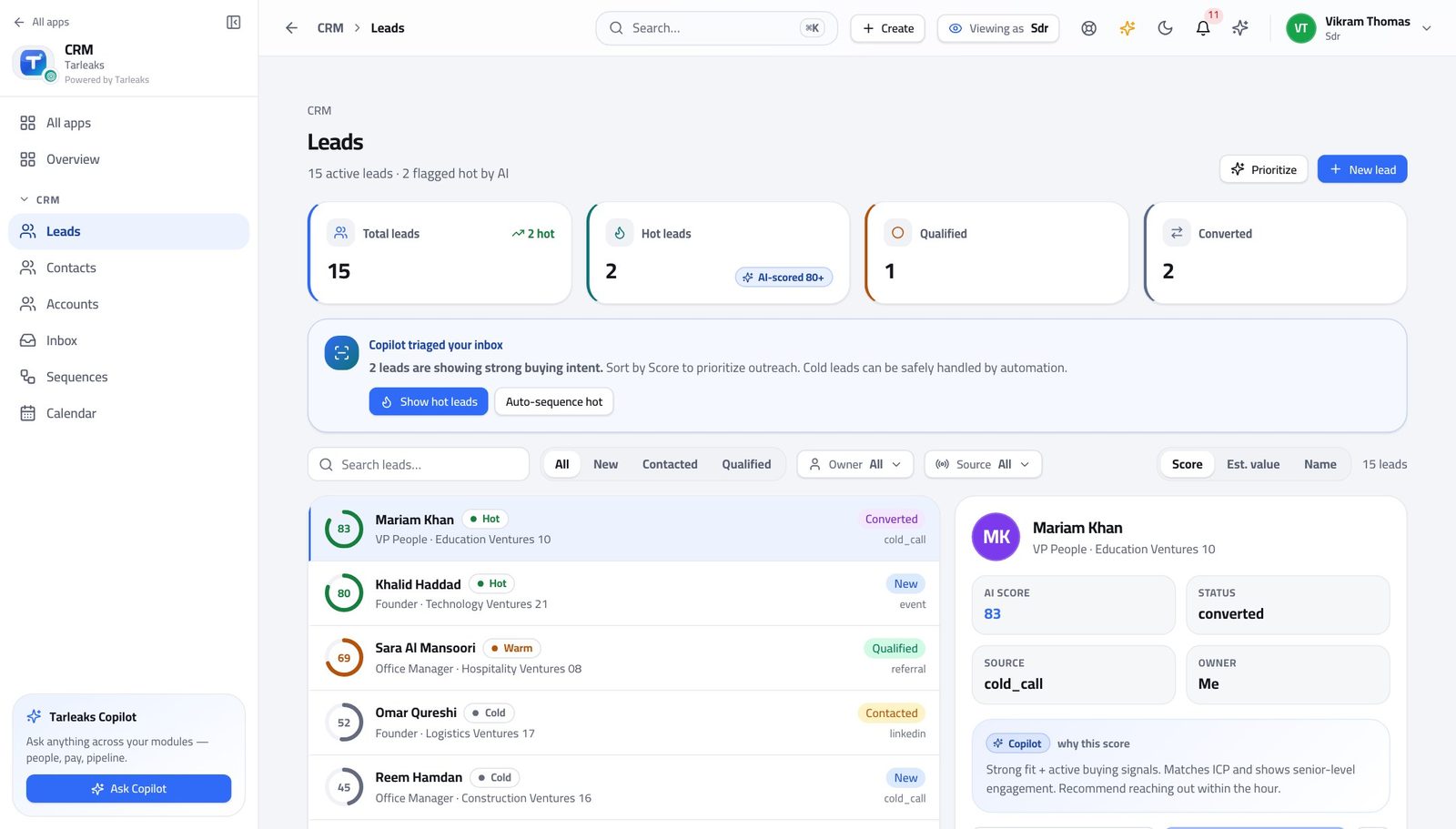
Sales Development RepresentativeA morning on the queue, in about forty minutes
Highest score first, sequences before manual follow-ups, and replies answered before anything automatic goes out on top of them.
4 steps, each with the screen it happens on.
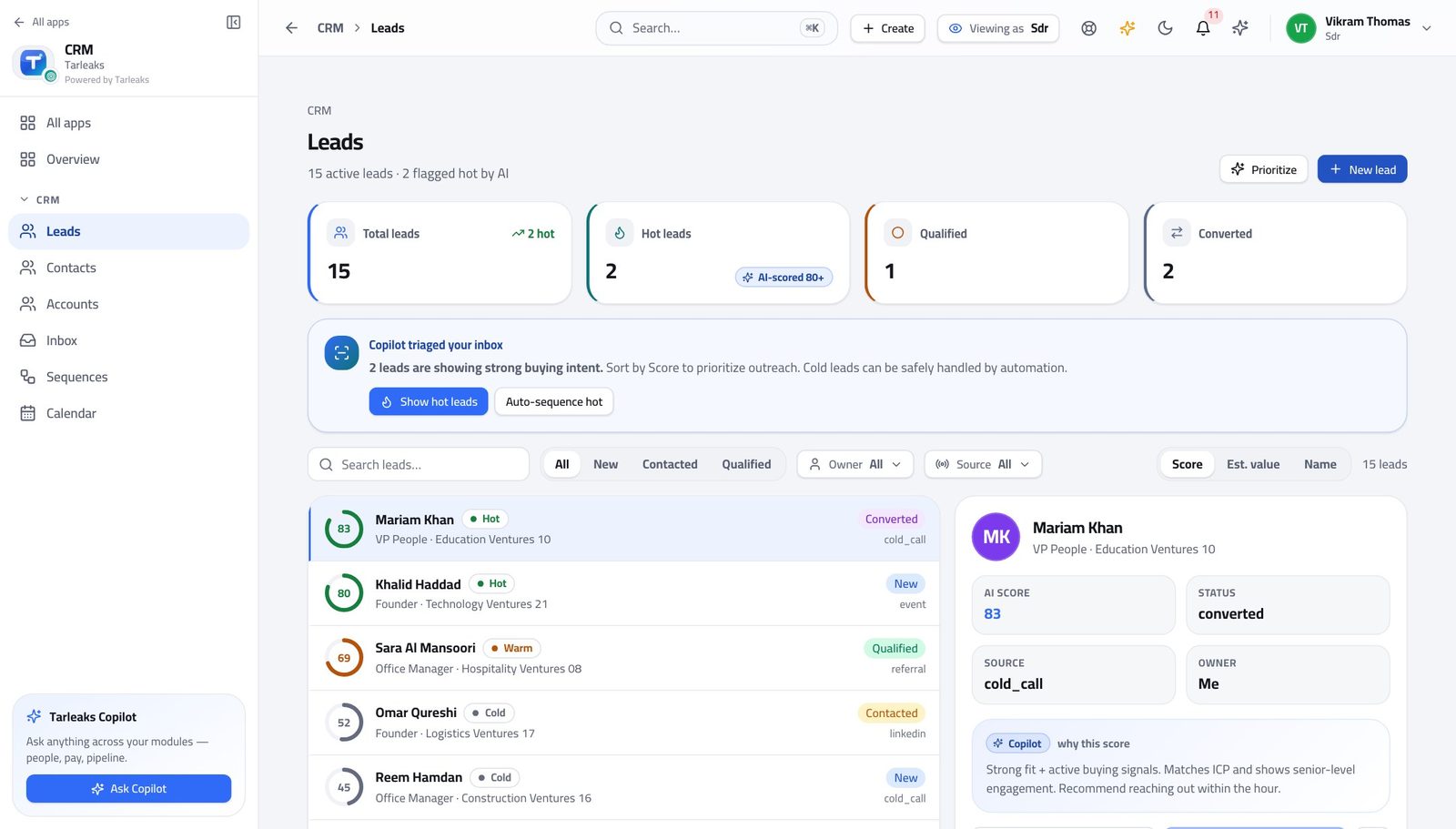
Sales Development RepresentativeQualify a good lead and hand it over cleanly
The handover is the whole job. A deal that arrives with an owner, a date and an honest amount gets worked; one that arrives as a name gets ignored.
4 steps, each with the screen it happens on.
Every week
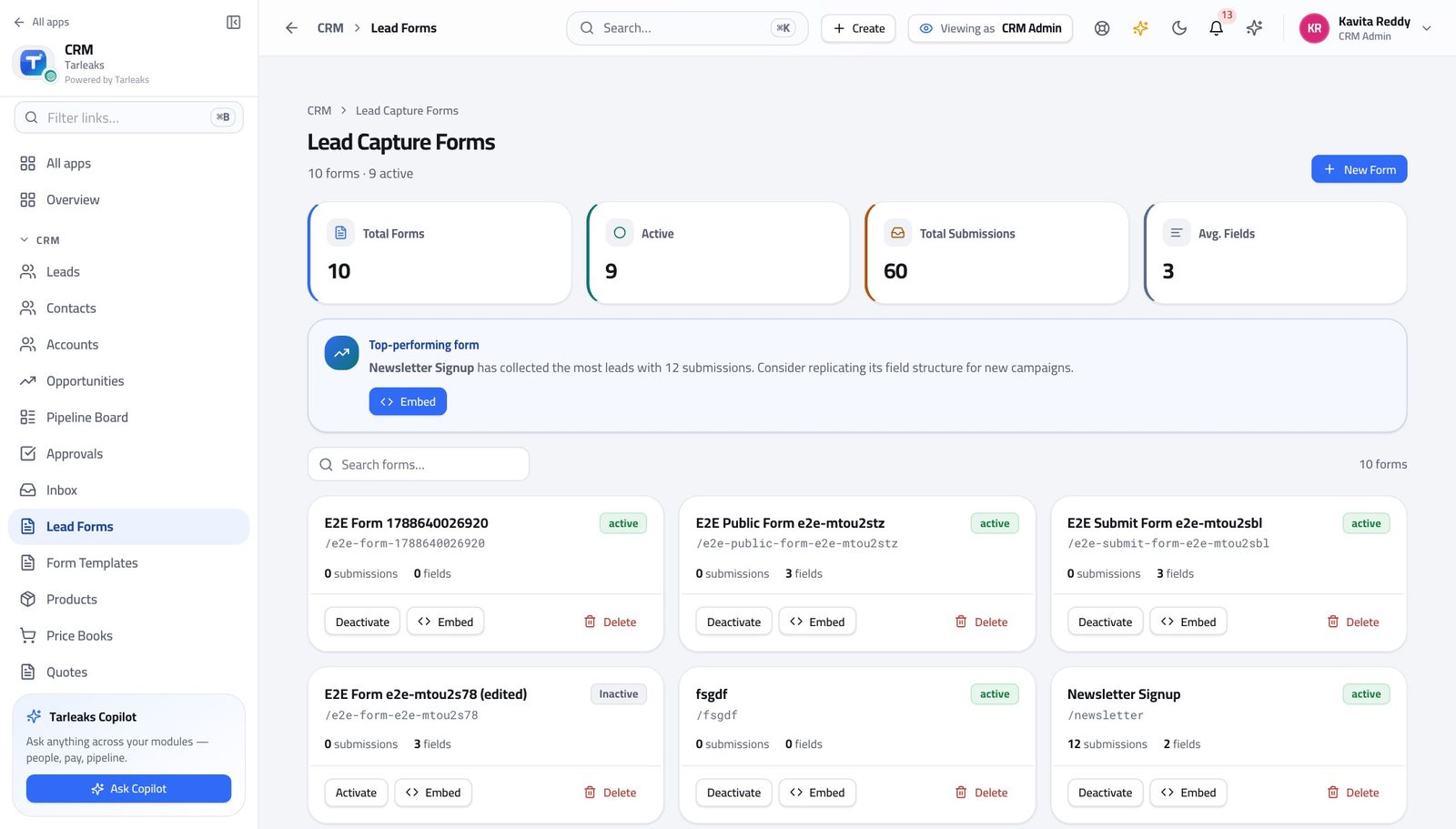
CRM AdministratorMarketing wants a form on the website by Friday
A form that captures leads nobody is routed is a form that produces an unworked queue. Build the form and the route in the same sitting.
4 steps, each with the screen it happens on.
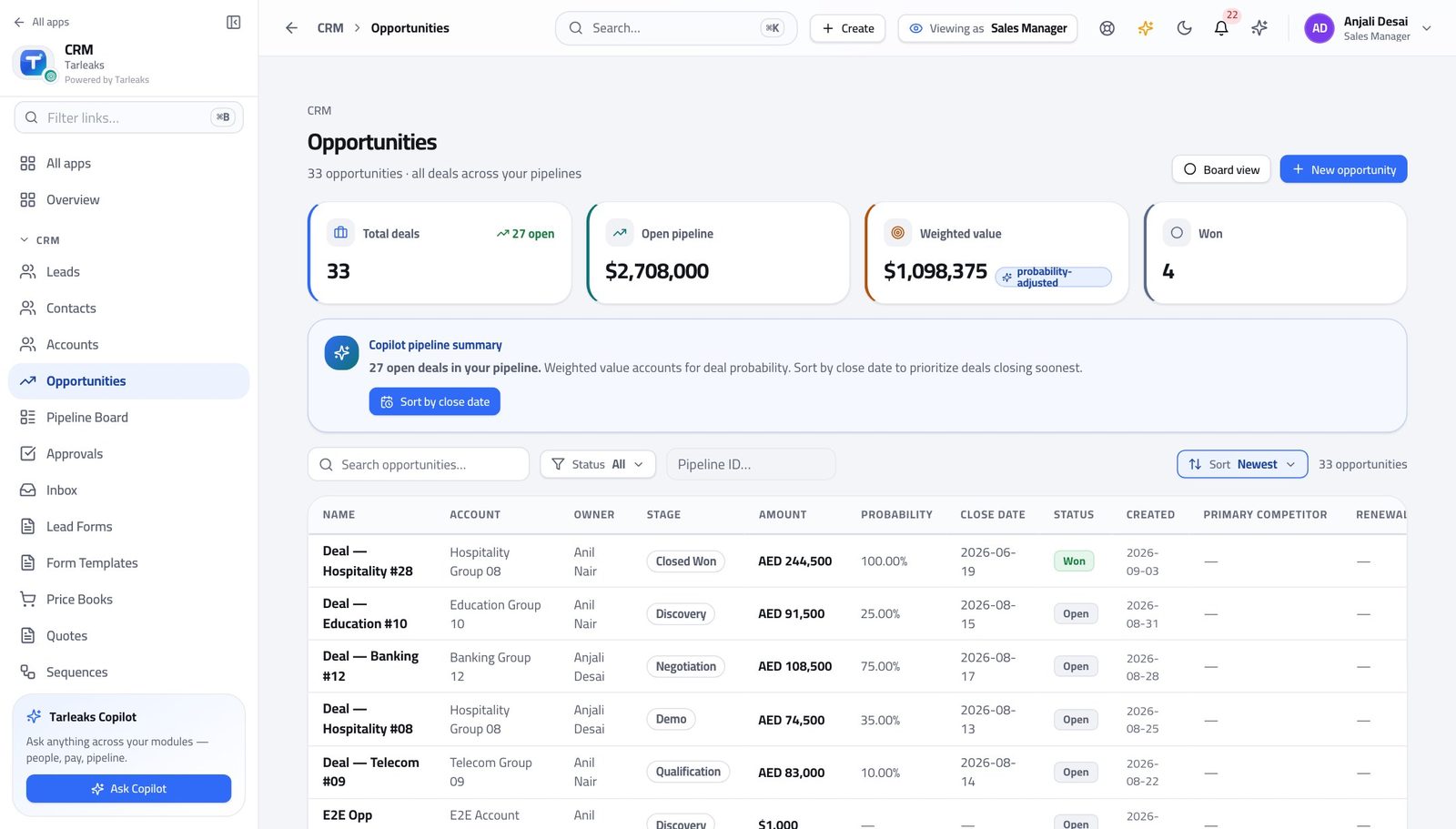
Sales ManagerMonday: read the number, then clear the queue
Approvals are what block other people's work. Do them before anything that only blocks yours.
4 steps, each with the screen it happens on.
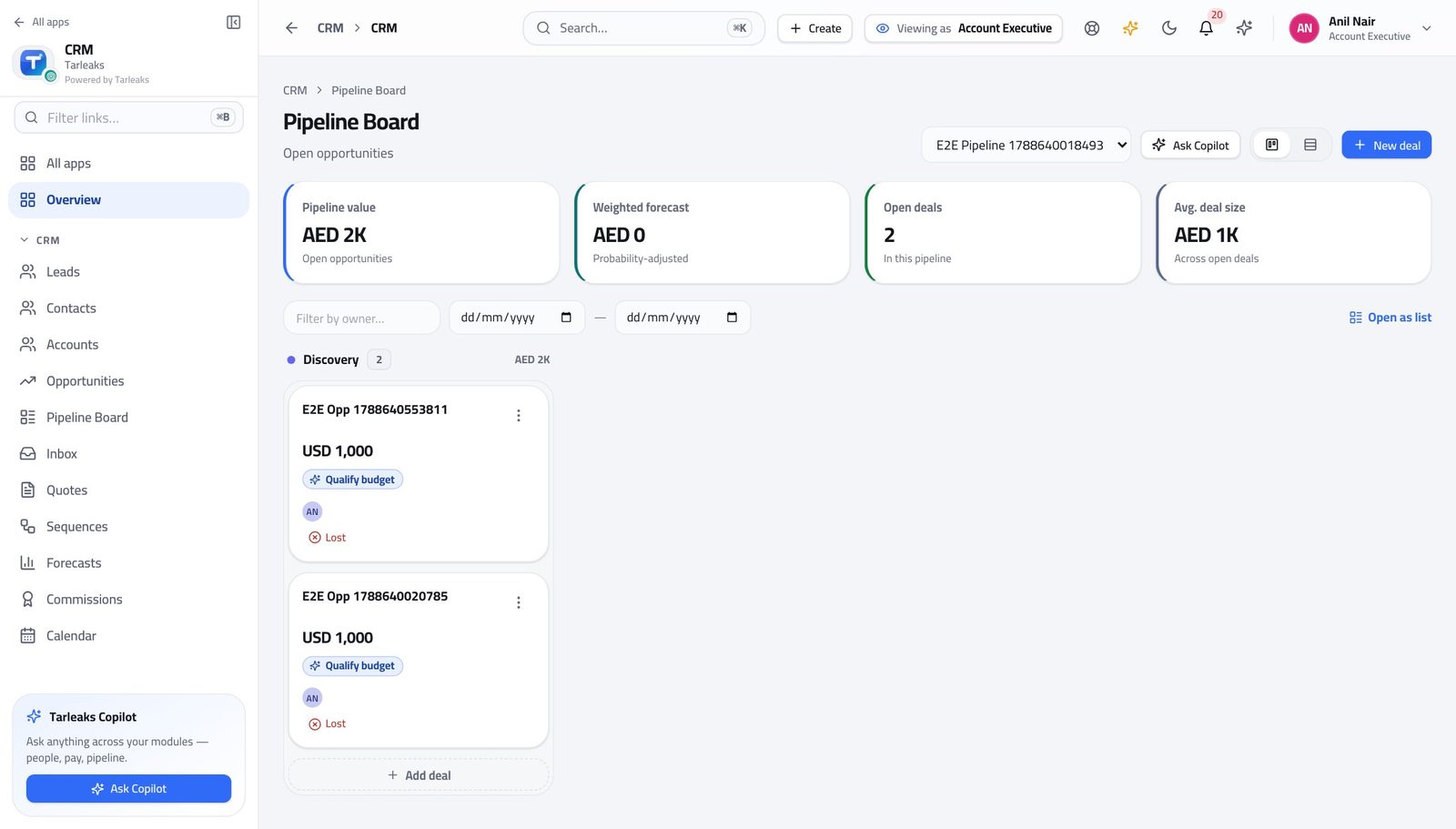
Account ExecutiveKeep the board honest before the week closes
Your forecast is built from your own stages and close dates. Twenty minutes on Friday is the difference between a number your manager can commit and one they have to discount by feel.
4 steps, each with the screen it happens on.
Every month
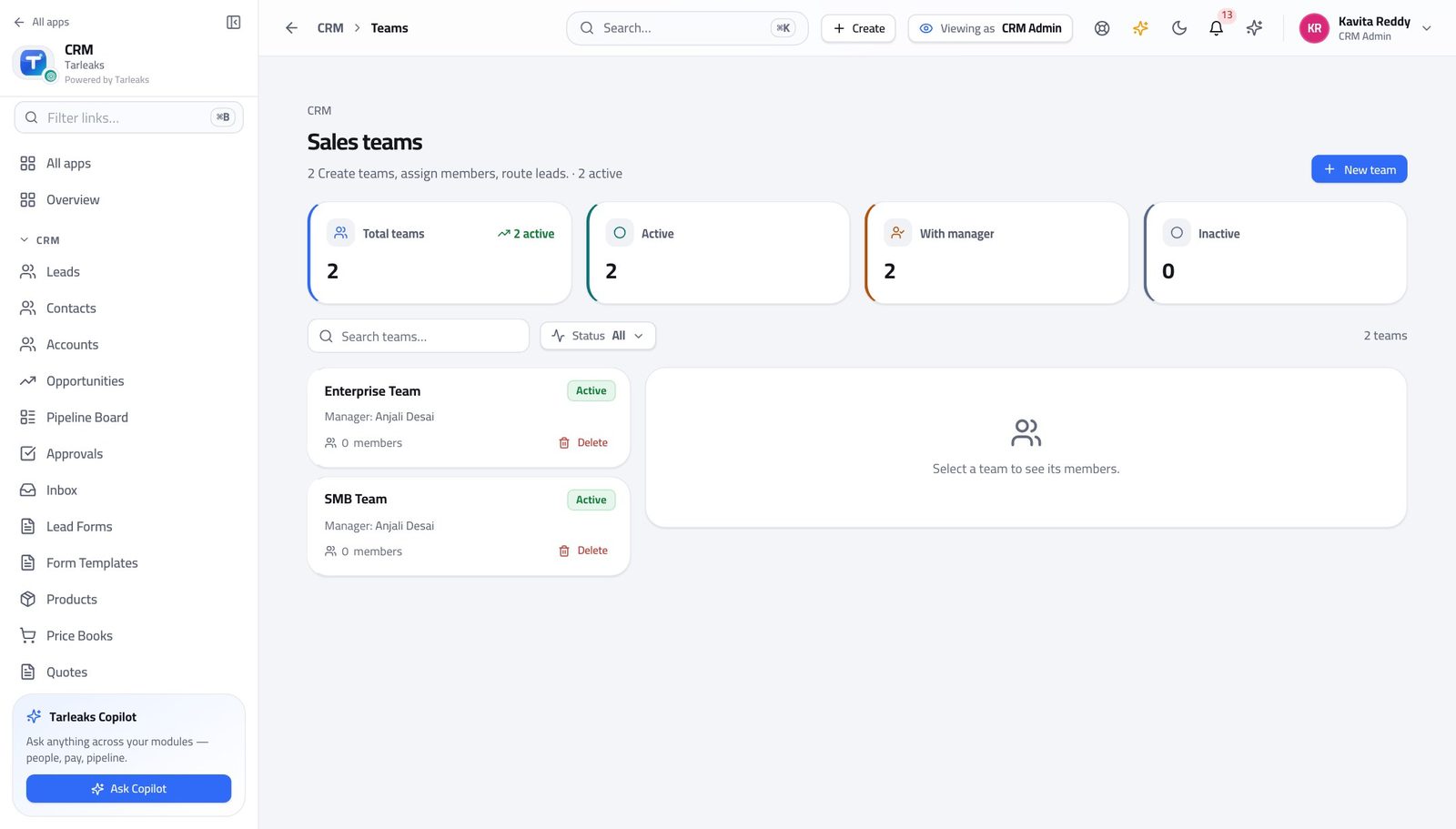
CRM AdministratorA new region opens: staff it, route to it, score for it
Team and territory answer different questions. Doing one and forgetting the other is the usual cause of 'I cannot see my own rep's deals'.
5 steps, each with the screen it happens on.
Sales ManagerCommit the forecast for the period
The forecast is arithmetic over your team's own stages and close dates. Fix those first and the number fixes itself.
4 steps, each with the screen it happens on.
When something goes wrong
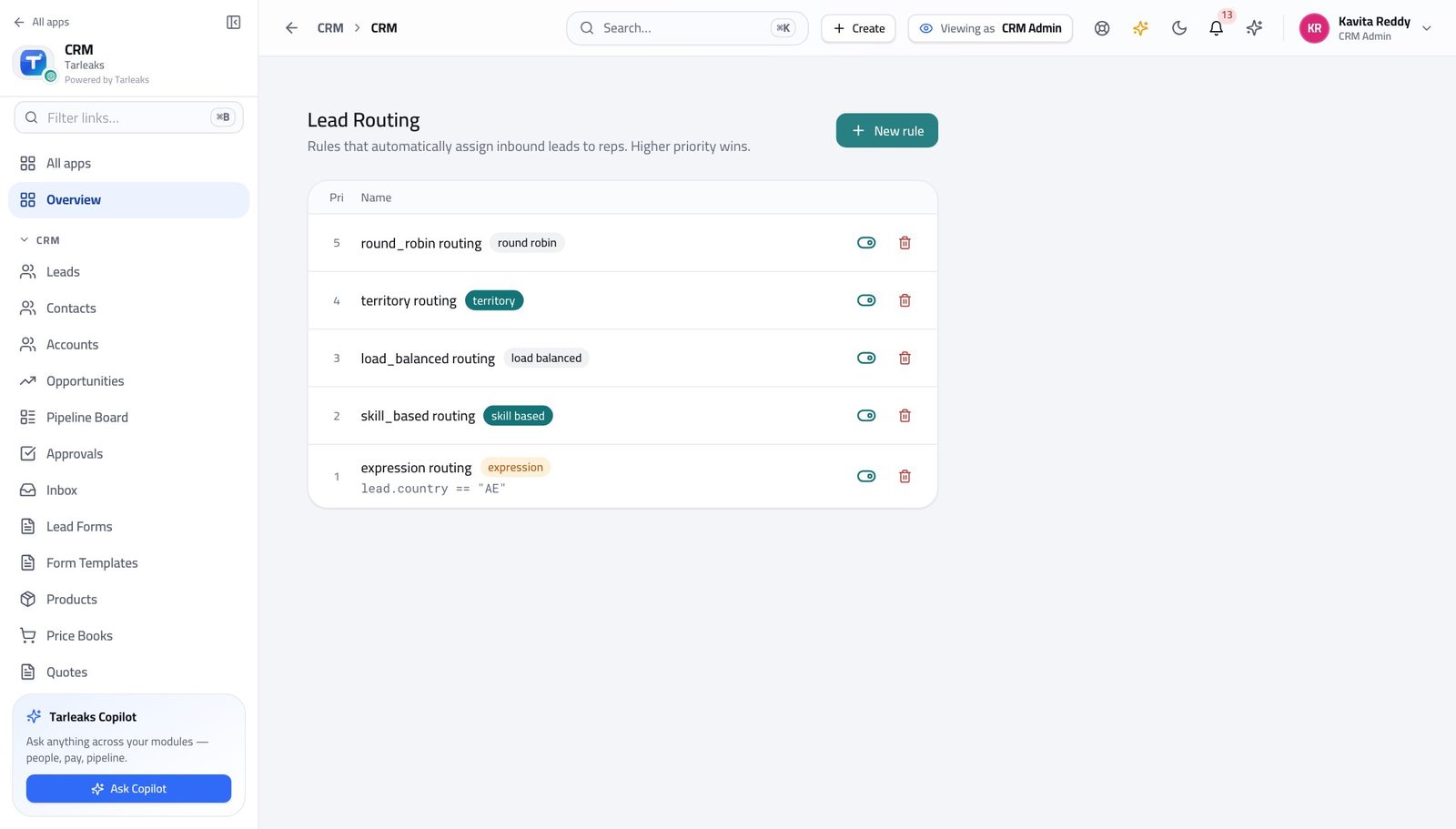
CRM AdministratorReps say their leads are going to the wrong people
It is almost always the rule ORDER rather than a broken rule, and nothing errors when the order is wrong.
4 steps, each with the screen it happens on.
Sales ManagerA rep resigns on a Friday afternoon
Their deals become invisible to everybody the moment they lose access. Moving them takes ten minutes now and a fortnight later.
4 steps, each with the screen it happens on.
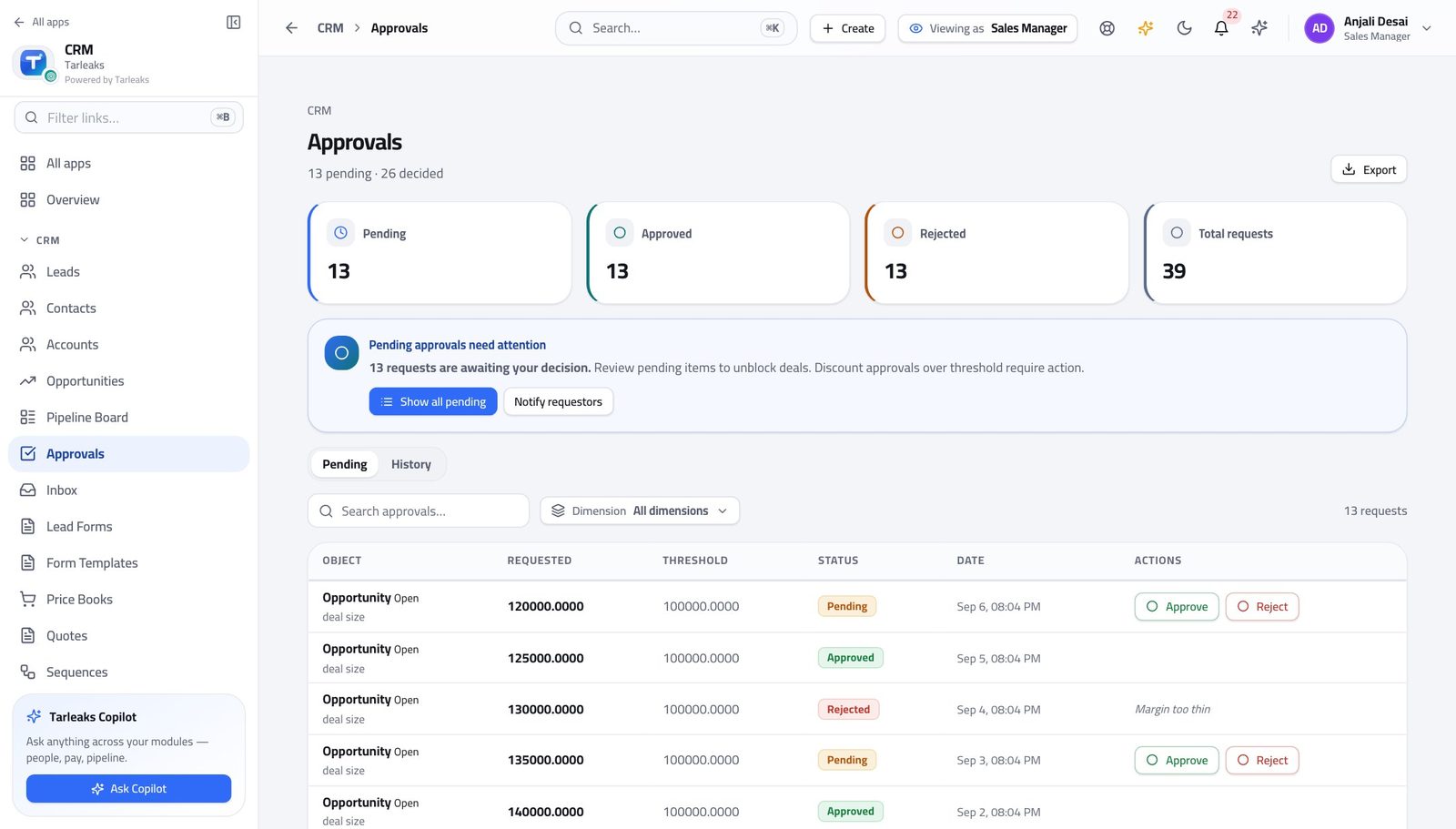
Sales ManagerA discount request you are not comfortable with
The threshold was set by somebody else, on purpose. Your job is to decide this request against it, not to move the line.
3 steps, each with the screen it happens on.
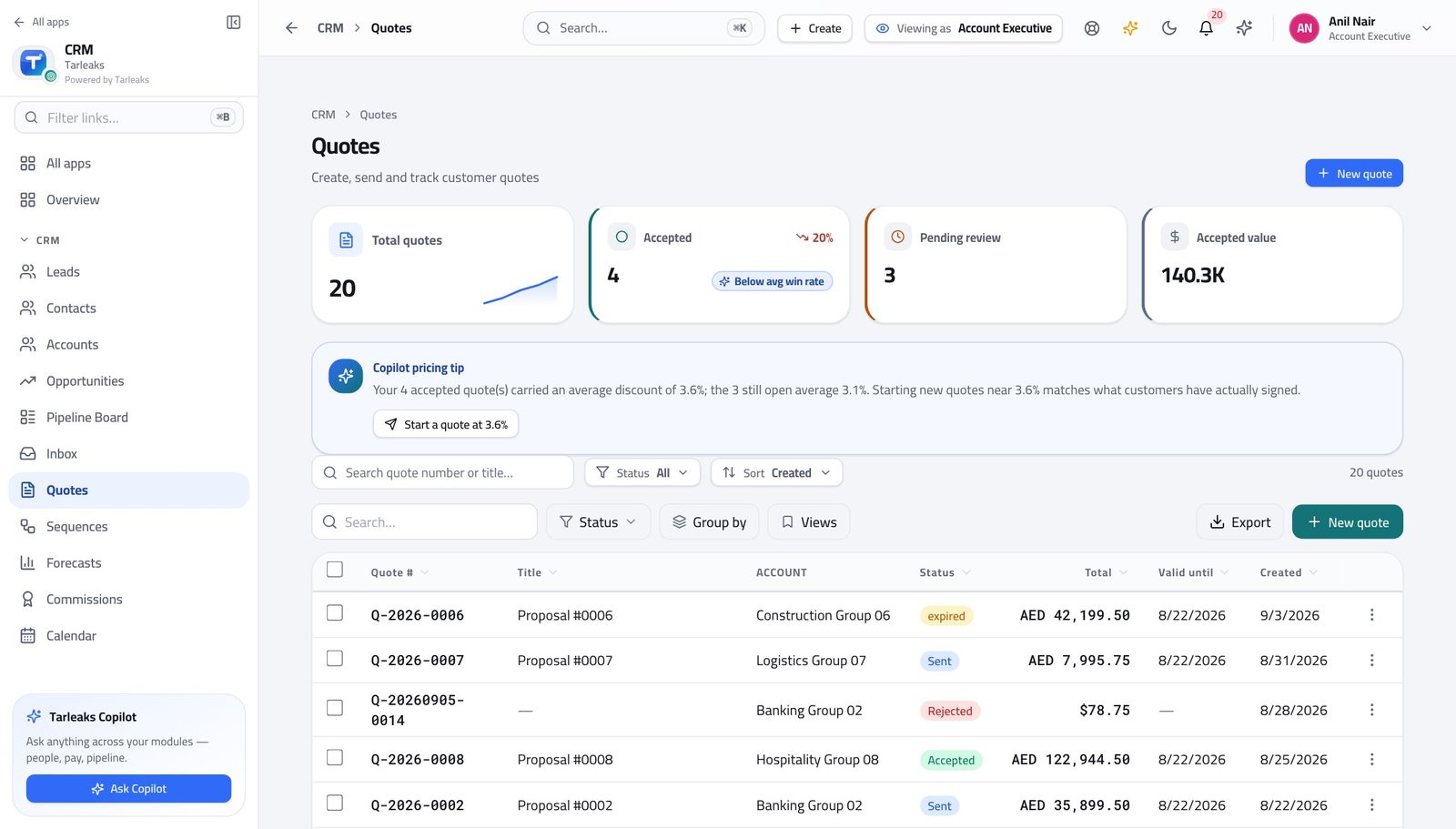
Account ExecutiveThe customer wants a bigger discount than you can give
There is a right way to ask and it takes ten minutes. Rebuilding the quote at a number nobody approved wastes a week.
4 steps, each with the screen it happens on.
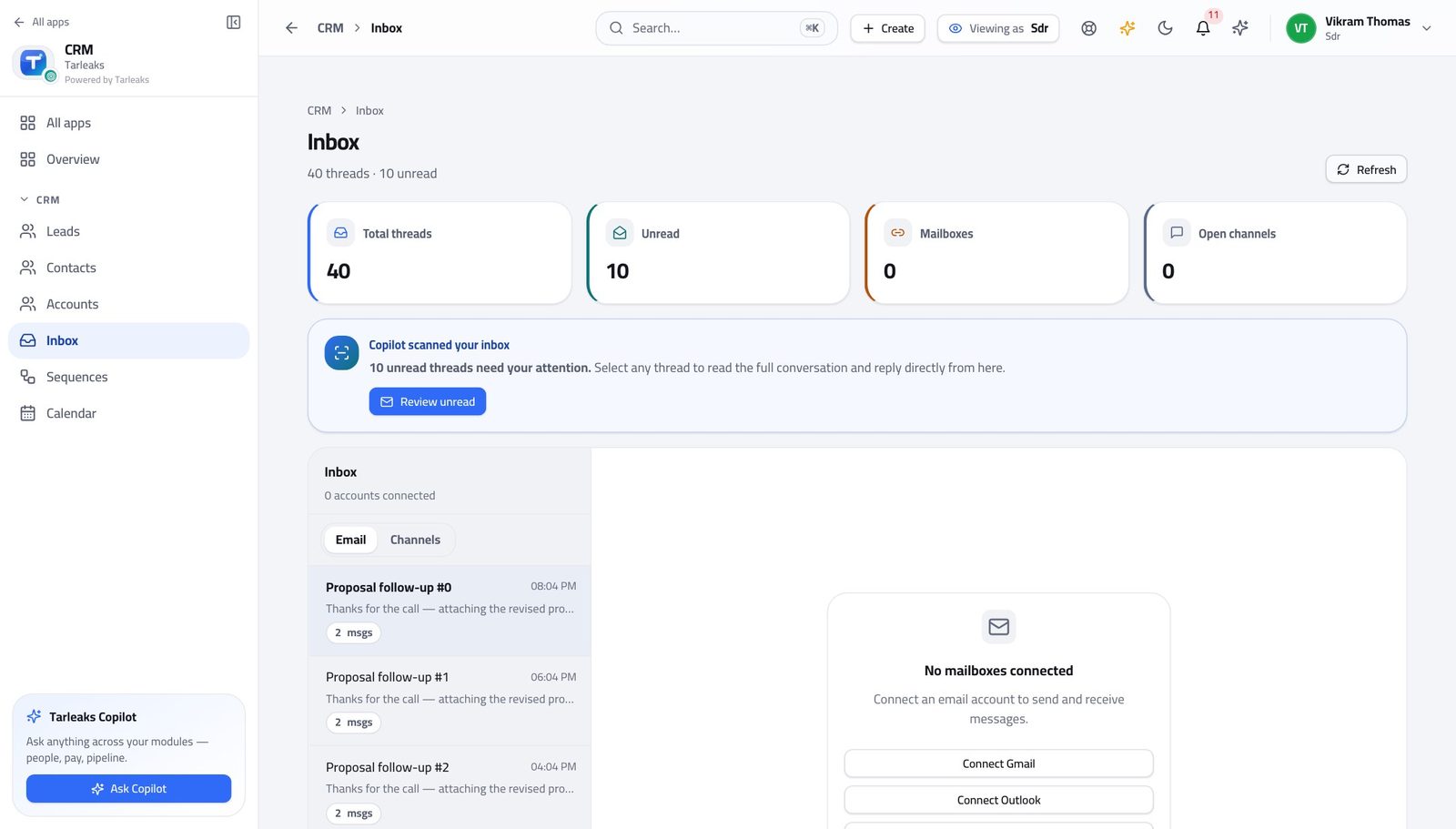
Sales Development RepresentativeThey replied and want a price
The wrong answer here costs the deal. Guessing a number you cannot stand behind is worse than saying you will find out today.
3 steps, each with the screen it happens on.
The awkward cases
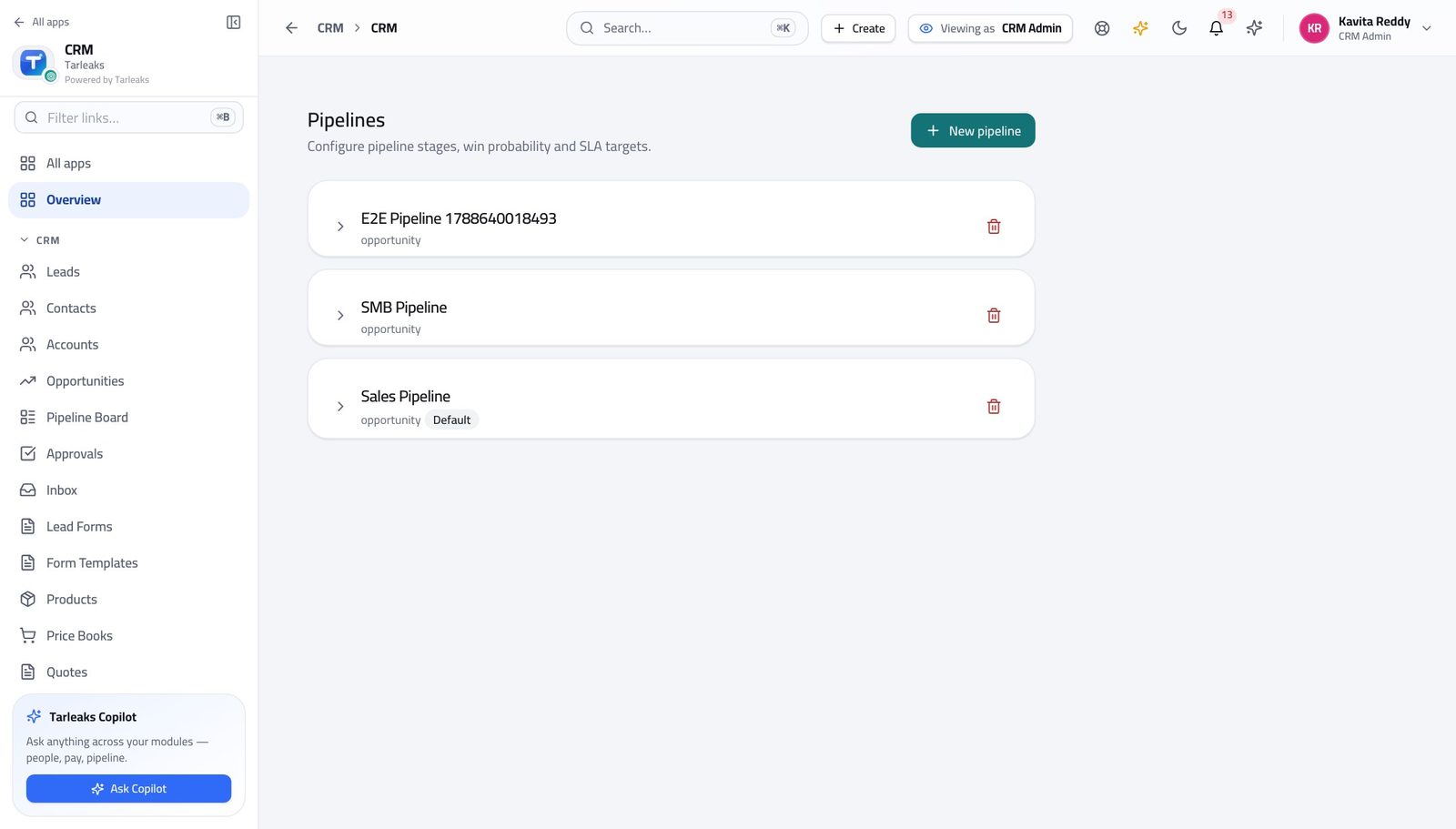
CRM AdministratorStand up a sales process before the team touches it
Stages, reasons and thresholds are cheap to change on day one and expensive on day ninety — every deal already in flight carries whatever you chose.
4 steps, each with the screen it happens on.
Account ExecutiveThe customer accepted — hand it to the order desk
CRM stops at the accepted quote. Delivering the thing, invoicing it and collecting the money happen in the sales-order module, and the handover is deliberate rather than automatic.
3 steps, each with the screen it happens on.
Sales Development RepresentativeThis one is not going anywhere
A dead lead left in 'working' is worse than a disqualified one: it counts against you and it teaches your company nothing.
3 steps, each with the screen it happens on.
Handovers — who passes what to whom
Finance rarely breaks inside a job. It breaks at the join: a bill nobody approved, a receipt nobody allocated, a month closed before the tax agent had it.
| When this happens | From → to | What happens next |
|---|---|---|
| A form on the website is completed | The website → Sales development rep Lead Forms, then Leads | The lead is created and the routing rules decide who owns it — the first matching rule, top down. A form with no routing rule behind it produces a queue nobody owns. Build both in the same sitting. |
| A lead is qualified | Sales development rep → Account executive Leads → Convert | Convert creates the contact, the account and the opportunity in one action, and names the owner who will run the deal. Choosing the owner IS the handover. Get it wrong and the deal sits with somebody who does not know it exists — and the rep cannot fix it, because deals are not theirs to open. |
| A meeting is booked with a prospect | Sales development rep → Account executive Calendar | The meeting is attached to the record, so whoever takes the call has the whole history rather than a diary entry. Put what you learned on the lead BEFORE the meeting, not after. The person taking it reads the record, not your memory. |
| A quote's discount goes past the threshold | Account executive → Sales manager Quotes → the quote → Approvals, and the manager's Approvals queue | The quote cannot be sent until the request is decided. The manager approves or rejects with a note. The person who built the quote cannot approve it. That is the control, not an obstacle — and rejection sends it back to be edited rather than killing the deal. |
| The customer accepts the quote | Account executive → Sales manager Quotes, then the Pipeline Board | The quote is marked accepted; declaring the opportunity won is the manager's action, because the number it lands in is theirs. A won deal left un-closed makes the forecast wrong in the direction nobody wants. Tell them on the day. |
| The deal is won and has to be delivered | Account executive → Order desk Sales Orders | The accepted quote becomes a sales order, and delivery and invoicing follow it there. CRM stops at the accepted quote. This is a genuine boundary, not a technicality. Chasing a delivery from the quote is chasing a document that stopped being the live one. |
| A rep leaves or changes patch | Sales manager → The rest of the team Opportunities → the action bar, then Teams | Their deals are moved in a batch, and their team membership is ended so the team view stops including them. Move the deals BEFORE the access is removed. Afterwards they are invisible to everyone until somebody goes looking. |
| The forecast is committed | Sales manager → The business Forecasts | Weighted pipeline against quota for the period, drawn from the same deals on the board. The report and the board can never disagree — so a forecast you would not defend is a board that needs fixing, not a report that needs arguing with. |
| A period closes and the commission is worked out | Sales manager → CRM administrator Commissions | The manager checks the team's payouts; releasing the money is the administrator's action, not theirs. A manager who could approve their own team's payouts would be approving their own. Raise a wrong figure rather than trying to fix it. |
| The threshold, the scoring or the stages are wrong for the market | Sales manager → CRM administrator CRM Admin | A policy change, made once, in one place — not a workaround per manager. Bring the exact rule in words. 'The threshold is too low' starts an argument; 'above 12% on renewals should not need approval' starts a change. |