CRM Administrator — CRM guide
Set the selling rules once, so nobody has to remember them.
Sets the rules everyone else sells inside: the pipeline and its stages, the fields on a record, where a new lead lands and what it scores, which discounts need signing off, and who is on which team and territory.
What you will be able to do
- Shape the pipeline and what each stage means
- Decide where a new lead lands and what it is worth
- Set the discount that needs a signature
- Keep teams, territories and the catalogue in order
What this role can and cannot do
| Can | Cannot |
|---|---|
|
|
17 steps, each one carried out in the product on .
Check what your sign-in can do #
Where Your name, top right » Profile
- Open your company's address in the browser — it looks like yourcompany.tarleaks.com.
- Type the e-mail address your administrator set up for you, then your password.
- You land on the app launcher: a grid of the apps your company uses.
- Click the CRM tile.
- Click your name in the very top-right corner of the screen.
- Choose Profile from the menu that drops down.
- Scroll to the roles and access section.
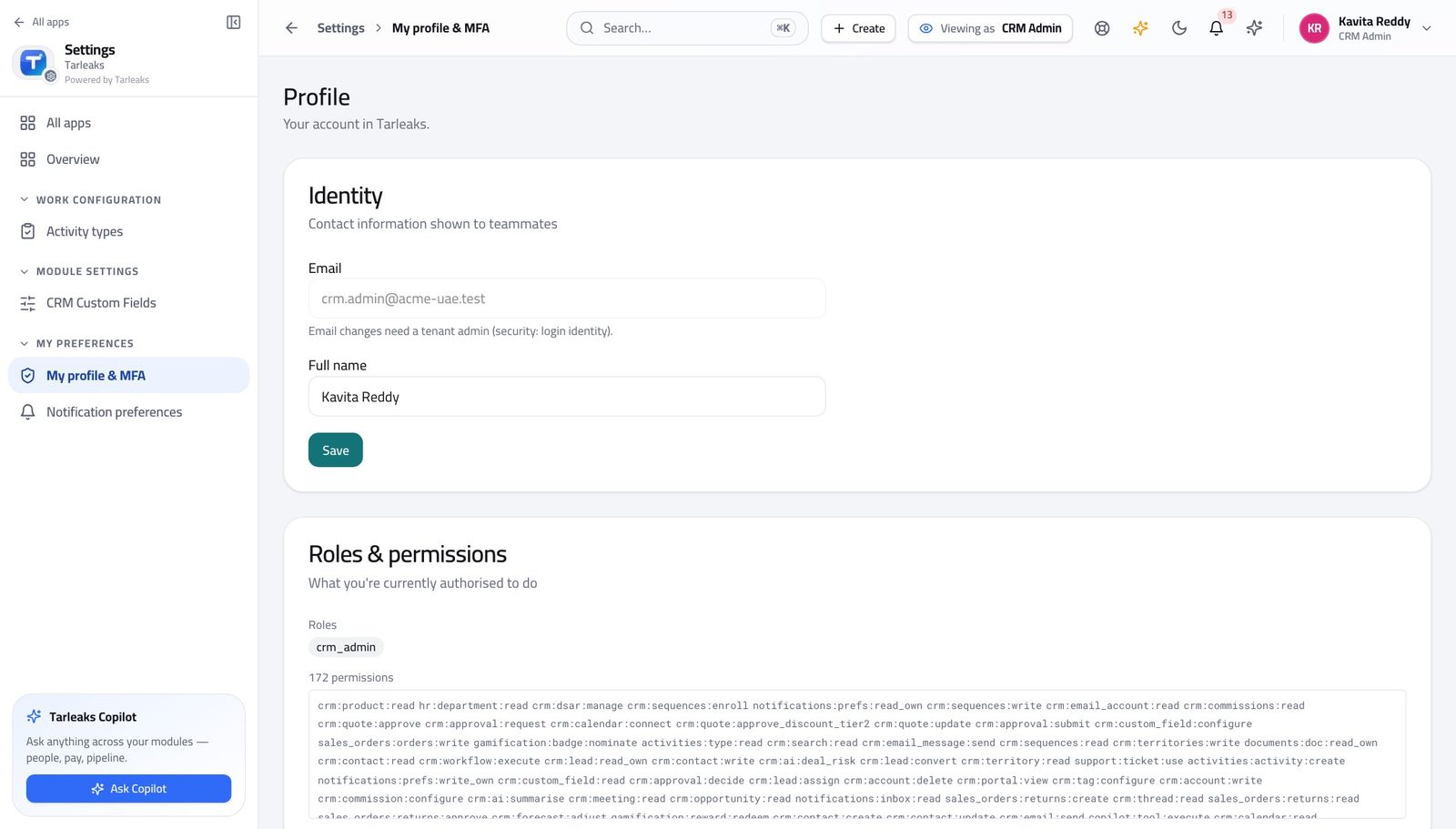
You should see It says CRM Administrator. You shape the process: stages, fields, routing, scoring, approval thresholds, teams and territories.
Watch out Two people can have the same job title and different roles here. If the chip is not what you expected, sort that out before you start changing how the team sells.
Worth knowing You are not on the approval list for deals. That is deliberate — the person who sets the threshold should not be the person who waives it.
Shape the pipeline and its stages #
Where CRM Admin » Pipelines
- Open the pipelines configuration screen.
- Click the arrow at the left of a pipeline to open its stages.
- Use the up and down arrows on a stage to move it.
- Click Edit on a stage to change what it means.
| Field | What to put in it |
|---|---|
| Name | What a rep would call this step out loud — Demo, Proposal, Negotiation. Short. |
| Win probability (%) | How often a deal at this stage actually closes. Be honest: this number IS the weighted forecast. |
| SLA hours | How long a deal may sit here before it is stale. Leave it blank if you are not measuring that yet. |
| Closed Won | Tick for the one stage that means the deal is won. |
| Closed Lost | Tick for the one stage that means it is lost. |
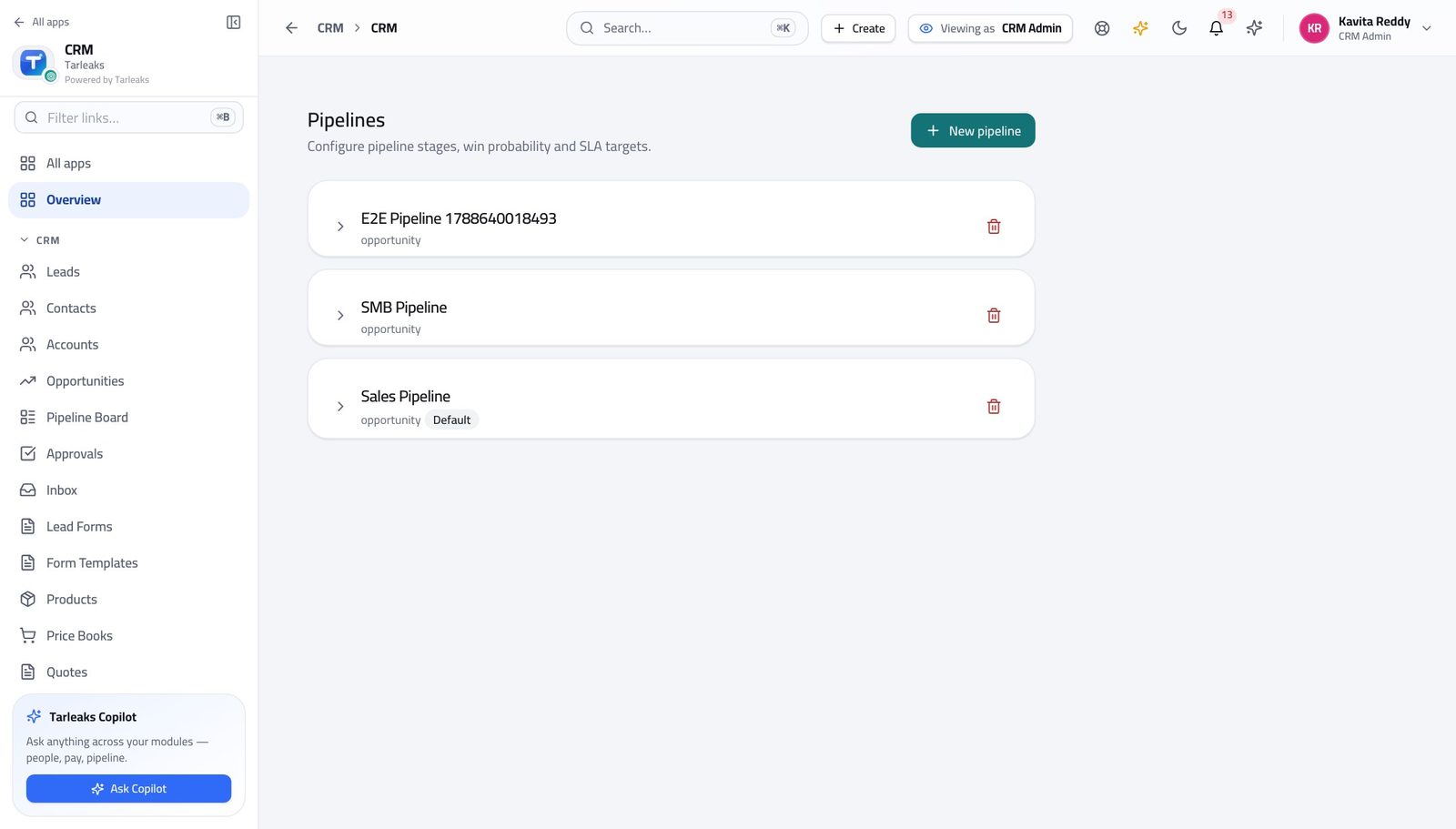
You should see Each stage carries a name, a win probability and whether it counts as won or lost — which is what makes the forecast add up.
Watch out Changing a stage's win probability changes every forecast that includes a deal sitting in it — including the one your board saw last week. Make the change at the start of a period, not the middle. The six configuration screens are not in the left menu. Reach them from the address bar, or press the search key and start typing the name.
Worth knowing This screen is not in the left menu. Type its address, or use the search box at the top and start typing the name.
Add the fields your business actually needs #
Where CRM Admin » Custom fields
- Open the custom-fields screen.
- Choose the record type at the top: Lead, Contact, Account, Opportunity.
- Read the existing fields before adding one — the thing you want may be there already.
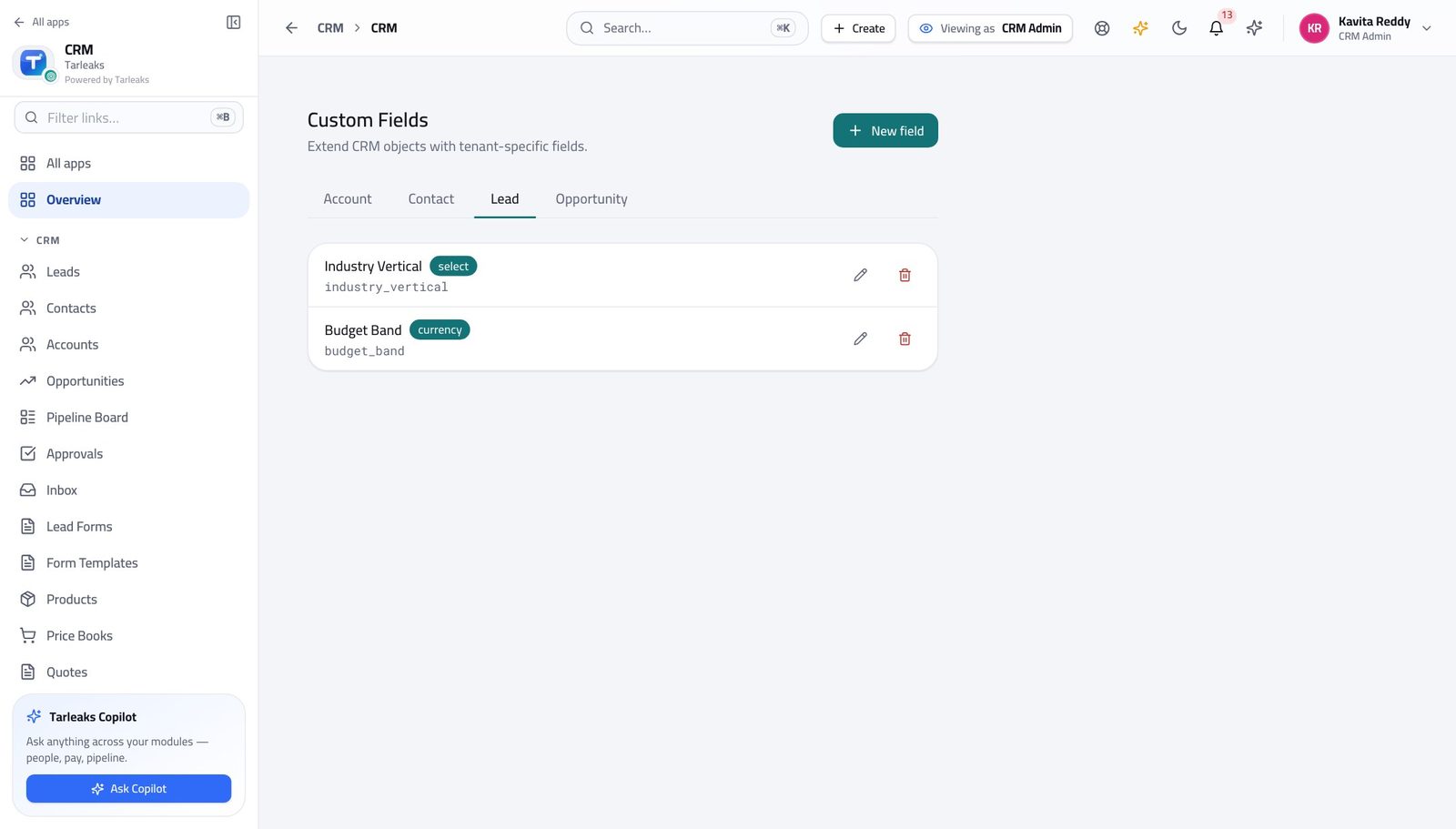
You should see Anything the product did not ship with — a licence number, a fleet size, a regulator reference — lives here rather than in the description box.
Watch out A field on Lead is not a field on Opportunity. If you want the answer to survive a conversion, add it to both.
Add a field to a record type #
Where CRM Admin » Custom fields » New field
- Choose the record type first.
- Click New field.
- Fill the key and the label, then save.
| Field | What to put in it |
|---|---|
| Field key | lower case, words joined by underscores, no spaces — trade_licence_no. This never changes. |
| Label | What people see on the form. Change this whenever the wording needs improving. |
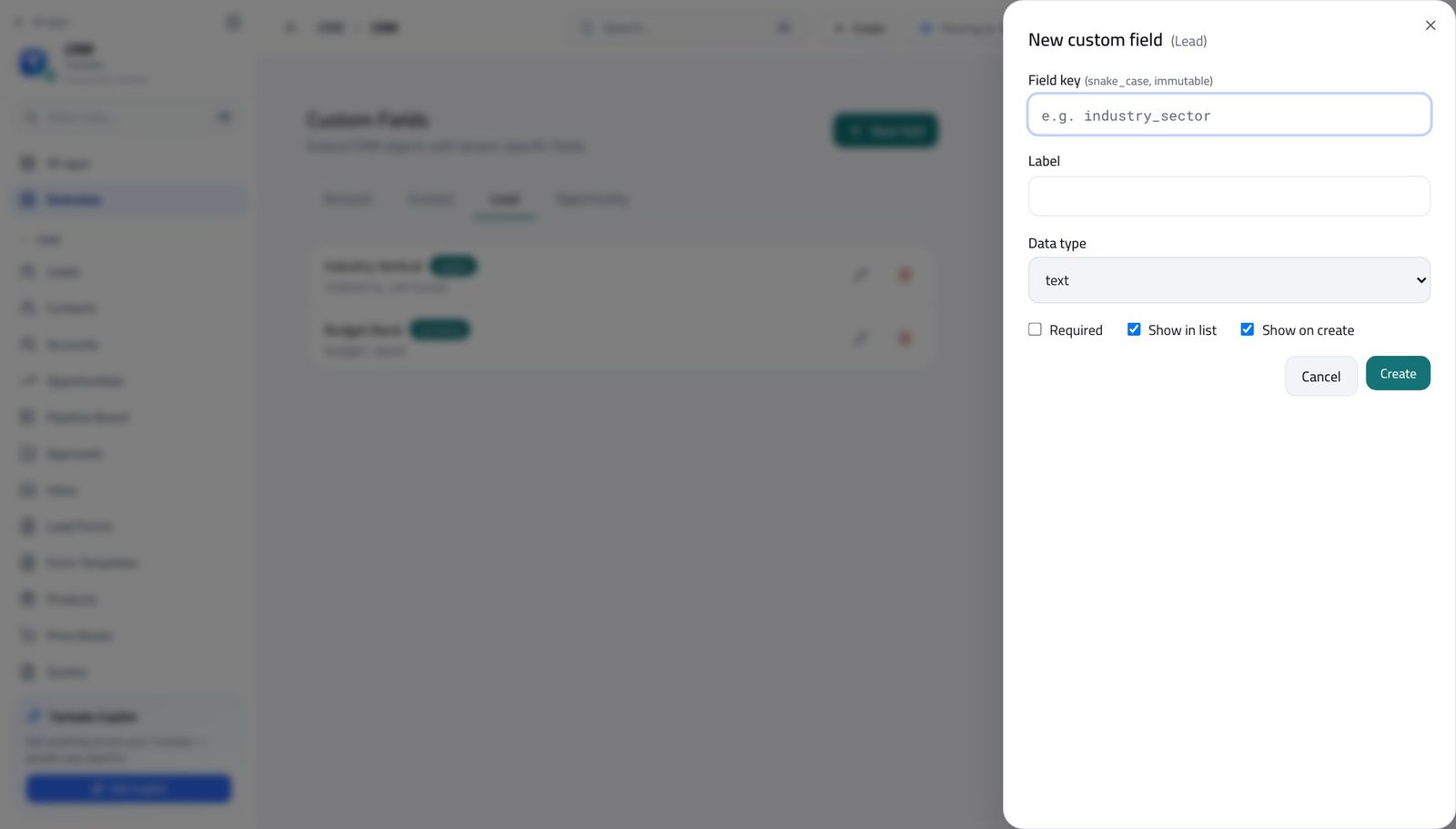
You should see The key never changes once the field exists, so a report written against it keeps working. The label can be reworded whenever you like.
Watch out Pick the key carefully. Everything written against it later — reports, imports, integrations — uses the key, not the label.
Worth knowing Write the key in lower case with underscores — trade_licence_no, not 'Trade Licence No'. It is the name the machine uses, not the one people read.
Decide where a new lead lands #
Where CRM Admin » Lead routing
- Open the lead-routing screen.
- Read the rules from the top down.
- Use the arrows to move a rule up or down.
- Switch a rule off rather than deleting it while you are testing.
| Field | What to put in it |
|---|---|
| Name | What the rule does, in words — 'UAE enterprise to the Dubai team'. |
| Strategy | How the lead is handed out once the rule matches — evenly round the team, or to one named owner. |
| Priority | Higher runs first. Leave gaps between numbers so you can insert a rule later without renumbering everything. |
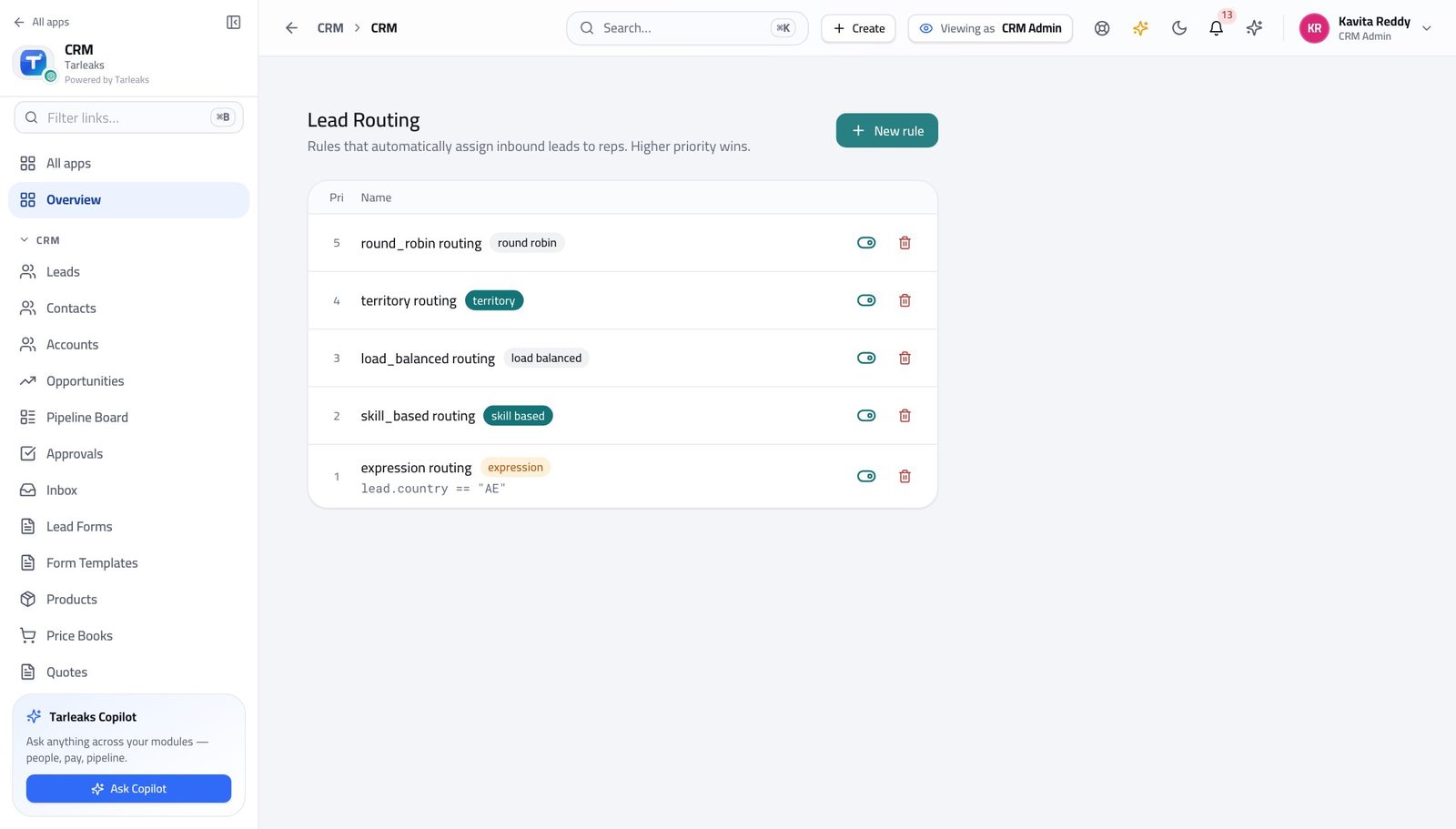
You should see A lead is assigned by rule, not by whoever notices it first — so nobody has to police the queue.
Watch out A rule that matches everything must be last. Put it anywhere else and every rule beneath it is dead — and nothing warns you, because nothing is broken.
Worth knowing Order is the policy. A broad rule sitting above a specific one will swallow every lead the specific one was written for.
Decide what a lead is worth #
Where CRM Admin » Lead scoring
- Open the lead-scoring screen.
- Read each rule's points.
- Use Deactivate to try the model without a rule before deleting it.
| Field | What to put in it |
|---|---|
| Name | The signal, in words — 'Opened three e-mails', 'Company over 500 people'. |
| Score delta | Points added, or a negative number to take points away. |
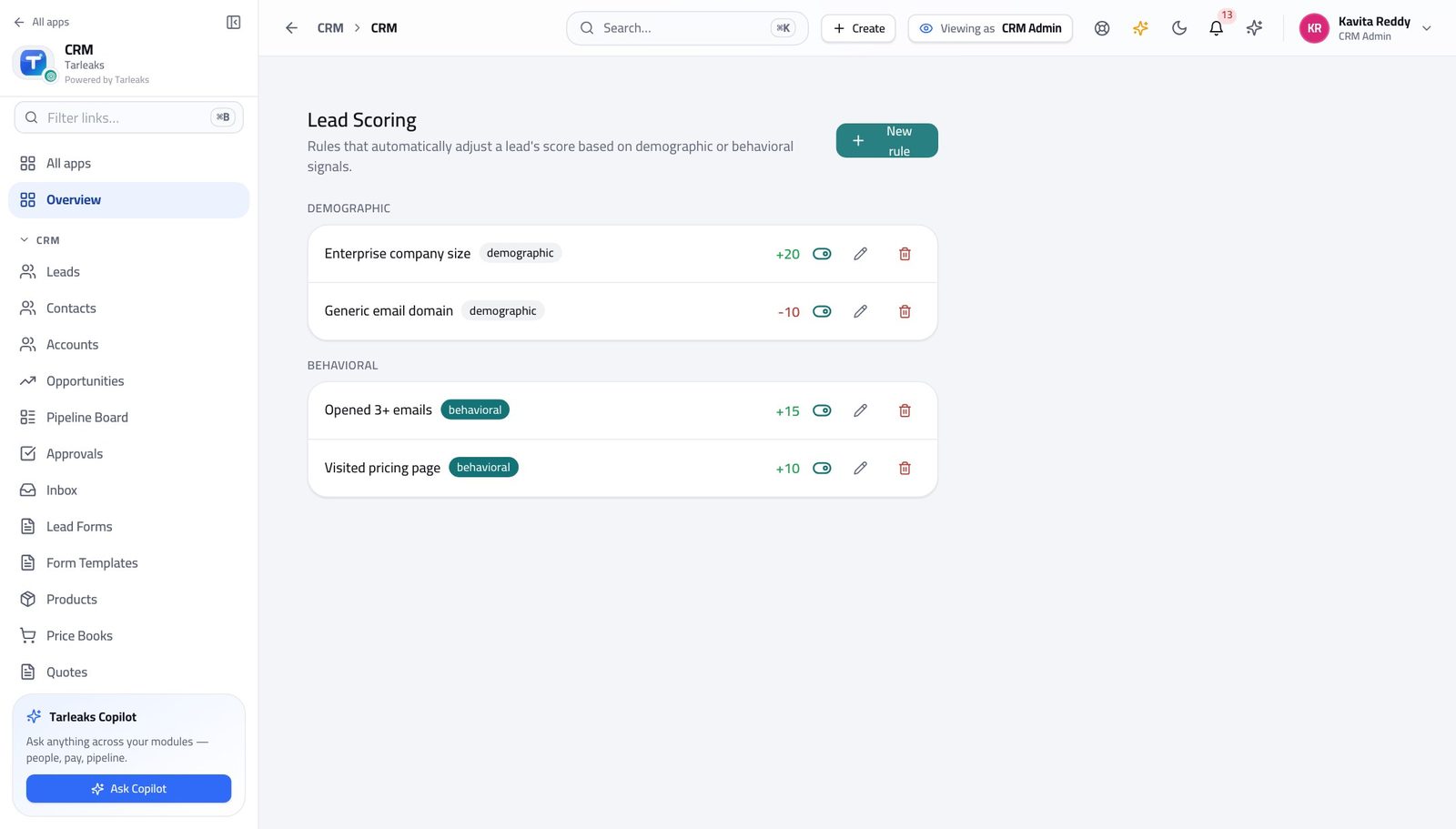
You should see The score a rep sees on a lead is the sum of these rules. There is no hidden part to it.
Watch out Scores only mean something relative to each other. Adding a rule worth 200 points makes every other rule irrelevant.
Set the discount that needs a signature #
Where CRM Admin » Approval matrix
- Open the approval-matrix screen.
- Read each row as one sentence.
- Click Add threshold to add a tier.
| Field | What to put in it |
|---|---|
| Dimension | What is being measured — the discount percentage, most often. |
| Threshold value | The number above which approval is required. At or below it, the quote goes out on its own. |
| Approver role | Who has to decide. Choose the role, not a person — people go on holiday. |
| Pipeline (optional) | Leave blank for a rule that covers every pipeline. |
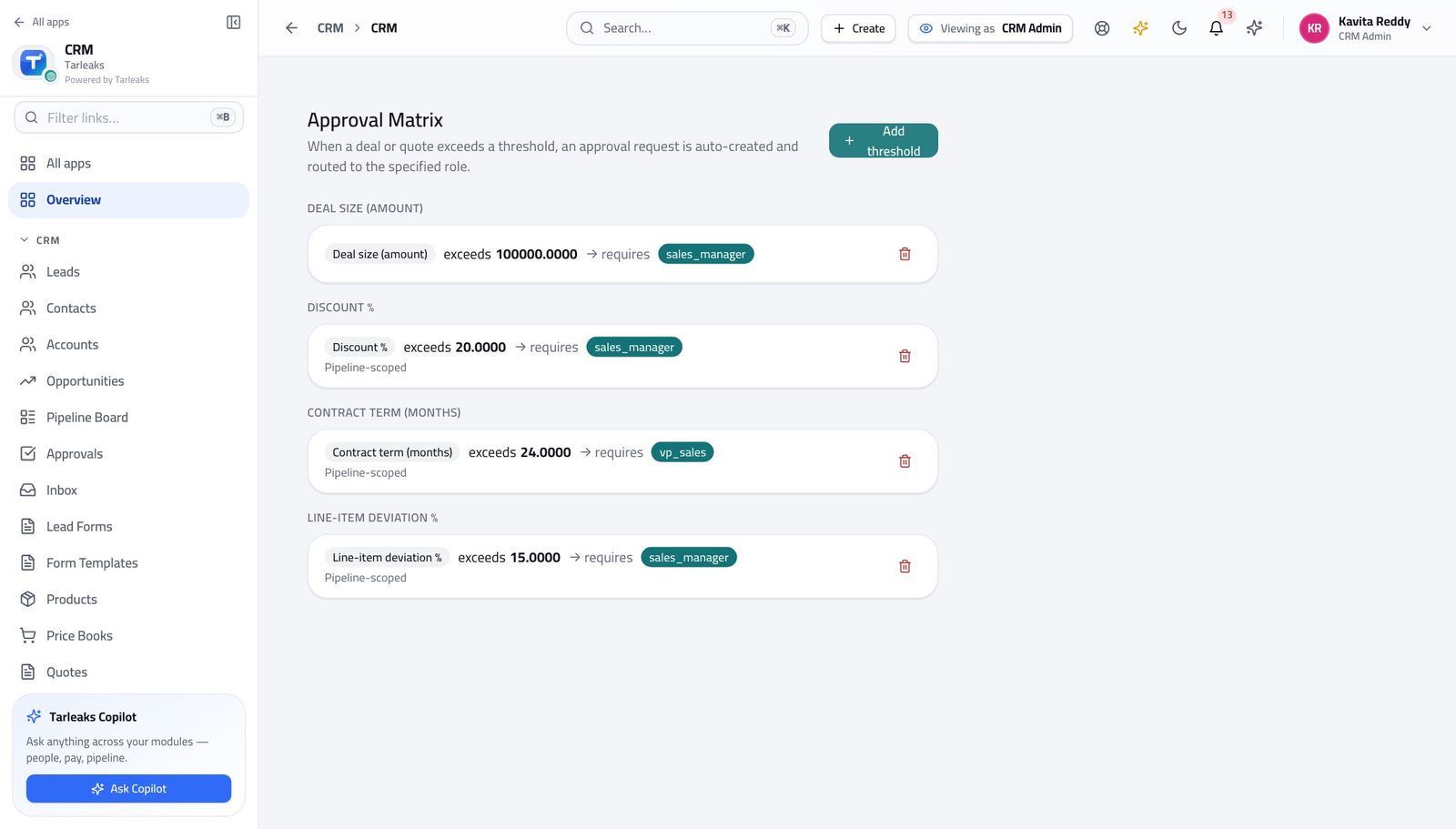
You should see A quote whose discount goes past the lowest threshold here cannot be sent until somebody with the named role has decided on it.
Watch out The LOWEST discount threshold you set here is the gate. A quote above it cannot be sent until it has been approved, and the send button says so.
Worth knowing Lower the threshold and more quotes stop for a signature; raise it and fewer do. It takes effect on the next quote, not on ones already sent.
Fix the list of reasons a deal is lost #
Where CRM Admin » Lost reasons
- Open the lost-reasons screen.
- Add the reasons your business really loses on.
- Deactivate anything nobody is choosing.
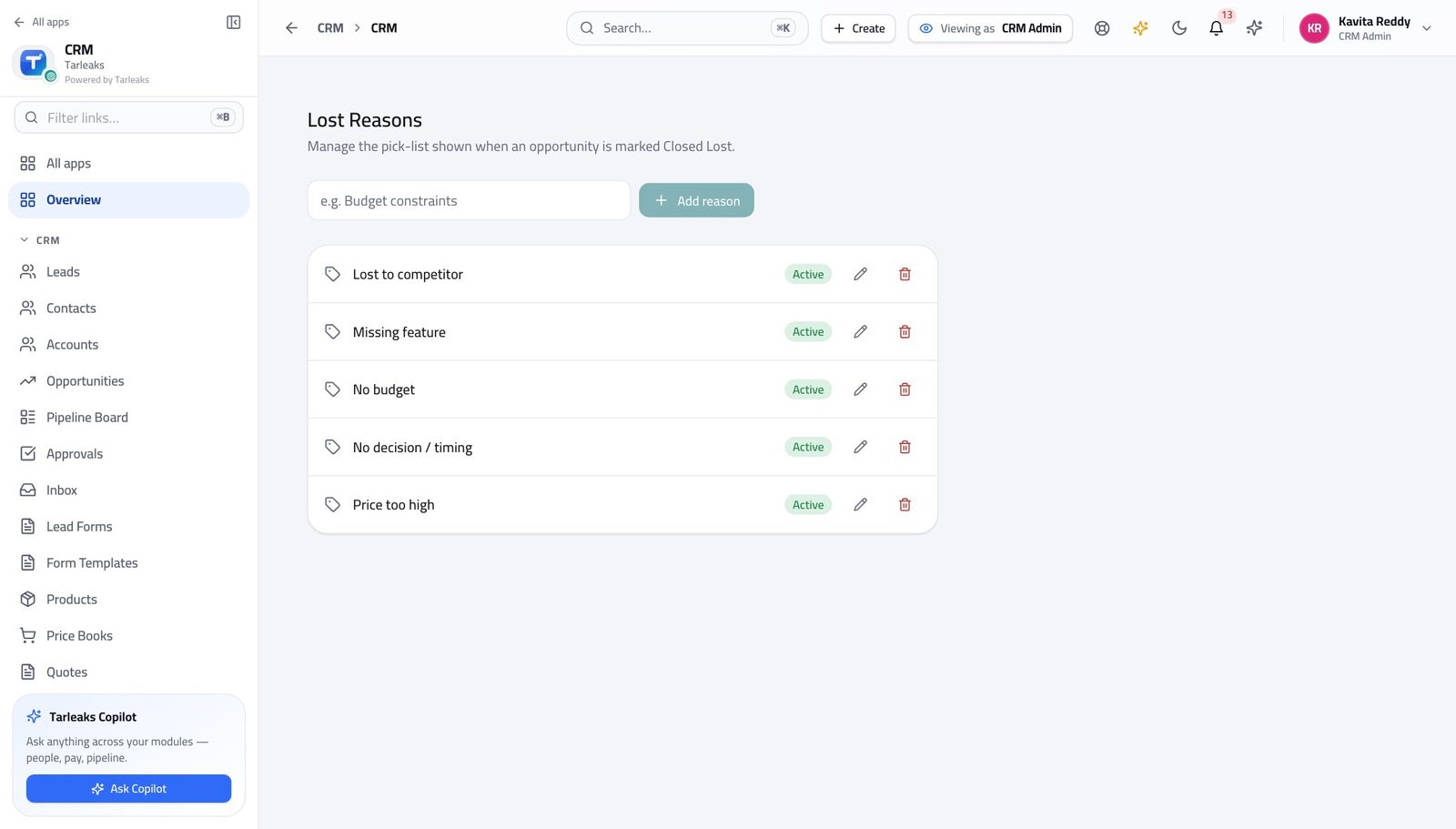
You should see A short fixed list is what makes 'why we lose' a number at the end of the quarter instead of forty different sentences.
Watch out Do not include 'Other'. Everything ends up in it, and then you know nothing.
Add a reason a deal can be lost #
Where CRM Admin » Lost reasons » Add reason
- Click Add reason.
- Type it and save.
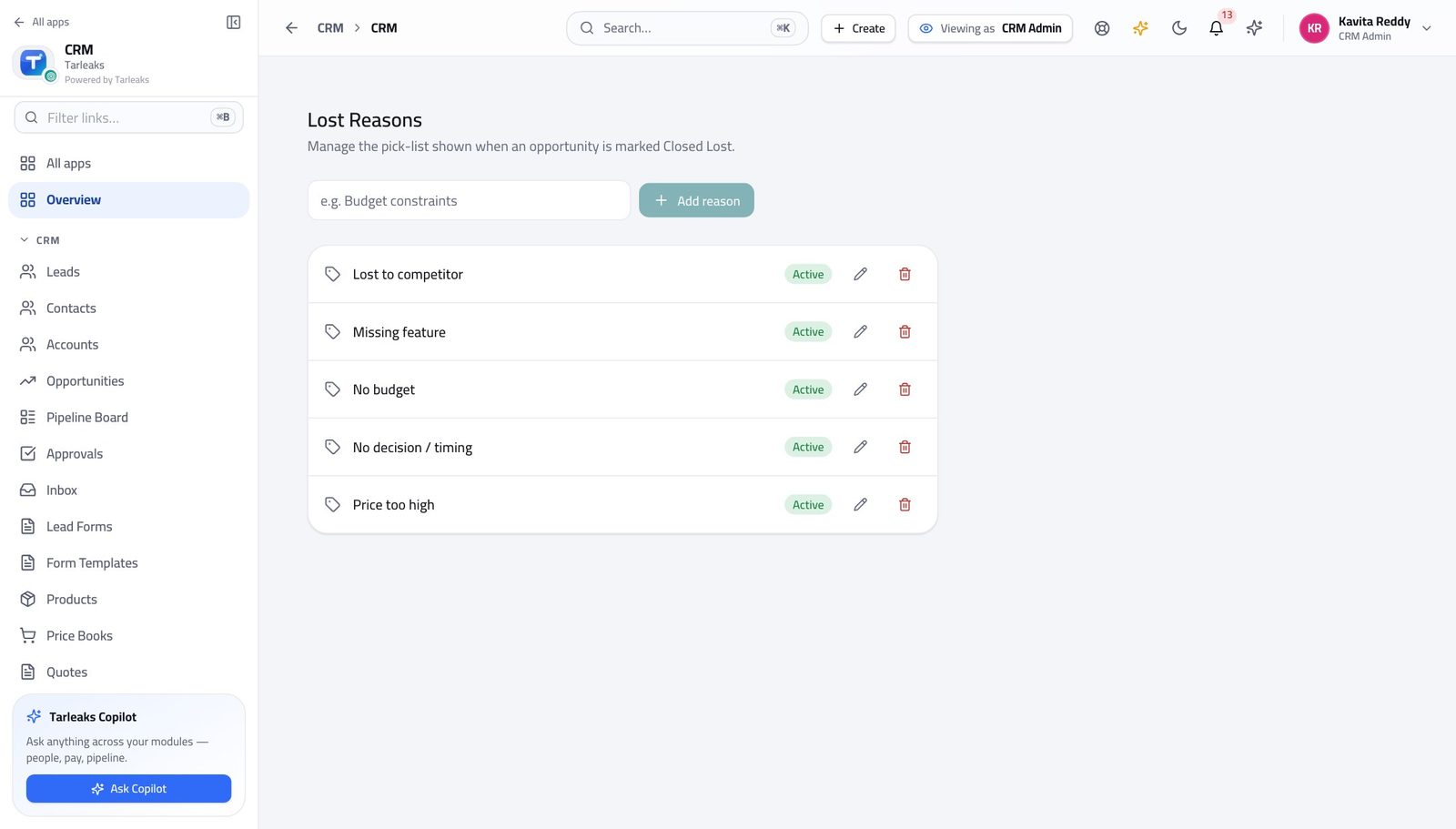
You should see Short and few. A list of twenty reasons is a list nobody reads to the bottom of, so everything ends up under the first plausible one.
Watch out Write it as a rep would say it out loud — 'Price', 'Went with incumbent', 'No budget this year'. Not a category name.
Keep teams and territories straight #
Where CRM » Teams, and CRM » Territories
- Open Sales teams and expand a team to see its members.
- Then open Territories and read the priority beside each one.
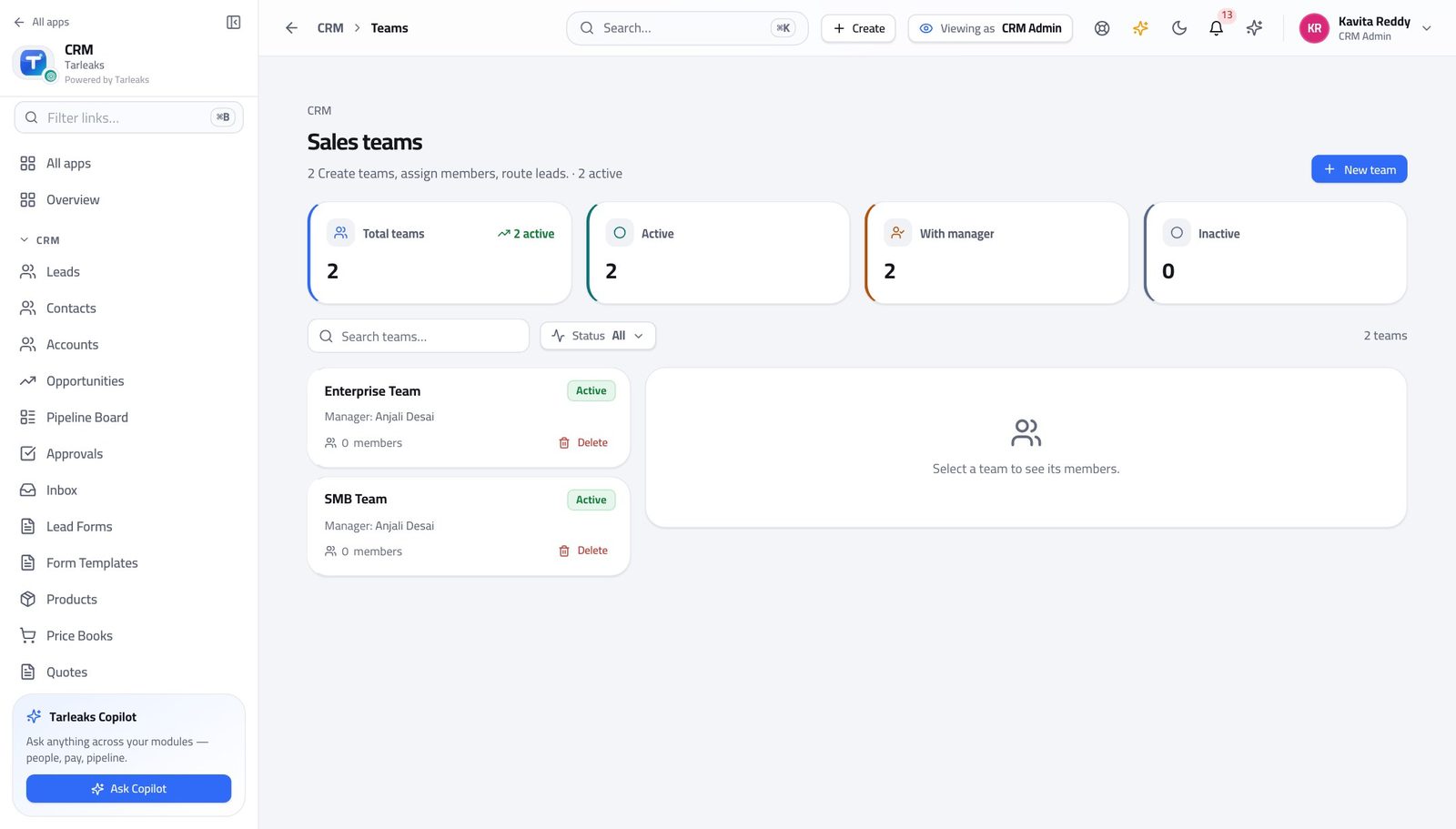
You should see Team decides whose deals a manager can see. Territory decides where a new record is sent. They answer different questions — do not use one for the other.
Watch out Adding somebody to a team changes what their manager can see. Adding a territory changes where new records go. Doing one and forgetting the other is the usual cause of 'I cannot see my own rep's deals'.
Check the territory rules before a real record hits them #
Where CRM » Territories
- Open Territories.
- Click Audit expressions to check every rule at once.
- Read the report: rules that cannot be understood, and rules that can never match because something above them always does.
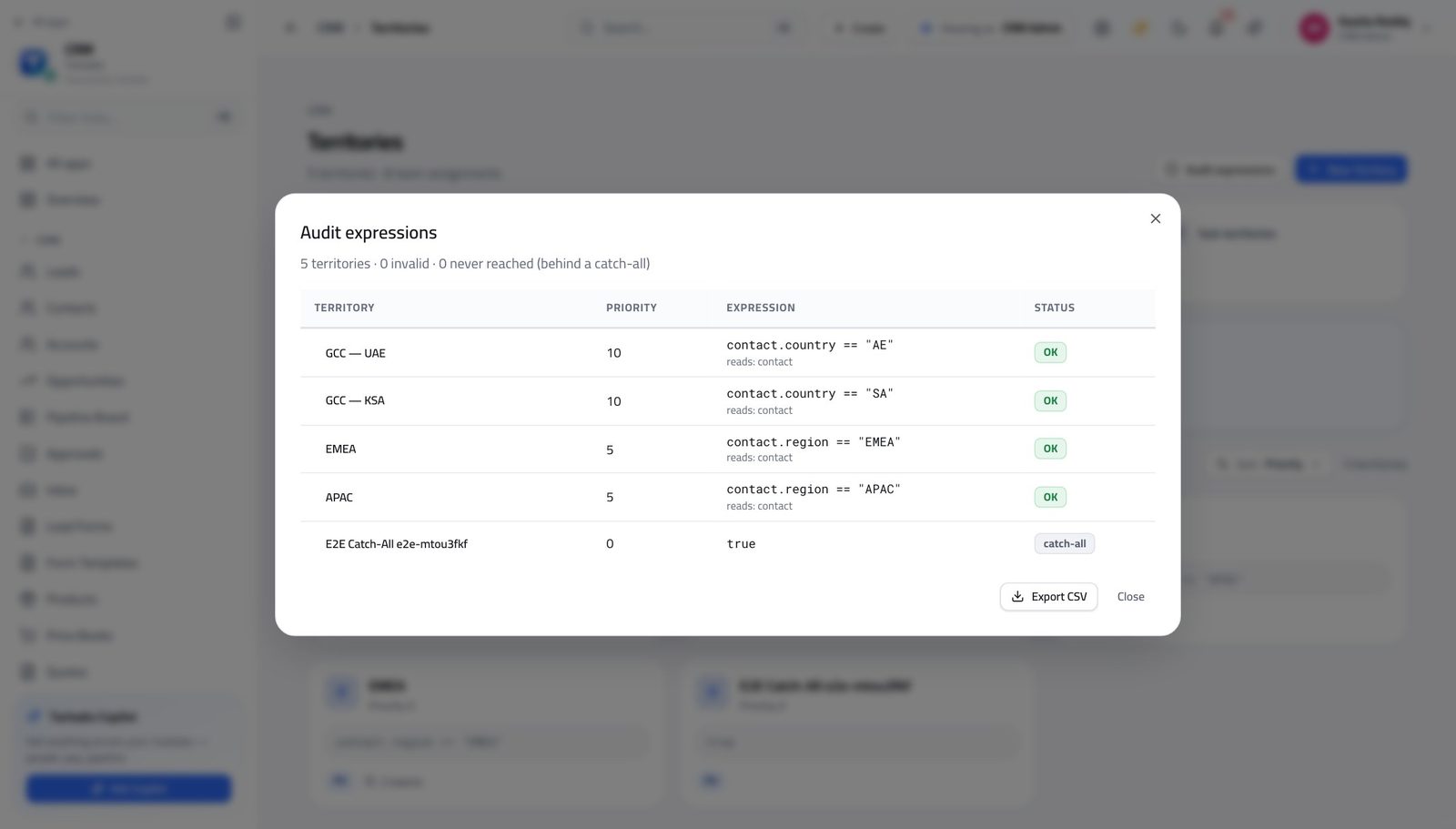
You should see A rule that cannot be understood, or one sitting underneath a catch-all that will always match first, is named — before a lead disappears into it.
Watch out A shadowed rule is not an error — nothing is broken and nothing warns you. It simply never fires, and the leads it was written for go somewhere else.
Worth knowing A rule of just 'true' matches everything. Anything below it is dead, and the check is what tells you.
Build the forms that bring leads in #
Where CRM » Lead Forms
- In the left menu, click Lead Forms.
- Open a form to see the fields it asks for.
- Use the embed option and give the code to whoever looks after the website.
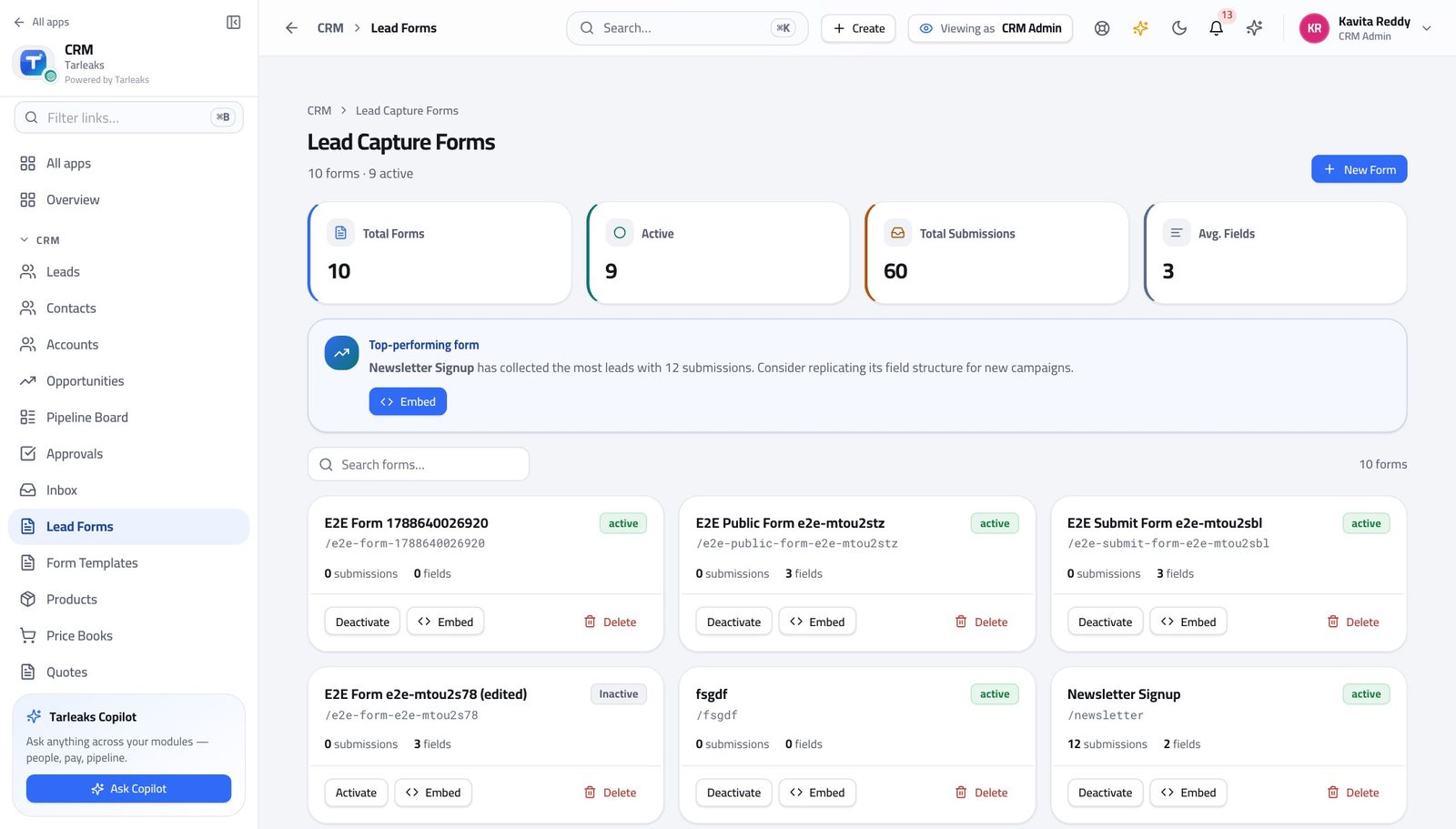
You should see A lead that arrives from a form is complete and goes straight to the routing rules — nobody re-types an enquiry out of an inbox.
Watch out Every extra box on a form costs you leads. Ask for the two or three things you cannot start without, and get the rest on the first call.
Worth knowing Ask for as few fields as you can live with. Every extra box costs you leads, and most of what you want can be asked on the first call.
Keep the catalogue and its prices in order #
Where CRM » Products, and CRM » Price Books
- Open Products and read the categories.
- Then open Price Books.
- Open a book to see its entries: one price per product, per currency.
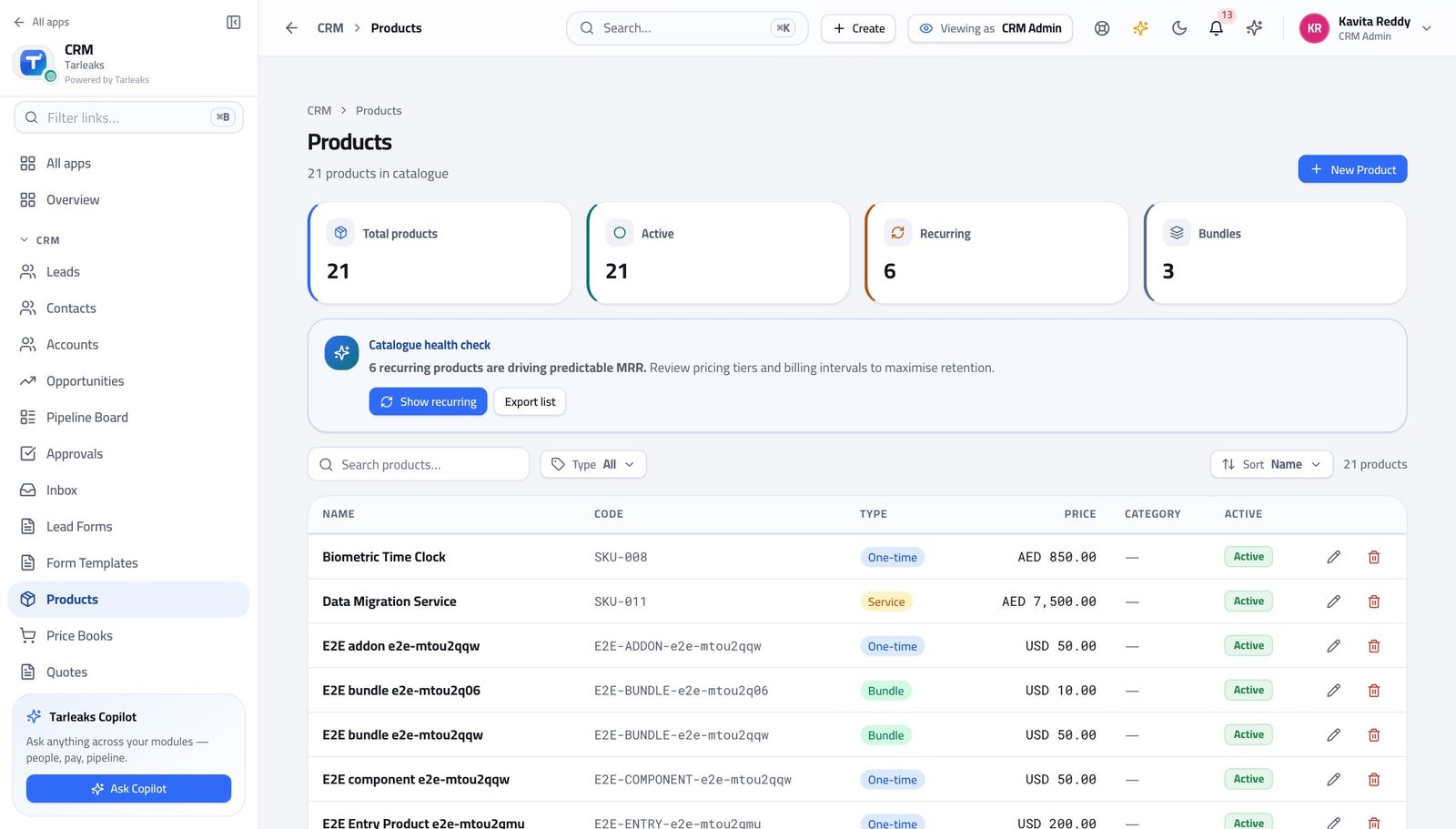
You should see A rep puts a product on a quote and the price comes from the book. Nobody types a price from memory.
Watch out Archive a product rather than deleting it. Deals and quotes that already reference it must keep working.
Let customers book their own time #
Where CRM » Booking Pages
- In the left menu, click Booking Pages.
- Open a page to see its title, who it books with, and the slot length.
- Copy its link and put it in the team's e-mail signature.
| Field | What to put in it |
|---|---|
| Page title | What the customer reads at the top — 'Book a 30-minute demo'. Not the internal name. |
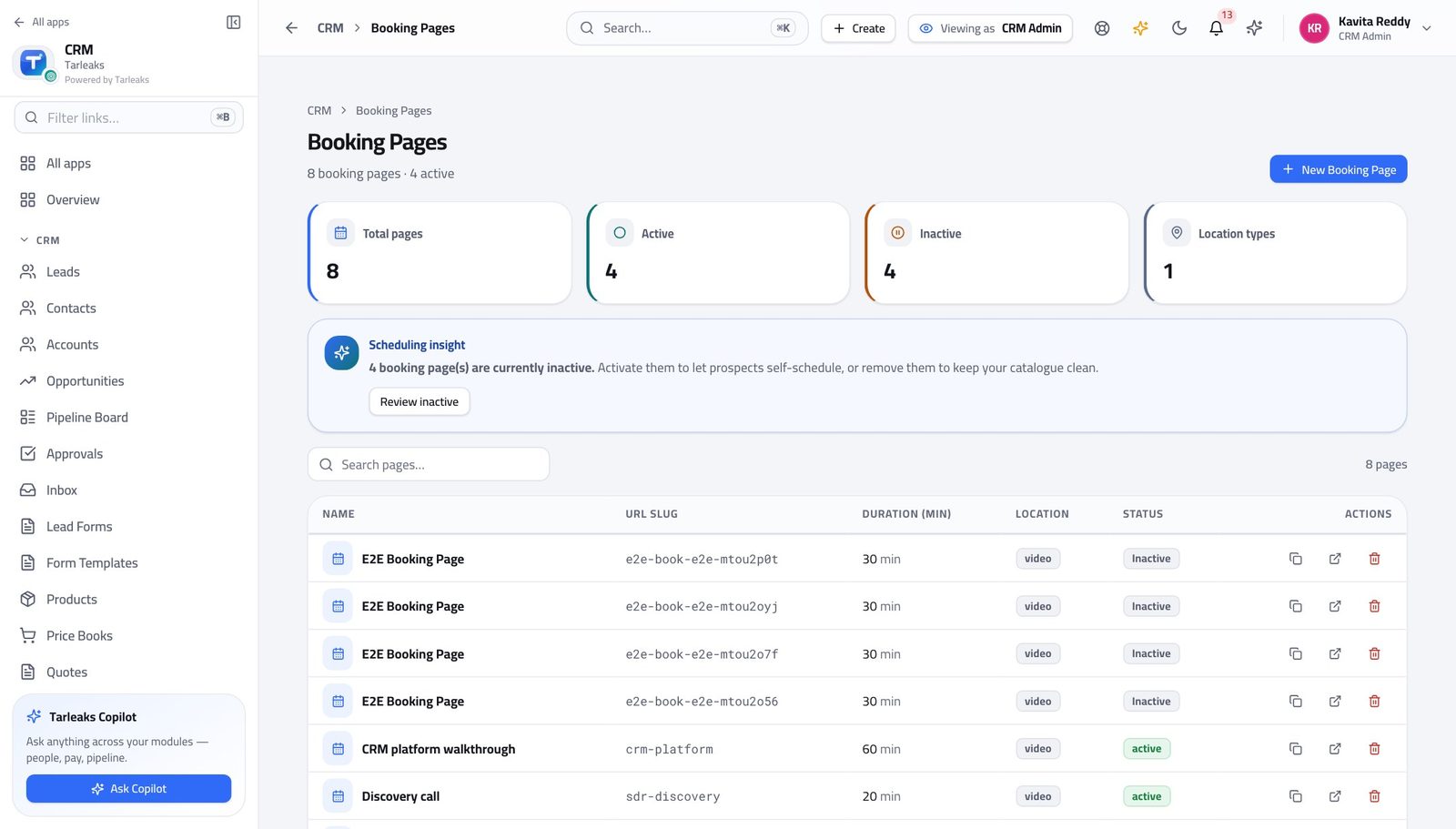
You should see A slot somebody books becomes a meeting on the right record. The back-and-forth about times never reaches anybody's inbox.
Watch out A booking page pointing at somebody who has left keeps taking bookings. Deactivate it the day they go, not the day somebody notices.
Tidy a batch of records at once #
Where CRM » Leads
- Open Leads.
- Tick the rows you want to deal with — or tick the header box to take everything currently on screen.
- Use the bar that appears at the bottom.
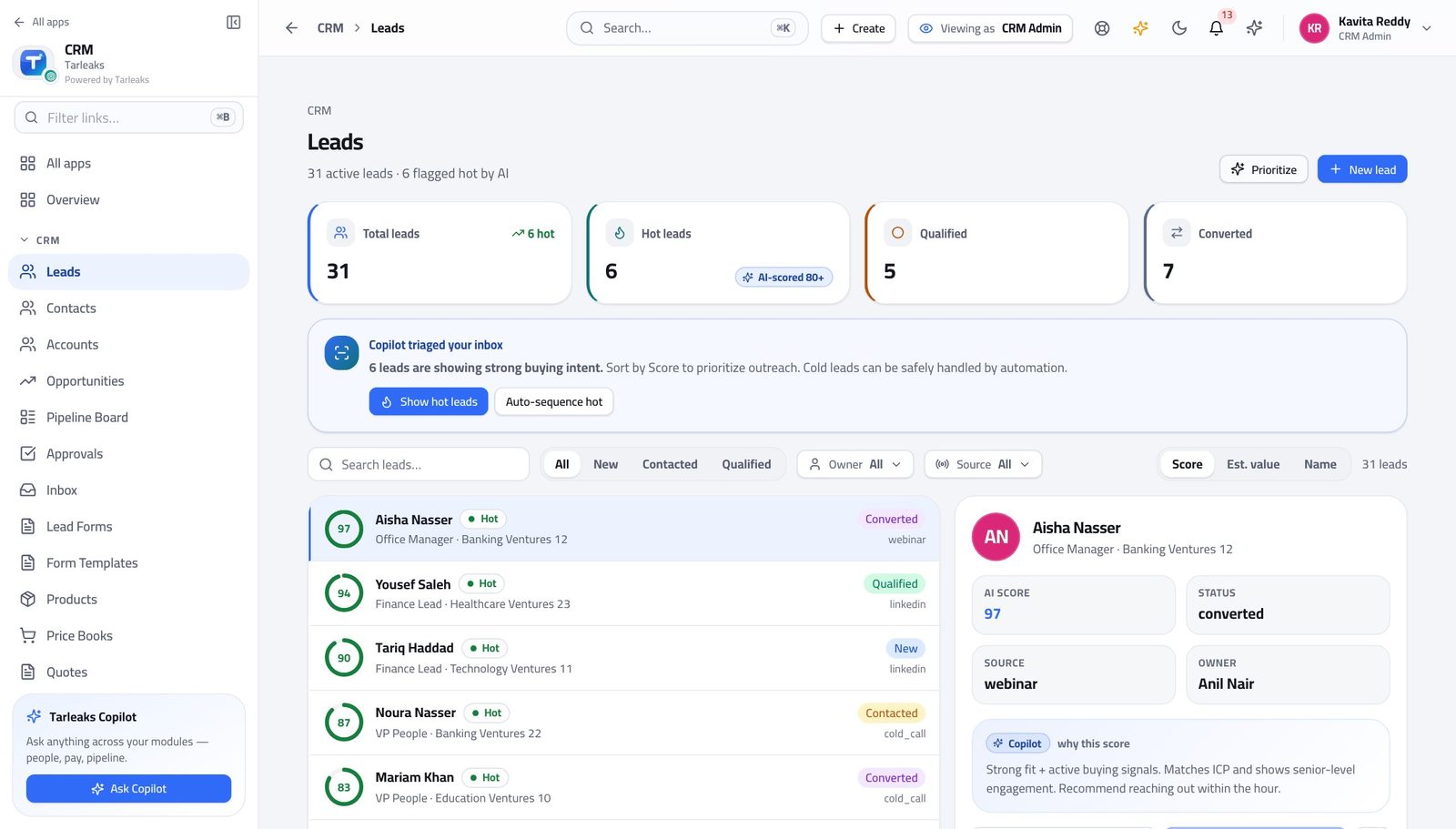
You should see Removing records in a batch is offered to this role and to nobody who sells — which is what stops a bad afternoon becoming a lost quarter.
Watch out Filter FIRST, then tick the header box. It selects the rows you are looking at, and the rows you are looking at are whatever the filter left.
See the whole company's book #
Where CRM » Leads, and CRM » Opportunities
- Open Leads and read the count in the line under the title.
- Open Opportunities and read the same line.
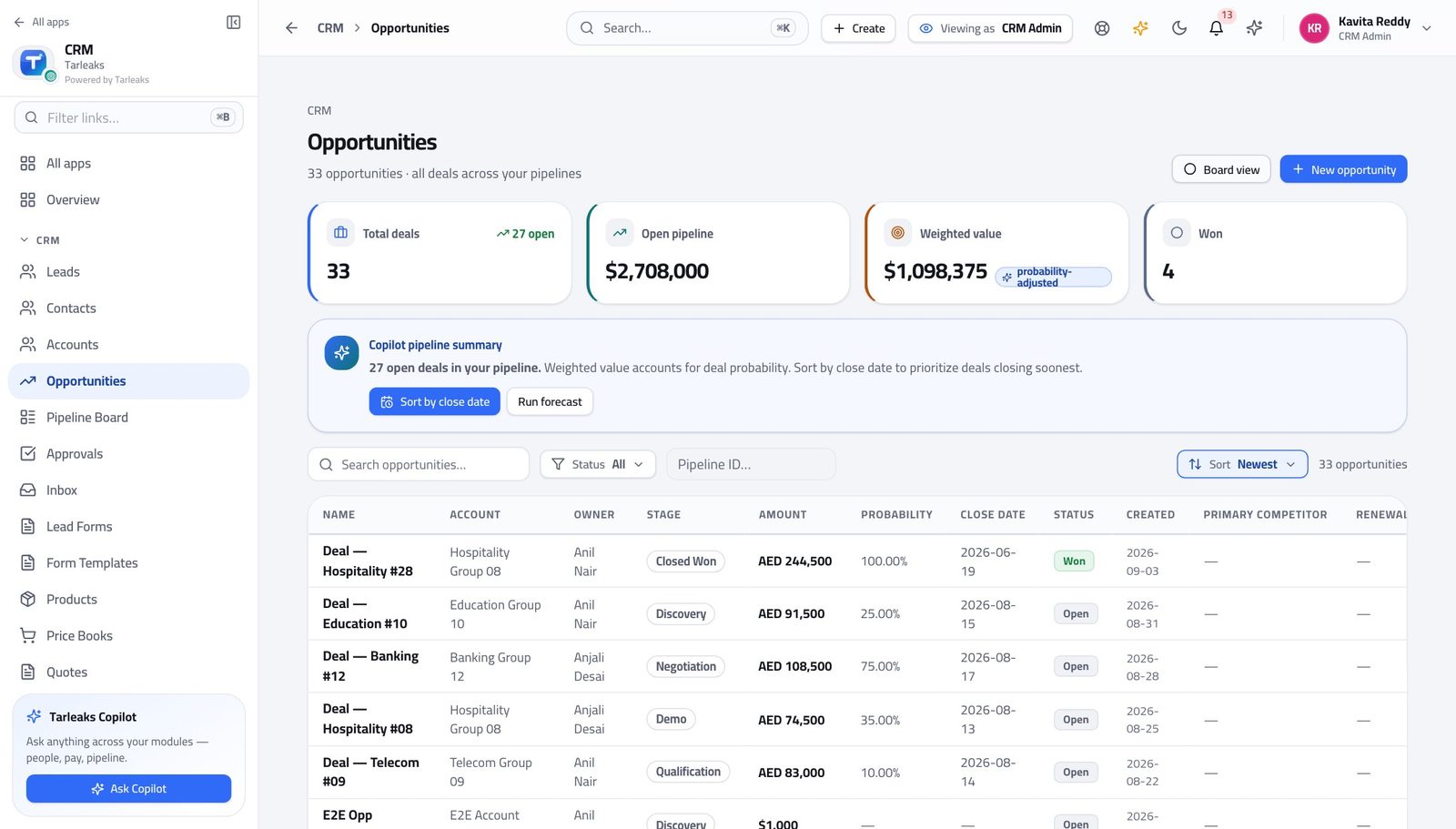
You should see You are not scoped to an owner. These two numbers are the whole company's, which is why a rep's shorter list is proof that ownership is working rather than proof that something is missing.
Watch out These two numbers are the yardstick. When a rep tells you records are missing, compare their count with yours before assuming anything is broken — a smaller list is the system working.
Salaries are not yours to see #
Where The left menu
- Open the launcher and read the tiles.
- Payroll is not among them for this sign-in.
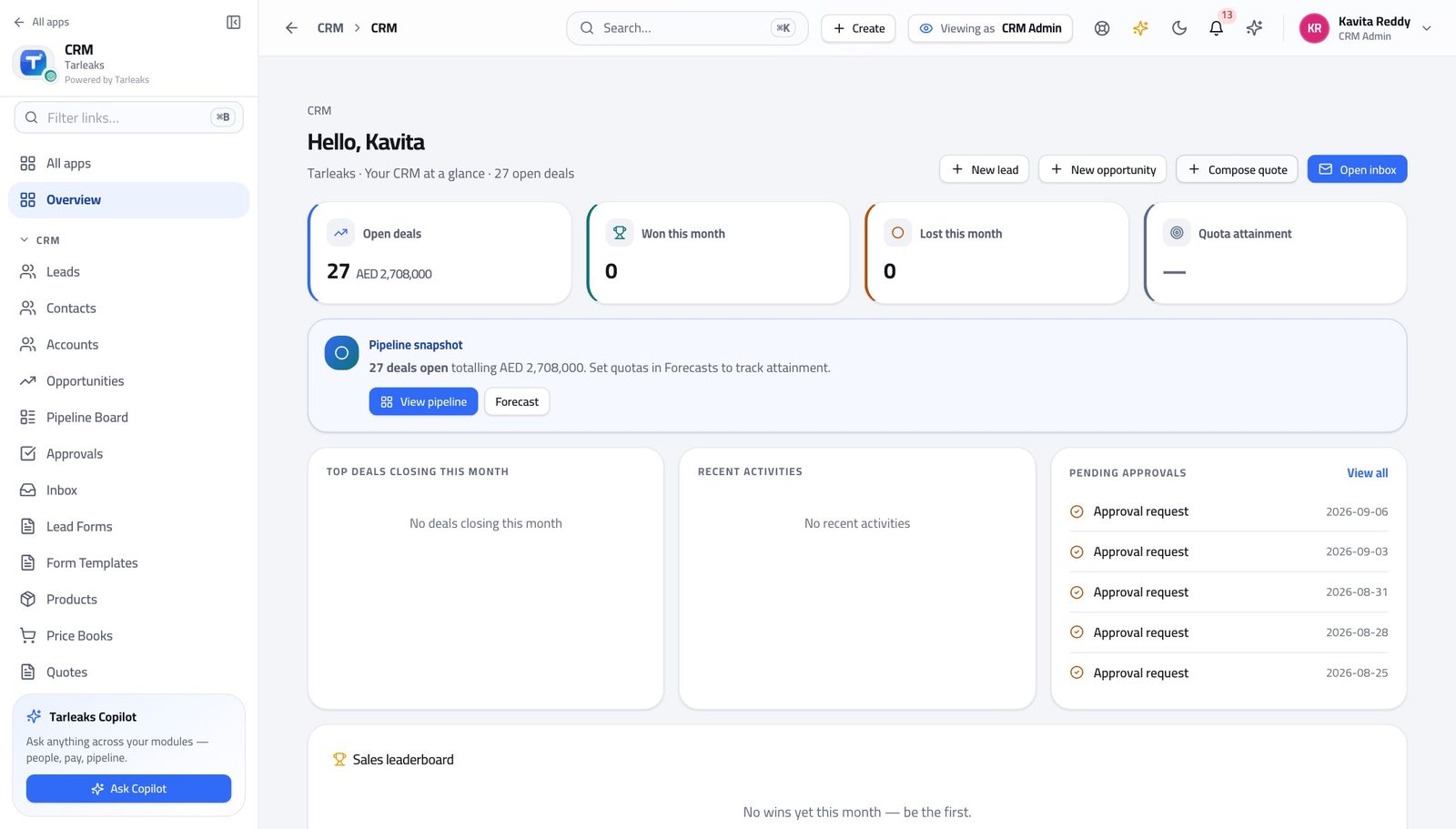
You should see Setting up how the company sells is not a reason to see what anybody is paid, so the whole area is closed rather than merely hidden.
Watch out This is a refusal, not a hidden menu. Typing the address gets the same answer.
Use cases — the work, step by step
Each one is a sequence somebody actually performs, with the screen behind every step. Every screen here was opened in the product as this role before it was published.
edgeStand up a sales process before the team touches it #
Stages, reasons and thresholds are cheap to change on day one and expensive on day ninety — every deal already in flight carries whatever you chose.
Build the pipeline and its stages first. Be honest about the win probabilities: that number IS the weighted forecast everybody will later argue about.
CRM Admin » Pipelines — verified: the page says “Pipeline” Set the lost reasons. Short, specific, and no 'Other' — everything ends up in Other and then you know nothing.
CRM Admin » Lost reasons — verified: the page says “Lost Reasons” Set the discount thresholds. The lowest one you configure is the gate: a quote above it cannot be sent until somebody decides.
CRM Admin » Approval matrix — verified: the page says “Approval Matrix” Add the fields your business actually asks about, per record type. A field on Lead is not a field on Opportunity — add it to both if the answer must survive a conversion.
CRM Admin » Custom fields — verified: the page says “Custom Fields”
monthlyA new region opens: staff it, route to it, score for it #
Team and territory answer different questions. Doing one and forgetting the other is the usual cause of 'I cannot see my own rep's deals'.
Create the team and put the people in it. Team membership is what makes a manager's team-wide pipeline mean the right set of deals.
CRM » Teams, and CRM » Territories — verified: the page says “Sales teams” Add the territory and give it a priority. Priority decides which territory claims a record when more than one could.
CRM » Teams, and CRM » Territories — verified: the page says “Sales teams” Run the audit over every territory rule. A rule sitting under an earlier catch-all never fires, nothing is broken, and nothing warns you — the audit is what tells you.
CRM » Territories — verified: the control is offered Add the routing rule that sends the region's leads to the new team, and put it above the general one. Order is the policy.
CRM Admin » Lead routing — verified: the page says “Lead Routing” Adjust the scoring if the new market qualifies differently. Deactivate a rule to try the model without it before deleting it.
CRM Admin » Lead scoring — verified: the page says “Lead Scoring”
urgentReps say their leads are going to the wrong people #
It is almost always the rule ORDER rather than a broken rule, and nothing errors when the order is wrong.
Open Lead Routing and read from the top. The first rule that matches assigns the lead and nothing below it is even looked at.
CRM Admin » Lead routing — verified: the page says “Lead Routing” Look for a broad rule sitting above a specific one. That is the fault nine times in ten, and it is invisible until somebody complains.
CRM Admin » Lead routing — verified: the page says “Lead Routing” Run the territory audit as well — a shadowed territory produces exactly the same symptom from the other direction.
CRM » Territories — verified: the control is offered Check the team membership last. A rep who was never added to the team gets the leads and their manager still cannot see them.
CRM » Teams, and CRM » Territories — verified: the page says “Sales teams”
weeklyMarketing wants a form on the website by Friday #
A form that captures leads nobody is routed is a form that produces an unworked queue. Build the form and the route in the same sitting.
Build the form. Ask for the fewest fields you can live with — every extra box costs leads, and the rest can be asked on the first call.
CRM » Lead Forms — verified: the page says “Lead Capture Forms” Make sure a routing rule covers what the form will produce, before the code goes on the website rather than after.
CRM Admin » Lead routing — verified: the page says “Lead Routing” Publish a booking page alongside it where a demo is the obvious next step. A booked slot becomes a meeting on the right record with no e-mails about times.
CRM » Booking Pages — verified: the page says “Booking Pages” Watch the leads land on the list for a day before you tell marketing it is live.
CRM » Leads, and CRM » Opportunities — verified: the page says “Opportunities”; 33 row(s) listed
You do not sell, and you do not approve deals. What you do is decide the shape of the process — which is why a change you make here changes what every other person in this guide sees.