Sales Development Representative — CRM guide
Work the top of the funnel, and hand over something worth having.
Works the top of the funnel: calls and e-mails new leads, qualifies them, and converts the good ones. The deal desk — opportunities, quotes, pricing, forecast — is closed to this role by design.
What you will be able to do
- Work your own lead queue, not the company's
- Put a lead into a sequence and follow up on time
- Book the meeting that starts the deal
- Convert a good lead into a contact, an account and a deal
What this role can and cannot do
| Can | Cannot |
|---|---|
|
|
16 steps, each one carried out in the product on .
Check what your sign-in can do #
Where Your name, top right » Profile
- Open your company's address in the browser — it looks like yourcompany.tarleaks.com.
- Type the e-mail address your administrator set up for you, then your password.
- You land on the app launcher: a grid of the apps your company uses.
- Click the CRM tile.
- Click your name in the top-right corner and choose Profile.
- Read the roles panel.
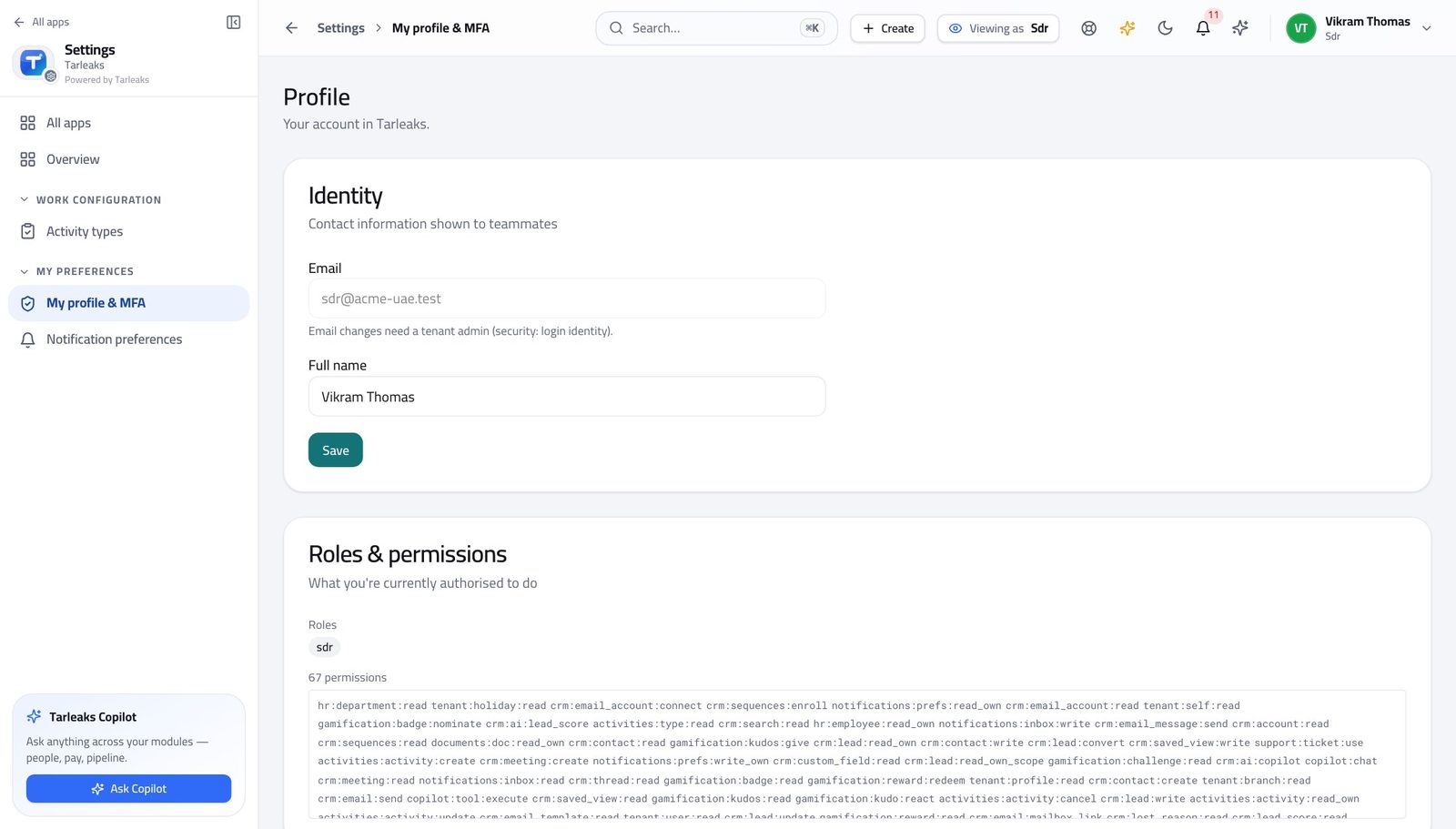
You should see It says SDR. Leads, contacts, sequences, e-mail and meetings are yours.
Watch out Your menu is genuinely shorter than a colleague's. That is the job, not a setup that somebody forgot to finish.
Worth knowing Opportunities, quotes, pricing and the forecast are not on your menu at all. That is the shape of the job, not something somebody forgot to switch on for you.
Open your own lead queue #
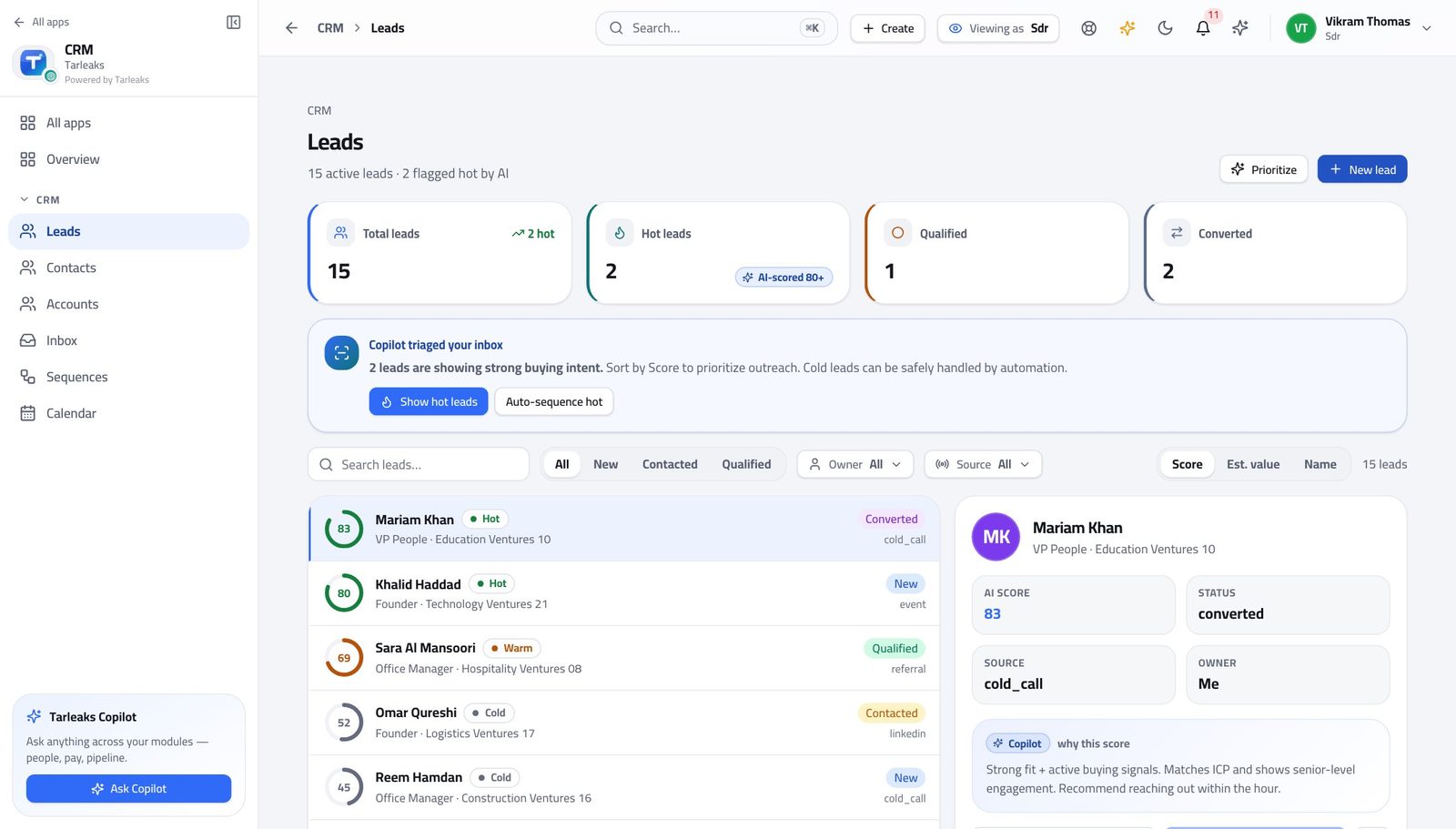
Where CRM » Leads
- In the left menu under CRM, click Leads.
- Read the count under the title.
- Use the boxes across the top to narrow — new, working, qualified, converted.
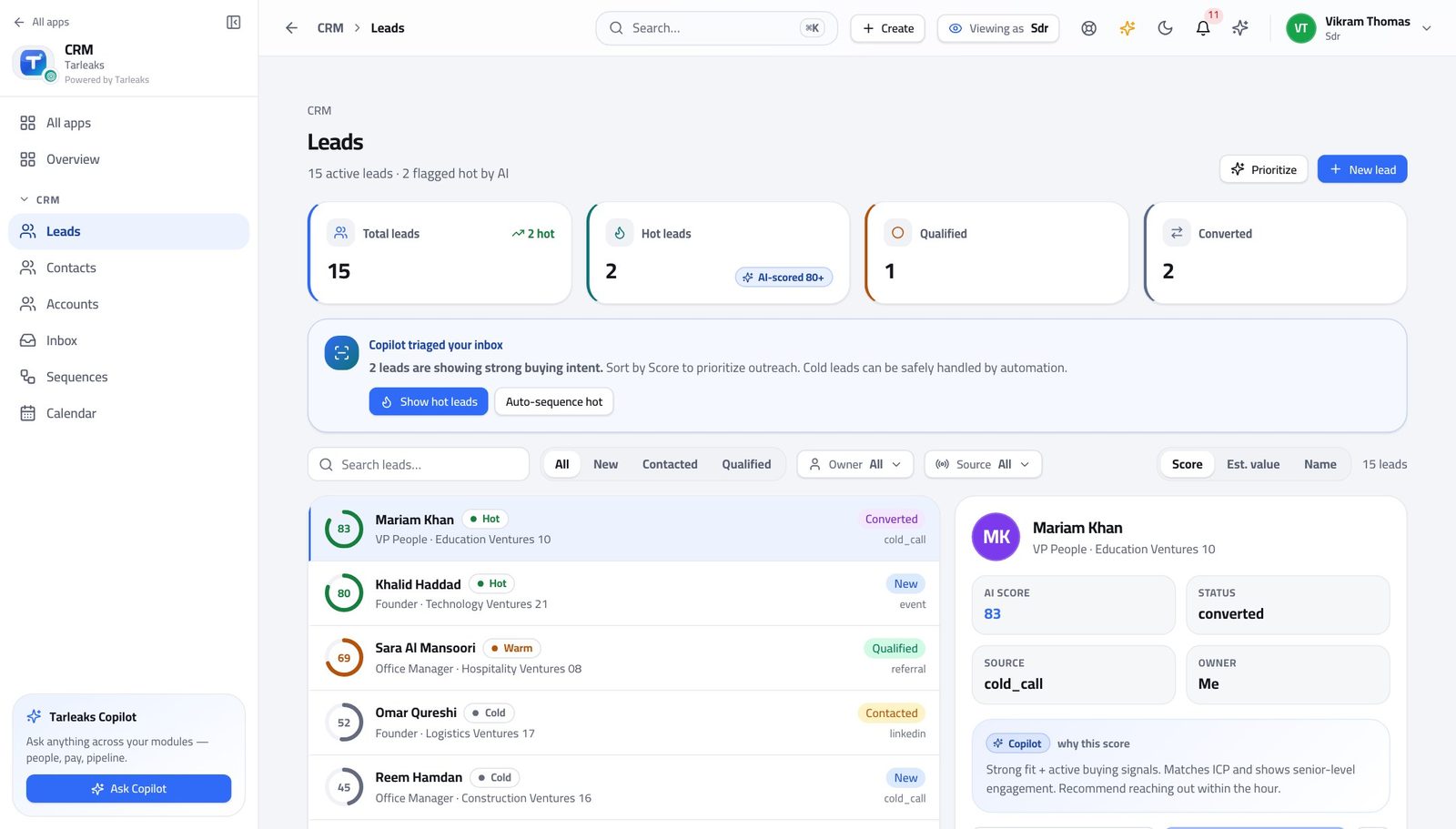
You should see You are given your own queue rather than the company's list, which is what makes it workable on a Monday morning.
Watch out The filter is written into the address, so 'my new leads today' can be a bookmark rather than four clicks every morning.
Add a lead by hand #
Where CRM » Leads » New lead
- Click New lead.
- Fill the name, e-mail, company and source.
- Leave the owner alone unless you know better — the routing rules decide.
| Field | What to put in it |
|---|---|
| First name | As they introduced themselves. |
| Last name | Their family name. |
| The address you will actually write to. | |
| Phone | With the country code — you will call from your mobile. |
| Company | The company's name, not the group's. |
| Job title | As they say it, not as the org chart says it. |
| Source | Where they came from — event, referral, website. Your marketing team will ask about this. |
| Status | Leave at new unless you have already spoken to them. |
| Owner | Leave blank to let the routing rules assign it. |
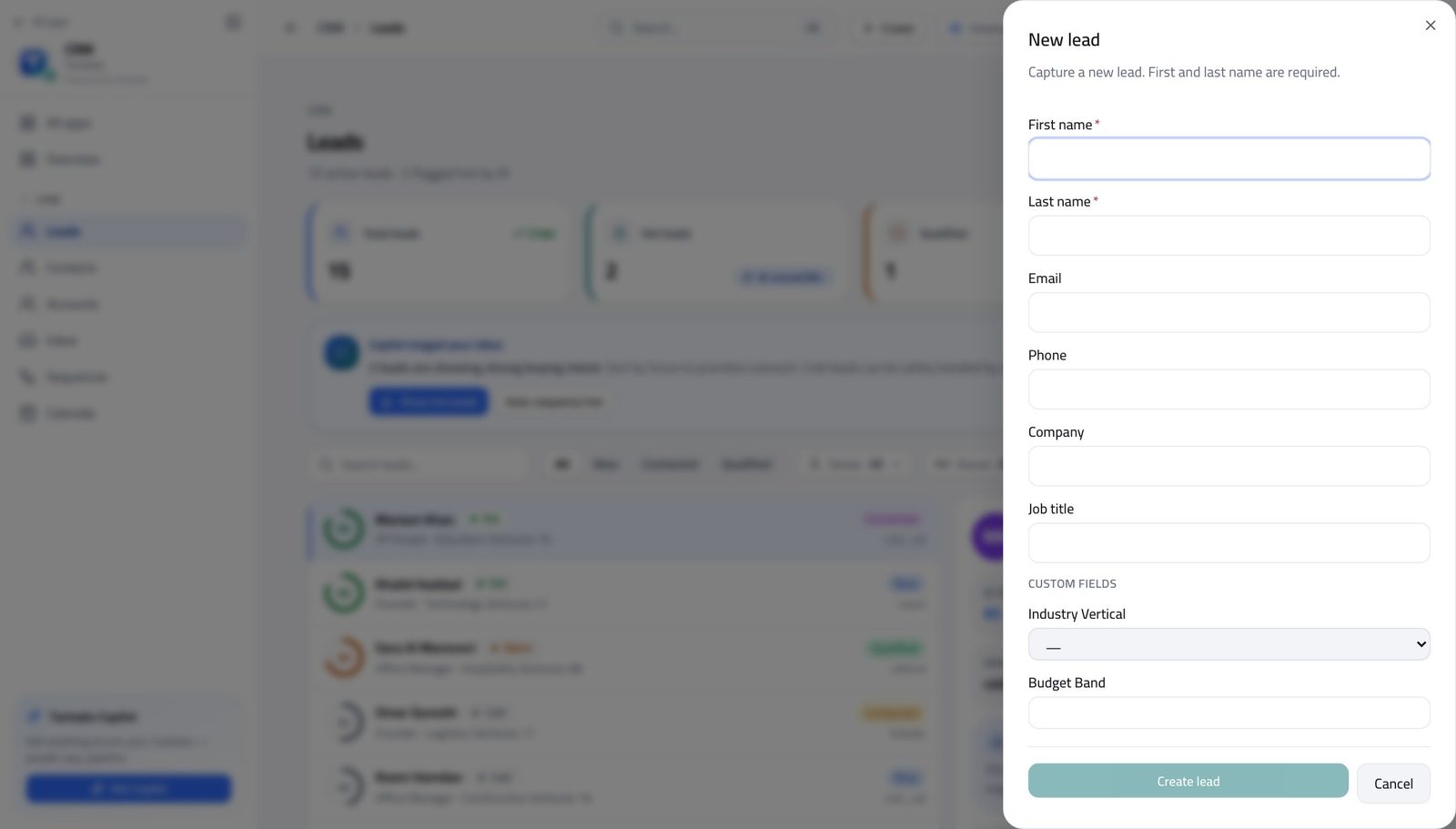
You should see Most leads arrive from a form or an import. This is for the one you met at a conference, and it should look identical to the ones that arrive on their own.
Watch out Fill in Source even when it feels obvious today. In three months nobody will remember which conference this was.
Worth knowing Source is the field your marketing team will ask about later. Fill it in even when it feels obvious to you today.
Read the whole lead, including your company's own questions #
Where CRM » Leads » any lead
- Open a lead from the list.
- Read Contact, then Qualification, then the custom-fields section.
- Use the arrows at the top of the record to walk to the next lead without going back to the list.
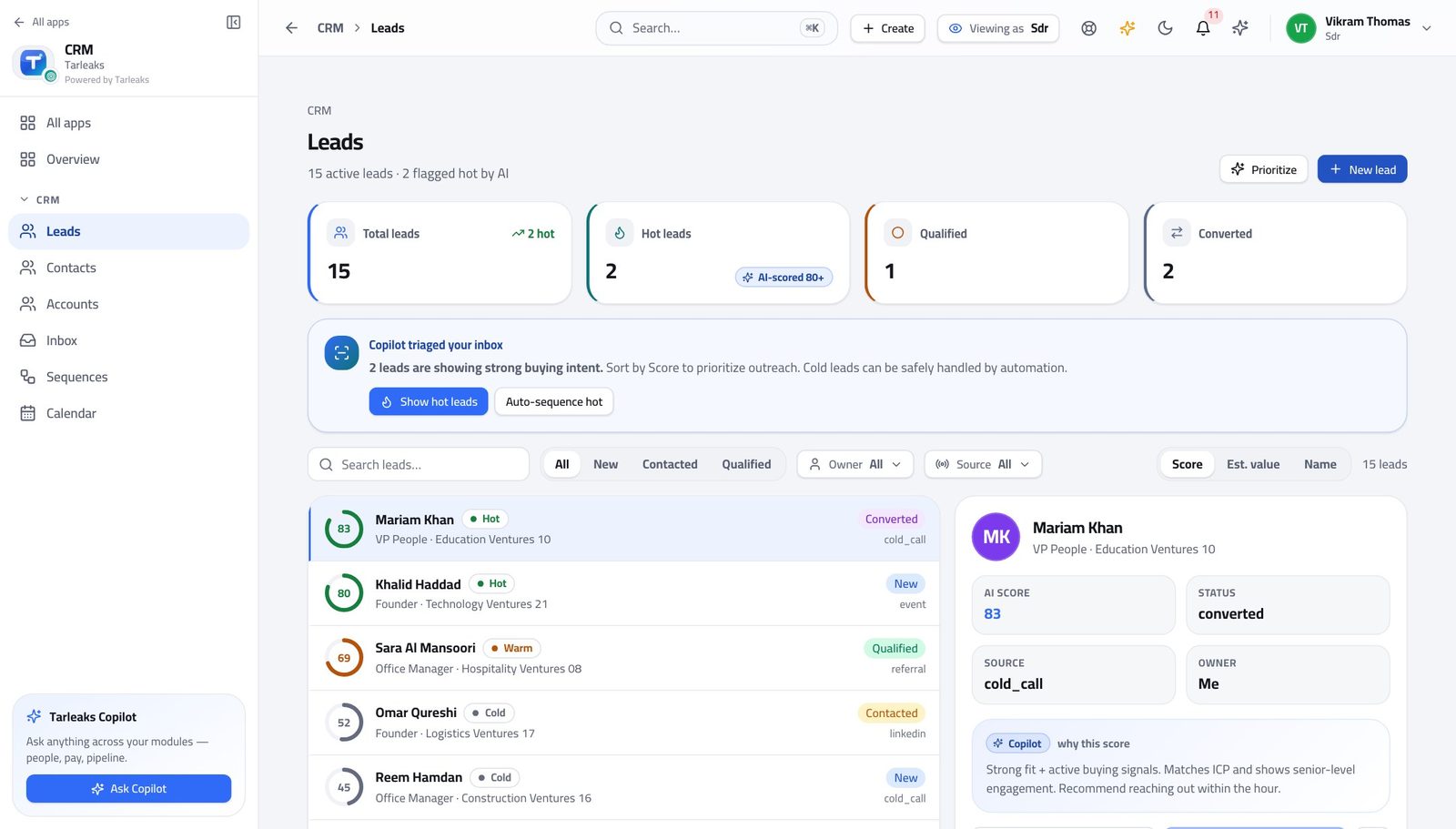
You should see What your business needs to know before a lead is worth a demo is on the record itself, not buried in a note somebody wrote.
Watch out Fill the qualification fields as you learn the answers, not at the end. A lead handed over with empty fields is handed over twice.
Convert a good lead — and hand it over #
Where CRM » Leads » Convert
- Open the lead and choose Convert.
- Tick Create contact, Create account and Create opportunity.
- Fill in the opportunity details.
- Choose the owner — the person who will run the deal.
- Convert.
| Field | What to put in it |
|---|---|
| Create contact | Almost always yes — the person becomes a contact. |
| Create account | Yes, unless the company is already in the system. |
| Create opportunity | Yes when there is a real deal to hand over. |
| Pipeline | Which sales process this deal belongs in. |
| Stage | The first real stage, not the last one you hope for. |
| Amount | Your best honest estimate. It can be changed. |
| Close date | When the customer says they will decide, not when you would like them to. |
| Owner | The account executive taking this on. This is the handover. |
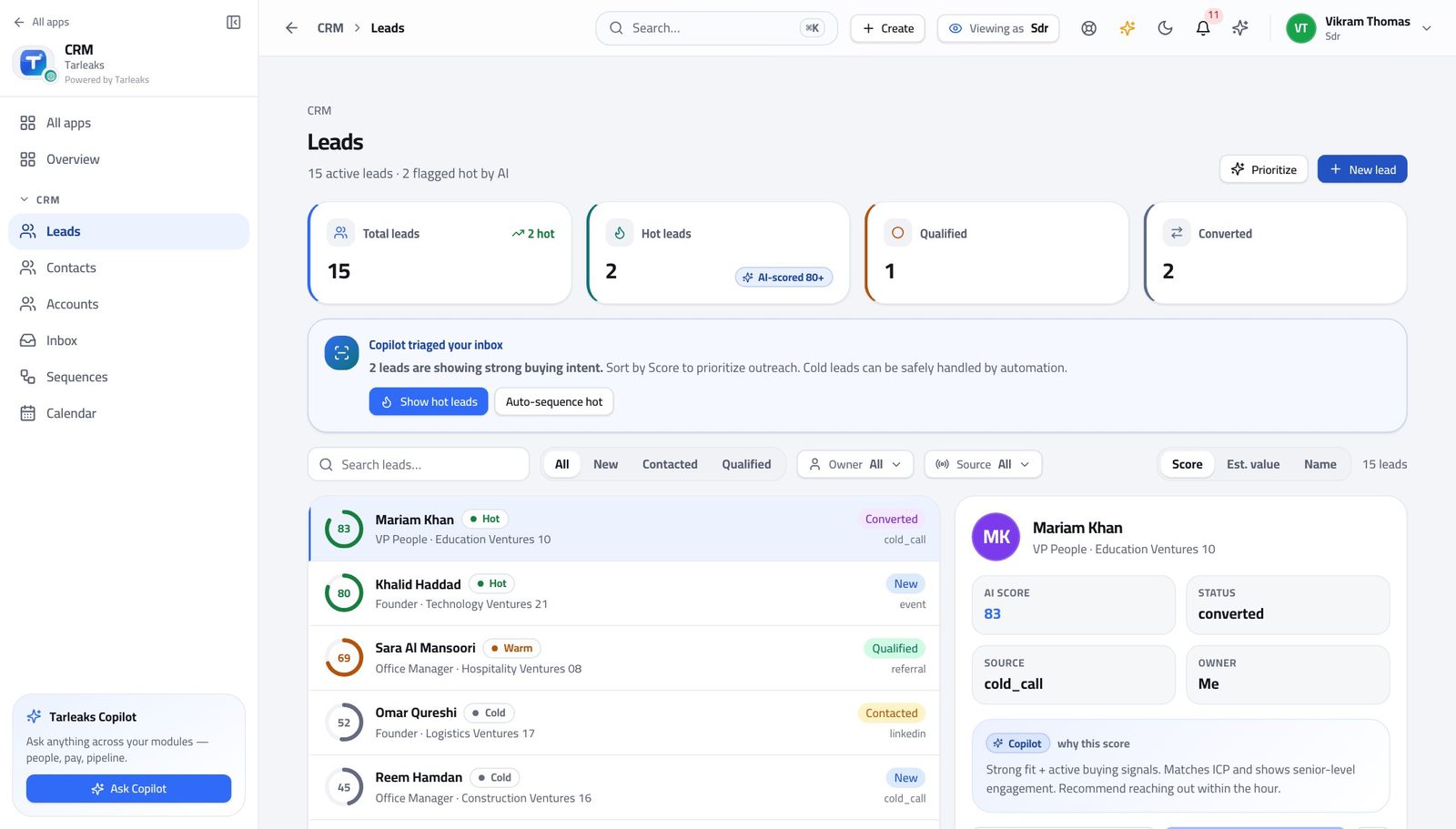
You should see One action produces a contact, a company and a deal, all linked back to the lead. The deal then belongs to the person you named — it does not stay with you, because opportunities are closed to this sign-in.
Watch out Choose the owner deliberately. Get it wrong and the deal sits with somebody who does not know it exists — and you cannot fix it afterwards, because deals are not yours to open.
Worth knowing Choosing the owner is the handover. Get it right here and nobody has to chase who owns the new deal.
Give up on a lead properly #
Where CRM » Leads » Disqualify
- Open a lead you are giving up on.
- Choose Disqualify.
- Pick a reason from the list.
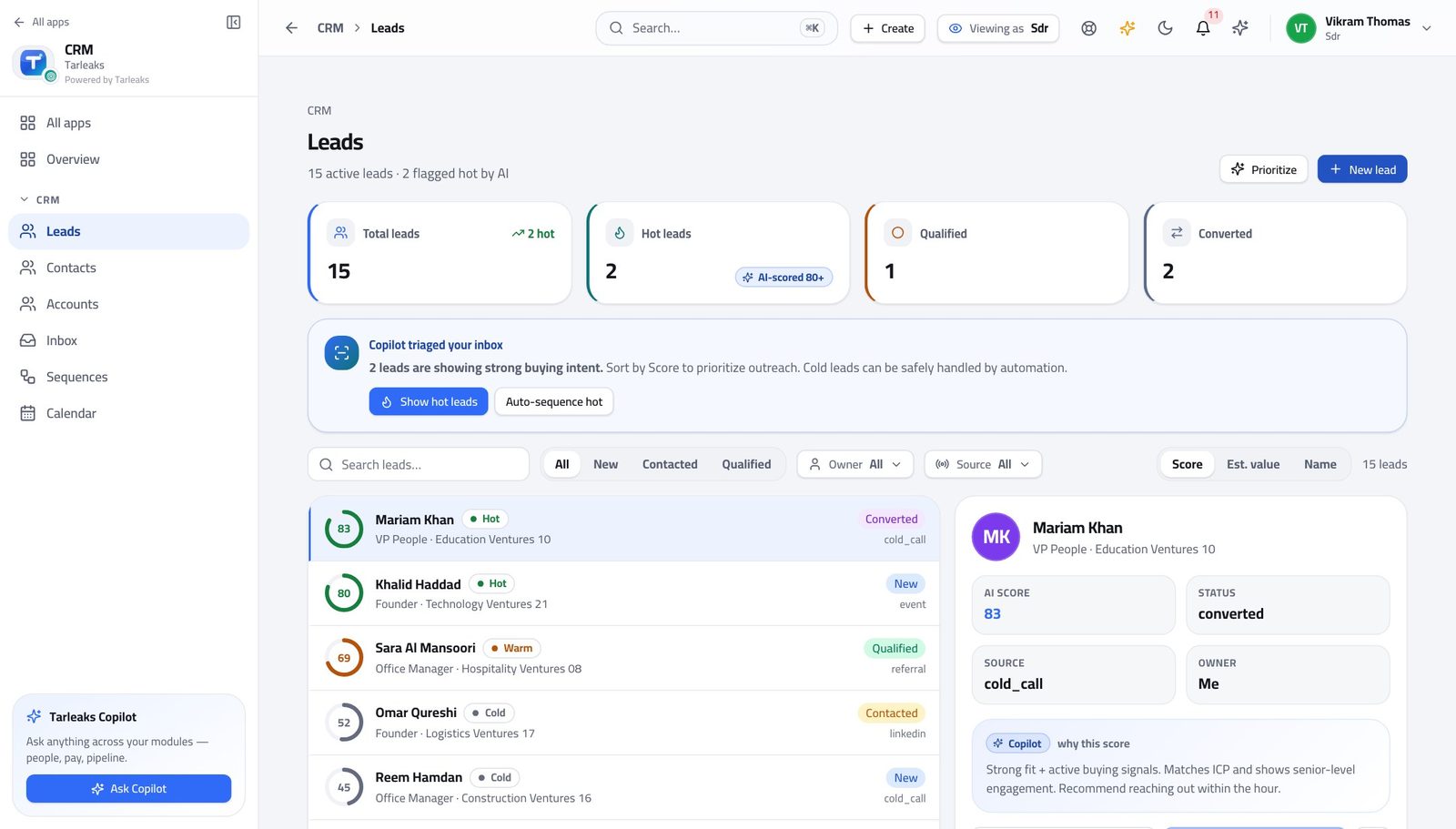
You should see 'Not a fit' typed forty different ways cannot be counted. A fixed list can, and that is what tells your company where the leads are going wrong.
Watch out Disqualify properly rather than leaving the lead to rot in 'working'. The reason is what tells your company where the leads are going wrong.
Put a lead into a sequence #
Where CRM » Sequences
- In the left menu, click Sequences.
- Open one and read its steps: what goes out, and how long after the step before.
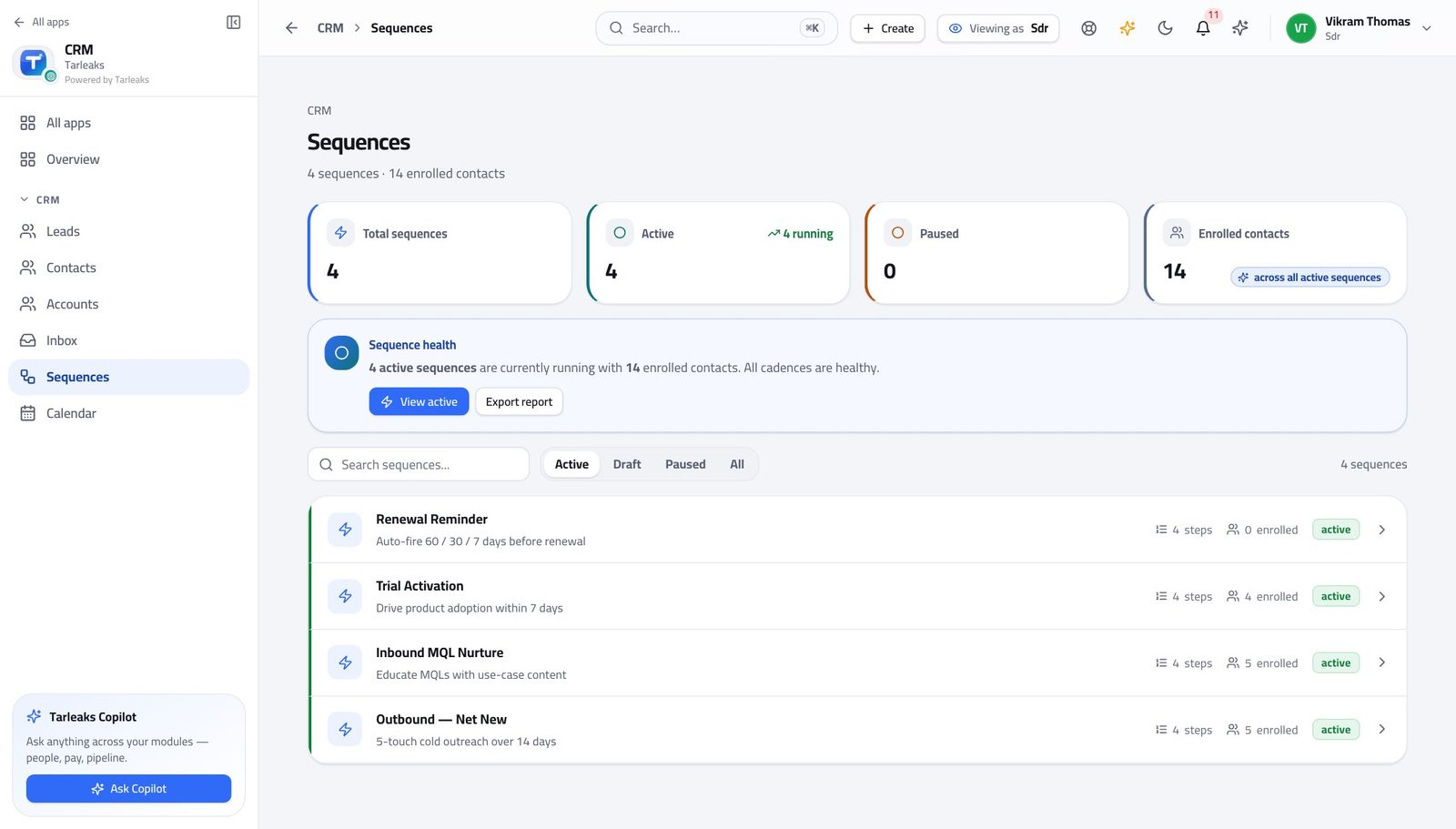
You should see Following up becomes a sequence you enrol somebody into, rather than forty reminders you keep in your head.
Watch out Read the whole sequence before enrolling anybody. You are signing your name to every message in it.
See who is in a sequence and where they are #
Where CRM » Sequences » a sequence
- Open a sequence.
- Read who is enrolled and which step they are on.
- Pause, resume or take somebody out.
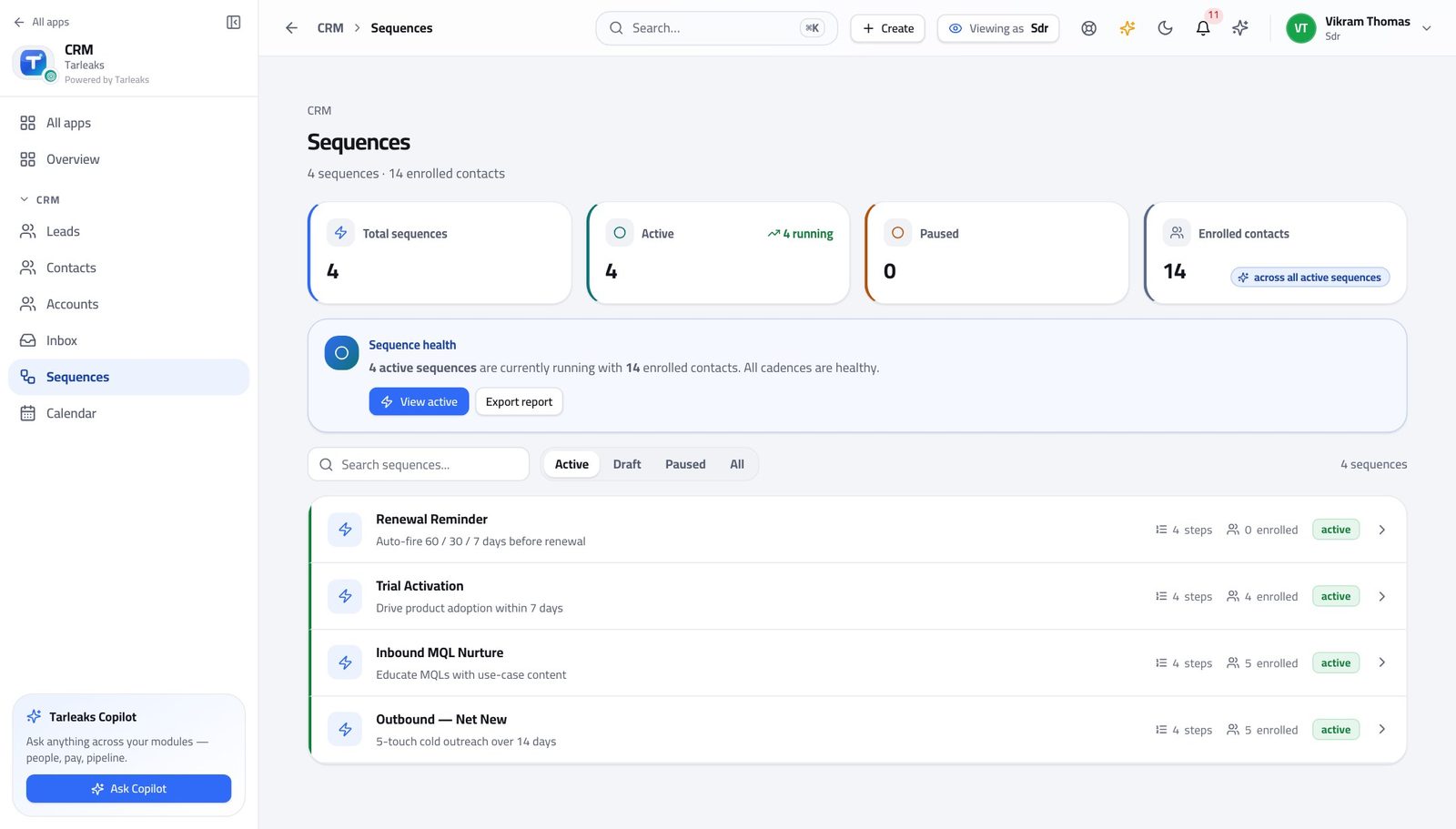
You should see The moment somebody replies you take them out, so a real conversation is never interrupted by an automatic follow-up.
Watch out Take somebody out the moment they reply — before you write your answer. An automatic follow-up landing after a real conversation is the fastest way to lose one.
Worth knowing Taking somebody out of a sequence is the first thing to do after a reply — before you answer, not after.
Work the shared mailbox #
Where CRM » Inbox
- In the left menu, click Inbox.
- Pick a thread on the left; the conversation opens on the right.
- Reply from here, using a template where one fits.
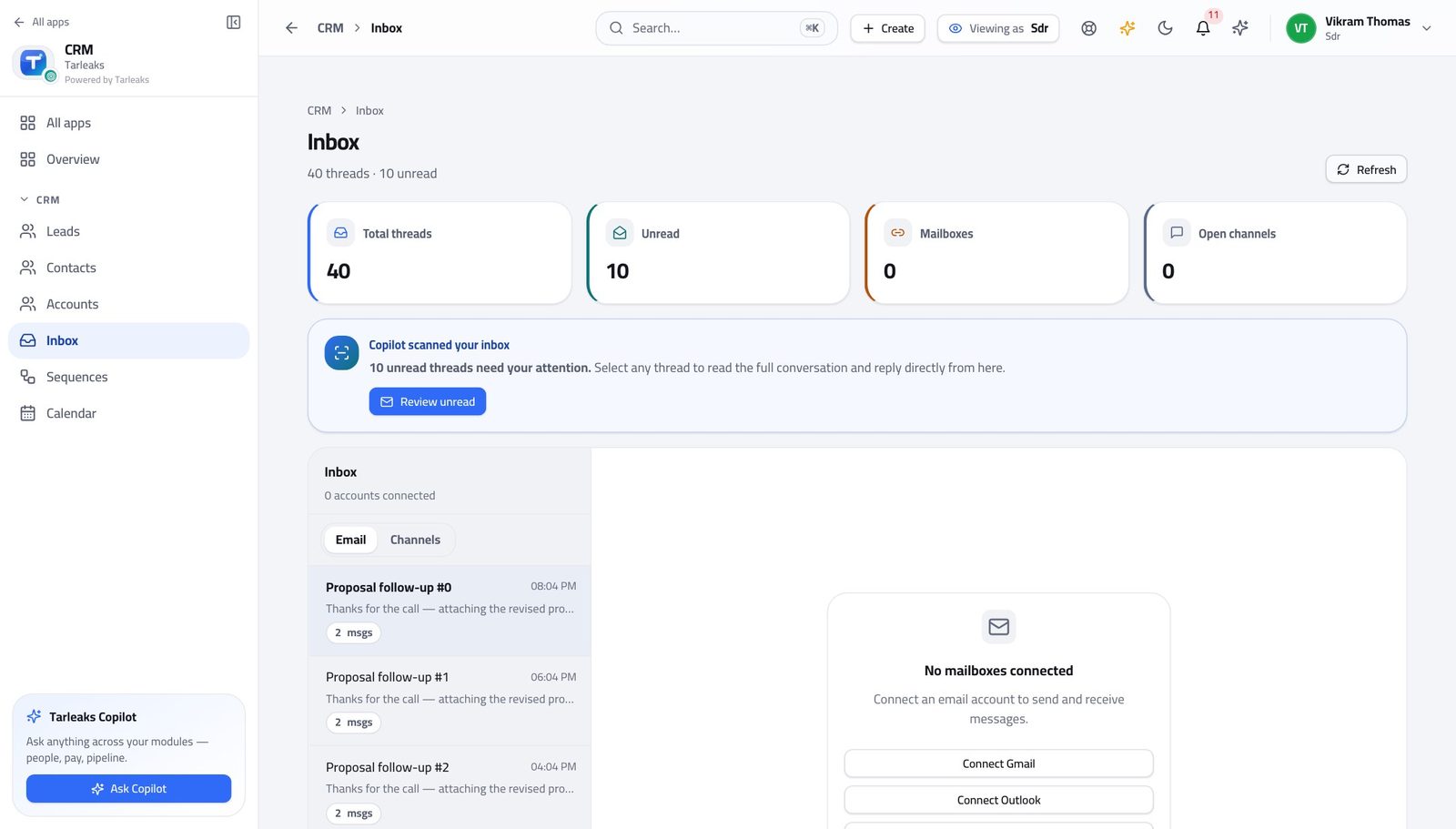
You should see A reply that lands here is already attached to the lead or contact it came from, so the next person to open that record can read the whole exchange.
Watch out Reply here rather than in your own mail client. A reply sent from outside is invisible to whoever picks the record up next.
Book the meeting that starts the deal #
Where CRM » Calendar
- In the left menu, click Calendar.
- Read the week: what is booked, with whom.
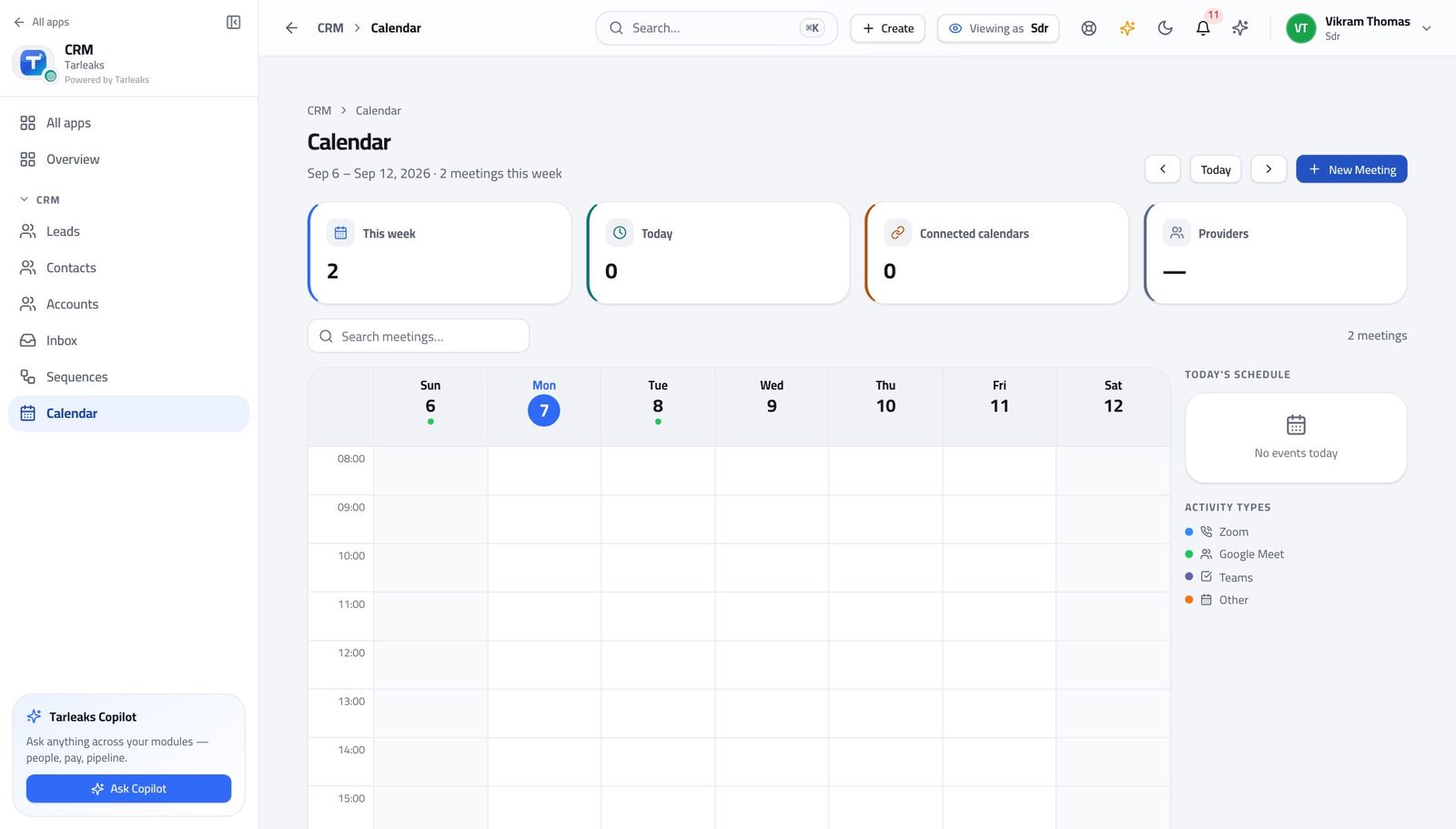
You should see Booking the meeting IS the handover. The account executive picks it up from here with the whole history attached.
Watch out Booking the meeting is the handover. Put what you learned on the lead before the meeting happens, not after.
Check whether they are already a customer #
Where CRM » Accounts, and CRM » Contacts
- In the left menu, click Accounts.
- Search for the company before you call.
- Open the account to see who already talks to them.
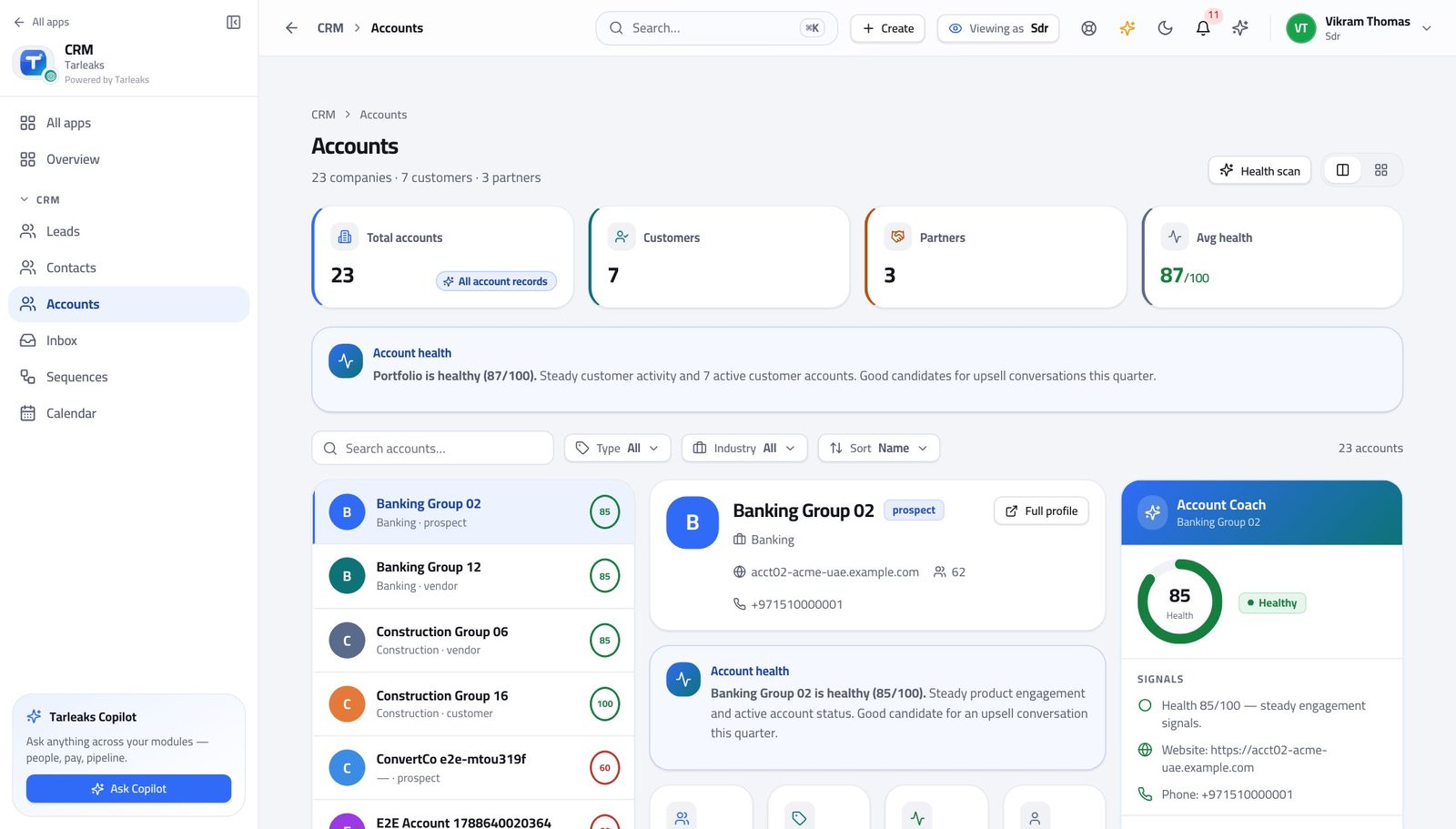
You should see Calling an existing customer as though they were a stranger is the one call you cannot take back. Thirty seconds here prevents it.
Watch out Calling an existing customer as though they were a stranger is the one call you cannot take back. Thirty seconds here prevents it.
Deals are not yours #
Where The left menu, under CRM
- Look down the CRM menu.
- Opportunities is not there.
You should see A lead becomes a deal when you convert it, and the deal belongs to the person who will close it. Your part is finished at that point.
Watch out You create deals by converting leads. You just do not keep them afterwards.
Quotes are not yours #
Where The left menu, under CRM
- Look down the CRM menu.
- Quotes is not there.
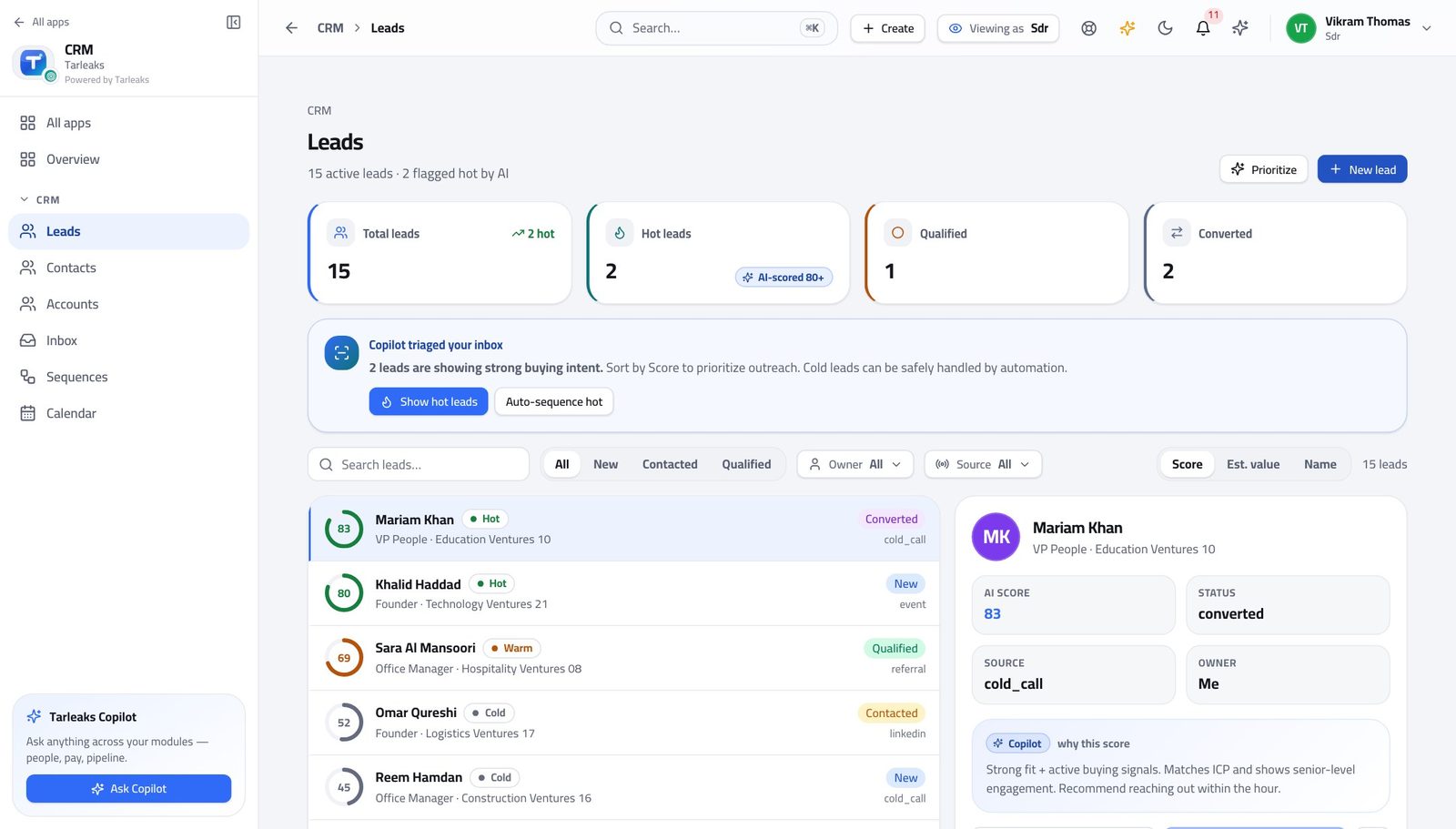
You should see Pricing a deal is the deal desk's job and it starts after your handover. If a prospect asks for a price, pass them to the owner rather than guessing.
Watch out If a prospect asks for a price, hand them to the deal's owner. Guessing a number is worse than saying you will find out.
The forecast is not yours #
Where The left menu, under CRM
- Look down the CRM menu.
- Forecasts is not there.
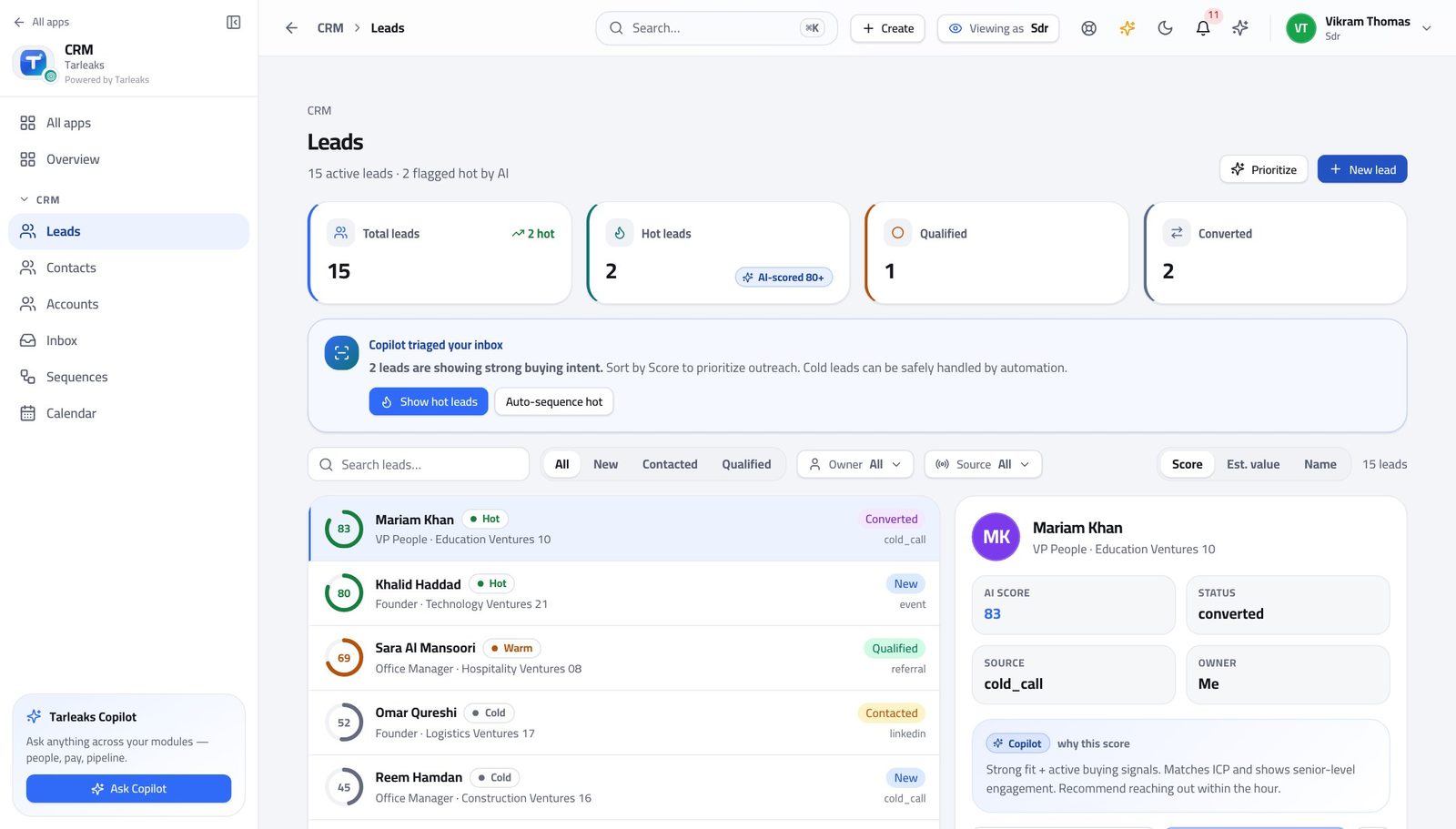
You should see You are measured on qualified leads and meetings booked, not on a pipeline number you do not own.
Watch out Your numbers are qualified leads and meetings booked. Ask your manager where you can see those if they are not obvious.
Editing deals in a batch is refused too #
Where There is no deal list to select from.
- There is no deal list, so there is nothing to select.
- The batch action refuses on its own as well.
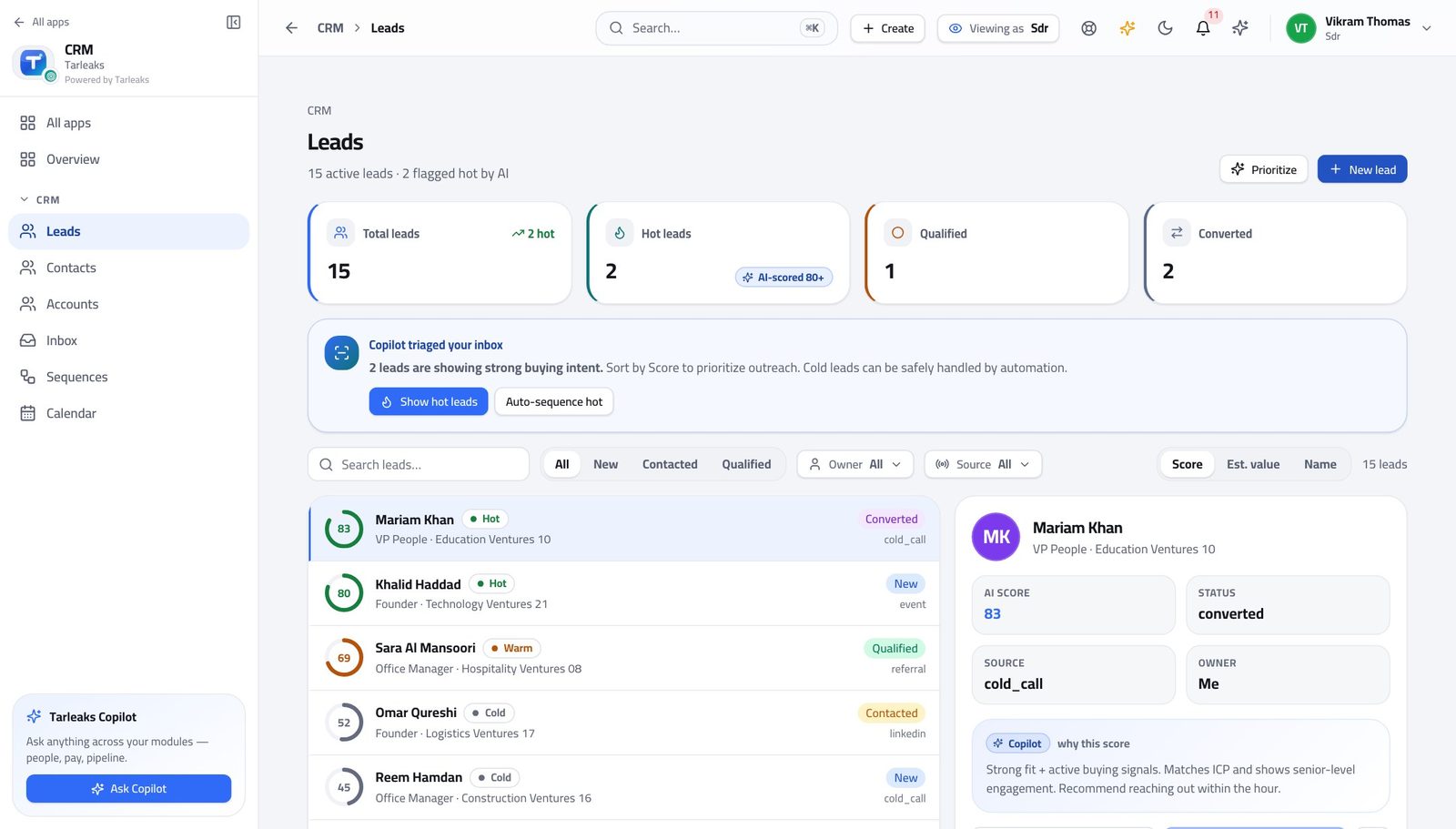
You should see The refusal is at the request, not only at the screen — so a bookmark, a shared link or a saved view cannot get round it either.
Watch out A link a colleague sends you gets the same answer as the menu does. Nothing gets round it, which is the point.
Sending a quote for approval is refused #
Where There is no quote to send it from.
- There is no quote to send for approval.
- The request refuses.
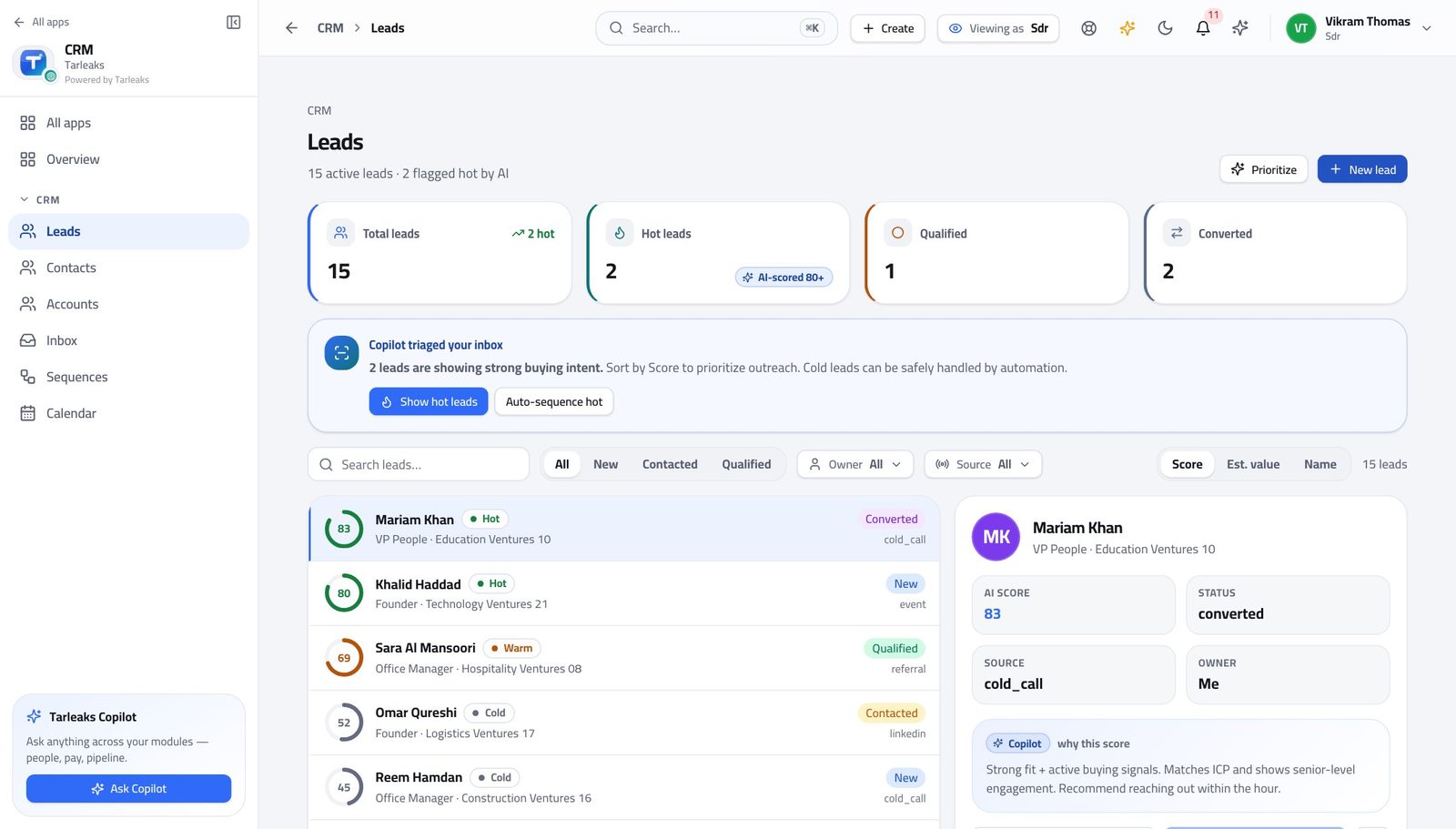
You should see The discount conversation happens between the account executive and their manager, after your handover. You are not in it, and you do not need to be.
Watch out The discount conversation is between the deal's owner and their manager. Passing on what the customer said about price is useful; asking for the discount yourself is not yours to do.
Use cases — the work, step by step
Each one is a sequence somebody actually performs, with the screen behind every step. Every screen here was opened in the product as this role before it was published.
dailyA morning on the queue, in about forty minutes #
Highest score first, sequences before manual follow-ups, and replies answered before anything automatic goes out on top of them.
Open Leads and read the count. Narrow to new and working, then sort by score — the highest-scoring leads are the ones your company's own rules say are worth the first call.
CRM » Leads — verified: the page says “Leads”; 15 row(s) listed Open the top lead. Read Qualification before you dial: what is already known saves you asking it again, and what is missing is your call plan.
CRM » Leads » any lead — verified: the page says “Leads”; 15 row(s) listed Check the sequence enrolments before you write anything by hand. Somebody already in a sequence does not need a second e-mail from you today.
CRM » Sequences » a sequence — verified: the page says “Sequences” Work the inbox last. Every reply is attached to the record it came from, so answer from here rather than from your own mail client — and take the person out of their sequence first.
CRM » Inbox — verified: the page says “Inbox”
dailyQualify a good lead and hand it over cleanly #
The handover is the whole job. A deal that arrives with an owner, a date and an honest amount gets worked; one that arrives as a name gets ignored.
Fill in the qualification fields on the lead as you learn the answers, not at the end. Budget, authority, timing, and whatever your own company added.
CRM » Leads » any lead — verified: the page says “Leads”; 15 row(s) listed Book the meeting. That is the moment the deal becomes real, and the calendar entry carries the record with it.
CRM » Calendar — verified: the page says “Calendar” Convert: create the contact, the account and the opportunity in one action, and name the account executive who will run it.
CRM » Leads » Convert — verified: the page says “Convert” Check the lead now reads converted. The deal has left you — opportunities are not on your menu — which is exactly right.
CRM » Leads — verified: the page says “Leads”; 15 row(s) listed
urgentThey replied and want a price #
The wrong answer here costs the deal. Guessing a number you cannot stand behind is worse than saying you will find out today.
Answer in the inbox thread so the whole exchange stays on the record. Say you will get them a proper number, and give a time.
CRM » Inbox — verified: the page says “Inbox” Do not go looking for the price list. Quotes and pricing are not on your menu, and that is deliberate — the deal desk owns what a customer is told a thing costs.
The left menu, under CRM — verified: “Quotes” is not in this role's menu Convert the lead and name the owner, then tell them directly. A priced conversation is the account executive's from that moment.
CRM » Leads » Convert — verified: the page says “Convert”
edgeThis one is not going anywhere #
A dead lead left in 'working' is worse than a disqualified one: it counts against you and it teaches your company nothing.
Open the lead and read what you actually learned. Write it down even though you are about to give up — the next person to meet this company will want it.
CRM » Leads » any lead — verified: the page says “Leads”; 15 row(s) listed Disqualify with a reason from the list. The list is short on purpose; pick the closest, do not invent a new one in the notes.
CRM » Leads » Disqualify — verified: the page says “Leads” Check they are not still enrolled in a sequence. A disqualified lead receiving another automatic e-mail is the worst of both.
CRM » Sequences » a sequence — verified: the page says “Sequences”
The deal desk — opportunities, quotes, pricing, the forecast — is not hidden from you, it is closed to you. Your part finishes at the handover, and the handover is the conversion.