Fleet by industry — how twenty-three sectors actually run it
The ledger is the same everywhere; the work is not. A clinic waits ninety days for an insurer, a landlord holds a year of cheques, an online shop reconciles one deposit against a thousand orders. Pick your industry: what usually hurts, how to set the module up for it, the flows that carry the work, and the mistake that costs the most.
Nothing matches that. Try a shorter word, or pick All industries.
Logistics & distribution #
Transport companies, third-party logistics providers, last-mile and courier fleets running trucks, vans and trailers out of one or more depots.
What usually hurts
- Drivers change vehicle between shifts, so “who had that truck last Tuesday” has to be answerable months later, by somebody who was not there.
- A heavy vehicle carries an operating card as well as a registration card, and the two expire on different dates.
- Dubai's truck bans are road-by-road and hour-by-hour — Sheikh Zayed Road 06:00–22:00, Al Ittihad Street always, several roads in both peaks — so planning is a rule set, not a map.
- Salik crossings have been variable-priced since 31 January 2025 across 10 gates, and only the person who was actually driving can fairly be charged.
Set it up like this
- Register every truck and trailer with its category — heavy vehicle, trailer, bus — because the category is what the licence check compares a driver's class against, and pick each plate's emirate from the list so an imported sheet that writes it as a code or in Arabic still lands on the right truck.
- Read the licence classes before you trust the check: class 6 covers heavy trucks and trailers, class 5 heavy buses, class 4 a light bus. They are seeded for the UAE and they are yours to edit.
- Add Operating card to every heavy vehicle, not only the registration card. It ships as required for heavy, bus and trailer, so it is watched like everything else.
- Set the depot on each vehicle, and the cost centre if depots are budgeted separately — it is the join to Finance's bills.
- Tolls and fines are not in this release, so do not plan a process around a screen that is not there. Plan around the handover ledger, which is what makes attributing them possible at all.
The flows that carry the work
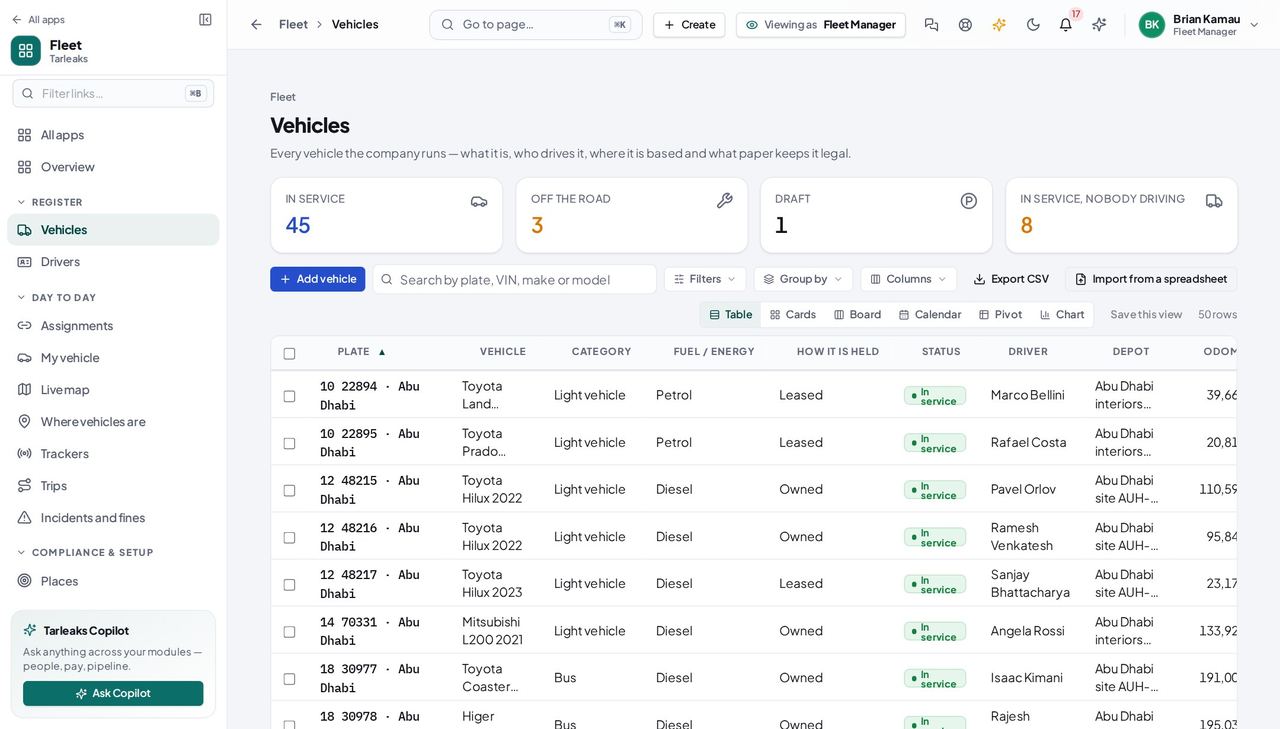
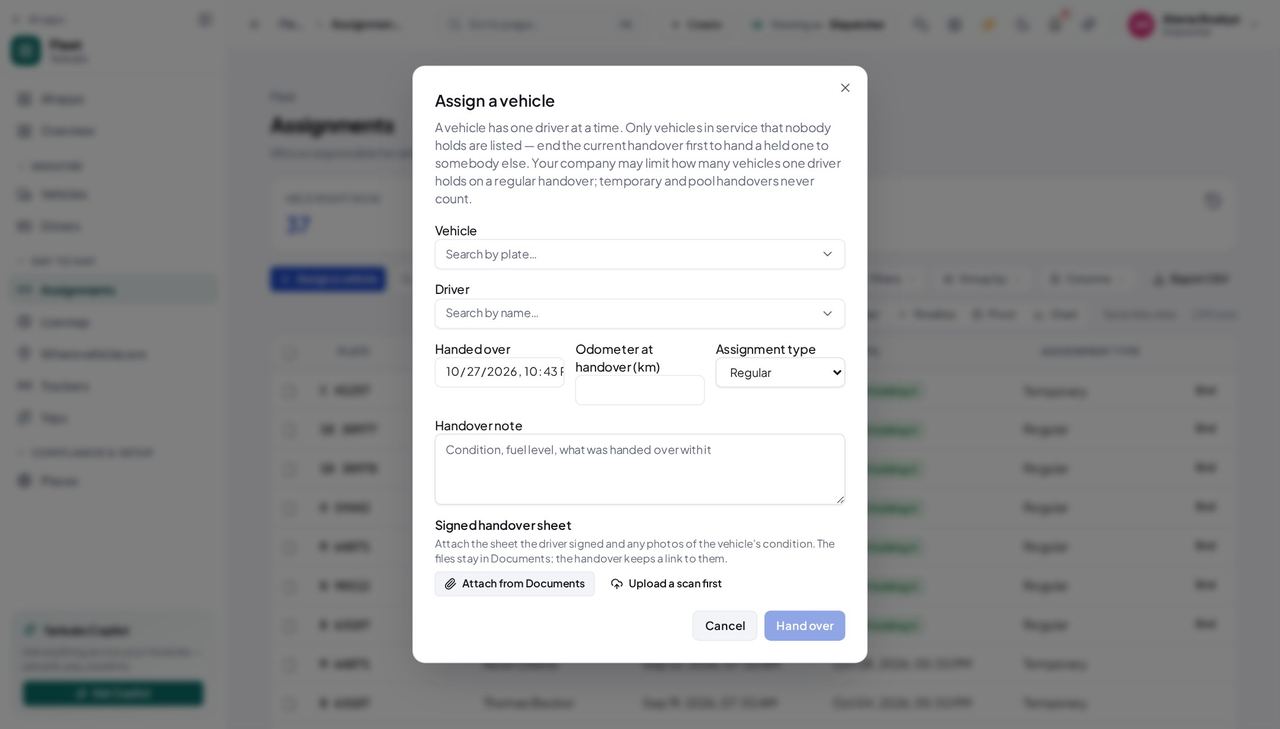
- End the outgoing driver's handover with the reading on the dashboard.
- Hand the truck to the next driver; the handover note is where fuel level, existing damage and what was in the cab go.
- The closing reading becomes the vehicle's reading automatically, so nobody types the same number into two screens.
- The closed row keeps both dates and both readings — permanently.
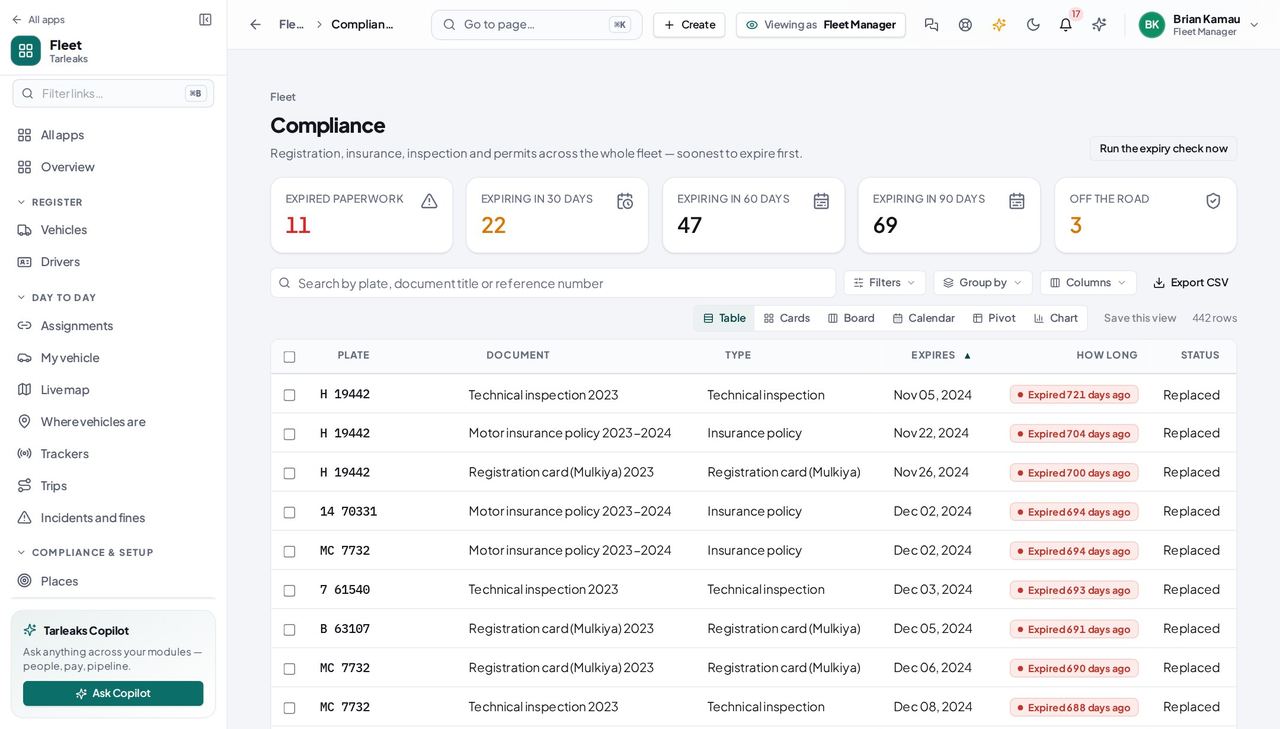
- Open Compliance and narrow it to the next 30 days.
- Renew through Renew, never by editing the expiry date: the old card stays on the record as replaced.
- The operating card and the technical inspection are the two that stop a truck at a checkpoint — chase those first.
- Check the tile again afterwards; the number and the rows are one query.
- Find the vehicle's handovers for the date on the notice.
- The row that spans that date names the driver, with the odometer at both ends.
- Match the crossing or the fine to it by hand — the module does not import either yet, and the register is what makes the manual match defensible rather than a guess.
What to watch every month
The screens this runs on
The costly mistake Treating the operating card as optional because the registration card is valid. They expire on different dates, and the operating card is the one an inspector asks a heavy vehicle for.
Construction & plant hire #
Contractors, plant-hire companies and civil-works teams running excavators, loaders, tractors, tippers, trailers and site pickups.
What usually hurts
- Plant moves between sites on a trailer and is not licensed the way a road vehicle is.
- Operators need a mechanical-equipment licence class, not a car licence — and the two get confused on a busy morning.
- A machine sits idle for weeks between packages and nobody can say whose it is or where it went.
- Site managers want a cost per project, and vehicles are the second-largest line after labour.
Set it up like this
- Register plant as Plant & equipment and trailers as Trailer. Both are proper categories, not “other”.
- Map the machine categories to the classes your operators hold: 7 is light mechanical equipment, 8 heavy mechanical equipment, 9 a tractor, seeded for the UAE and editable.
- Use the depot field for the site a machine is on, and change it when the machine moves — every list filters and groups by it.
- Set the cost centre to the project, so a hire invoice or a repair bill lands against the right job in Finance.
- Service schedules, hour meters and job cards are a later release. Today the register holds the machine's identity, its operator and its paperwork; the workshop's own job sheet still holds the work.
The flows that carry the work
- Filter the register to what is in service with nobody driving — that is your available plant, counted the same way the hub counts it.
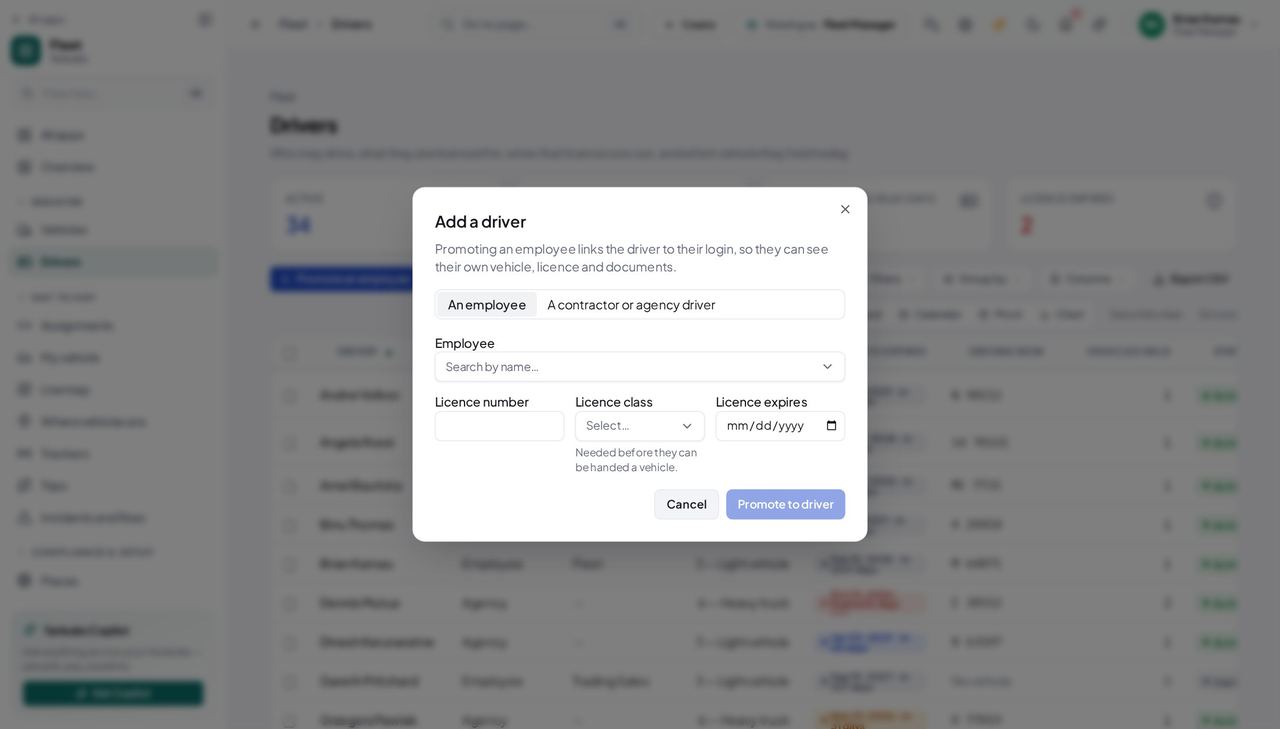
- Hand the machine to its operator; the handover is refused if their licence class does not cover the category.
- Change the depot to the new site.
- Record the reading at the gate, so the next movement starts from a true number.
- End the handover with the closing reading.
- If it needs work before the next package, take it off the road and say why — that sentence is what the yard reads instead of phoning you.
- It leaves every handover picker the moment you do, so nobody can send it out mid-repair.
- Open the roster and read the class and what it covers.
- Try the handover: a wrong class is refused with the class held, what it covers, and what this machine is.
- The check can be switched off in Fleet settings — do that only while your classes are still being loaded, never as a habit.
What to watch every month
The screens this runs on
The costly mistake Handing a machine to whoever is free. An unlicensed operator is a safety finding and an uninsured one at the same time, so switching the licence check off to save a minute moves the whole risk onto the person who switched it off.
Facilities & maintenance contracting #
Facilities-management companies, MEP and cleaning contractors, and landlords' own maintenance teams running vans, pickups and pool vehicles between buildings.
What usually hurts
- Vans are pooled: three technicians share two vehicles and nobody signs for anything.
- The vans carry tools, so when something goes missing the first question is who had the van.
- Small fleets are bought in ones and twos, so the paperwork arrives by email and is never filed anywhere anybody else can find it.
- Contracts are per building, and the client asks what the vehicle costs them.
Set it up like this
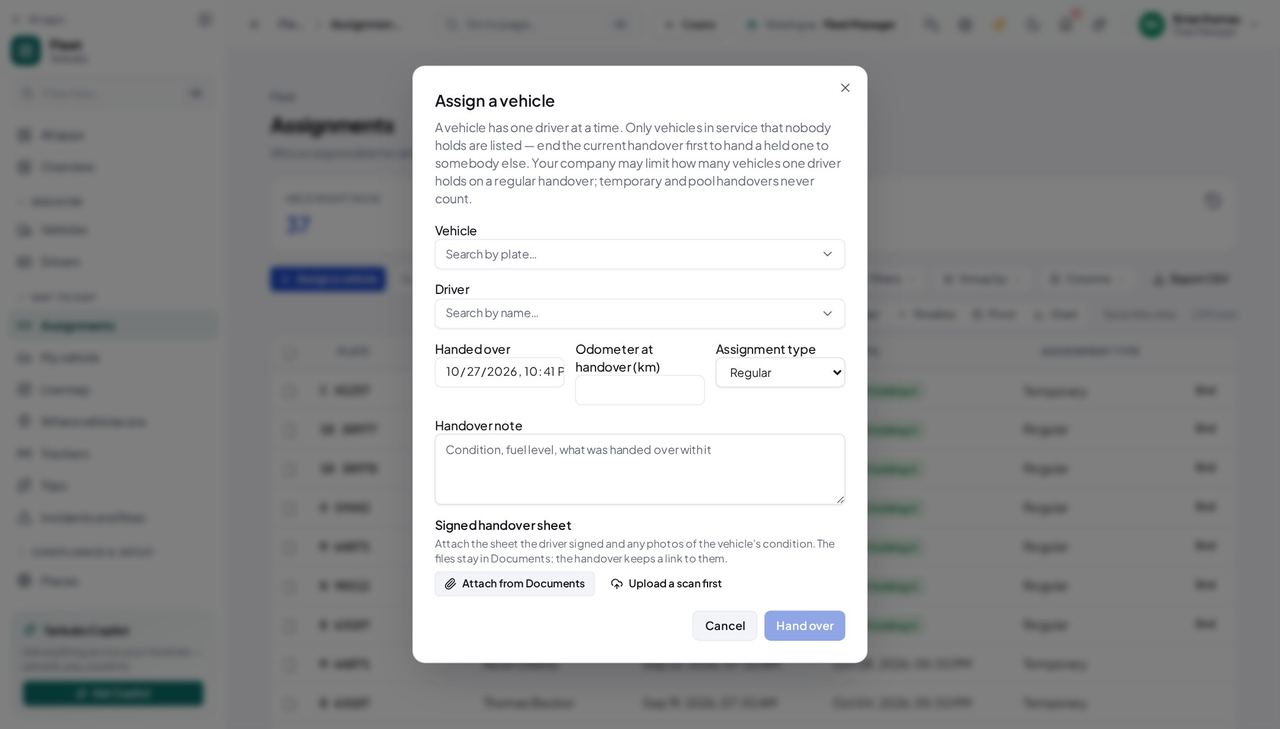
- Use the Pool assignment type for a shared van and Temporary for a stand-in, so the register says what kind of arrangement each handover was — and because neither counts toward the limit on vehicles per driver, a technician with their own van can still take a pooled one for the afternoon.
- Import the fleet from a spreadsheet rather than typing it: Check the file reports what would happen to every row — added, updated, unchanged, or a problem with the reason — and writes nothing until you say so.
- File the registration card and the insurance policy on every vehicle even when there are only six of them. An expiry nobody is watching is the only kind that surprises you.
- Set the cost centre to the contract rather than the department when the vehicle is charged to a client.
- Work orders, fuel receipts and defect reports are a later release, so a technician still reports a fault the way your depot does today — with the plate and the odometer to hand.
The flows that carry the work
- Hand it over at the start of the shift, listing the tools in the handover note.
- End the handover at hand-back with the reading.
- The closed rows are the chain of custody for the van and what was in it — which is the only version of that story that survives a month.
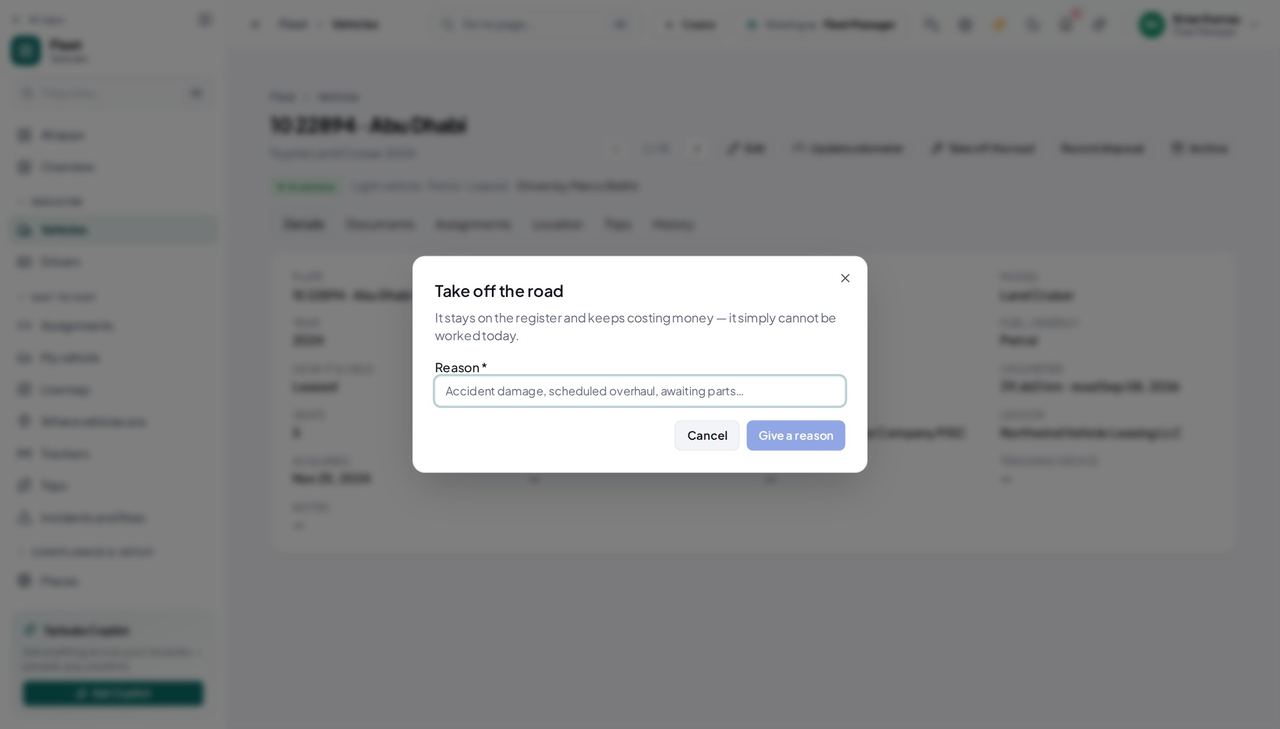
- Take it off the road with the reason.
- It disappears from every handover picker immediately, so nobody gives it out while it waits for the body shop.
- Put it back in service when it returns, saying what was done — the dialog asks a different question on the way back.
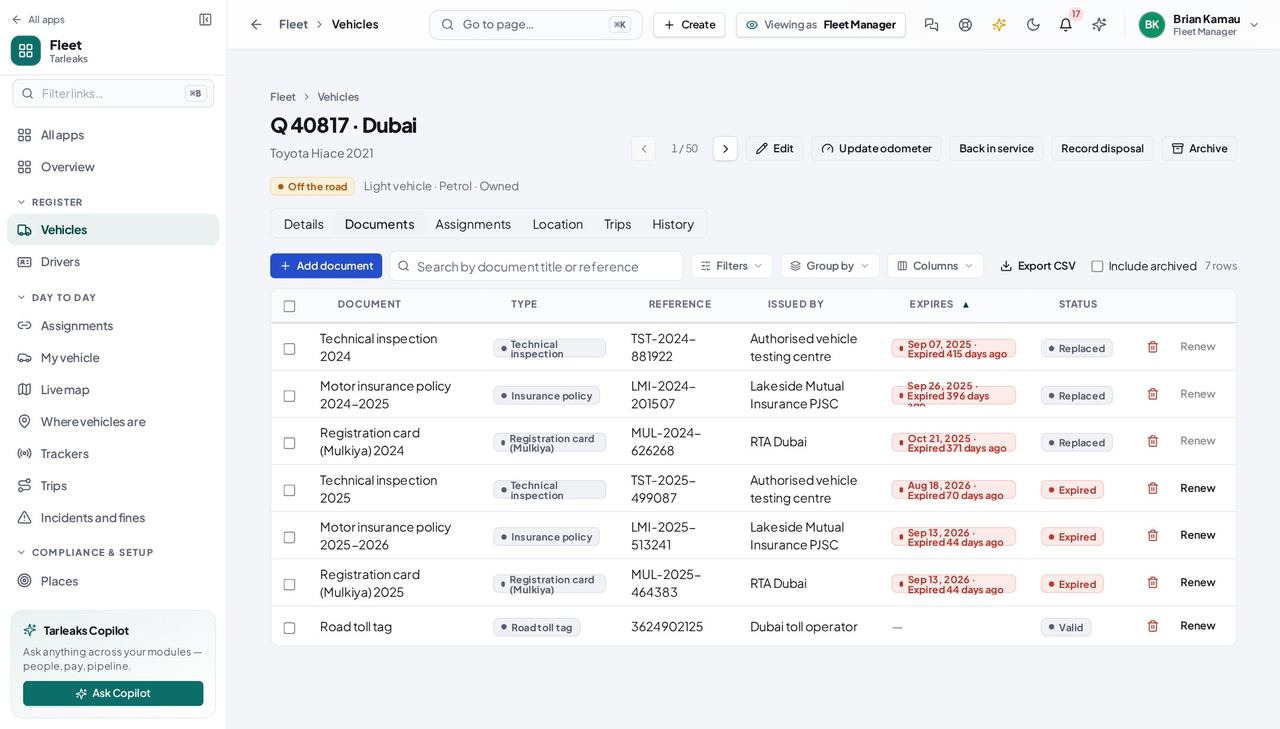
- Open the vehicle's Documents tab.
- Add the document with its expiry date — that date is the whole point.
- It is watched from that moment: a reminder goes out 90, 60, 30, 15 and 7 days before, once each.
What to watch every month
The screens this runs on
The costly mistake Running pooled vans with no handover at all because everybody knows who uses which one. The first disputed fine, damage claim or missing toolbox is the day you find out nobody knows.
Passenger transport & staff buses #
Bus operators, school-transport companies, staff-transport contractors and limousine fleets carrying people rather than goods.
What usually hurts
- Carrying passengers is licensed differently — a light bus is class 4, a heavy bus class 5 — and the driver's medical matters as much as the licence.
- A bus off the road at 05:30 is a route that does not run, and somebody needed to know the night before.
- Passenger vehicles are inspected more often, so an expired inspection certificate is a cancelled route rather than a paperwork problem.
- Green-fleet commitments are now dated and binding: RTA's board approved converting all Dubai taxis, franchise companies included, to hybrid, electric or hydrogen by 2027, and government procurement moved to 20% electric or hybrid from 2025 and 30% from 2030. A bidder has to be able to say what its fleet runs on.
Set it up like this
- Register buses as Bus and record each vehicle's seats, so capacity questions are answered from the register rather than a spreadsheet beside it.
- Keep the driver's medical expiry as well as their licence expiry. Both carry a badge on the roster and both run out on their own schedule.
- Add the technical inspection certificate to every passenger vehicle, with a reminder window wide enough to actually book the test.
- Record the fuel or energy type exactly — petrol, diesel, hybrid, electric, plug-in hybrid, natural gas, hydrogen. It is the field a green-fleet commitment is counted from, and the hub breaks the fleet down by it.
- Route planning, dispatch and vehicle tracking are not in this release. The module tells you which buses can run; which route each takes is still your own scheduling.
The flows that carry the work
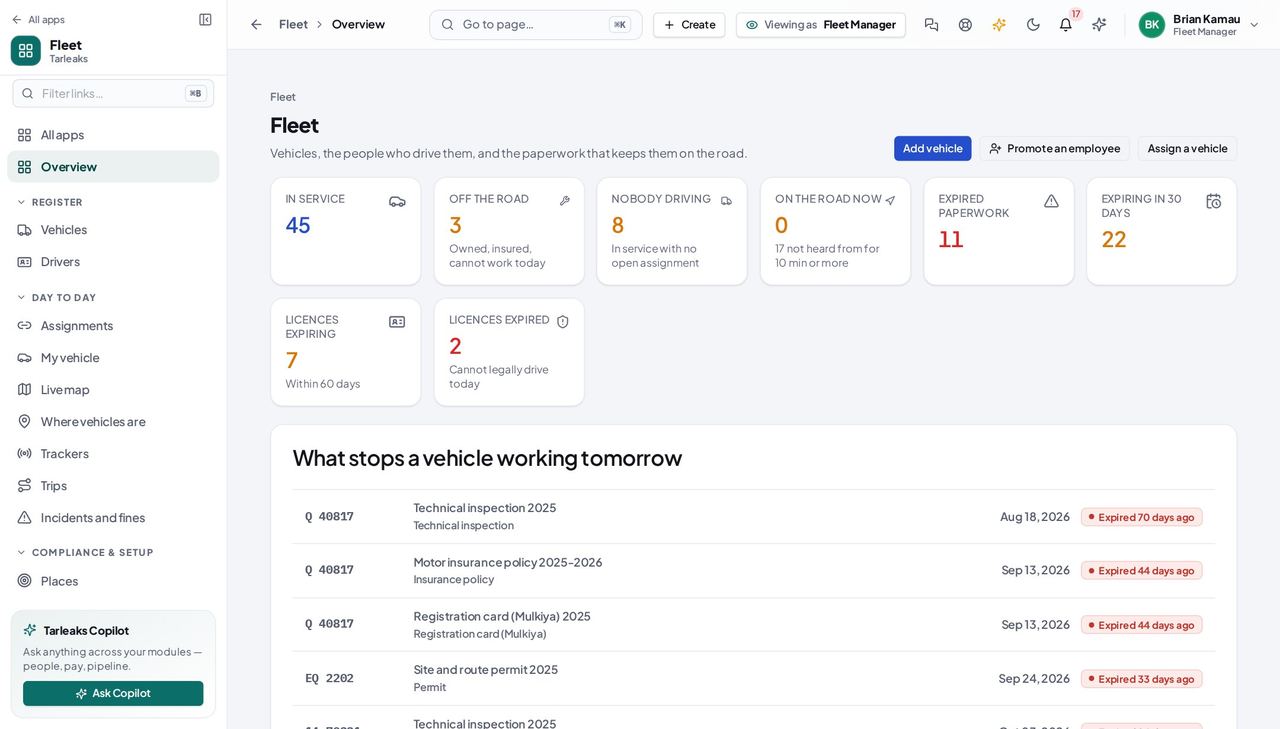
- Read the hub's What stops a vehicle working tomorrow.
- Anything off the road is a bus that will not turn a wheel in the morning — find the replacement now, not at 05:30.
- Anything expiring inside a week is next week's cancelled route.
- Open the roster and read the licence class and what it covers.
- Read the medical expiry on the same row.
- An expired licence is refused outright at handover, whatever the settings say — there is no override for that one.
- Open the hub and read By fuel / energy: every vehicle counted by what it runs on.
- Cross-check the register by filtering on the energy type, so the number you quote has rows behind it.
- Emissions reporting itself is a later release — this is the vehicle count, not a carbon figure, and it should be quoted as such.
What to watch every month
The screens this runs on
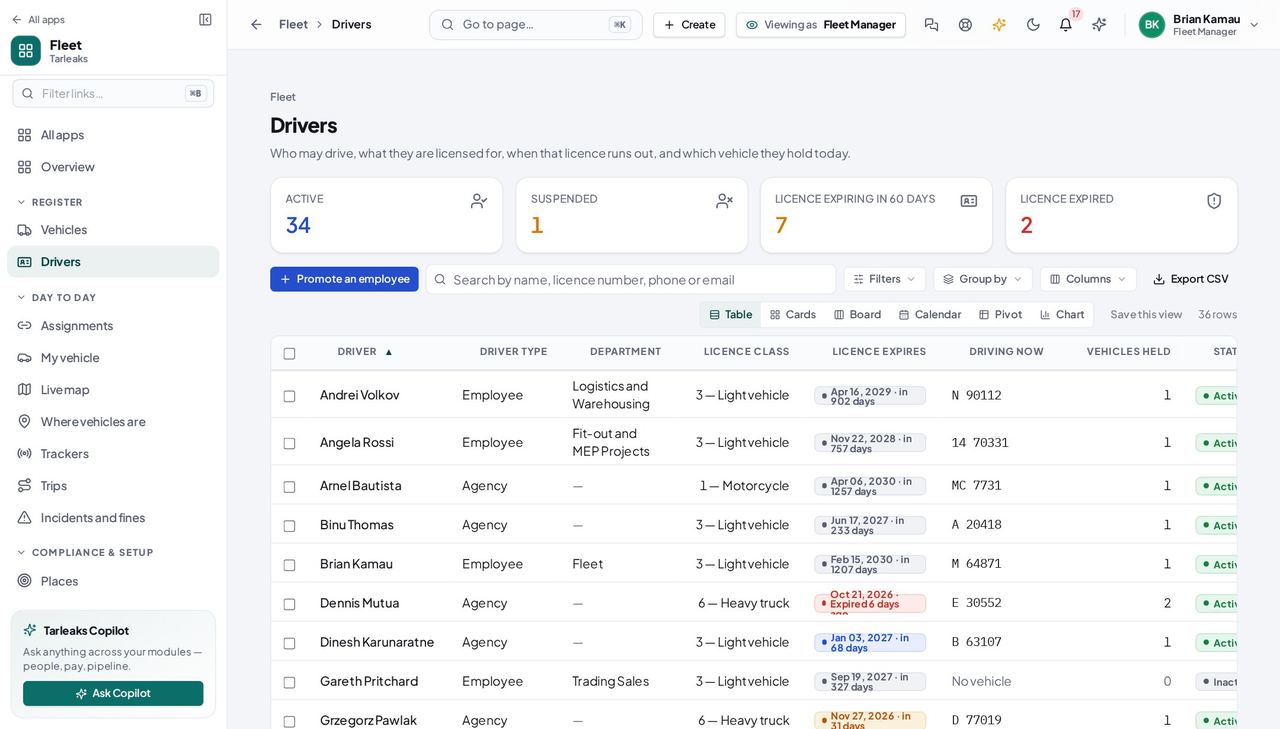
The costly mistake Watching the licence and forgetting the medical. A driver with a valid licence and a lapsed medical still may not carry passengers, which is why the module shows both dates side by side.
Oil & gas field services #
Drilling and well-services contractors, inspection and survey companies, and anybody running light vehicles, crew buses and specialised equipment to remote sites.
What usually hurts
- A vehicle is not allowed inside a client facility without a site permit, and the permit expires on its own date, separate from everything else.
- Crews rotate on 28-day cycles: the vehicle stays and the driver changes.
- The client audits the contractor's fleet paperwork, so “we have it somewhere” is not an answer.
- Journeys are long and remote, and the difference between two odometer readings is the only distance record that exists.
Set it up like this
- Add Permit as a document on every vehicle that enters a client facility. It ships for heavy vehicles, buses, trailers and plant, and you can add it to a light vehicle too.
- Create your own document types for anything a client demands that is not in the default six — the vocabulary is yours, in English and Arabic, and each type carries its own reminder days.
- Widen the reminder days on the documents that take weeks to renew. The default is 90, 60, 30, 15 and 7 days, and it is a setting, not a rule.
- Use Employee-owned for a crew member's own vehicle used on company business, so it is on the register with its insurance watched without pretending the company owns it.
- Journey management and trip records are a later release. Today the odometer readings on each handover are your distance record — which is why the hand-back reading is worth taking properly.
The flows that carry the work
- End the outgoing driver's handover with the reading.
- Hand the vehicle to the incoming driver, with the note describing its condition.
- The two closed rows are the distance that crew covered and the period they answer for.
- Open Compliance with no window: every document, its reference number, who issued it and when it expires.
- Filter by depot to the vehicles on that client's site.
- Nothing should be sitting in Expired paperwork. If it is, the audit will find it before you explain it.
- Find it in the 90-day window, early enough to start the renewal.
- File the new one through Renew so the old permit stays on the record as replaced.
- An auditor asking which permit was valid on a date last year can then be answered from the chain rather than from memory.
What to watch every month
The screens this runs on
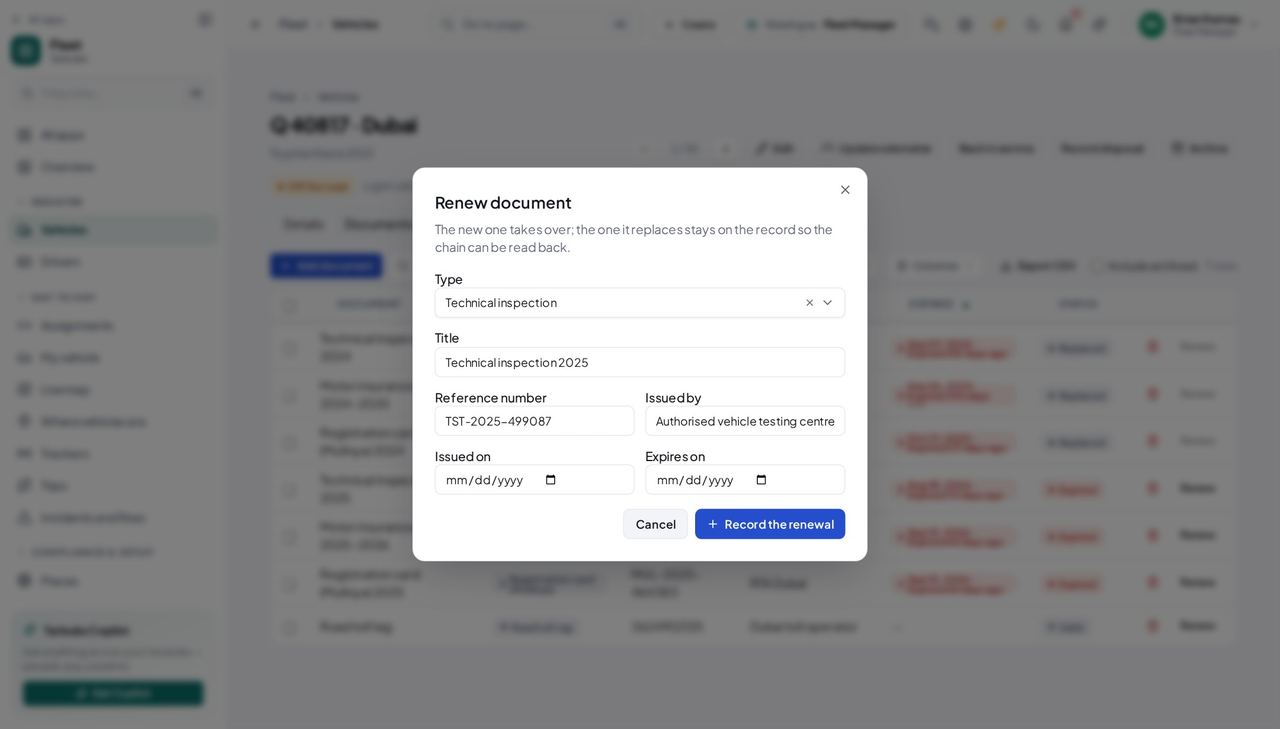
The costly mistake Editing an expiry date in place when a permit is renewed. It overwrites the only evidence of what was valid before — the exact thing an auditor asks for — and Renew takes the same number of clicks.
Food & beverage distribution (cold chain) #
Food and beverage distributors, dairy and frozen-goods wholesalers, and catering companies running refrigerated vans and trucks on fixed daily routes.
What usually hurts
- A refrigerated van off the road is a route of spoiled stock, not an inconvenience.
- A municipality food-transport permit sits on top of the ordinary registration and insurance and expires separately from both.
- Routes start before dawn, so a problem found at 05:00 has nobody to report it to.
- Temperature records are a legal requirement and live on a logger that nobody joins back to the vehicle.
Set it up like this
- Register refrigerated vehicles under the category the plate says — light or heavy vehicle — and use the notes field for the body and chiller details until the module has a place of its own for them.
- Add your municipality's food-transport permit as its own document type, named the way the inspector names it, with its own reminder days.
- Keep a spare or two in service and unassigned, and watch that tile: the number is your ability to absorb a breakdown before a route is lost.
- Give every vehicle a depot so the morning list can be read per branch.
- Temperature and telematics are not in this release. Keep the plate, the route and the date on your temperature log, so the two records can be joined when that part arrives.
The flows that carry the work
- Open the hub: off the road plus what expires tomorrow is the whole of what can stop a route.
- Check in service with nobody driving — that is what you can put on a route in the morning.
- Anything expired is a van that must not leave the yard, whoever is rostered on it.
- Take the vehicle off the road with the reason.
- Hand the route's spare to the driver; the original leaves the picker so it cannot be sent out again by mistake.
- Both movements are on the register, so the morning can be reconstructed afterwards instead of argued about.
- Open Compliance and filter to your permit type.
- Renew through Renew so the replaced permit stays on the record.
- That filtered list, printed, is what a municipality inspection actually wants to see.
What to watch every month
The screens this runs on
The costly mistake Keeping the temperature logs and the vehicle record in two systems that never meet. The module cannot take a temperature reading yet, so at least keep the plate, the route and the date on the log — otherwise the two can never be joined, and the permit is the only thing you can prove.