العربية

Start free trialBook a demo

Browse the documentation

Documentation

All appsHow the apps connectTeam workflowsCompare

Apps

HR ManagementRecruitment (ATS)Payroll & WPSTime & AttendanceAccounting & E-InvoicingCRM & Sales PipelineSales Orders & FulfilmentInventory, Purchasing & WarehousingProcurement & TendersConstruction & ContractingContracts & E-SignatureProducts & Online StorePoint of SaleRentalsSubscriptions & LicensingHelpdesk & TicketingSocial Media SuiteInfluencer Marketing & Campaign ROIProject ManagementActivities WorkspaceDocument ManagementPDF Tools & E-SignatureCorrespondence RegisterTeam Chat & CallsMeetings & VideoLearning & Certification (LMS)Asset ManagementFleet ManagementRecognition & GamificationContacts & PartnersNotification CentreReports & DashboardsInsights — Business Intelligence & AppsAI CopilotAI Agents & AutomationAI Diagram StudioWebsite BuilderISO Compliance Suite (Imtithal)App MarketplaceCustomer & Partner PortalSecurity, Access & Compliance

Employee — Website guide

Know what is not yours: the website is run by the site operator.
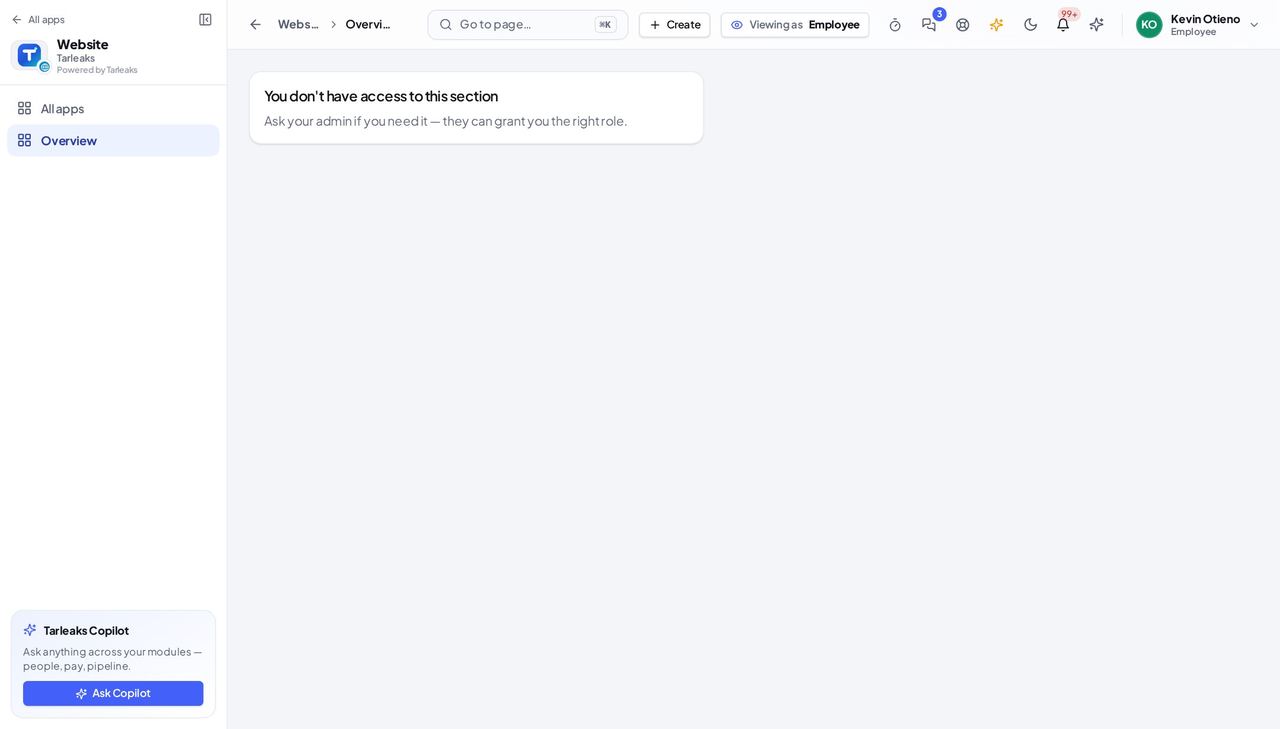
Has no part in the website: the Website app is not in their launcher, and the product refuses the pages if they open the address.

What you will be able to do

  • See that the Website pages are not open to you

What this role can and cannot do

CanCannot
    • website_builder:site:read
    • website_builder:deployment:publish

    1 steps, each one carried out in the product on .

    See that the Website is not yours #

    Where Website (the address)

    1. Open the Website address, or look for the Website tile in your launcher.
    2. The page says you do not have access: the website is run by the site operator.
    Screenshot: See that the Website is not yours, Employee view
    A card that says you do not have access to this section.

    You should see A card that says you do not have access to this section.

    If you need a change on the company website, ask the site operator.

    All website role guides

    Last updated