How every finance number is worked out — and how to check it
Before you sign something, you should be able to say where the figure came from and prove it in two minutes. For each number: where it lives, the arithmetic behind it, the check that proves it, and what a difference usually means.
Nothing matches that. Try a shorter word.
Why two people get different answers #
Where Any page » the assistant
How it is worked out Every answer is built from the data the ASKER may see; the assistant holds no wider access than the person using it.
Check it like this Ask the same question as two roles and compare — the difference is the permission difference.
If it disagrees An answer somebody should not have seen would be a permission bug in the module, not in the assistant.
What the assistant is costing #
Where Settings » AI usage
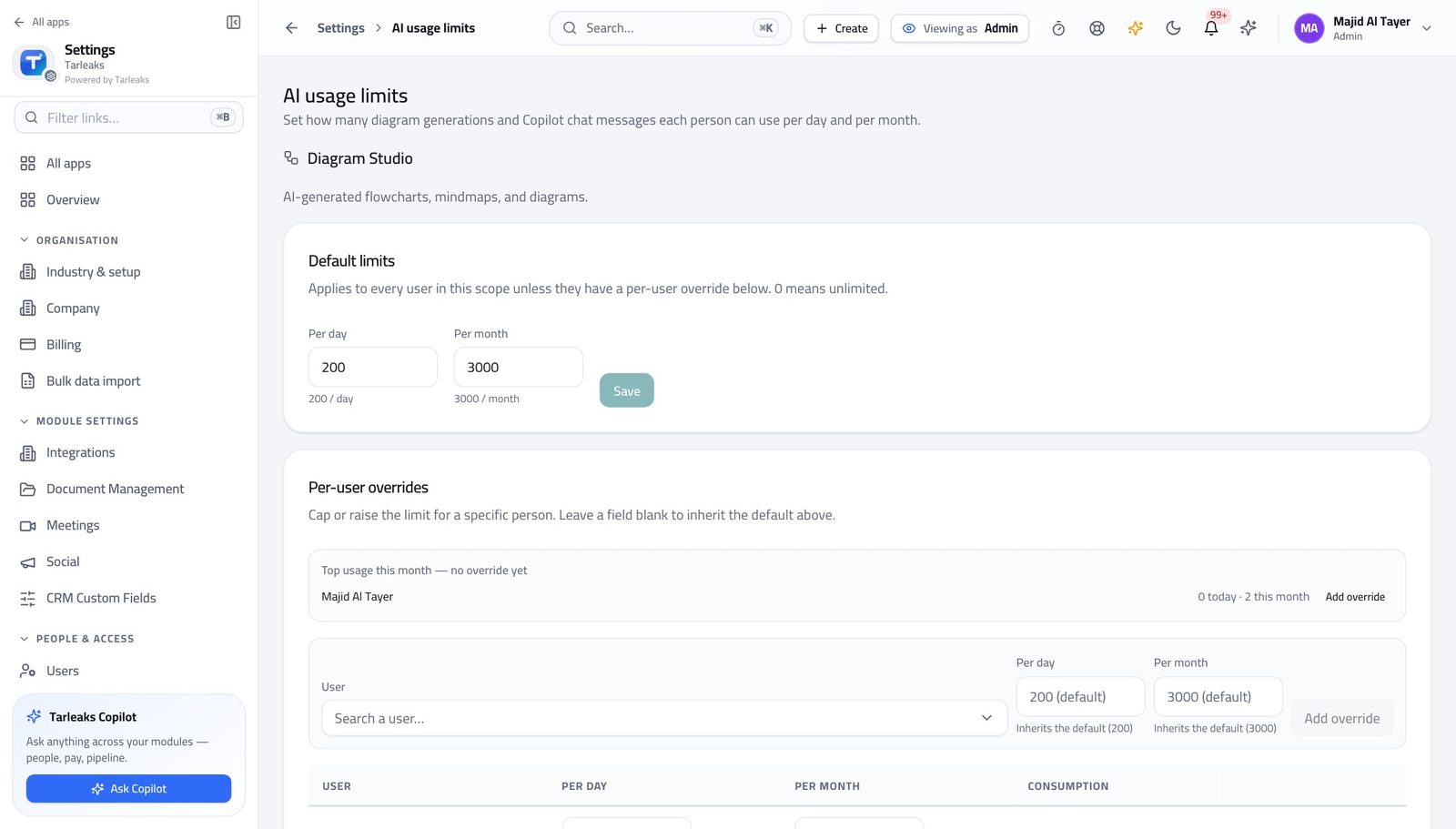
How it is worked out Requests and tokens per period against your own provider account.
Check it like this Compare with the provider's own dashboard for the same period.
If it disagrees A gap usually means another tenant or another key — the assistant only counts what it sent.
Faster ways to do the same work
| What you want | How |
|---|---|
| Open the assistant without the mouse | ⌘J (Ctrl J on Windows) from any page. |
| Ask about what you are looking at | The assistant reads the page you opened it from — 'which of these is overdue' works. |
| Start from a written prompt | The suggestion strip above a finance list offers prompts filtered to what you may see. |
| Work in Arabic | Set the language in your profile; the assistant's prompts change too, not only the interface. |