How every number is worked out — and how to check it
Before you sign something, you should be able to say where the figure came from and prove it in two minutes. For each number: where it lives, the arithmetic behind it, the check that proves it, and what a difference usually means.
Nothing matches that. Try a shorter word.
Book value on the estate #
Where Assets → Estate → Book value tile
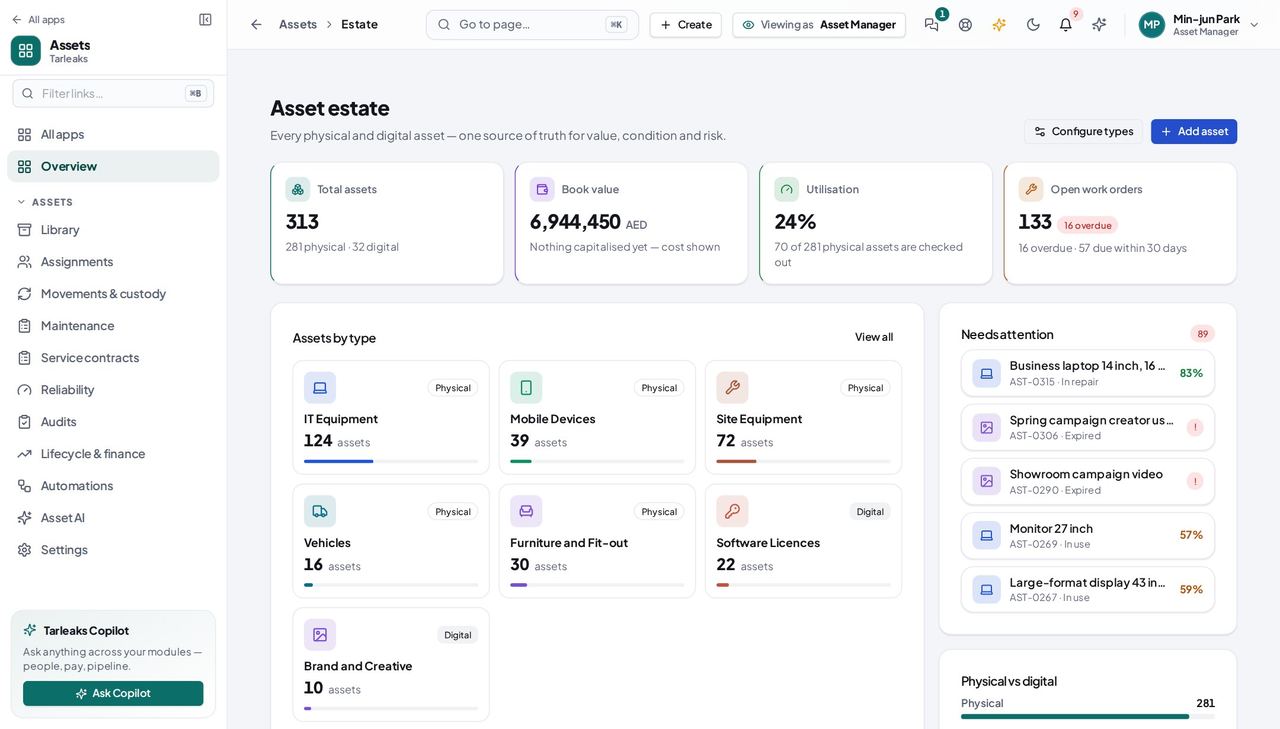
How it is worked out The sum of accounting's stamped book value per asset (cost where an asset is not on the fixed-asset register), retired assets excluded.
Check it like this Lifecycle → Book value tile equals it; Accounting → Fixed assets → the register summary agrees for the capitalised ones.
If it disagrees A number that never moves after a depreciation run means the stamp did not arrive — check Settings → Commerce → Show accounting's book value.
Utilisation #
Where Assets → Estate → Utilisation tile
How it is worked out Physical assets checked out to a person, over all physical assets, retired excluded.
Check it like this Library → Checked out tile count over the physical count.
If it disagrees Digital assets never count; a retired asset never counts.
Runs on a rule #
Where Assets → Automations → the rule
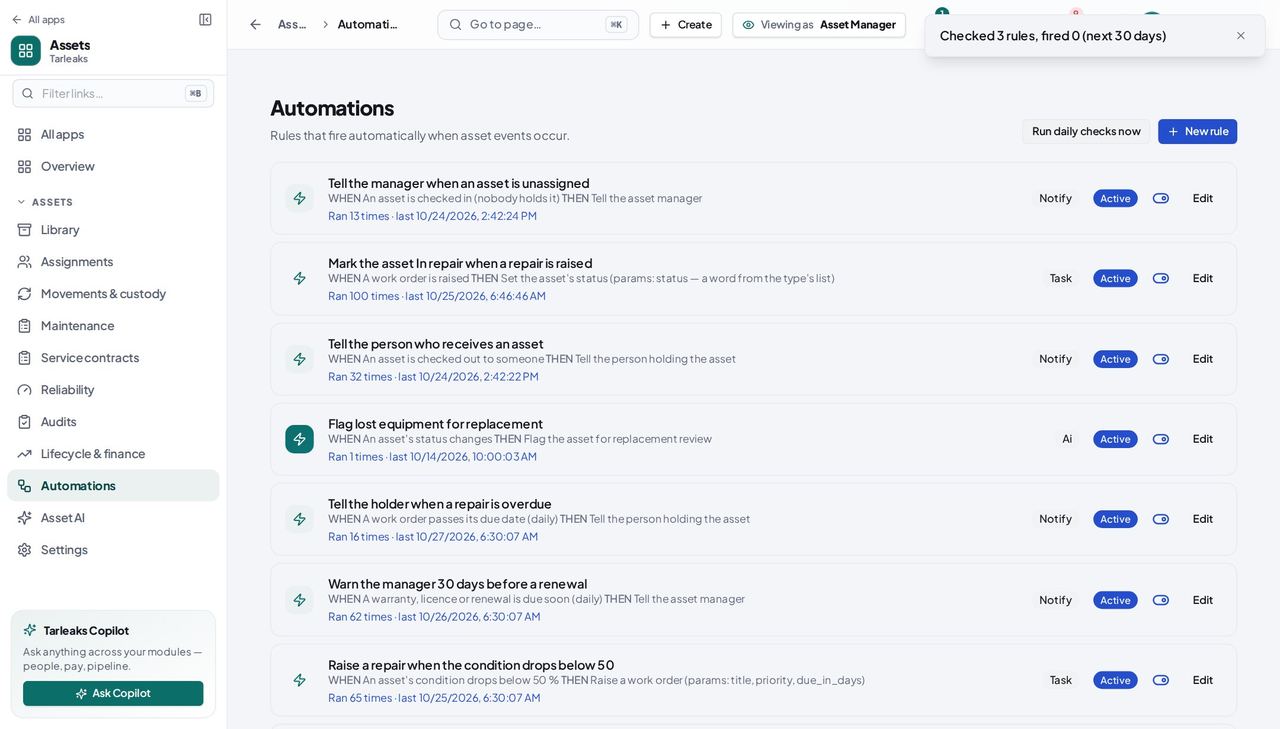
How it is worked out One per firing — event or daily check — whether or not the action succeeded.
Check it like this Open the run log; Done and Not done lines add up to the count.
If it disagrees The daily checks never fire twice for the same rule and asset inside the window setting.
Faster ways to do the same work
| What you want | How |
|---|---|
| Send a colleague exactly the list you are looking at | Copy the address bar — the tile, the kind, the type and the search are in it. |
| Walk the assets without going back to the list | On an asset's page use ‹ › (or ⌘/Ctrl + arrow keys outside a text field). |
| Raise a work order for the asset in front of you | Asset page → Raise work order: Maintenance opens with the asset filled in. |
| Create a location while moving an asset | In the Transfer form's location picker choose New location at the bottom. |