The helpdesk calendar — who does what, and when
4 use cases across 3 roles, placed by when they happen. Each one opens as a numbered sequence with the screen behind every step — nothing here is advice we have not carried out in the product. Filter to your own role, or read it once to know what lands on your desk and from whom.
Nothing matches that. Try a shorter word, or pick Everyone.
Every day
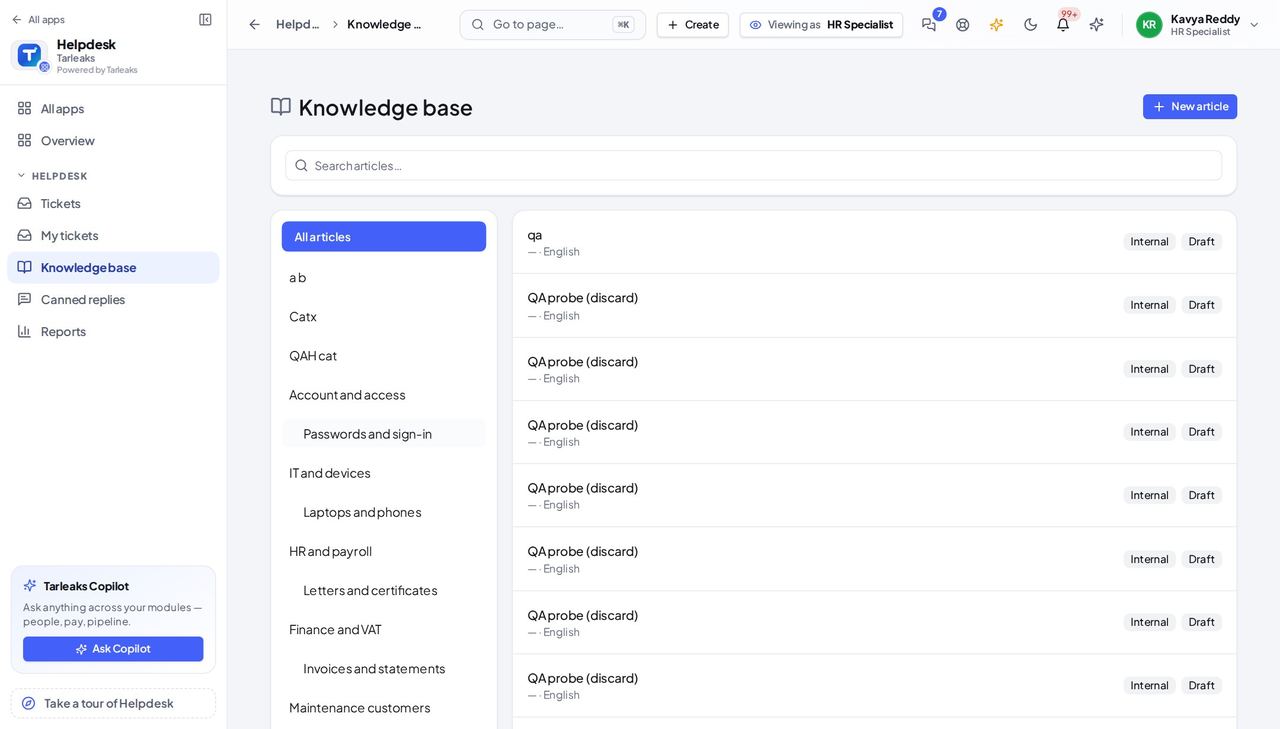
Helpdesk AgentA question the knowledge base already answers
The knowledge base holds the agreed answer; use it so every requester gets the same one.
2 steps, each with the screen it happens on.
Handovers — who passes what to whom
Finance rarely breaks inside a job. It breaks at the join: a bill nobody approved, a receipt nobody allocated, a month closed before the tax agent had it.
| When this happens | From → to | What happens next |
|---|---|---|
| An employee raises a ticket | Employee → Helpdesk Agent Helpdesk » Tickets (the queue of that desk) | A ticket on the right desk, with the subject and details the employee wrote. A confidential desk is seen only by the people rostered on it. |
| An agent sends a public reply | Helpdesk Agent → Employee Helpdesk » My tickets | The employee is notified and reads the answer on the ticket; the state moves on. An internal note is never shown to the employee. |
| The administrator sets up a desk | Tenant Admin → Helpdesk Agent Helpdesk » Desks & SLAs | The desk, its roster and its SLA policy — the clock every ticket on it runs on. A desk with no roster has nobody to answer. |
| A ticket runs past its resolution time | Helpdesk Agent → Helpdesk Manager Helpdesk » Tickets | When escalation is switched on, the ticket is flagged Escalated with the reason; the desk's lead and a named manager are told. The employee who raised it sees the new priority, never the escalation. |