How every number is worked out — and how to check it
Before you sign something, you should be able to say where the figure came from and prove it in two minutes. For each number: where it lives, the arithmetic behind it, the check that proves it, and what a difference usually means.
Nothing matches that. Try a shorter word.
Order total #
Where Purchase orders → the order
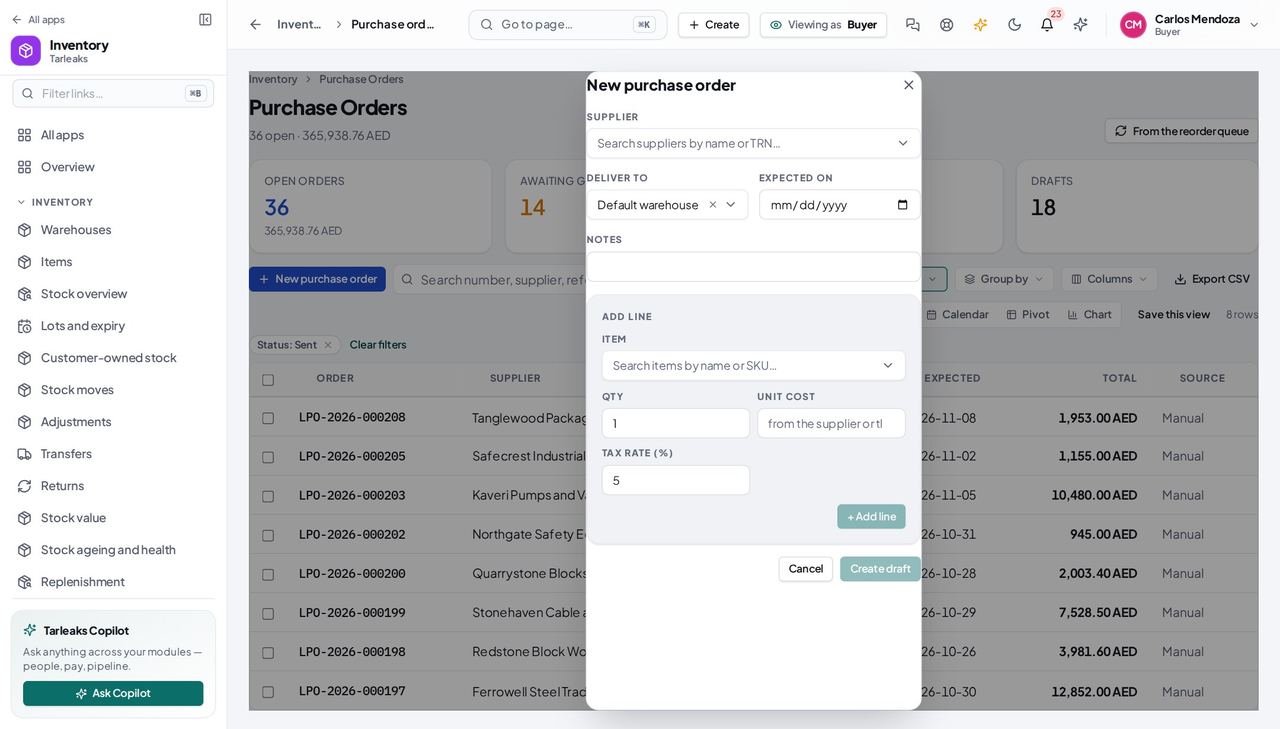
How it is worked out Each line is quantity × unit cost; tax at the line's rate on that; total = lines + tax.
Check it like this Add the line totals; apply each rate.
If it disagrees A line at 0 cost took the item's standard cost — set one on the item.
Reorder quantity #
Where Replenishment → Draft purchase orders
How it is worked out Twice the reorder point minus what is available (on hand less reserved).
Check it like this Open the item: reorder point and available; 2 × point − available.
If it disagrees An item with no reorder point is never drafted.
Landed cost per unit #
Where The order → Landed costs
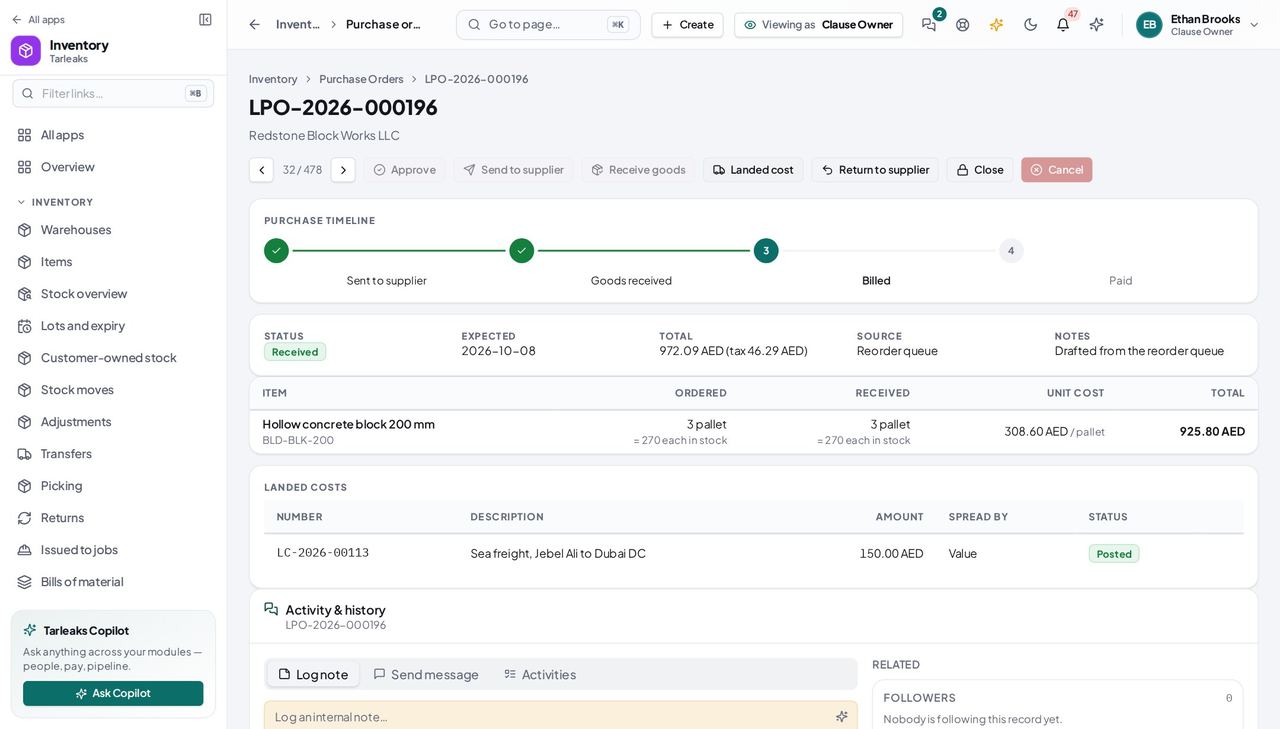
How it is worked out The amount spread by value (default), quantity or weight across the receipt moves; per unit = share ÷ quantity.
Check it like this Sum the shares: they equal the amount to the cent (the last line absorbs rounding).
If it disagrees Weight allocation with no item weights falls back to value.
Faster ways to do the same work
| What you want | How |
|---|---|
| Raise an order from the item that is short | On the item page, the coach rail's Create purchase order opens the drawer pre-filled. |
| Send a colleague the list you see | Copy the address bar — the status filter is in it. |
| Walk the orders | ‹ › on an order's page, or ⌘/Ctrl + arrows outside a text field. |