Compliance executive — Compliance guide
See where every standard stands without being able to change it by accident.
Reads where every standard stands, without changing or approving anything.
What you will be able to do
- Read the whole portfolio and every standard
- Read the Statement of Applicability, with nothing to approve
- Read the risk register, with nothing to add
What this role can and cannot do
| Can | Cannot |
|---|---|
|
|
3 steps, each one carried out in the product on .
Every standard, read-only #
Where App launcher » ISO compliance
- Open your company's address (yourcompany.tarleaks.com) and sign in.
- Open the app launcher and choose ISO compliance.
- Type a standard's number in Search standards.
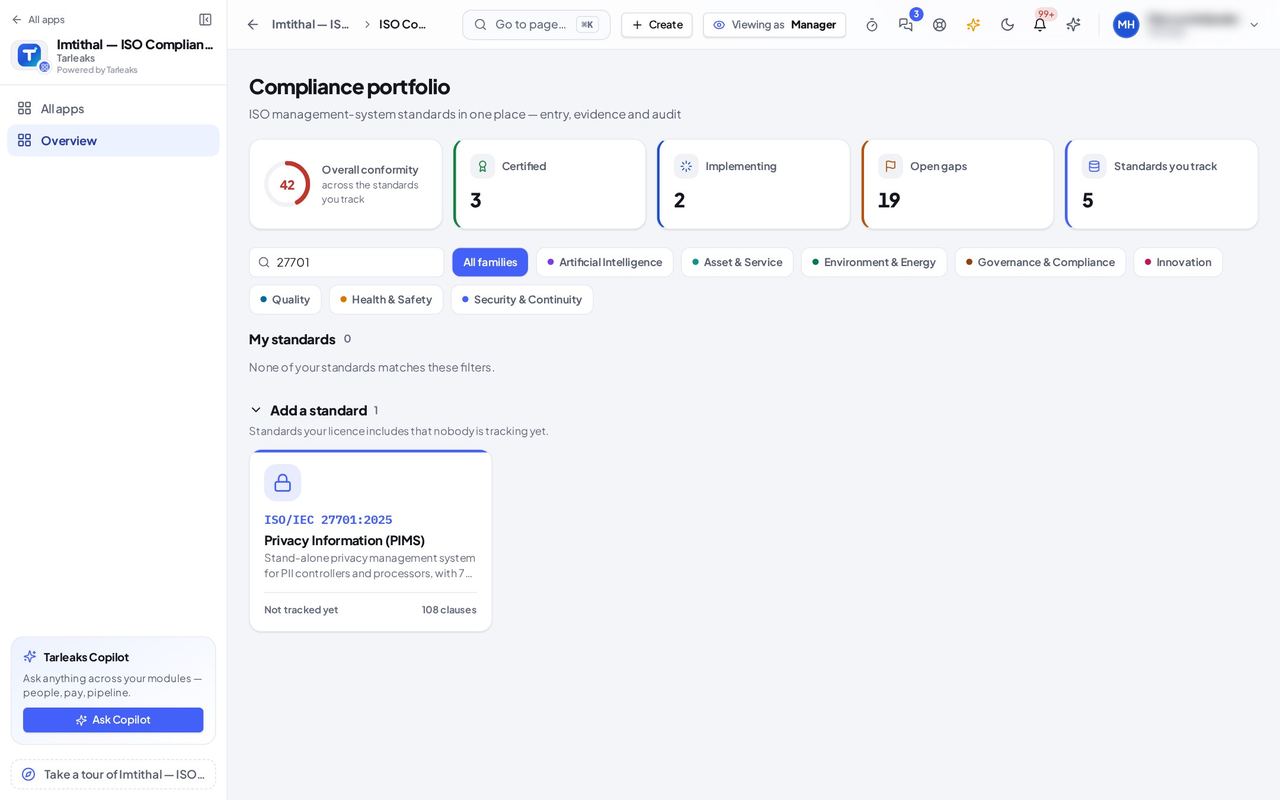
You should see The same portfolio as everyone: the tiles, My standards and Add a standard. A standard nobody tracks says Not tracked yet, with no Track this standard: which standards the company works on is decided by the people who may track standards.
The Statement of Applicability, without Approve #
Where ISO 27001 » Statement of Applicability
- Open your company's address (yourcompany.tarleaks.com) and sign in.
- Open the app launcher and choose ISO compliance.
- Click the ISO 27001 tile.
- In the menu, choose Statement of Applicability.
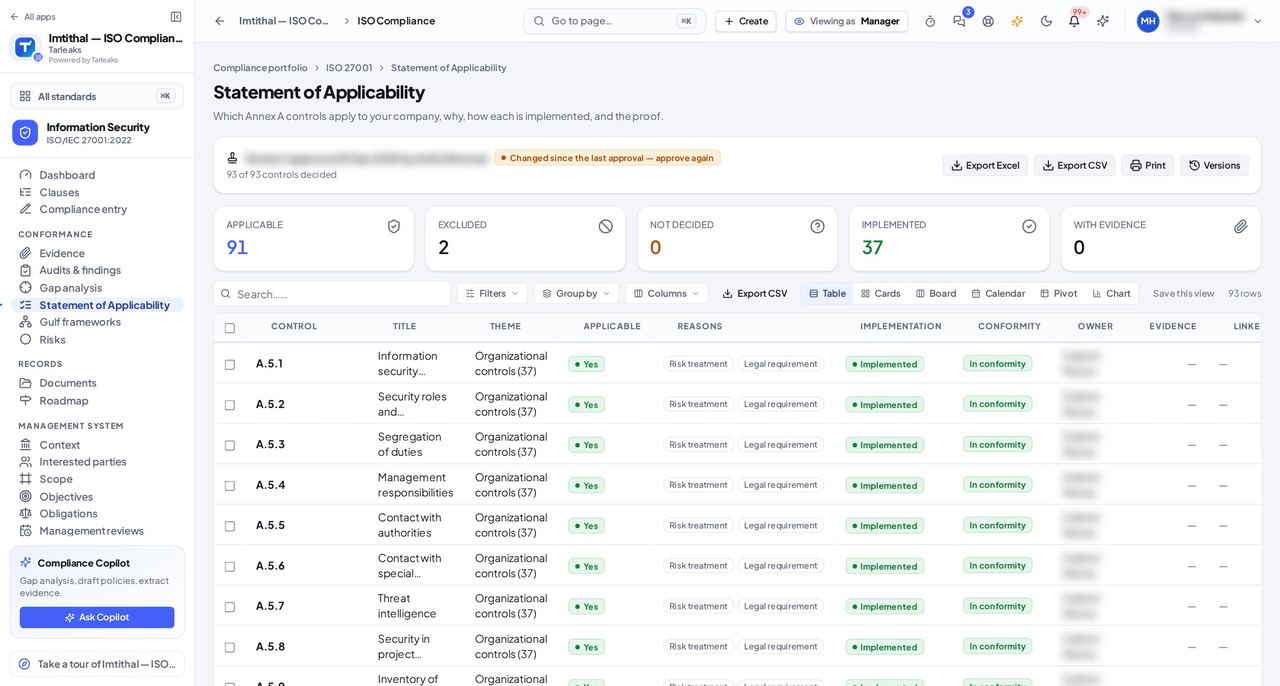
You should see Every Annex A control with its decision, reasons and implementation, and the approved version. You can export, print and open Versions; there is no Approve and no Decide.
Risks to read; nobody to assign #
Where ISO 27001 » Risks
- Open your company's address (yourcompany.tarleaks.com) and sign in.
- Open the app launcher and choose ISO compliance.
- Click the ISO 27001 tile.
- In the menu, choose Risks.
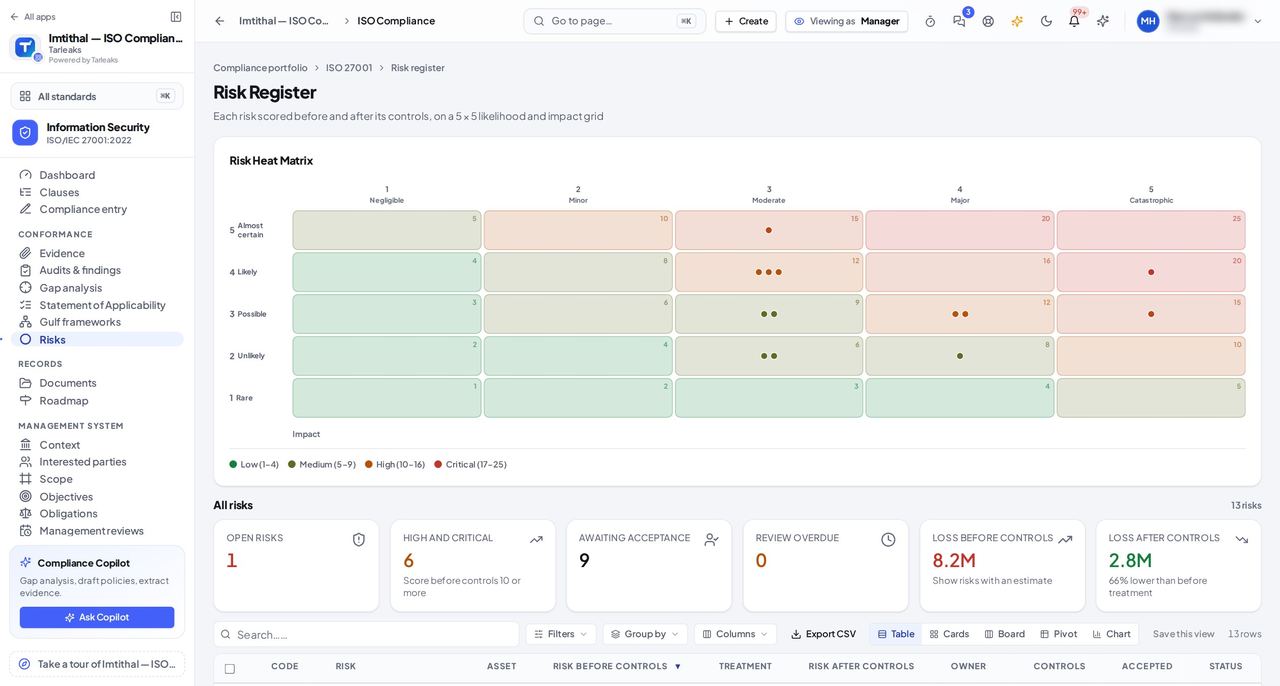
You should see The whole register with scores, treatment and owners, but no New risk and no form behind a row. Because you do not assign work, the company's list of people to pick from is not sent to you.
Everything you see is the same information the compliance director works on, as it is at that moment.