How every number is worked out — and how to check it
Before you sign something, you should be able to say where the figure came from and prove it in two minutes. For each number: where it lives, the arithmetic behind it, the check that proves it, and what a difference usually means.
Nothing matches that. Try a shorter word.
A commission line #
Where Partner portal » Commission (Why this amount)
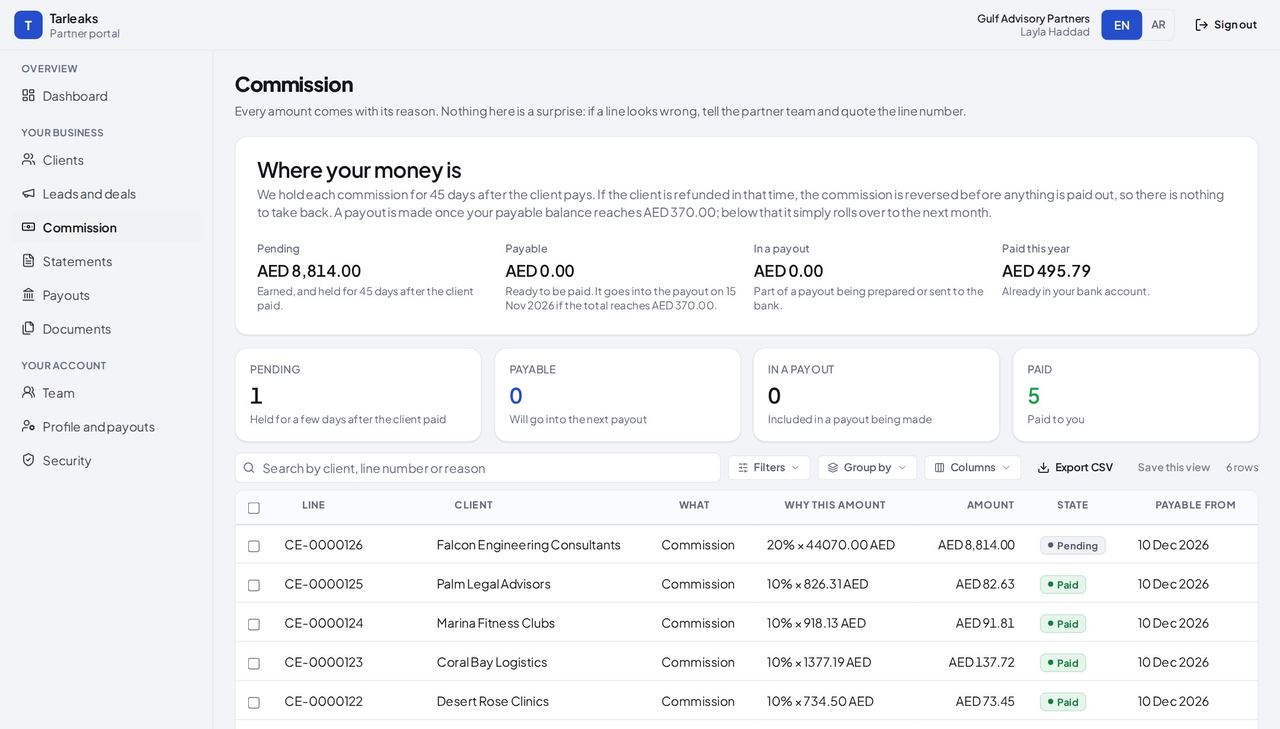
How it is worked out The rate in your terms times what the client paid, before VAT, converted to AED at the rate of that day when the client paid in another currency.
Check it like this The line's reason names the rate and the base; multiply them.
If it disagrees A refund shows as a separate negative line, never as a changed amount.
The day a line can be paid #
Where Partner portal » Commission (Payable from)
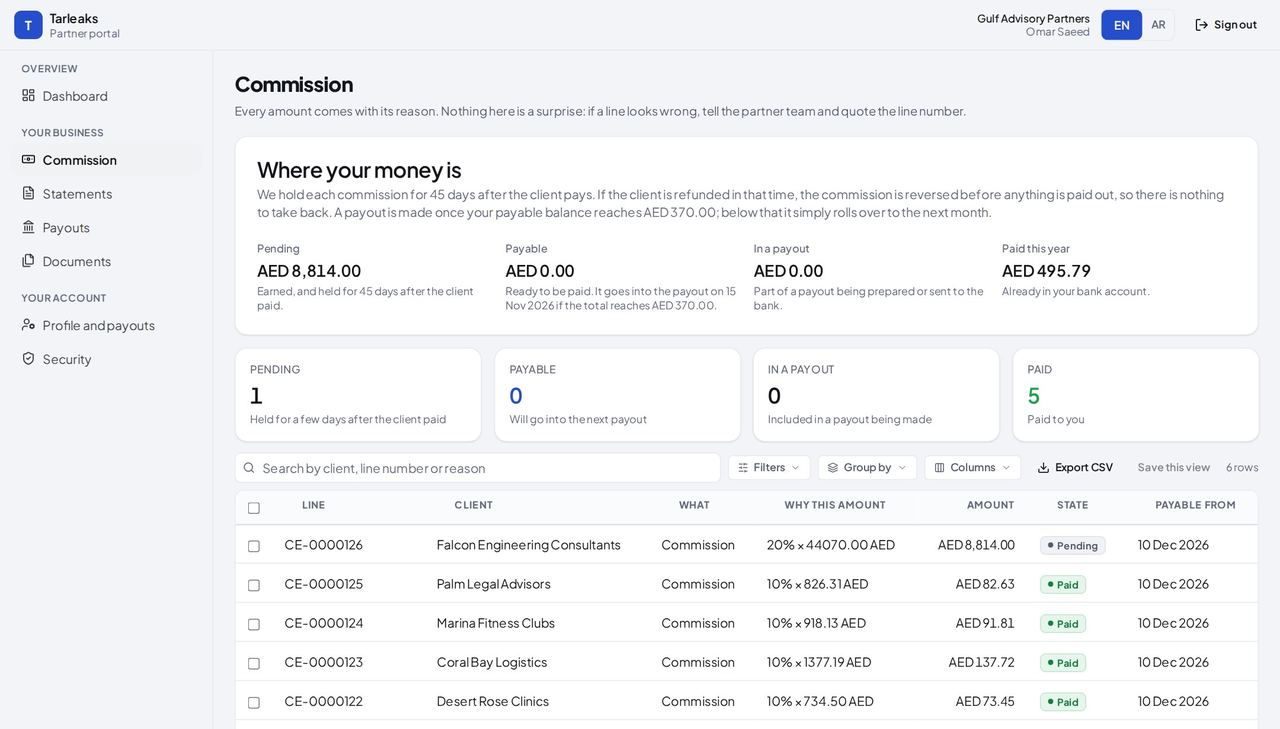
How it is worked out The day the client paid plus the hold (45 days by default).
Check it like this Count the days from the client's payment.
If it disagrees The line goes into the payout of the 15th after that day, if the minimum is reached.
A payout's total #
Where Partner portal » Payouts
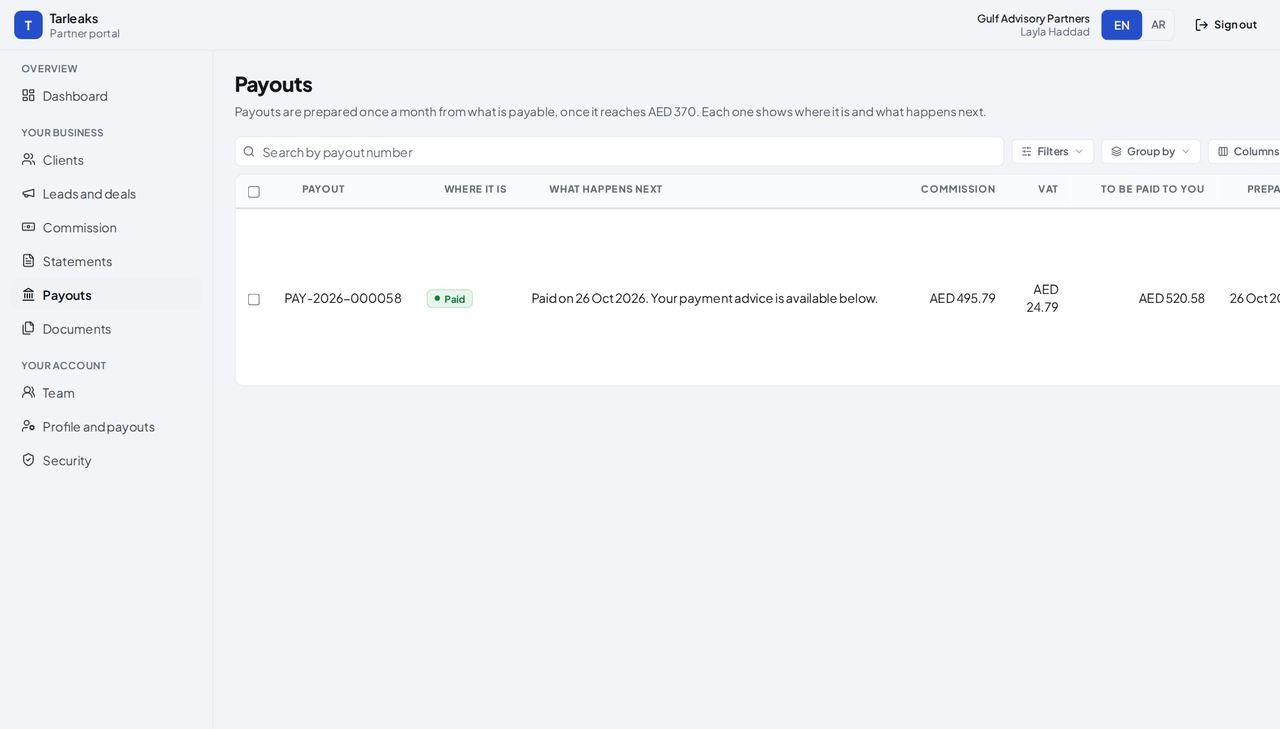
How it is worked out The sum of the payable lines, plus 5 % VAT when you are VAT-registered.
Check it like this Add the lines that moved into the payout on Commission; add the VAT.
If it disagrees Below the minimum (370 AED by default) the balance rolls over to the next month.
Faster ways to do the same work
| What you want | How |
|---|---|
| Send your link without opening the dashboard | It never changes: keep it in your e-mail signature. |
| Find one line on Commission | Type the client's name or the line number in the search box. |
| Download the lines for your books | Press Export CSV on Commission. |