Employee — Payroll guide
Your pay, your proof of it, and your loans — without asking anyone.
Sees their own pay and nobody else's: every payslip, the salary certificate a bank asks for, and their own loans.
What you will be able to do
- Open any payslip you have ever been paid
- Print the salary certificate a bank or a landlord asks for
- Get the whole year on one page for a mortgage or a tax return
- Ask for an advance and watch it come off your payslips
What this role can and cannot do
| Can | Cannot |
|---|---|
|
|
12 steps, each one carried out in the product on .
Check what your sign-in can do #
Where Your name, top right » Profile
- Open your company's address in the browser — it looks like yourcompany.tarleaks.com.
- Type the e-mail address your administrator set up for you, then your password.
- You land on the app launcher: a grid of the apps your company uses.
- Click your name in the very top-right corner.
- Choose Profile.
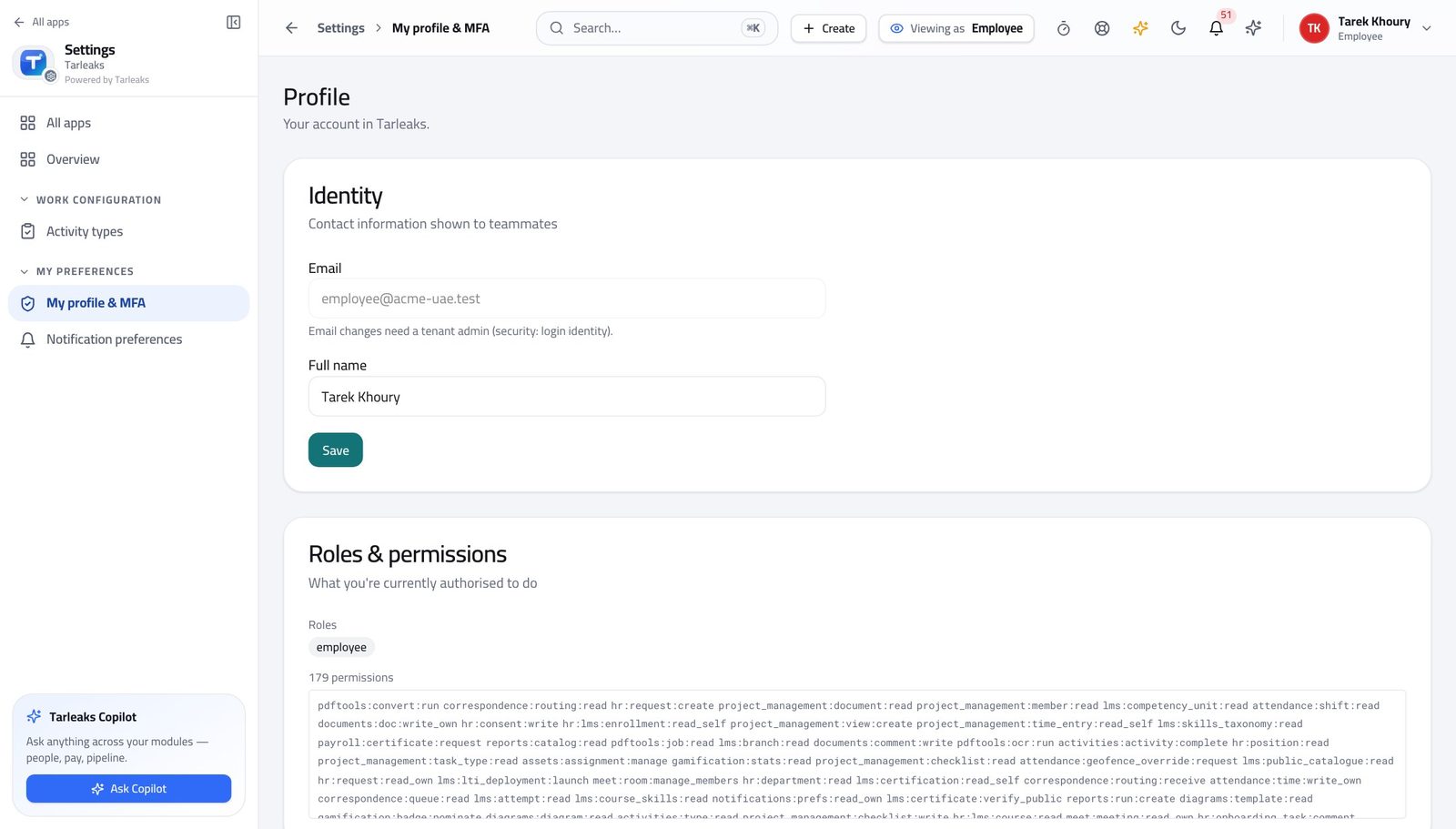
You should see Your own pay and your own loans. There is nothing here that reaches anybody else's — and nobody outside payroll can reach yours either.
Watch out If you think you should see more than your own pay, that is a conversation with your administrator, not a setting you can change.
Open your payslips #
Where Payroll » My payslips
- From the launcher, click the Payroll tile.
- In the left menu, under SELF SERVICE, click My payslips.
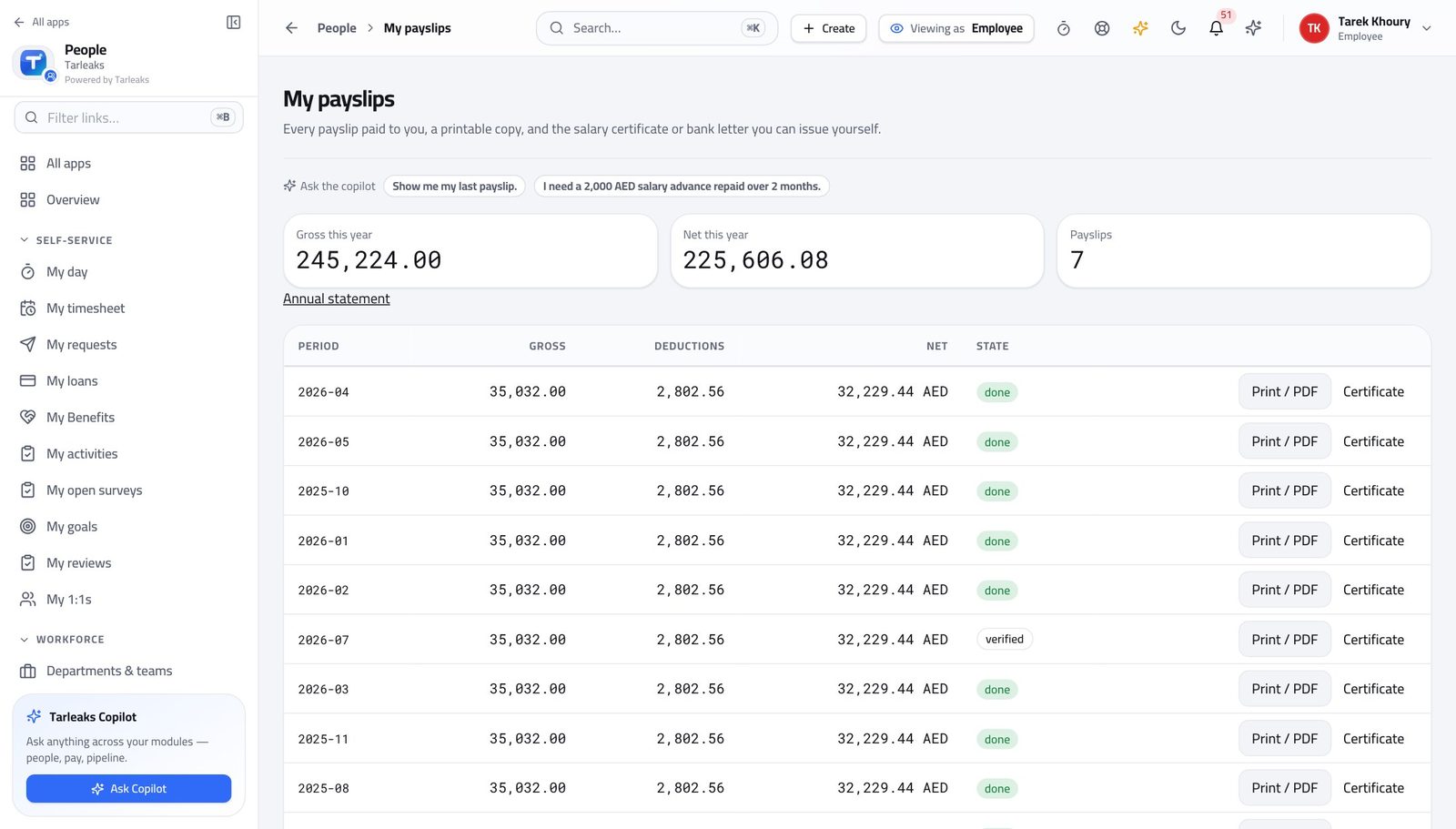
You should see Every month you have been paid in this company, newest first, with gross, deductions and net on each row.
Watch out The list is your own by construction. There is no filter to remove and nothing to get wrong.
Read one payslip properly #
Where Payroll » My payslips » pick a month
- On My payslips, click the month you want.
- Read the sections in order: basic, allowances, deductions, net.
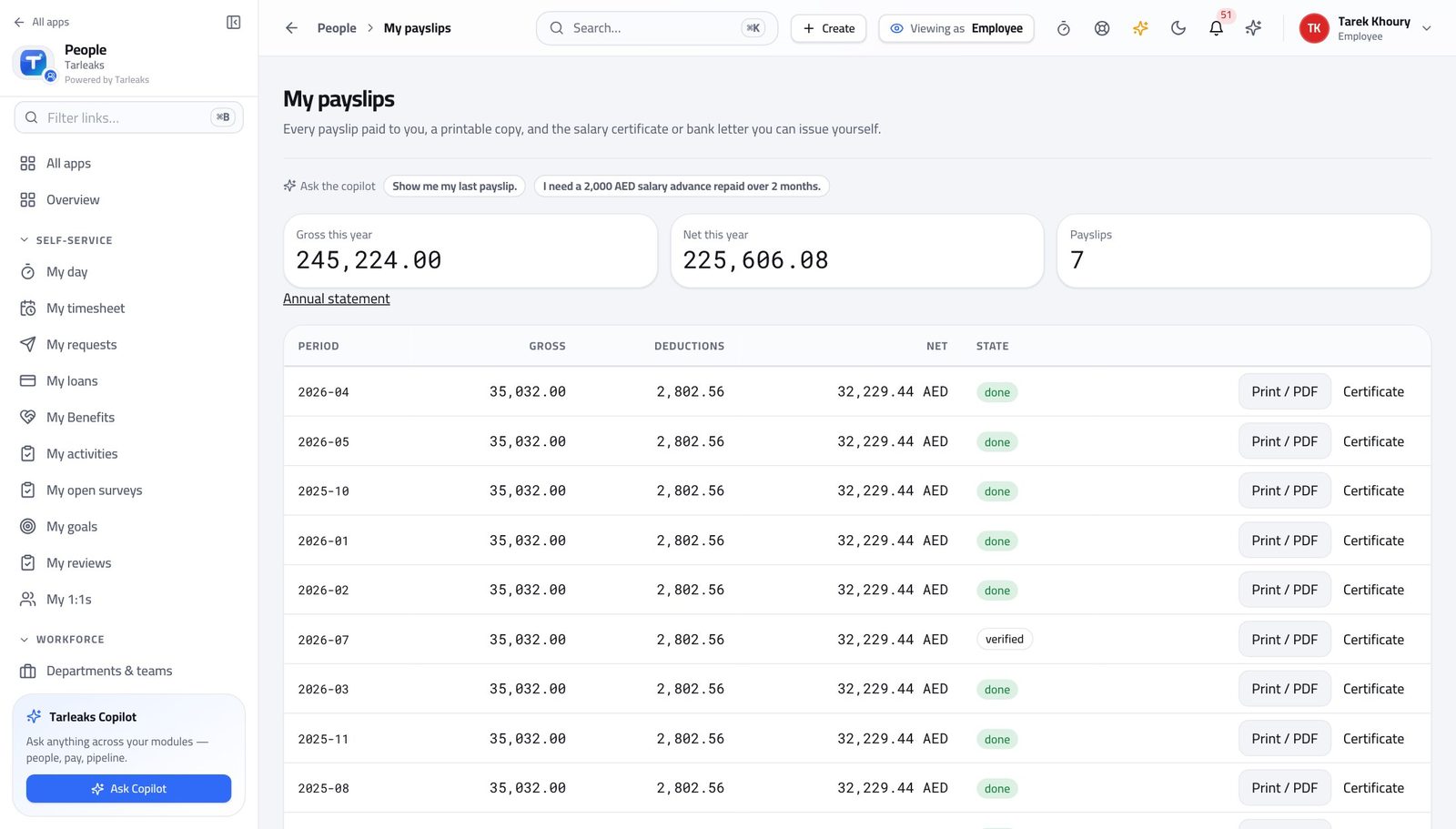
You should see Every line with its own amount, grouped so you can see what was added and what was taken. The rulebook version it was calculated under is printed on it — which is why an old payslip still adds up years later.
Watch out A deduction you do not recognise is almost always a loan instalment or a court order. Both have their own screens, and both show you the whole schedule.
Worth knowing If a deduction you do not recognise appears, it is almost always a loan instalment or a court order. Both have their own screens.
Print a payslip #
Where Payroll » My payslips » Print / PDF
- Find the month you need.
- Press Print / PDF on its row.
- Save it from your browser's print dialog.
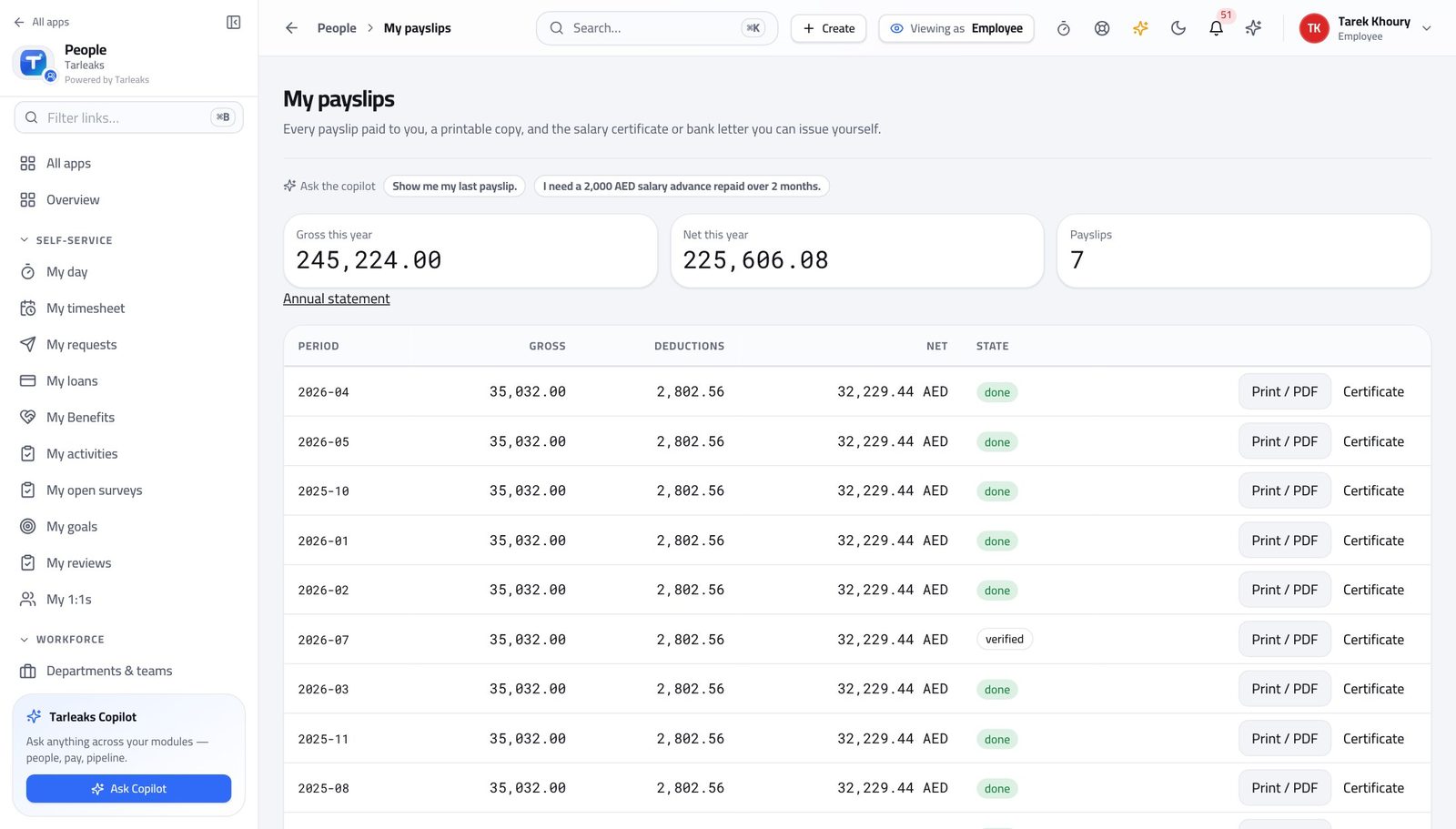
You should see A clean printable page with your employer's details on it — the version a landlord or an embassy will accept.
Watch out Banks, embassies and landlords accept this. You do not need to ask HR for a stamped copy.
Issue your own salary certificate #
Where Payroll » My payslips » Certificate
- Press Certificate on any month.
- Fill the short form.
- Press Open document and save or print it.
| Field | What to put in it |
|---|---|
| Document | Salary certificate for a general letter, or Bank letter when a specific bank asked for one. |
| Bank | Only for a bank letter — the bank's name as they wrote it. |
| Addressed to | Who it is for. Leave it empty for "To whom it may concern". |
| Purpose | Why it is being issued — a visa, a loan, a tenancy. Some authorities want this on the letter. |
| Language | English or Arabic. Arabic prints right to left. |
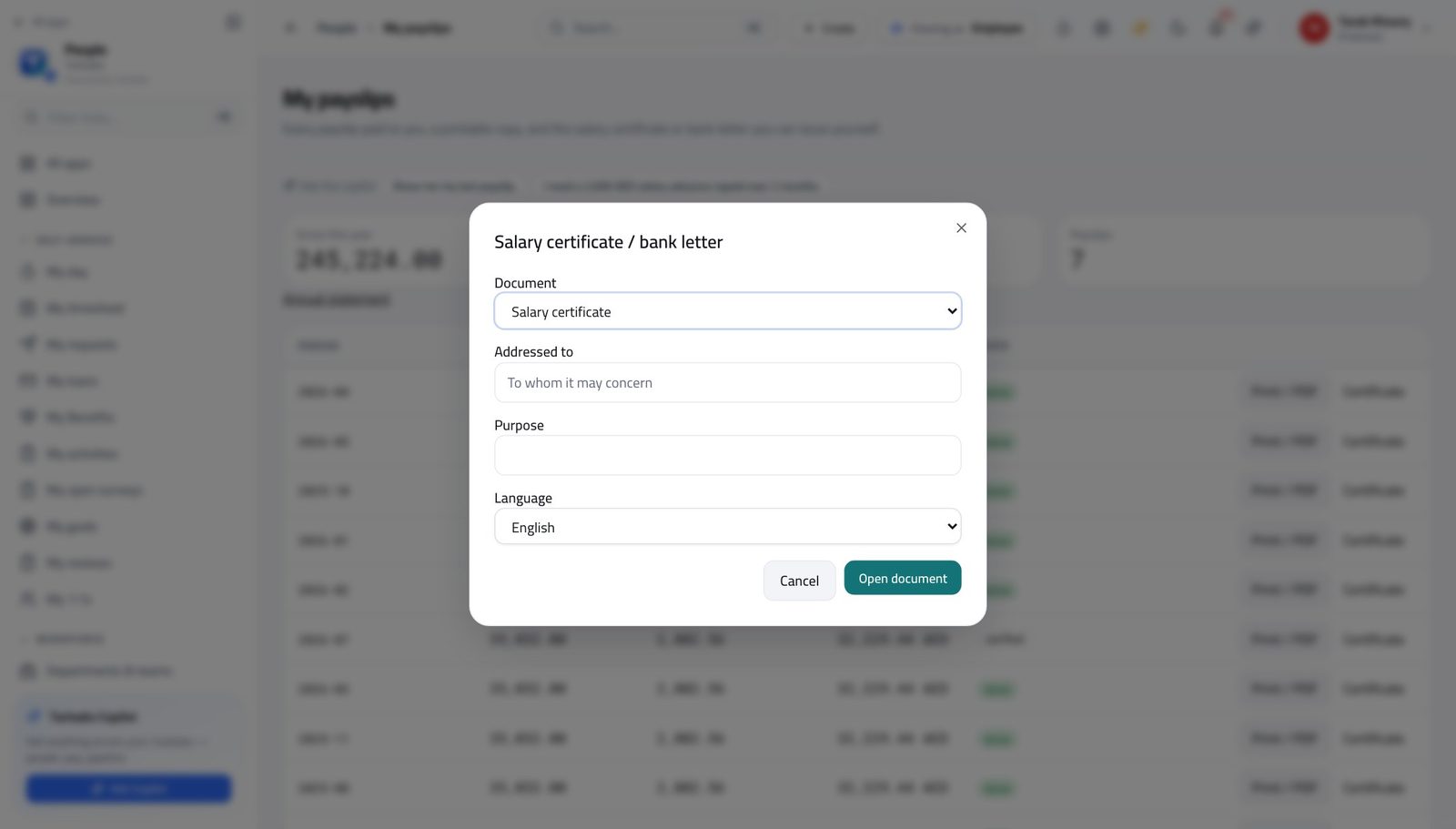
You should see The letter people normally email HR for and wait three days. It is filled in from the pay you were actually paid, in English or Arabic.
Watch out It is filled in from the pay you were actually paid, so it agrees with your payslips by construction. Nobody has to check it.
Get the whole year on one page #
Where Payroll » My payslips » Annual statement
- At the top of My payslips, press Annual statement.
- Save or print the page that opens.
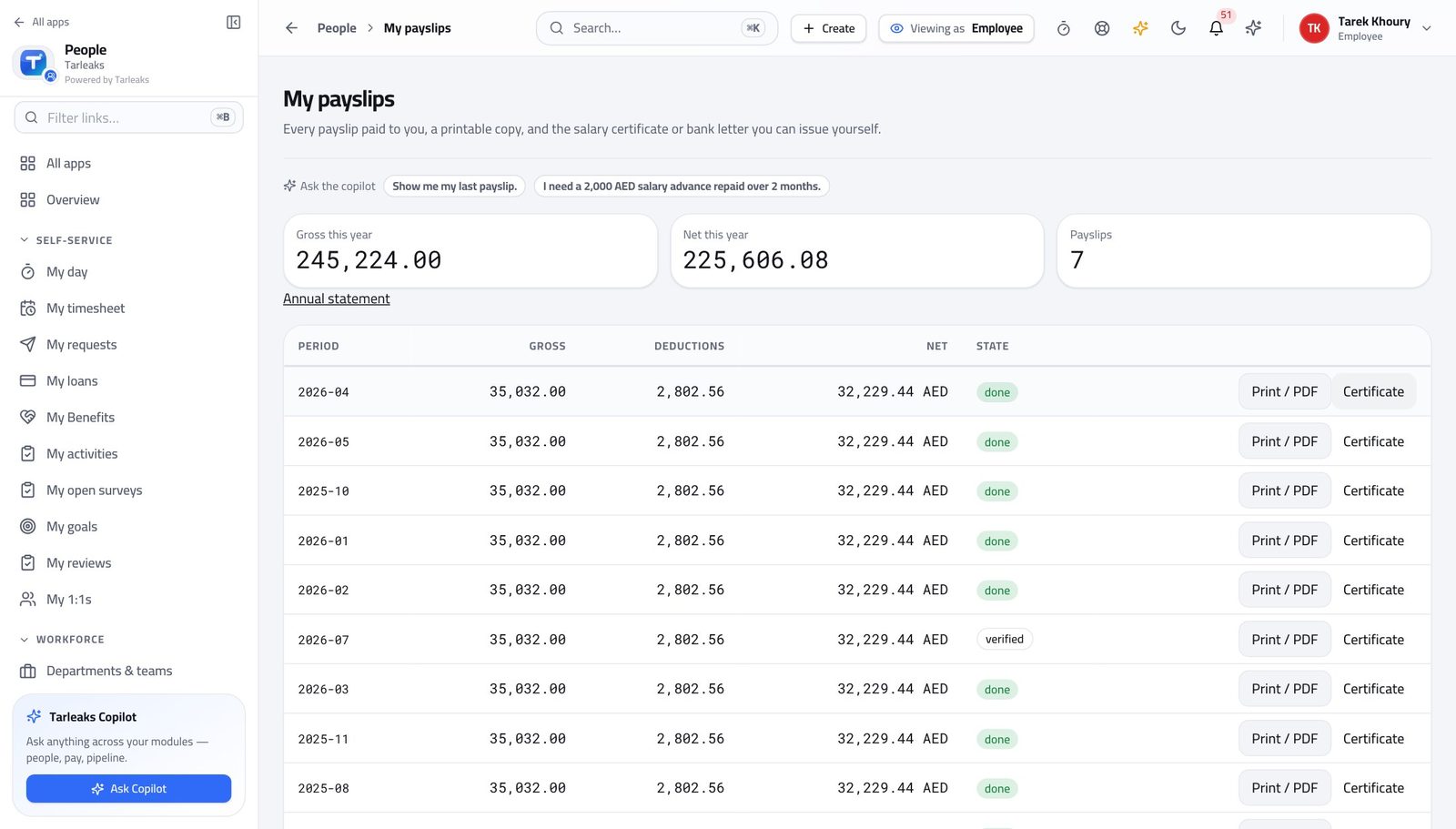
You should see Twelve payslips summarised on one sheet — what a mortgage application or an annual tax return asks for, instead of a stack of monthly slips.
Watch out Only months already paid appear. Asking for the statement in January gives you a very short document.
See your loans and what is left to pay #
Where HR » My loans
- In the left menu, under SELF-SERVICE, click My loans.
- Read the policy banner at the top.
- Press Schedule on a loan to see every instalment.
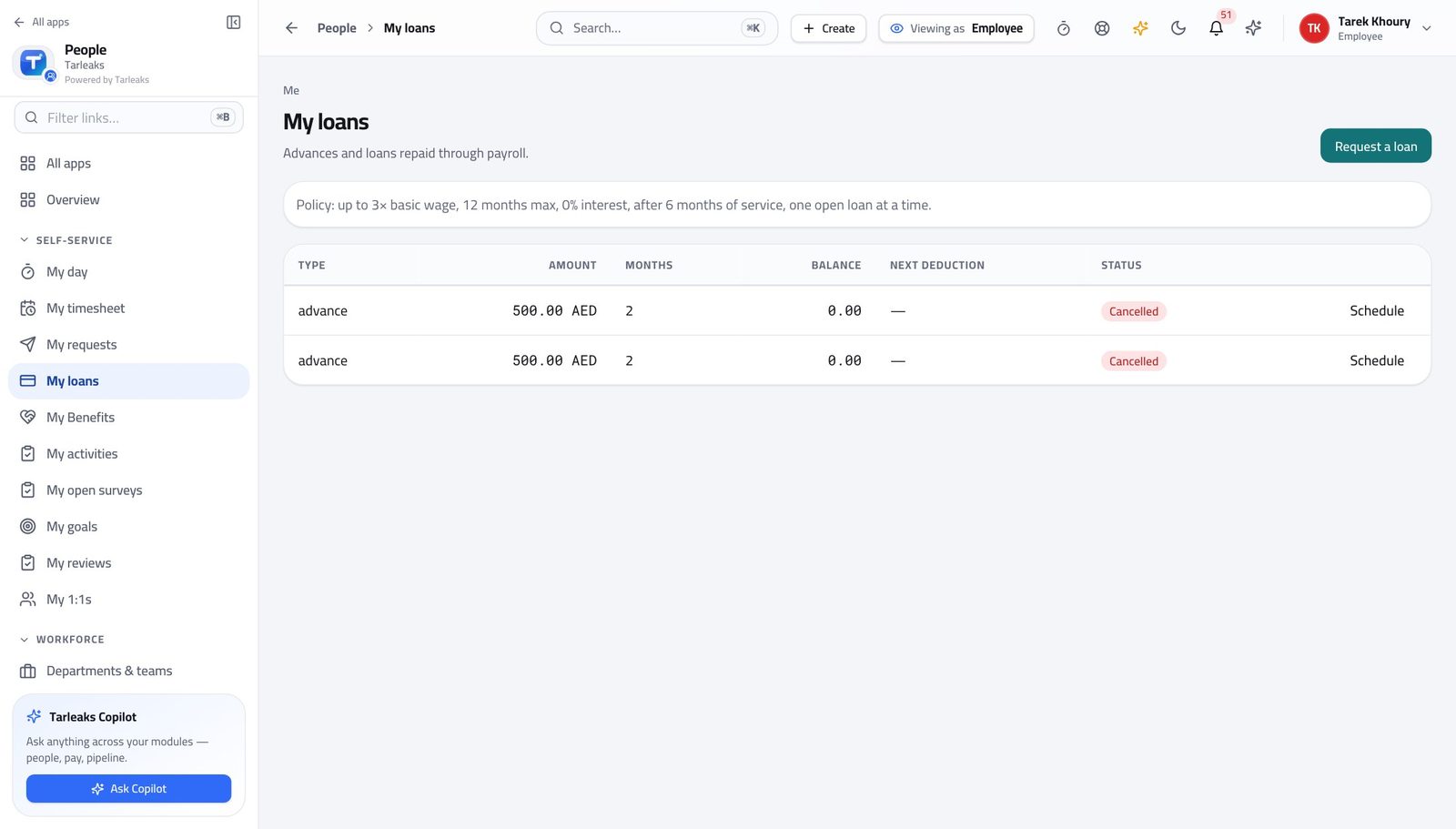
You should see What you borrowed, what has been deducted, what is left and when the next deduction comes off. The banner above the list is the company's lending rules, so you know what you can ask for before you ask.
Watch out The banner is the company's own limits: how many months, how many times your salary, how long you must have worked here, and that you may only have one open loan at a time.
Ask for an advance #
Where HR » My loans » Request a loan
- Press Request a loan.
- Fill the short form.
- Press Submit.
| Field | What to put in it |
|---|---|
| Type | Salary advance, loan or other. |
| Amount | Within the multiple of salary the banner allows. |
| Months | Within the maximum the banner allows — the form refuses more. |
| Reason | A sentence. Somebody reads it before deciding. |
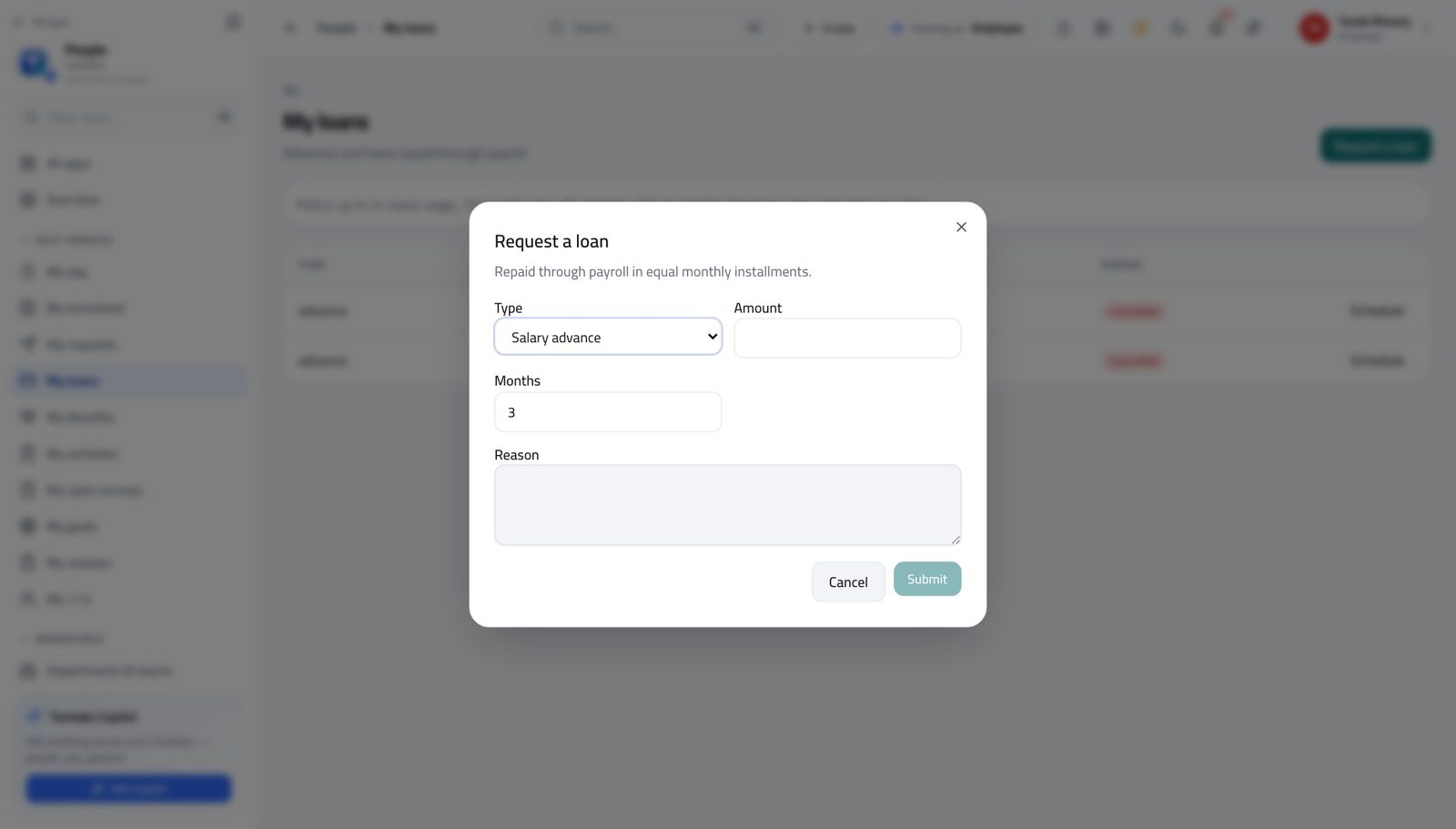
You should see The request goes to payroll as pending. The banner above the form is the company's own limits, so a request inside them is one nobody has to argue with.
Watch out You can withdraw a request while it is still pending. Once it is approved the schedule exists and payroll starts deducting on the date it names.
Worth knowing You can withdraw a request while it is still pending. Once it is approved the schedule exists and payroll starts deducting.
Everybody else's loans are closed to you #
Where Payroll » Loans & advances is not in your menu.
- From any payroll screen, look down the left menu.
- There is no company-wide loan list — only My payslips under SELF SERVICE.
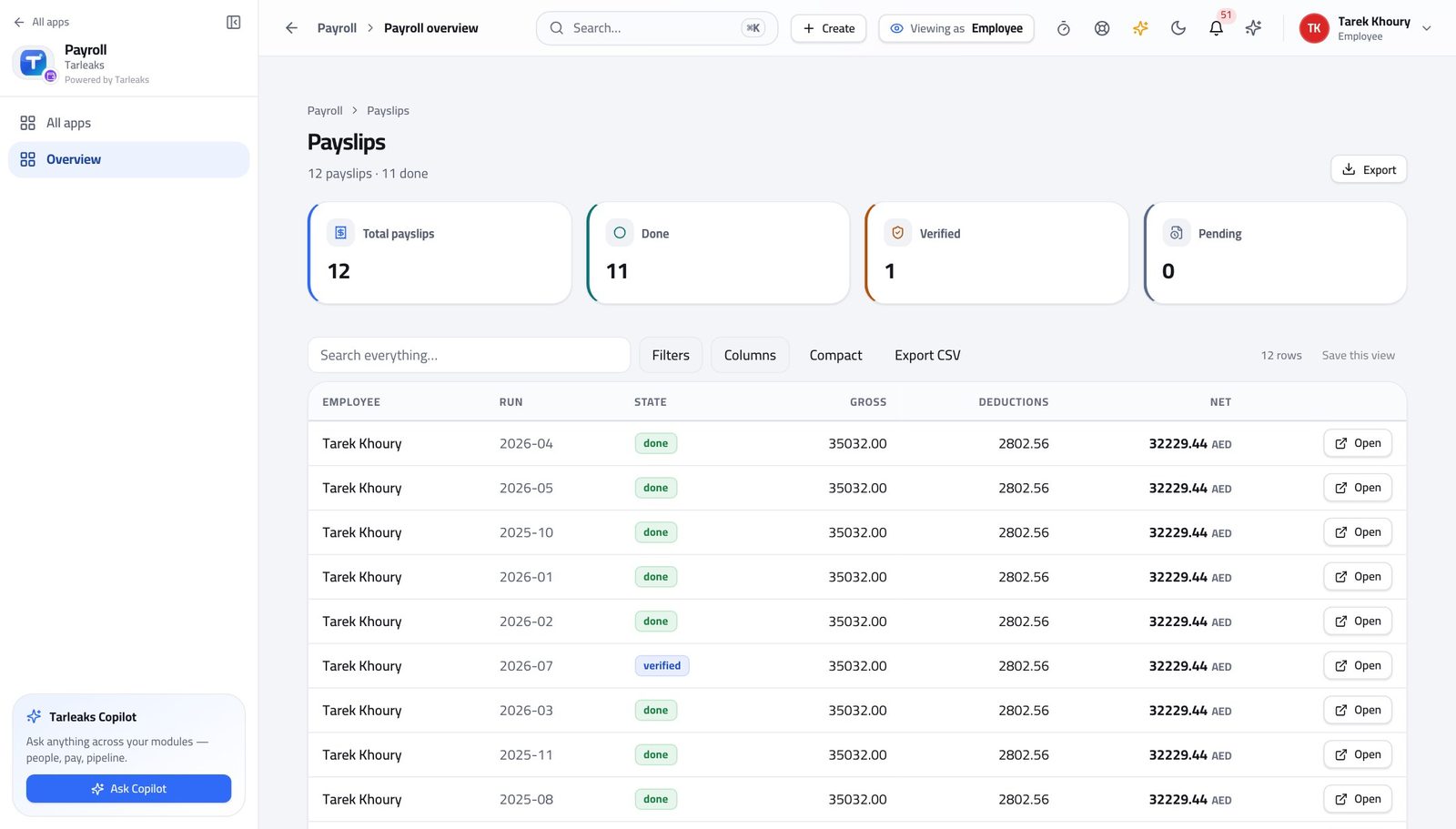
You should see Your own borrowing is yours to see. Your colleague's is not, and the same rule protects yours.
Watch out The same rule that hides your colleague's borrowing from you hides yours from them.
The payroll runs are closed to you #
Where Payroll » Payroll runs is not in your menu.
- Look down the left menu.
- There is no Payroll runs entry.
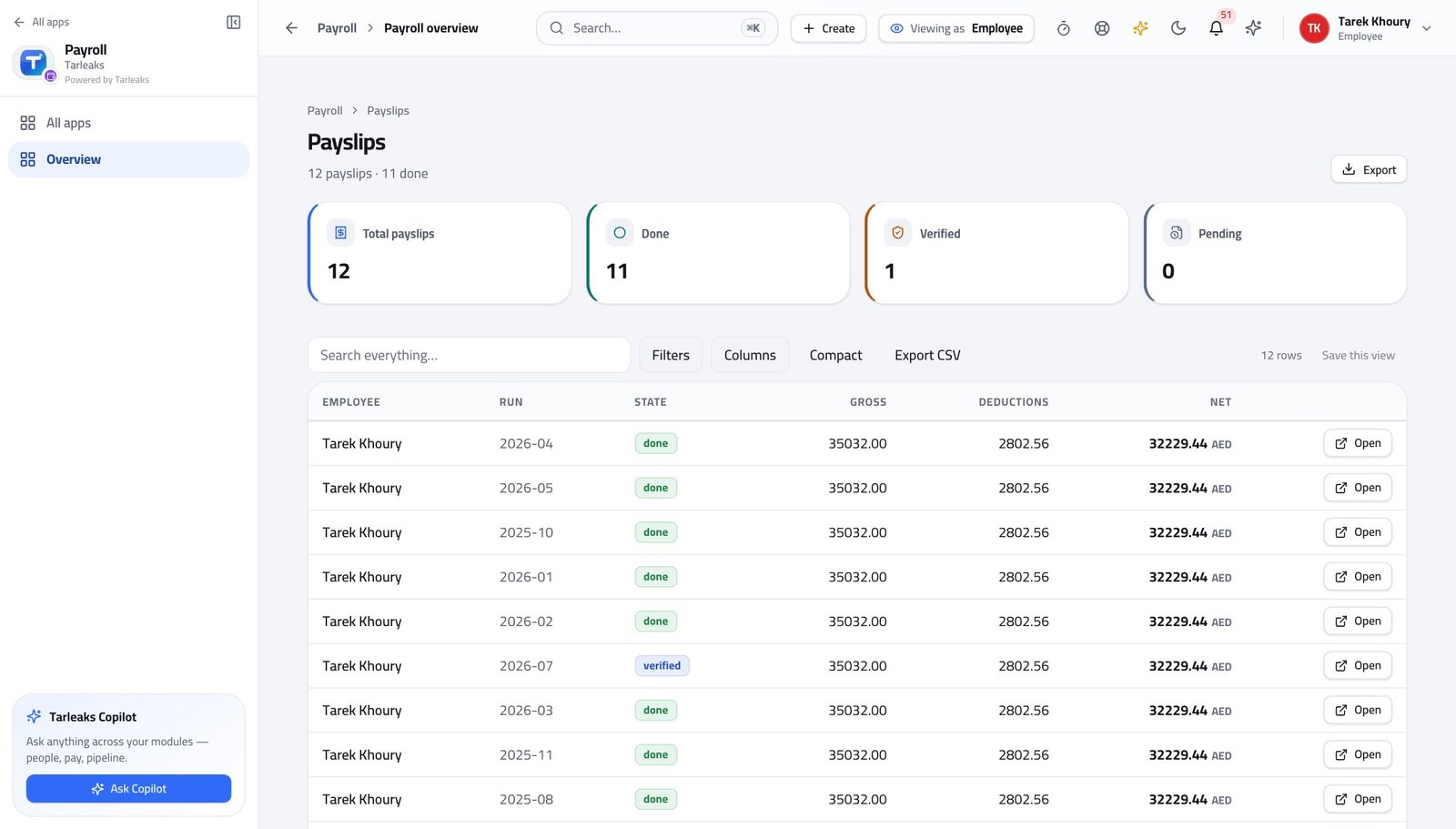
You should see A run holds every salary in the company. Opening one is a payroll job, not an employee one.
Watch out If a payslip looks wrong, raise it with payroll rather than looking for the run. They can see everything you can and more.
The contract list is closed to you #
Where Payroll » Employment contracts is not in your menu.
- Look down the left menu.
- There is no Employment contracts entry.
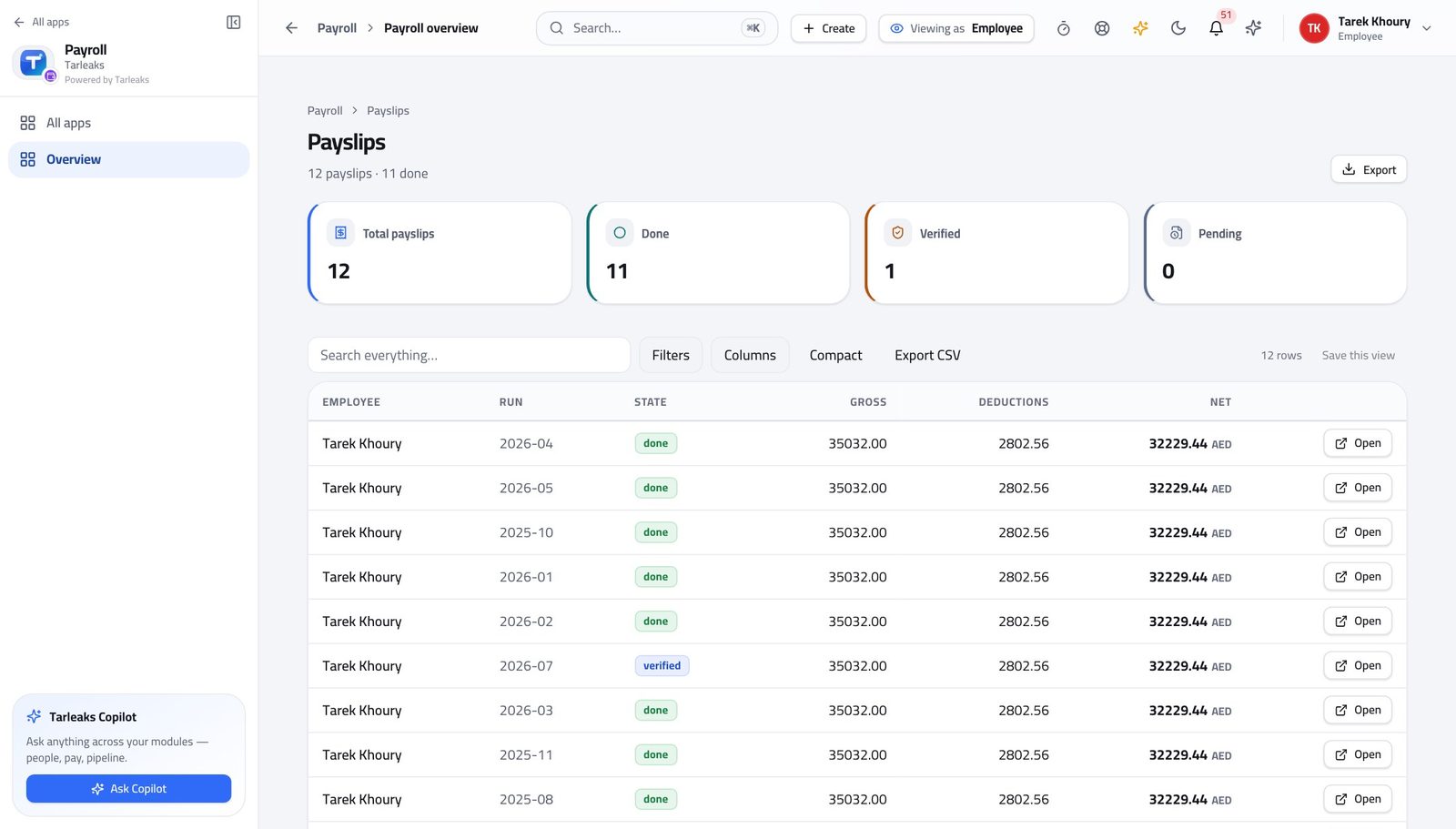
You should see You can see what you are paid. You cannot see what anybody else is paid — and neither can they see yours.
Watch out If your basic looks wrong on the payslip, that is a contract question for HR or payroll — and the payslip is the evidence to bring.
The company reports are closed to you #
Where Payroll » Payroll reports is not in your menu.
- Look down the left menu.
- There is no Payroll reports entry.
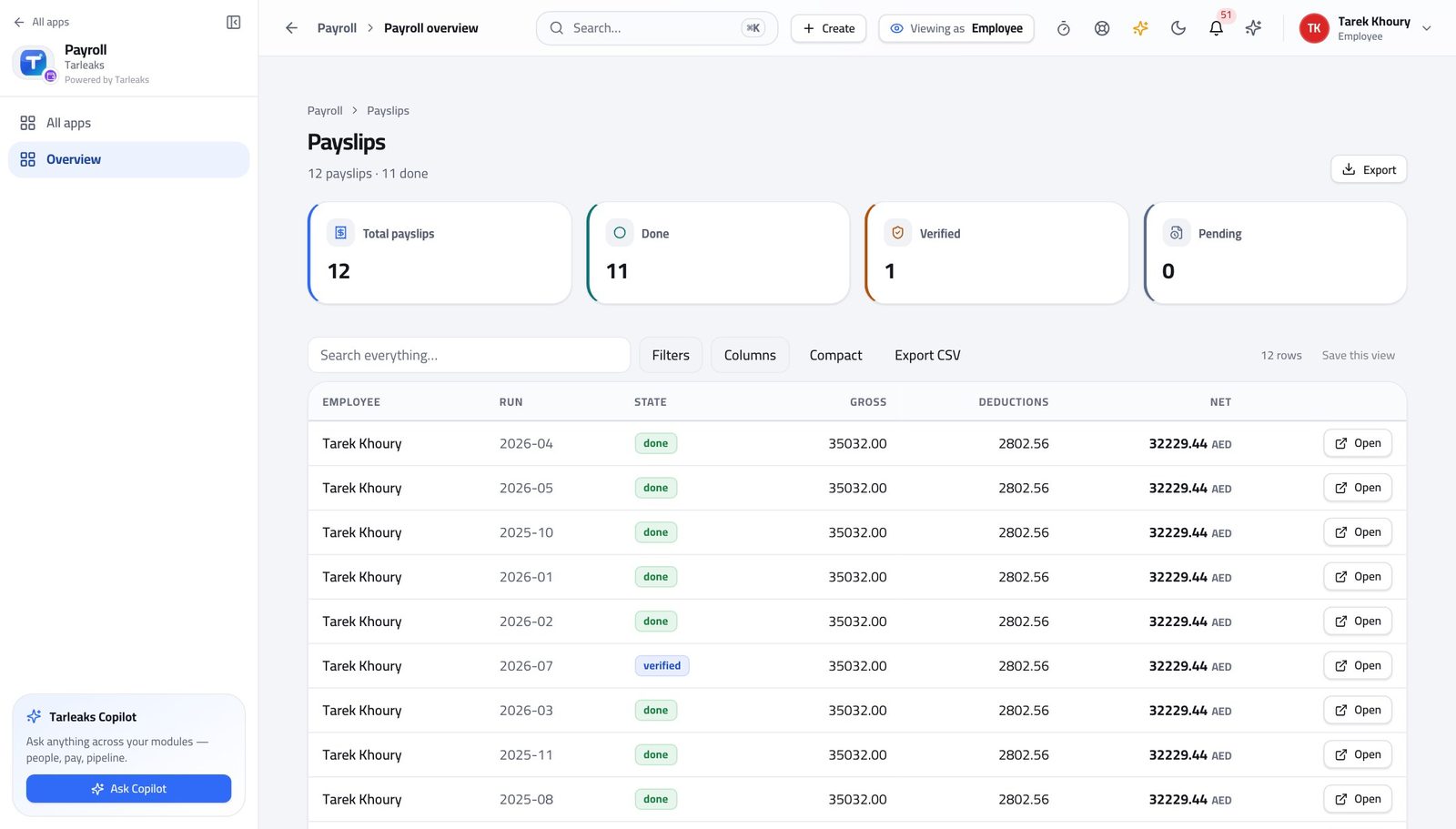
You should see The company's statutory returns are the company's. Your own contributions are on your payslip, where they belong.
Watch out The company's returns are the company's. Yours are the lines with your name on them.
Use cases — the work, step by step
Each one is a sequence somebody actually performs, with the screen behind every step. Every screen here was opened in the product as this role before it was published.
monthlyPayday: check your payslip properly #
Five minutes on the day it lands is worth an hour three months later, when nobody remembers the month.
Open My payslips. The three boxes at the top are your totals for the year so far.
Payroll » My payslips — verified: the control is offered; the page says “My payslips” Open this month and read the deductions section line by line. A new line is almost always a loan instalment or a court order.
Payroll » My payslips » pick a month — verified: 12 row(s) listed If a deduction is a loan, open My loans and check the schedule — it shows every instalment and which have been taken.
HR » My loans — verified: the page says “My loans”; the control is offered Print or save the payslip if you need it for anything. It carries your employer's details and the full breakdown.
Payroll » My payslips » Print / PDF — verified: the page says “Print”
urgentA bank asked for proof of salary today #
This used to be an e-mail to HR and a three-day wait. It does not need to be one.
Open My payslips and find the most recent month.
Payroll » My payslips — verified: the control is offered; the page says “My payslips” Press Certificate, choose bank letter and name the bank — or a salary certificate addressed to whoever asked — and pick the language.
Payroll » My payslips » Certificate — verified: the control is offered; the control is offered If they want the whole year rather than one month, use the annual statement instead.
Payroll » My payslips » Annual statement — verified: the control is offered
edgeAsk for an advance, and watch it come off #
The rules are on the screen before you ask, so a request inside them is one nobody has to argue with.
Open My loans and read the policy banner: how many months, how many times your salary, how long you must have worked here, and whether you may have more than one open loan.
HR » My loans — verified: the page says “My loans”; the control is offered Request the loan inside those limits. The form refuses anything outside them rather than letting you find out later.
HR » My loans » Request a loan — verified: the control is offered; the control is offered Once it is approved, the schedule appears — press Schedule to see every instalment and its date. You can withdraw a request while it is still pending.
HR » My loans — verified: the page says “My loans”; the control is offered From then on the deduction shows on each payslip until the last instalment is taken.
Payroll » My payslips » pick a month — verified: 12 row(s) listed
You see your own pay and nobody else's. That is enforced the same way in both directions: nobody outside payroll can open yours either.