The orders calendar — who does what, and when
3 use cases across 3 roles, placed by when they happen. Each one opens as a numbered sequence with the screen behind every step — nothing here is advice we have not carried out in the product. Filter to your own role, or read it once to know what lands on your desk and from whom.
Nothing matches that. Try a shorter word, or pick Everyone.
Every day
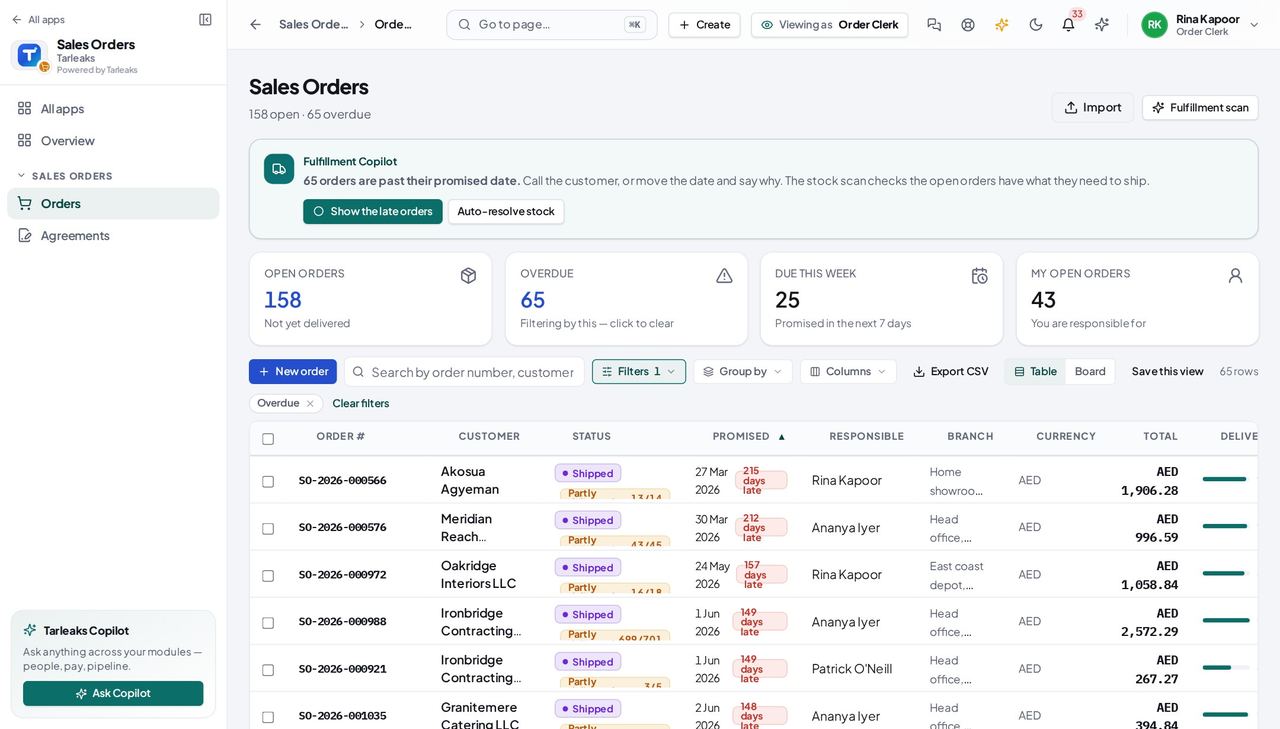
Order ClerkA signed quote arrives, and the customer wants it Thursday
The order already exists when the quote was accepted in CRM; your job is to check it, confirm it so the stock is held, and give the warehouse a delivery to ship.
4 steps, each with the screen it happens on.
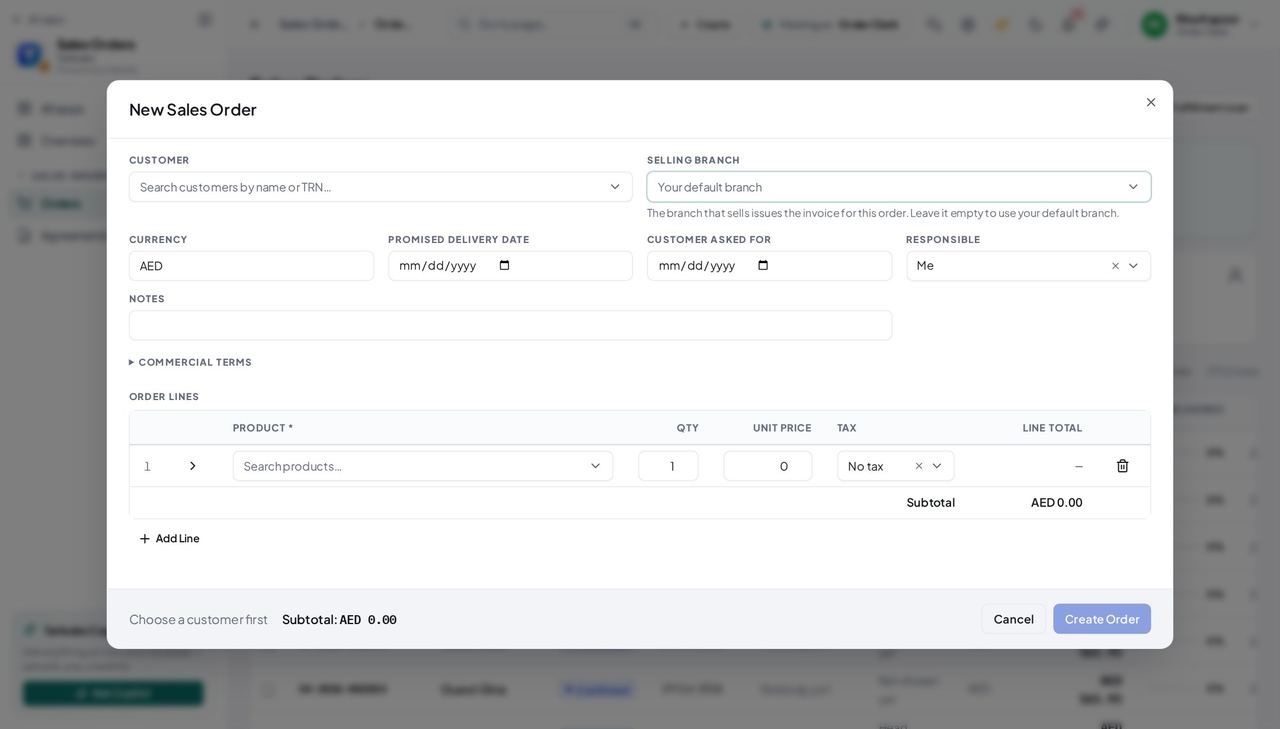
Order ClerkA customer rings with an order that has no quote
The drawer picks names, not ids, and the resolver prices the lines — so a phone order takes a minute and comes out priced like a quoted one.
3 steps, each with the screen it happens on.
Every week
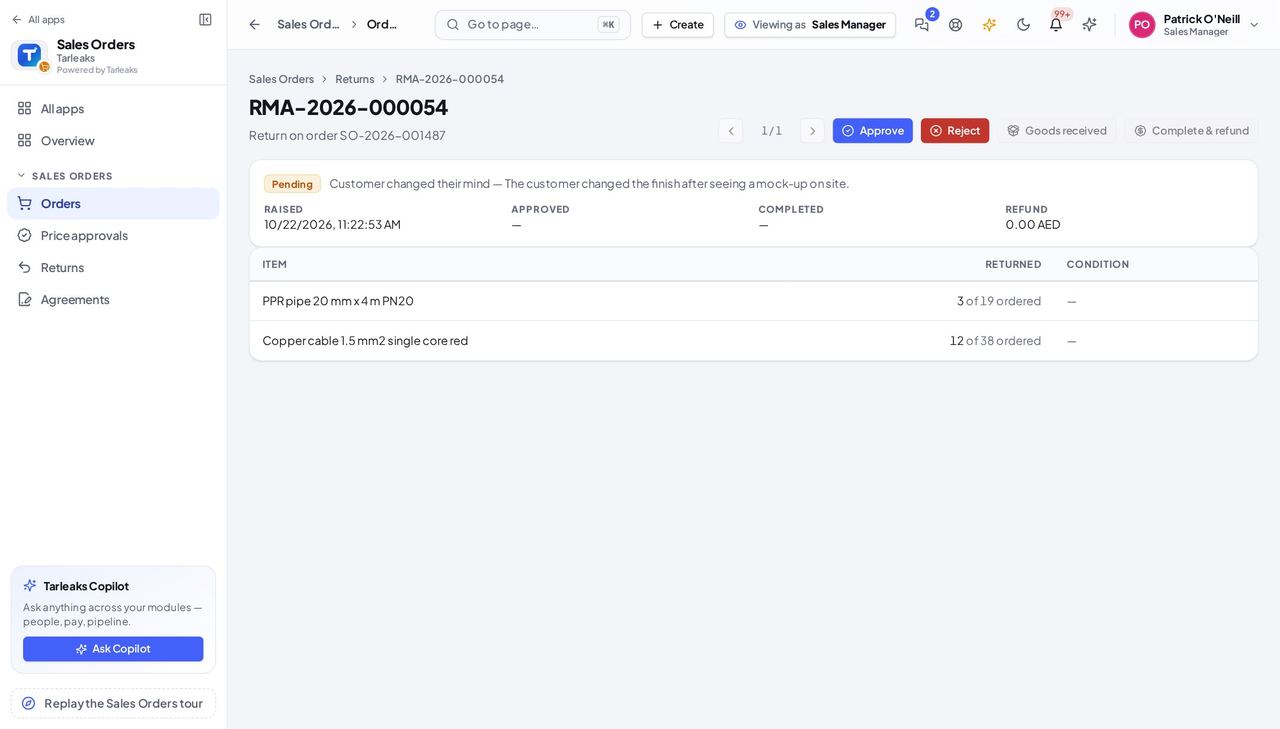
Sales ManagerA customer wants to send goods back
The desk raises the return; you decide it; the warehouse receives it; you sign the refund — four people, one page.
3 steps, each with the screen it happens on.
Handovers — who passes what to whom
Finance rarely breaks inside a job. It breaks at the join: a bill nobody approved, a receipt nobody allocated, a month closed before the tax agent had it.
| When this happens | From → to | What happens next |
|---|---|---|
| A quote is accepted in CRM | Account executive → Order clerk Sales Orders (top of the list, Pending) | The order is created with the quote's lines, prices and customer — nobody retypes it. A tenant that turned 'Create the order when a quote is accepted' off (Settings → Sales & invoicing) gets nothing automatically. |
| The clerk confirms the order | Order clerk → Warehouse The order's Deliveries tab; the delivery's own page | Stock is reserved; the delivery the clerk creates is the warehouse's pick list. A line with a red availability badge cannot be shipped in full — split the delivery or wait for the receipt. |
| The last delivery is marked delivered | Warehouse → Accounting Receivables (a draft), the order's timeline | The order reads Delivered and accounting drafts the customer invoice from it; the timeline's Invoiced step fills in. An order with no customer party is skipped — the accountant creates that invoice by hand. |
| A return is completed | Sales manager → Accounting and the warehouse The return's page; Receivables | The goods go back to stock (or scrap) and a credit note is drafted against the invoice. The refund amount you enter is what the credit note credits when the invoice was created by hand. |