The social calendar — who does what, and when
5 use cases across 3 roles, placed by when they happen. Each one opens as a numbered sequence with the screen behind every step — nothing here is advice we have not carried out in the product. Filter to your own role, or read it once to know what lands on your desk and from whom.
Nothing matches that. Try a shorter word, or pick Everyone.
Every day
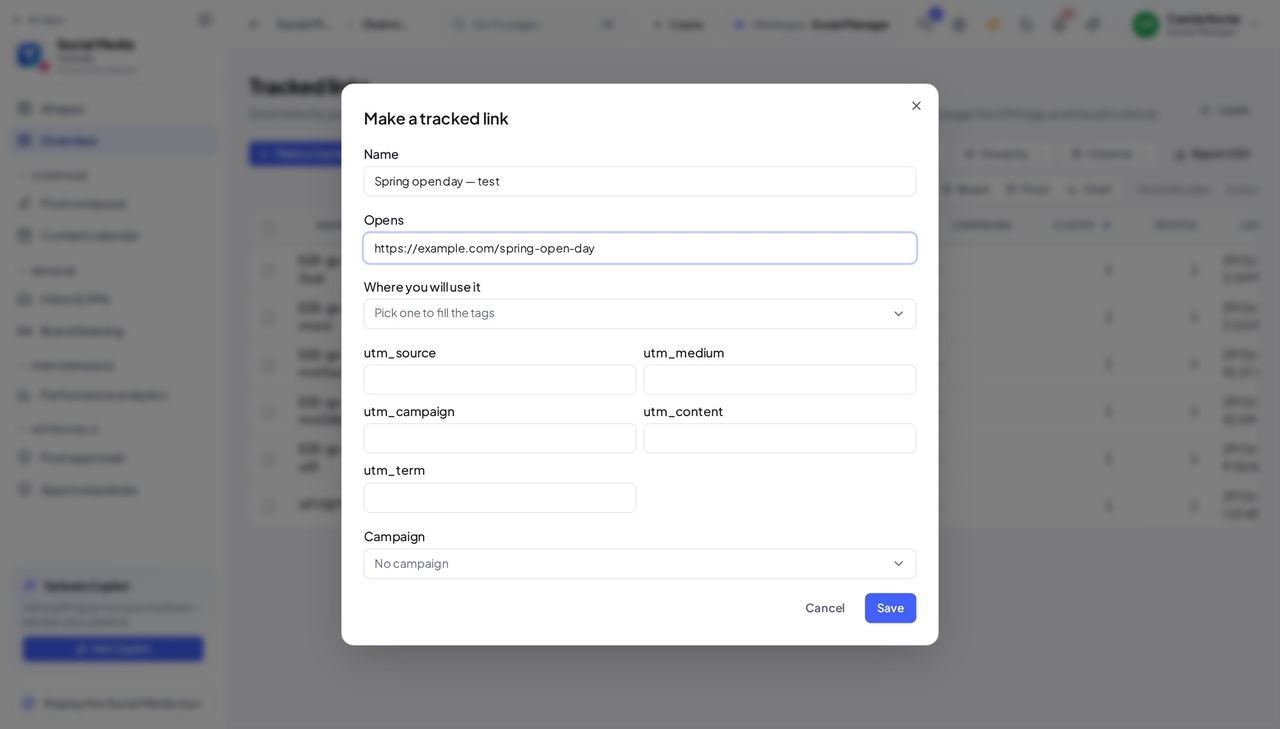
Social Media ManagerPut a counted link in a post, a bio or an ad
One link per place is the only way to know which place brought the people. The link is made in a minute; the answer lasts the whole campaign.
3 steps, each with the screen it happens on.
Every week
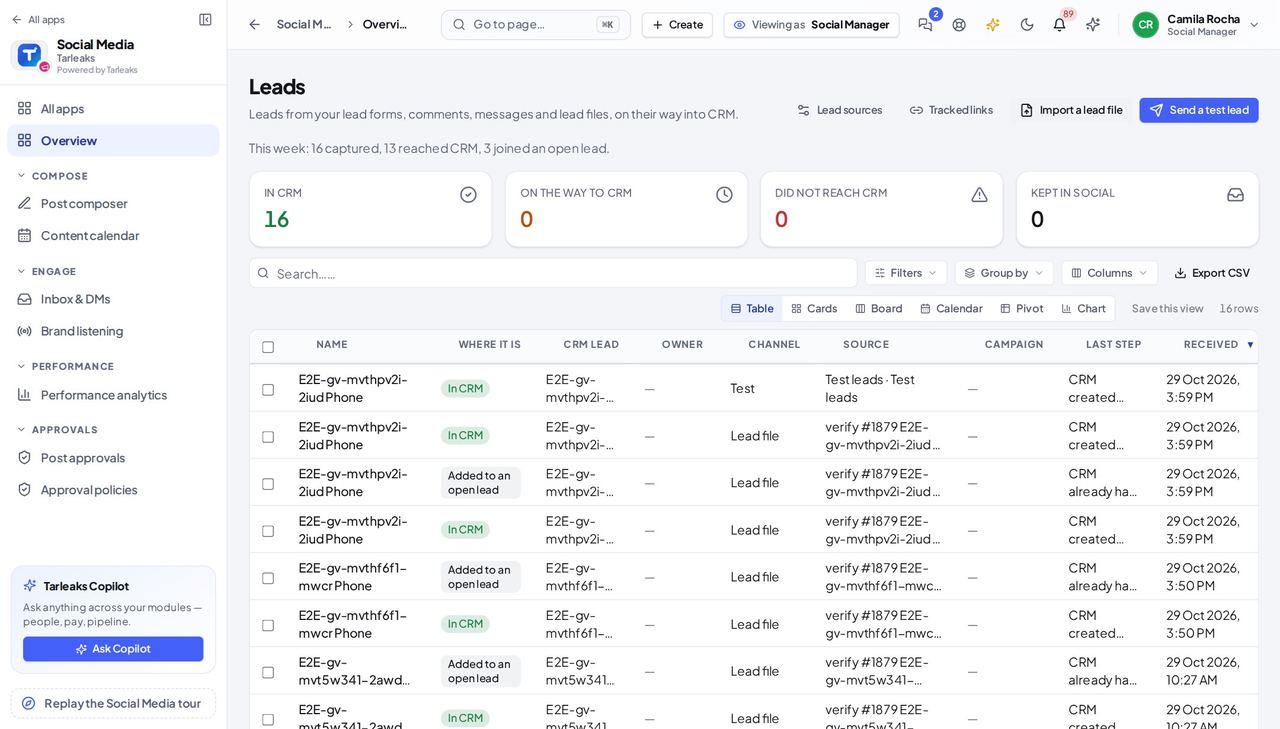
Social Media ManagerMonday: what came in, and what got stuck
A lead that did not reach CRM is a customer nobody is calling. Clear those first; everything else is reading.
3 steps, each with the screen it happens on.
When something goes wrong
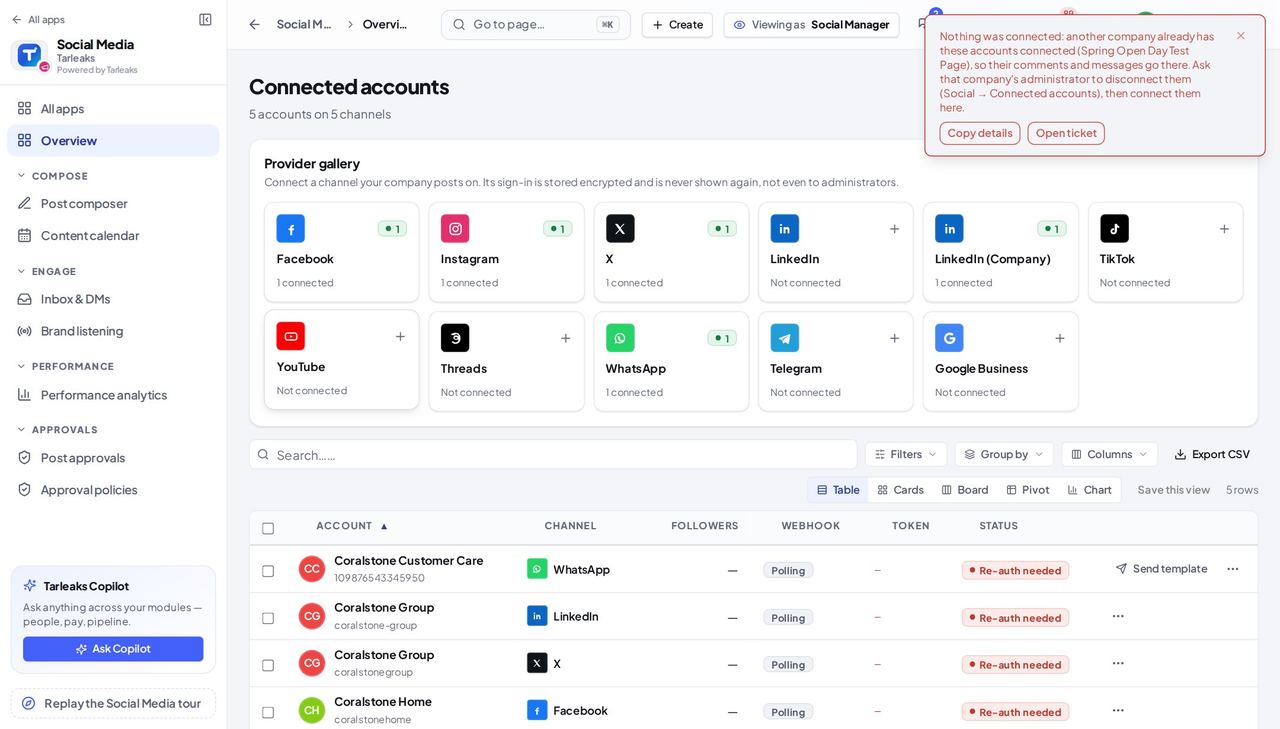
Social Media ManagerConnecting a Page another company already has
Comments, messages and leads can only go to one company. The message names the account, so the fix is one conversation rather than a support ticket.
3 steps, each with the screen it happens on.
The awkward cases
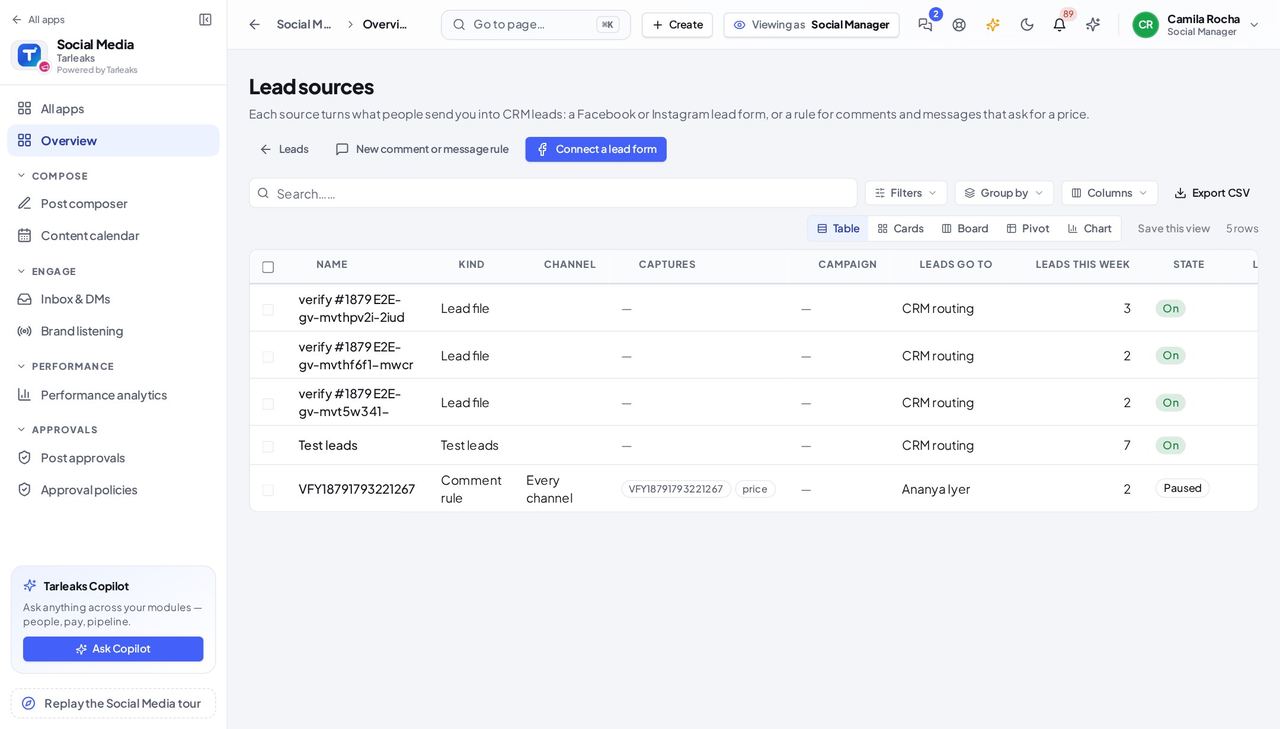
Social Media ManagerBefore a campaign goes live: prove the path into CRM
A form nobody tested is found broken by the first real customer. Ten minutes with a test lead finds it first, while the ad is not yet spending.
4 steps, each with the screen it happens on.
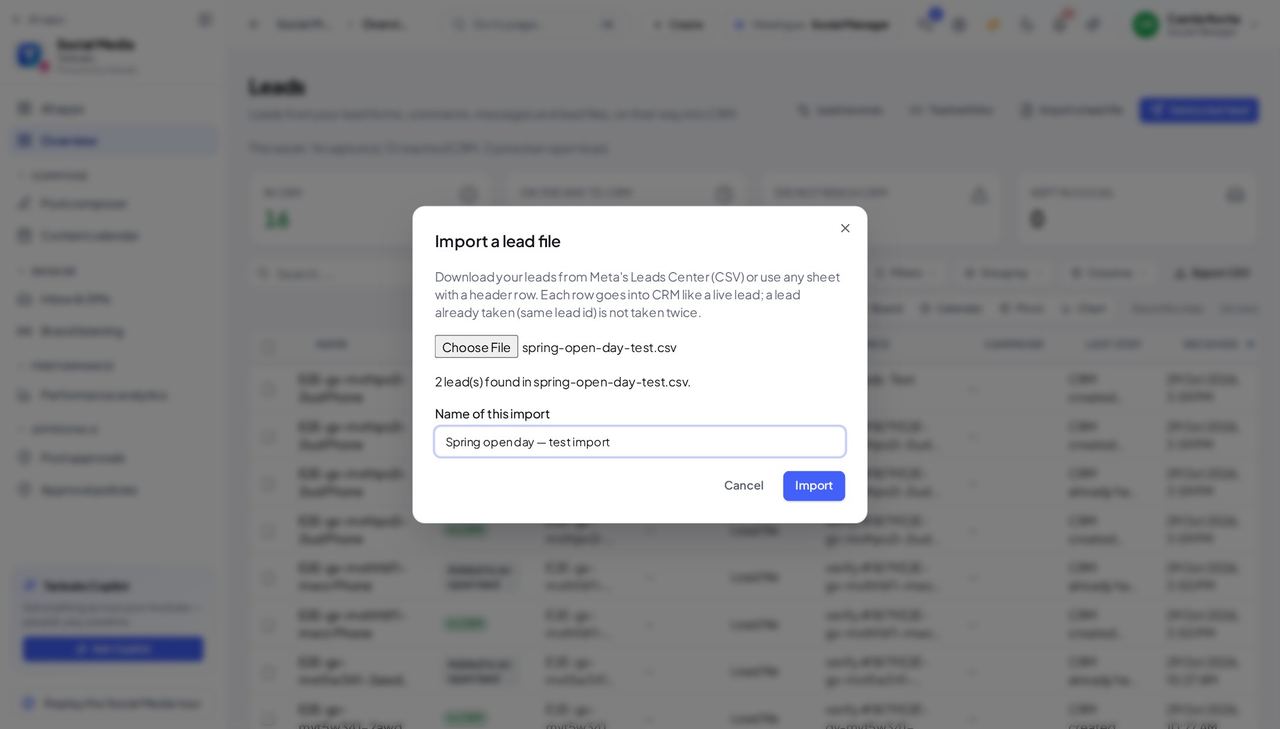
Social Media ManagerThe ad platform gave you a file of leads
Leads that sat in a download folder are leads nobody followed up. Importing them puts them on the same path as a live lead — owner, journey and all.
3 steps, each with the screen it happens on.
Handovers — who passes what to whom
Finance rarely breaks inside a job. It breaks at the join: a bill nobody approved, a receipt nobody allocated, a month closed before the tax agent had it.
| When this happens | From → to | What happens next |
|---|---|---|
| A person fills in a lead form, comments or messages asking for a price, or arrives in an imported lead file | Social media manager → Sales team Social » Leads, then CRM » Leads » the lead » Where this lead came from | The lead goes into CRM by itself, with its answers and where it came from. CRM either creates a lead or, when it already has this person, adds the new answers to their open lead. The source's owner, or CRM's routing rules, decide who has it. A lead that did not reach CRM is nobody's until the social team sends it again — so Did not reach CRM is the first tile to read each morning. |