Accounts Receivable Clerk — Finance guide
Send the invoices, chase the money, keep the record clean.
Invoices customers, records what they pay, and works the ageing and dunning so money arrives.
What you will be able to do
- See every customer invoice and what it is waiting on
- Read the ageing so you chase the oldest money first
- See what reminders went out and what came back
- Cancel invoices properly, with a reason that stays on the record
What this role can and cannot do
| Can | Cannot |
|---|---|
|
|
7 steps, each one carried out in the product on .
Check what your sign-in can do #
Where Your name, top right » Profile
- Open your company's address in the browser — it looks like yourcompany.tarleaks.com.
- Type the e-mail address your administrator set up for you, then your password.
- You land on the app launcher: a grid of the apps your company uses.
- Click your name, top right.
- Choose Profile.
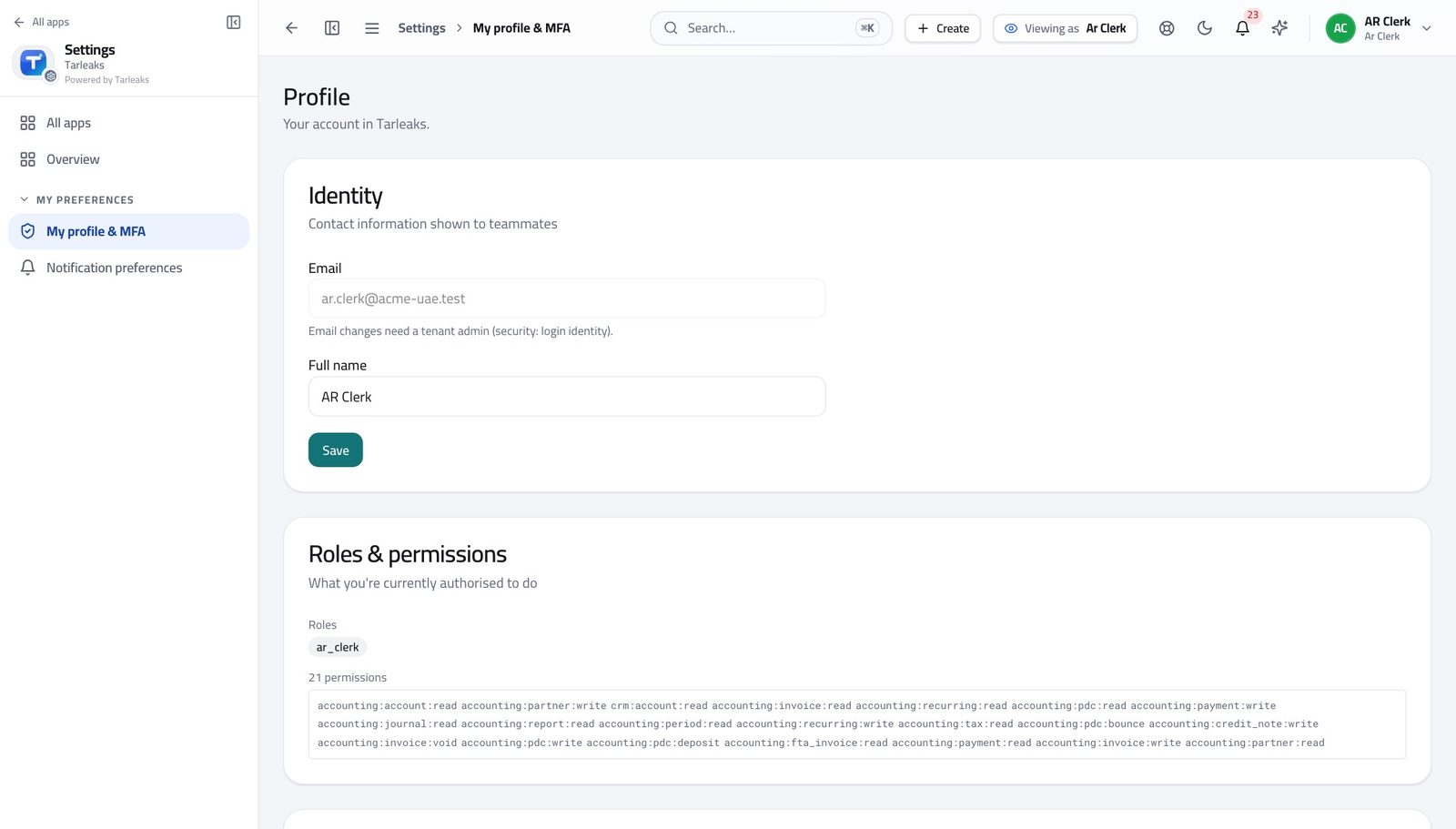
You should see It says AR Clerk. You can raise invoices, record what customers pay, and cancel an invoice with a reason.
Open the customer invoices #
Where Finance » Receivables
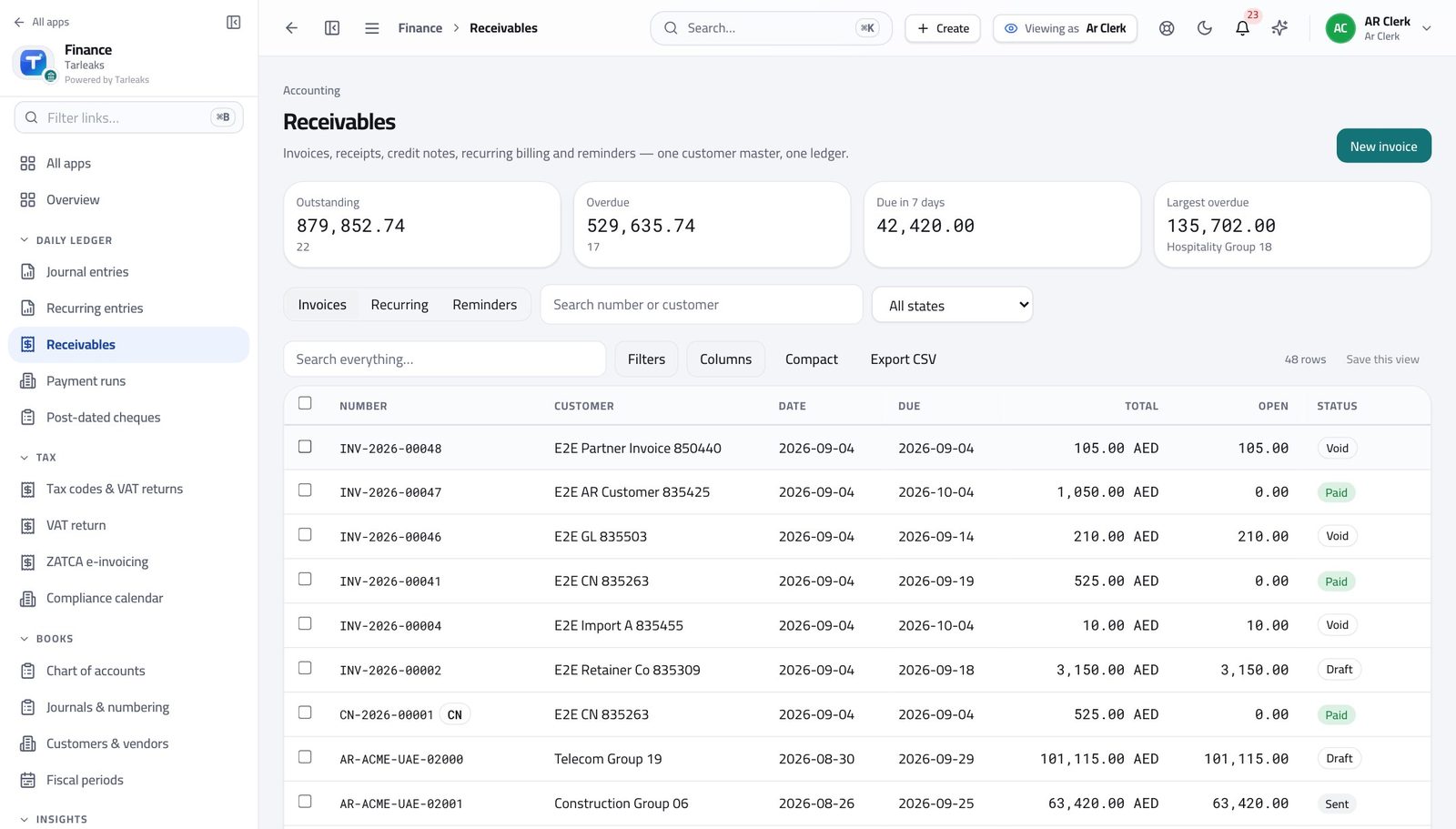
- Open Finance, then click Receivables in the left menu.
- Use the tabs: Invoices, Recurring, Reminders.
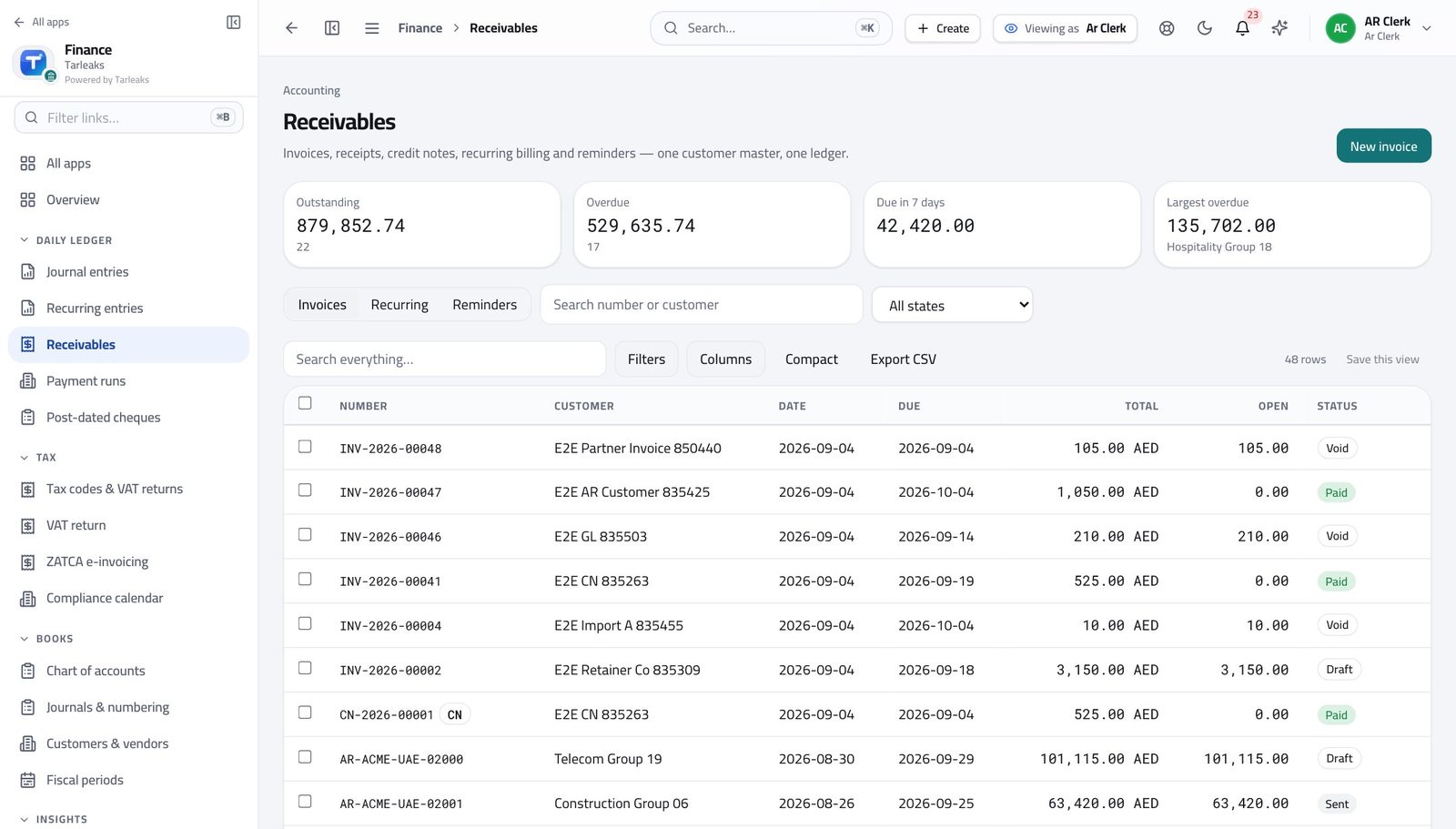
You should see Every invoice and where it has got to, in one list.
Raise a customer invoice #
Where Finance » Receivables » New invoice
- On Receivables, click New invoice.
- Choose the customer, or type a one-off name.
- Set the invoice date and the due date.
- Add a line per thing you are charging for.
- Check the total, then Save — and Send when you are ready for the customer to have it.
| Field | What to put in it |
|---|---|
| Customer | Their payment terms set the due date for you. |
| Date | The date the invoice is issued. |
| Due | When you expect the money. Change it only if you agreed to. |
| Currency | Defaults to the company currency; change it for a foreign customer and the rate is applied for you. |
| Reference / PO | Their purchase-order number. Put it in — it is the single most common reason an invoice sits unpaid. |
| Description | What you delivered, in their words rather than yours. |
| Qty / Unit price | The line amount. Tax comes from the customer's tax treatment. |
| Notes | Anything that should print on the invoice itself. |
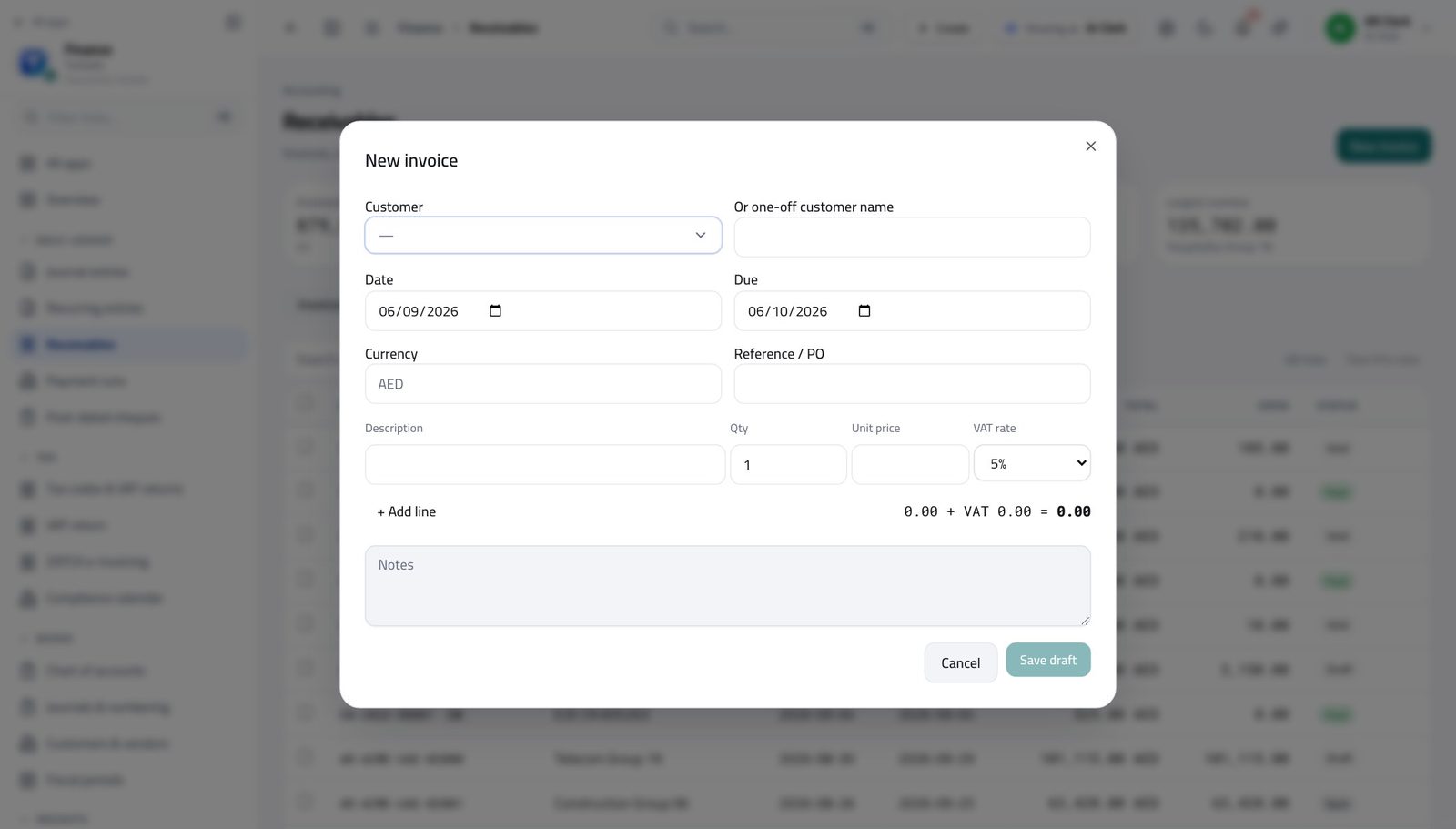
You should see Tax is applied per line from the customer's tax treatment, so the total is right without you working it out.
Watch out Sending is what makes an invoice real for the customer. Before that it is a draft you can change freely.
See who is overdue #
Where Finance » Reports » Ageing
- Open Reports from the left menu.
- Click the Ageing tab.
- Start at the oldest column and work left.
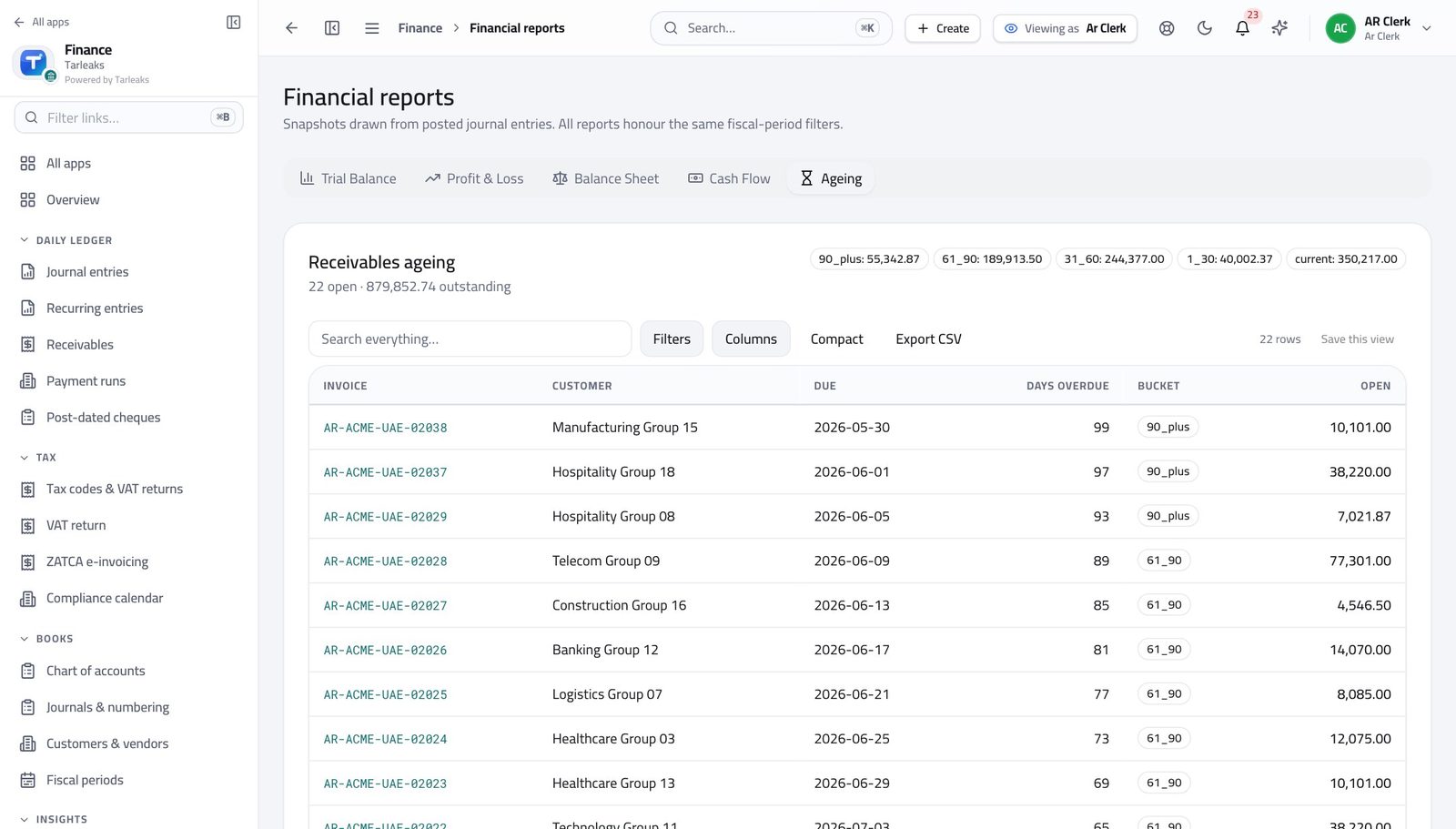
You should see Balances are grouped by how late they are, so the call list writes itself.
See what was already chased #
Where Finance » Receivables » Reminders
- On Receivables, click the Reminders tab.
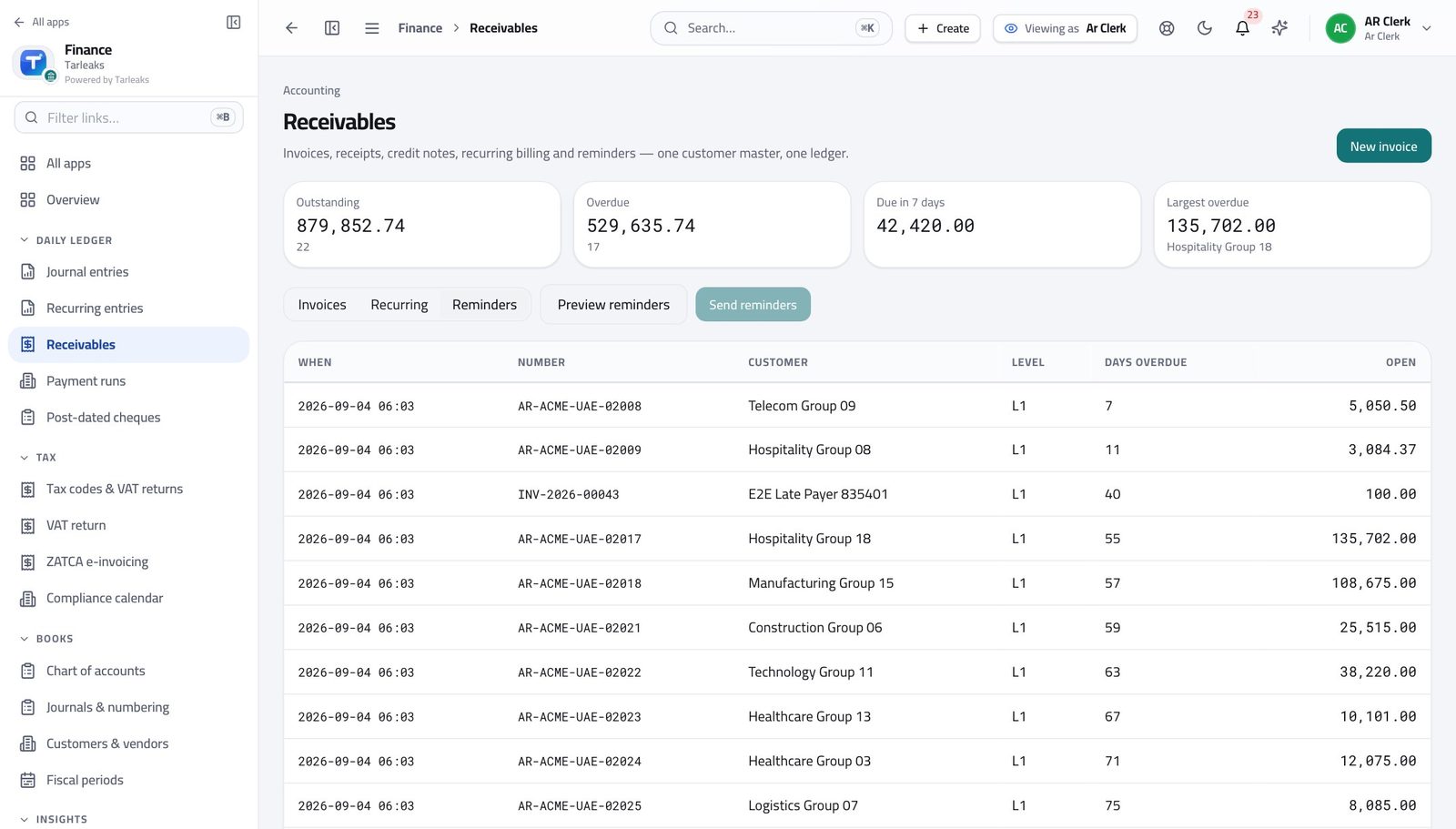
You should see You will not chase the same customer twice by accident.
Cancel invoices properly #
Where Finance » Receivables » tick rows » Cancel
- On Receivables, tick the invoices to cancel.
- Click Cancel in the bar at the bottom.
- Type the reason once — it is stored against every invoice in the batch.
- Confirm.
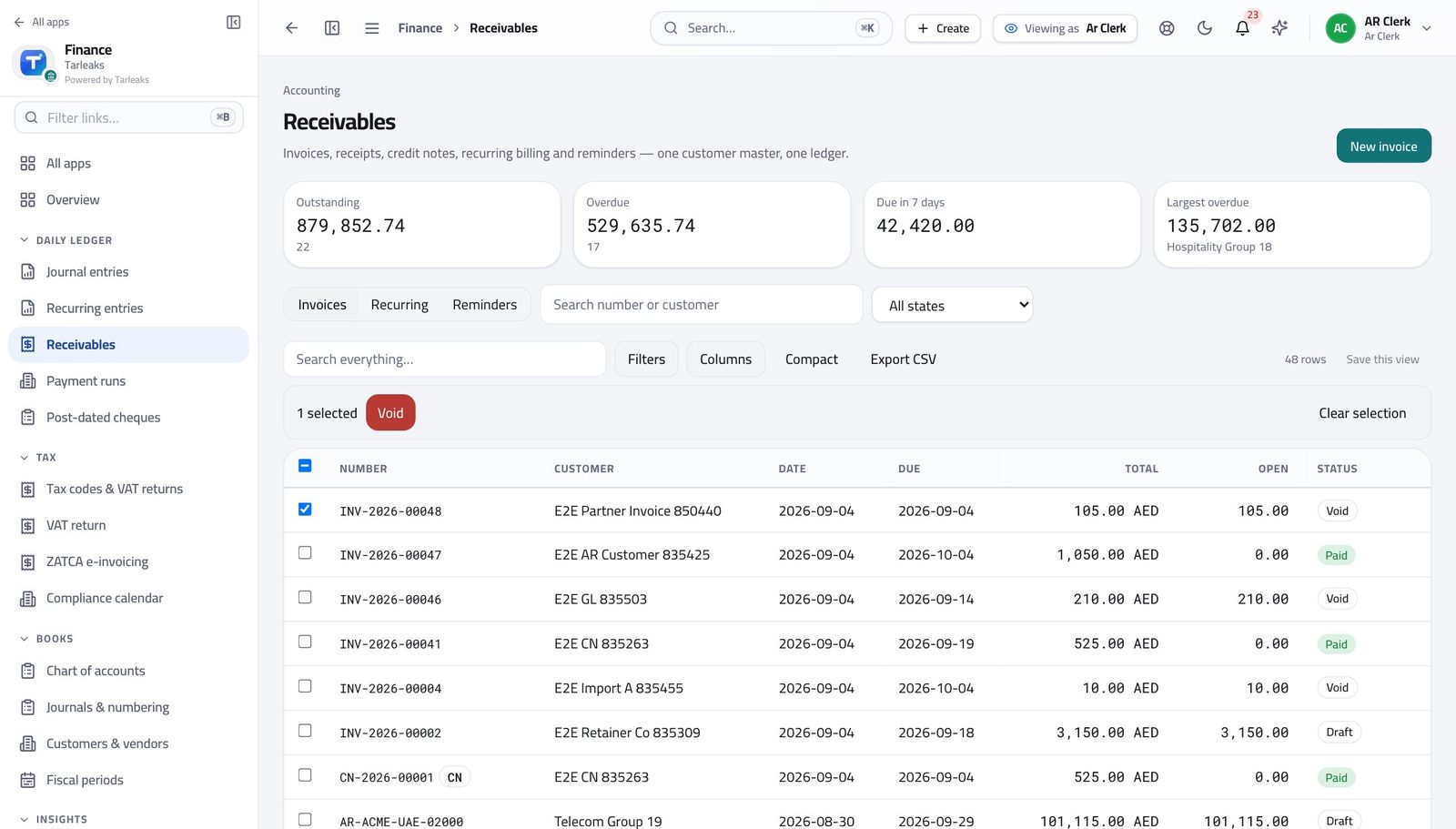
You should see The reason is kept with every invoice you cancelled. An invoice already sent to a customer is never simply deleted.
Watch out An invoice already sent to a customer is cancelled by credit note, never deleted. That is what keeps your numbers defensible.
Worth knowing Leave the reason blank and nothing happens — the record must say why.
Supplier bills are not yours #
Where Finance » Payables
- Look at the left menu under Finance.
You should see Money in and money out are separate jobs. Your sign-in covers customers, not suppliers.
Use cases — the work, step by step
Each one is a sequence somebody actually performs, with the screen behind every step. Every screen here was opened in the product as this role before it was published.
dailyInvoice what shipped, then record what arrived #
An invoice raised a week late is paid a week late — and an unallocated receipt makes a paying customer look overdue.
Open Receivables. The state on each invoice says what it is waiting on.
Finance » Receivables — verified: 48 row(s) listed Raise the invoices for yesterday's deliveries: customer, dates, a line per item, and their purchase-order number in Reference.
Finance » Receivables » New invoice — verified: the control is offered Check the reminders tab before you chase anybody, so you do not call a customer who paid yesterday.
Finance » Receivables » Reminders — verified: the page says “Reminders”
weeklyWork the ageing, oldest money first #
Collections is a queue, and the right end of the queue is the oldest column.
Open Reports and switch to Ageing. Start at the right-hand column — that is the money at risk.
Finance » Reports » Ageing — verified: the page says “Ageing” Open the customer's invoices from Receivables and log what you did on the record, so the next person does not repeat it.
Finance » Receivables — verified: 48 row(s) listed Read the reminders log to see what has already gone out.
Finance » Receivables » Reminders — verified: the page says “Reminders”
urgentA customer disputes an invoice already sent #
A sent invoice is corrected by credit note, never deleted. That is what keeps the ageing and the VAT return honest.
Find the invoice in Receivables and read its state before promising anything.
Finance » Receivables — verified: 48 row(s) listed If the invoice is wrong, cancel it with the reason typed in — the reason stays on the record — and raise the corrected one.
Finance » Receivables » tick rows » Cancel — verified: the control is offered; the control is offered If it is right, send the statement and the evidence instead.
Finance » Receivables » New invoice — verified: the control is offered
An invoice that has already gone to a customer is never simply deleted. Cancelling it leaves a trail, which is what makes your numbers defensible later.