Auditor — Finance guide
Read everything. Change nothing. Prove both.
Reads everything and changes nothing. Every write in the module refuses this role by design.
What you will be able to do
- Open every statutory report without asking anyone to run it
- Follow any number back to the entry behind it
- Read customers, suppliers and bank statements
- See for yourself that this sign-in cannot alter a thing
What this role can and cannot do
| Can | Cannot |
|---|---|
|
|
5 steps, each one carried out in the product on .
Check what your sign-in can do #
Where Your name, top right » Profile
- Open your company's address in the browser — it looks like yourcompany.tarleaks.com.
- Type the e-mail address your administrator set up for you, then your password.
- You land on the app launcher: a grid of the apps your company uses.
- Click your name, top right.
- Choose Profile.
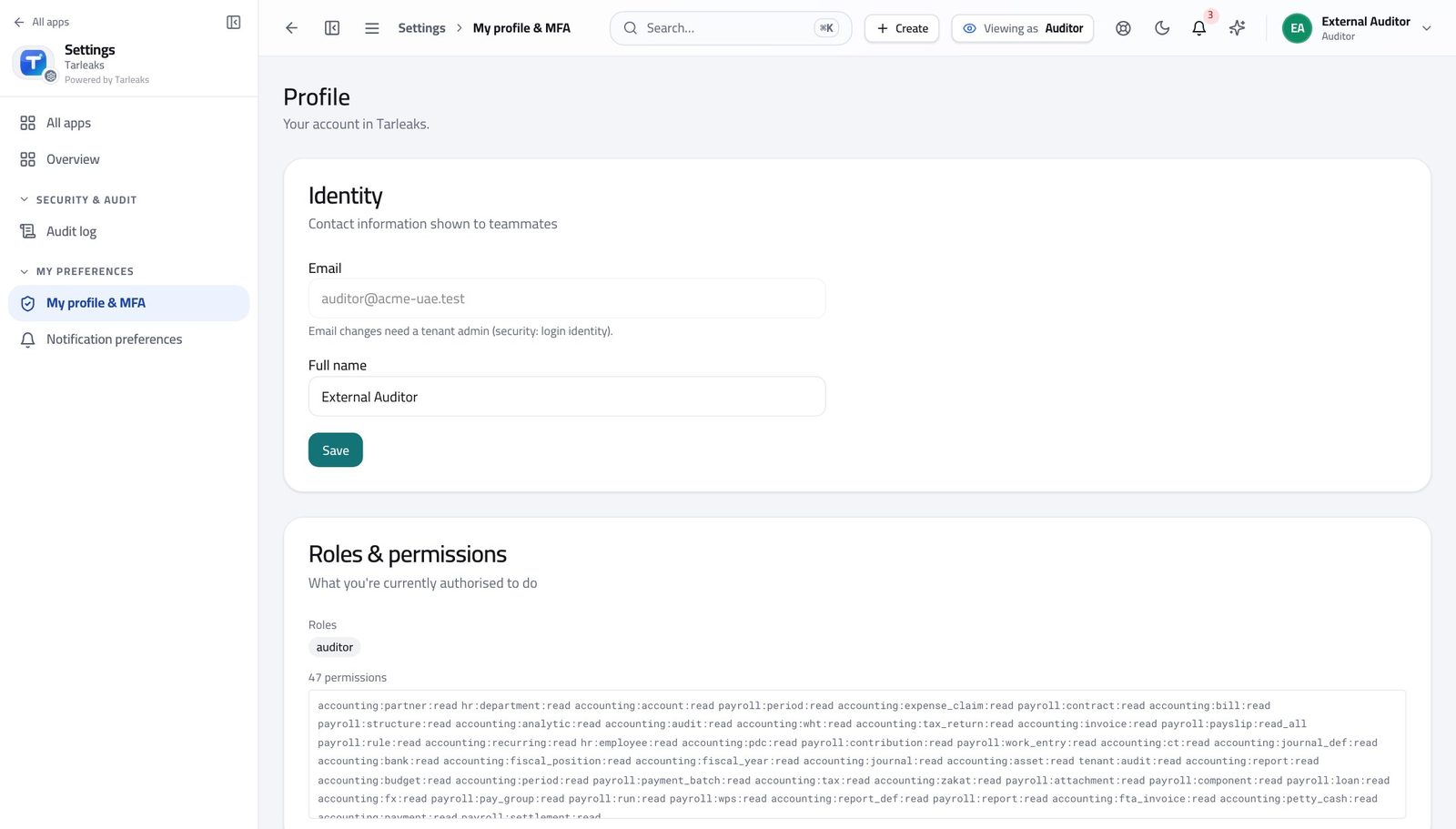
You should see It says Auditor: you can read the whole ledger and the trail behind it, and you cannot change a single record.
Open every report yourself #
Where Finance » Reports
- Open Finance, then Reports.
- Move through the tabs: Trial Balance, Profit & Loss, Balance Sheet.
- Set the date or period on each.
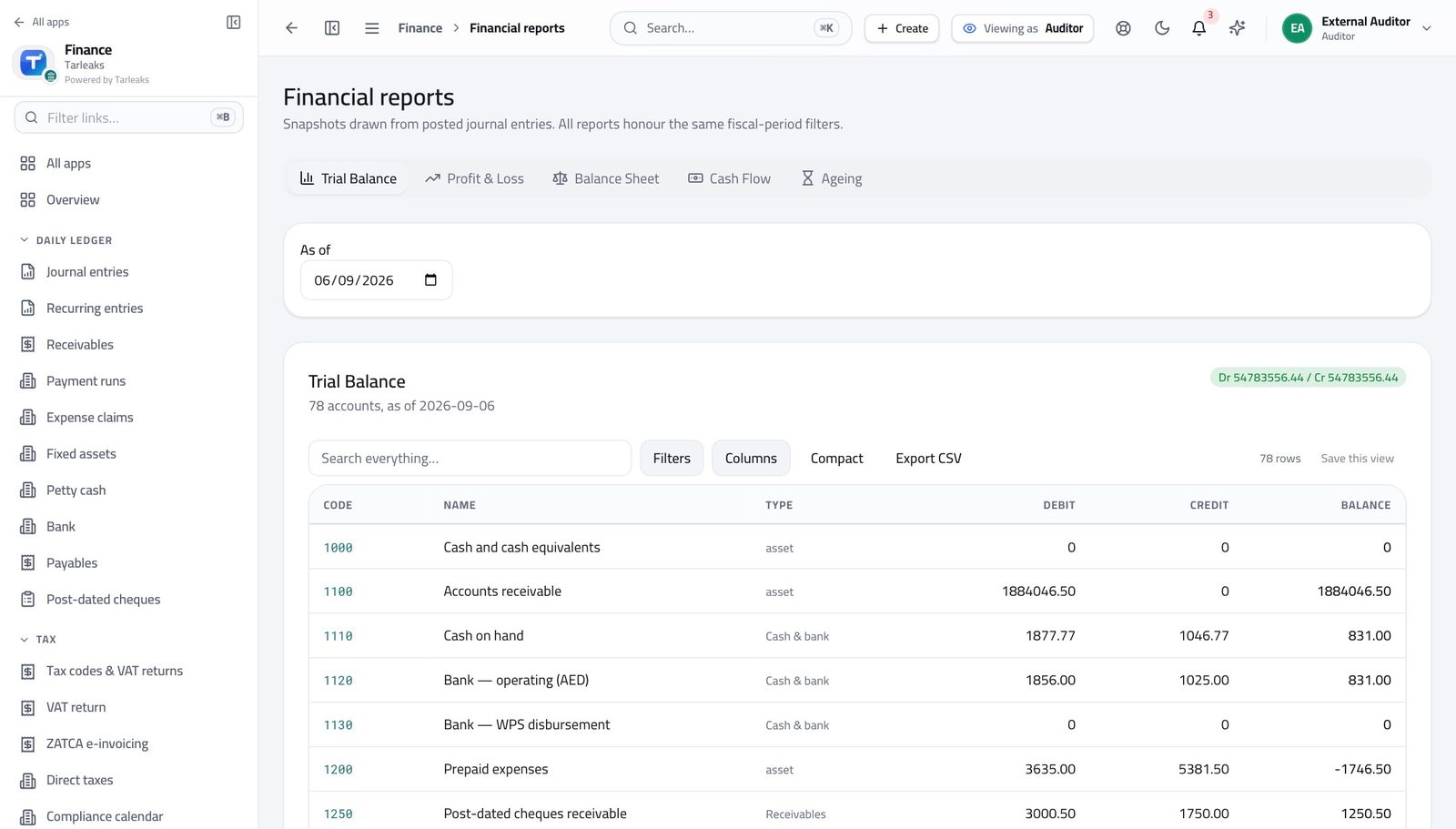
You should see Trial balance, profit and loss, and balance sheet all open without you asking anyone to prepare them.
Follow a number back to its evidence #
Where Finance » Journal entries
- Open Journal entries.
- Click any row to open the entry.
- Follow the source shown on the entry back to the bill, invoice or payroll run behind it.
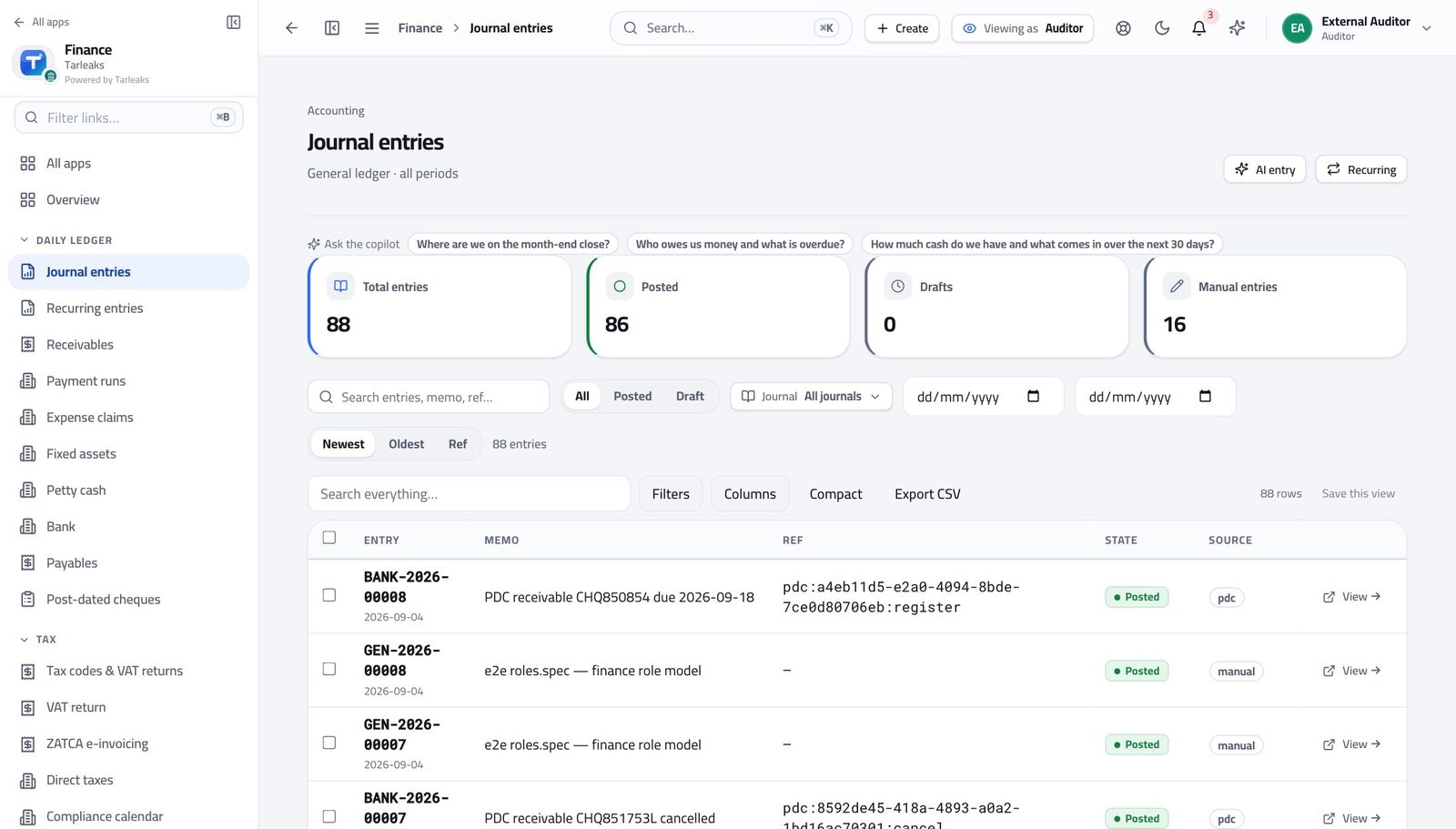
You should see You can walk from a report figure to the entry, then to the customer, supplier or bank statement behind it.
See that you cannot change anything #
Where Finance » Journal entries
- Open Journal entries.
- Look at the top right of the page.
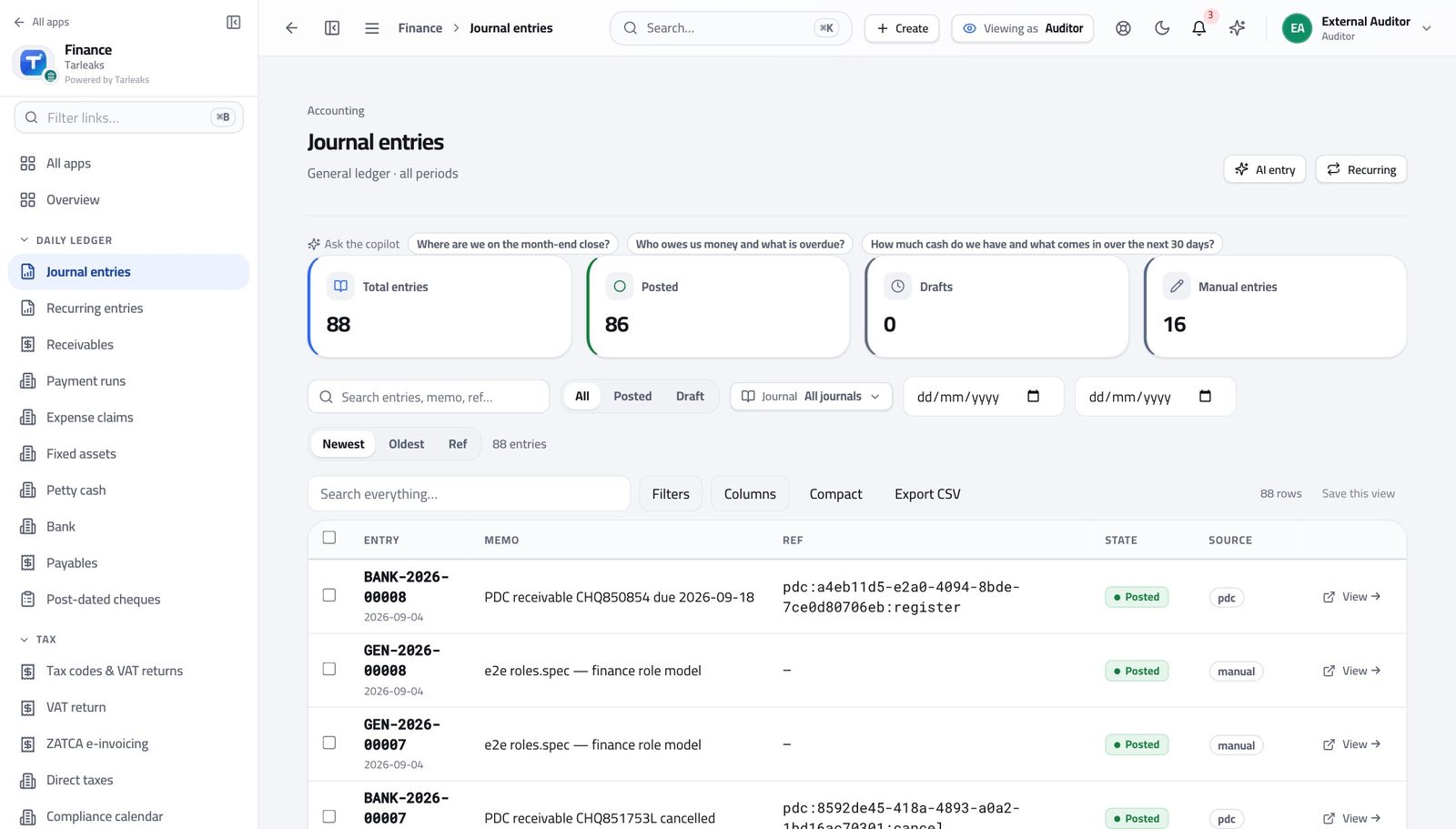
You should see There isn't one — and the same refusal happens underneath, so nothing can be written under your name.
Nothing can be archived either #
Where Finance » Customers & vendors
- Open Customers & vendors.
- Tick a row.
- Read the bar.
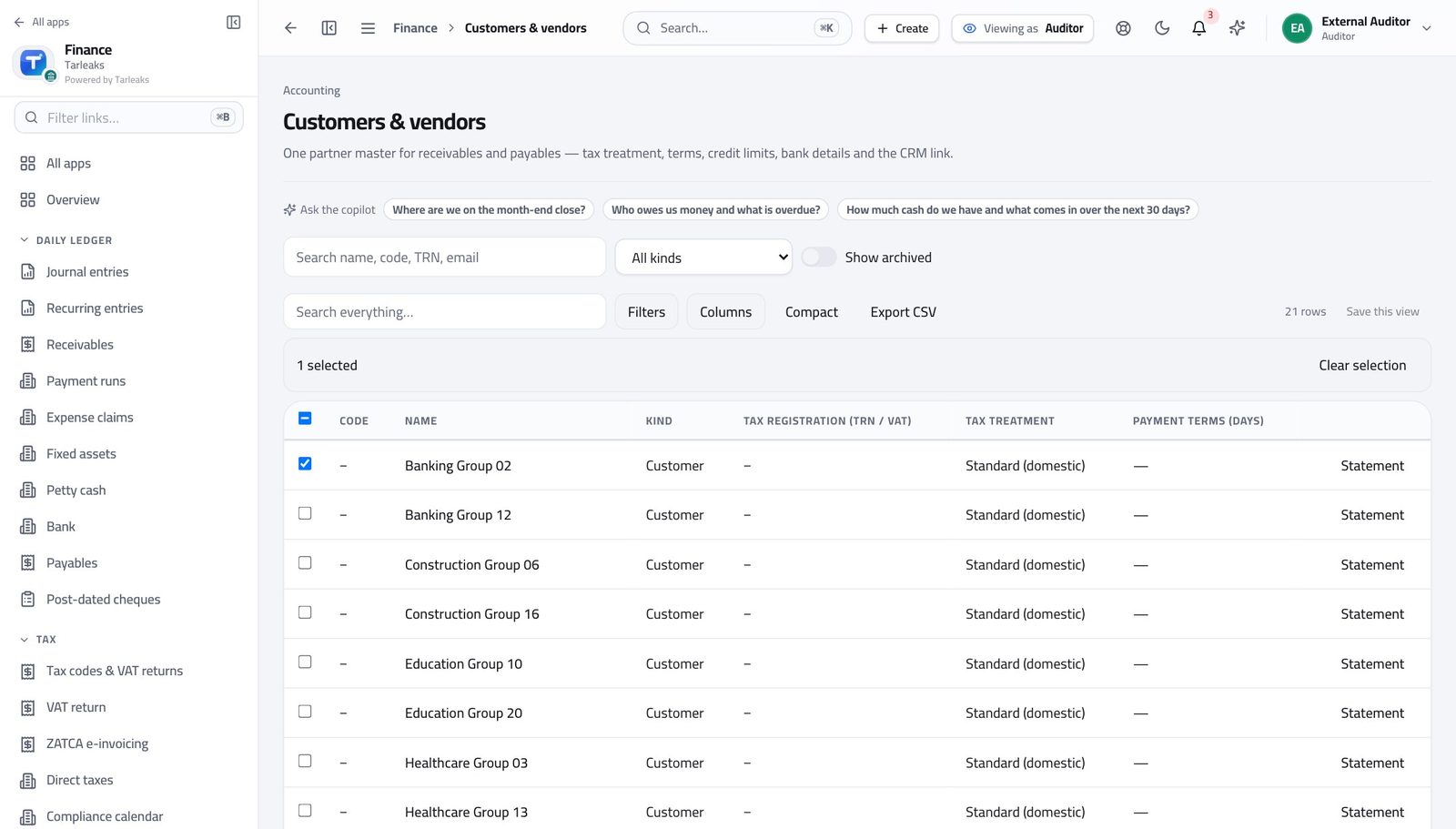
You should see It offers you nothing. You cannot remove the evidence you are reviewing.
Use cases — the work, step by step
Each one is a sequence somebody actually performs, with the screen behind every step. Every screen here was opened in the product as this role before it was published.
weeklyTrace a reported figure back to its evidence #
You should never have to accept a spreadsheet. Every figure traces to entries, and every entry names where it came from.
Start at the report — trial balance, profit and loss, or balance sheet — for the period under review.
Finance » Reports — verified: the page says “Trial Balance” Open Journal entries and find the postings behind the account that interests you.
Finance » Journal entries — verified: 88 row(s) listed Confirm, on the same screens, that this login cannot write: there is no New entry button, and the bulk bar offers nothing.
Finance » Journal entries — verified: no “New entry” anywhere on the page
Every write in this module refuses your sign-in. That is not a limitation to work around — it is the evidence that what you reviewed is what was there.