Credit Controller — Finance guide
Decide who may owe you what, and see the money come in.
Decides who may owe the company what: limits and holds, the payment terms customers are on, the instalments falling due, and what came in through the customer portal.
What you will be able to do
- Set a limit or a hold on a customer, with the reason the sales team will read
- Put customers on the payment terms the business really uses
- Chase instalments, not invoices, and see the retention still held
- See every card payment that came in through the customer portal
What this role can and cannot do
| Can | Cannot |
|---|---|
|
|
9 steps, each one carried out in the product on .
See who is over their limit #
Where Finance » Credit control
- Open your company's address in the browser — it looks like yourcompany.tarleaks.com.
- Type the e-mail address your administrator set up for you, then your password.
- You land on the app launcher: a grid of the apps your company uses.
- Open Finance, then Credit control.
- Click the Over the limit tile.
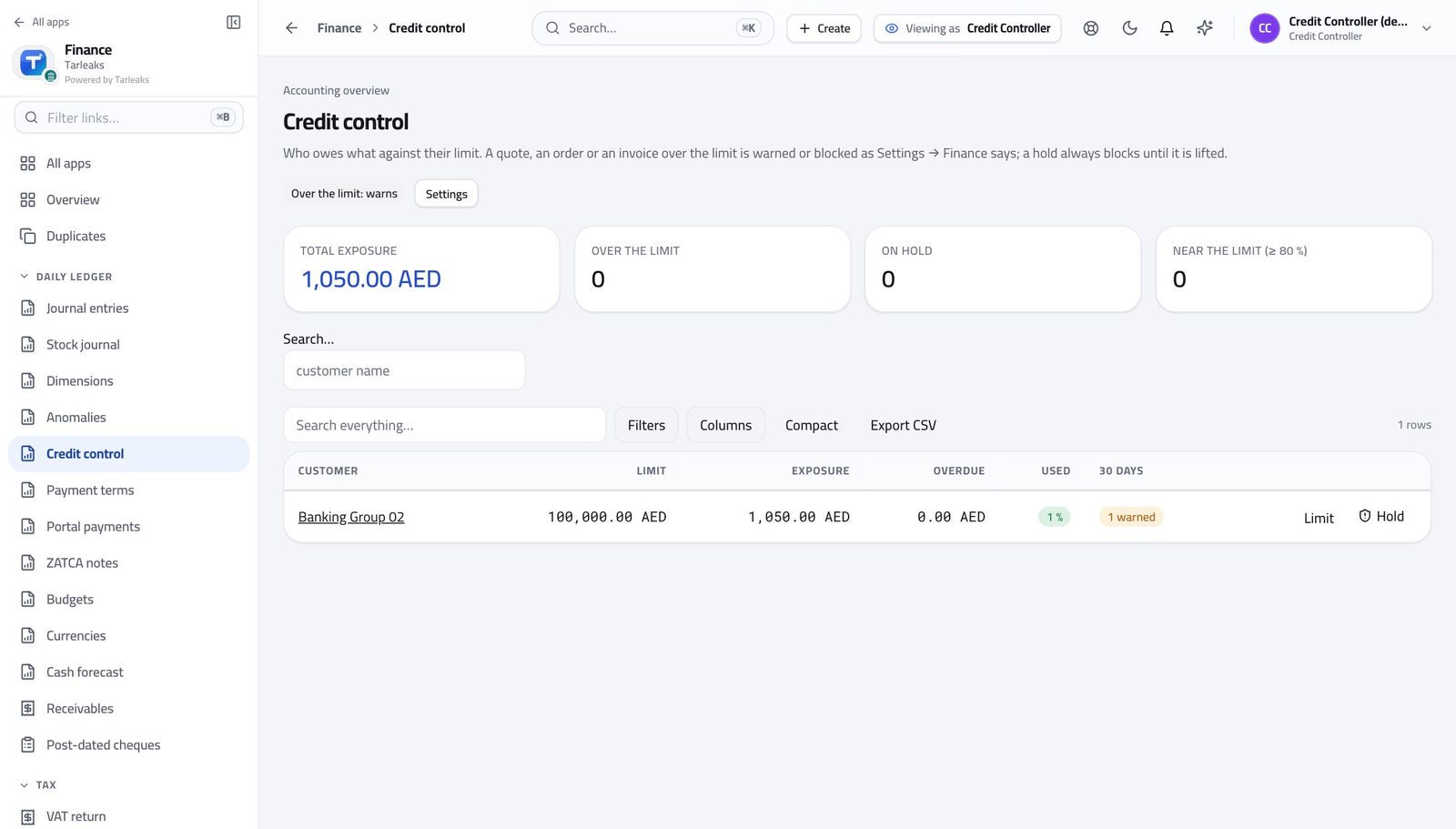
You should see Four numbers across the top; a table with limit, exposure, used % and overdue per customer.
Open a customer's standing #
Where Finance » Credit control » a row
- Click a customer row.
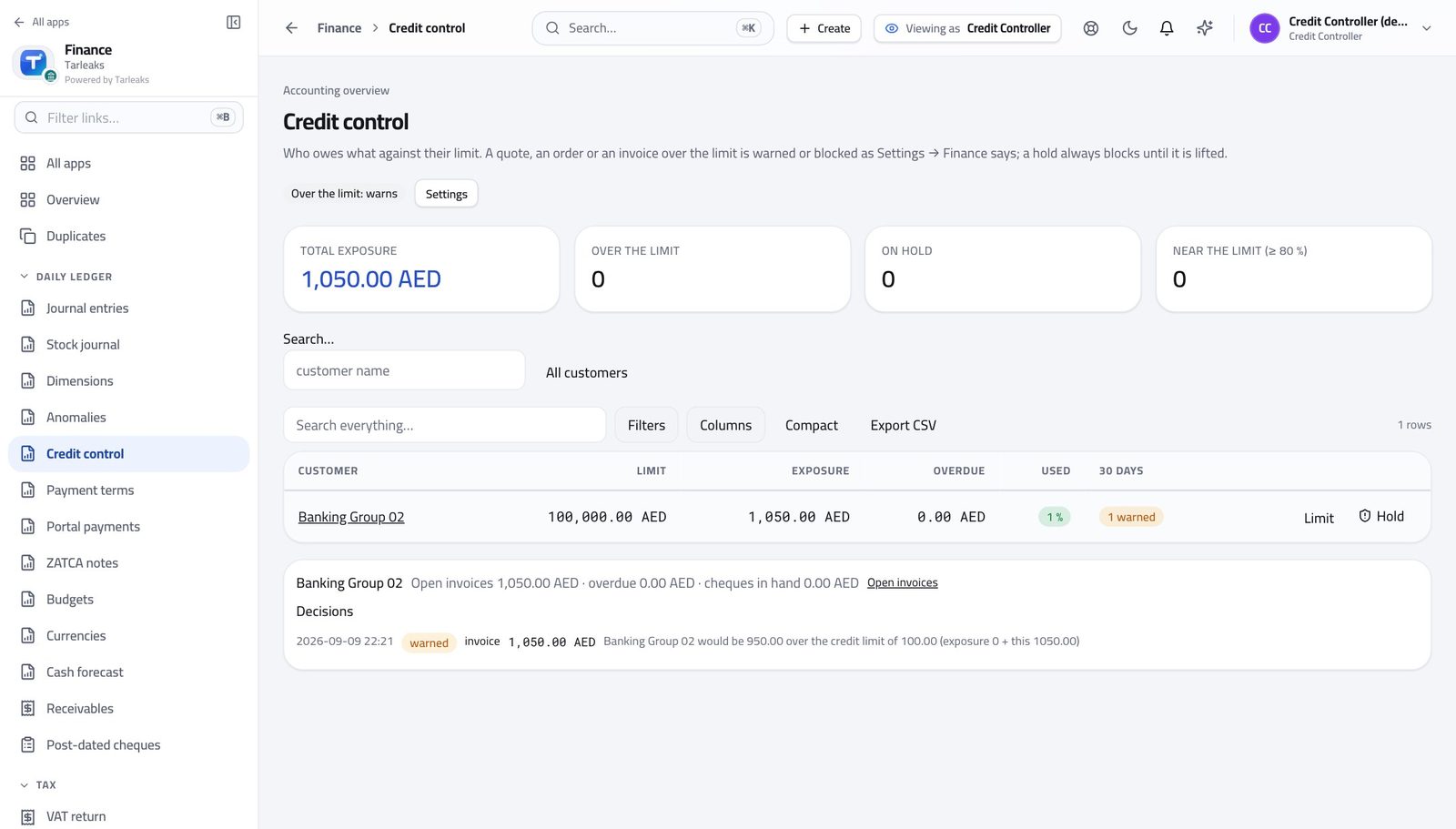
You should see The detail block shows open invoices, overdue and cheques, and the decisions taken at quote, order and invoice time.
Check what your sign-in can do #
Where Your name, top right » Profile
- Click your name in the top-right corner and choose Profile.
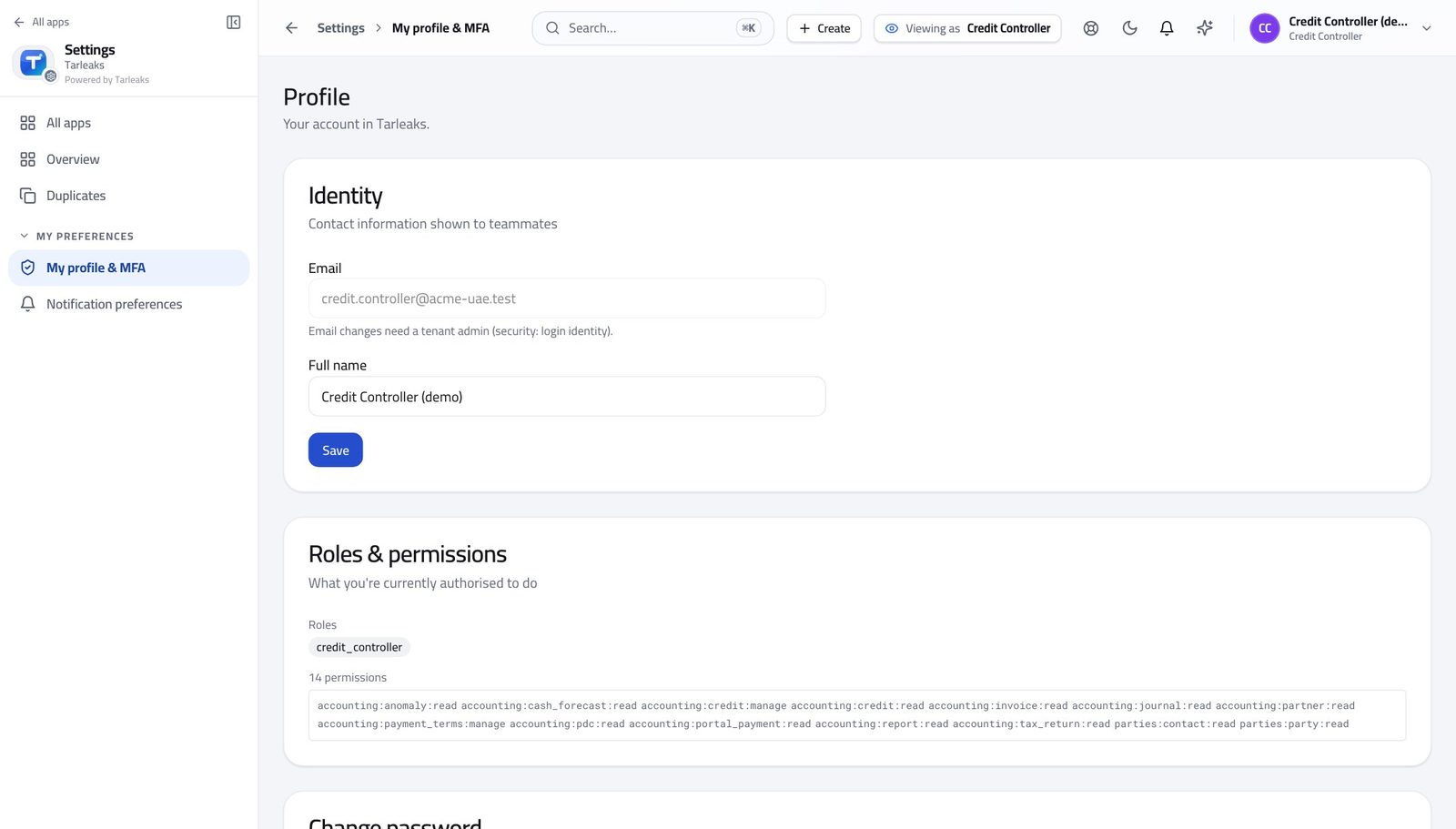
You should see It says Credit Controller. You manage limits, holds, terms and see portal payments.
Put a customer on hold #
Where Finance » Credit control » Hold
- Click Hold on a row.
- Type why; the button enables.
| Field | What to put in it |
|---|---|
| Reason | Two invoices 60 days overdue — hold until the March invoice is paid |
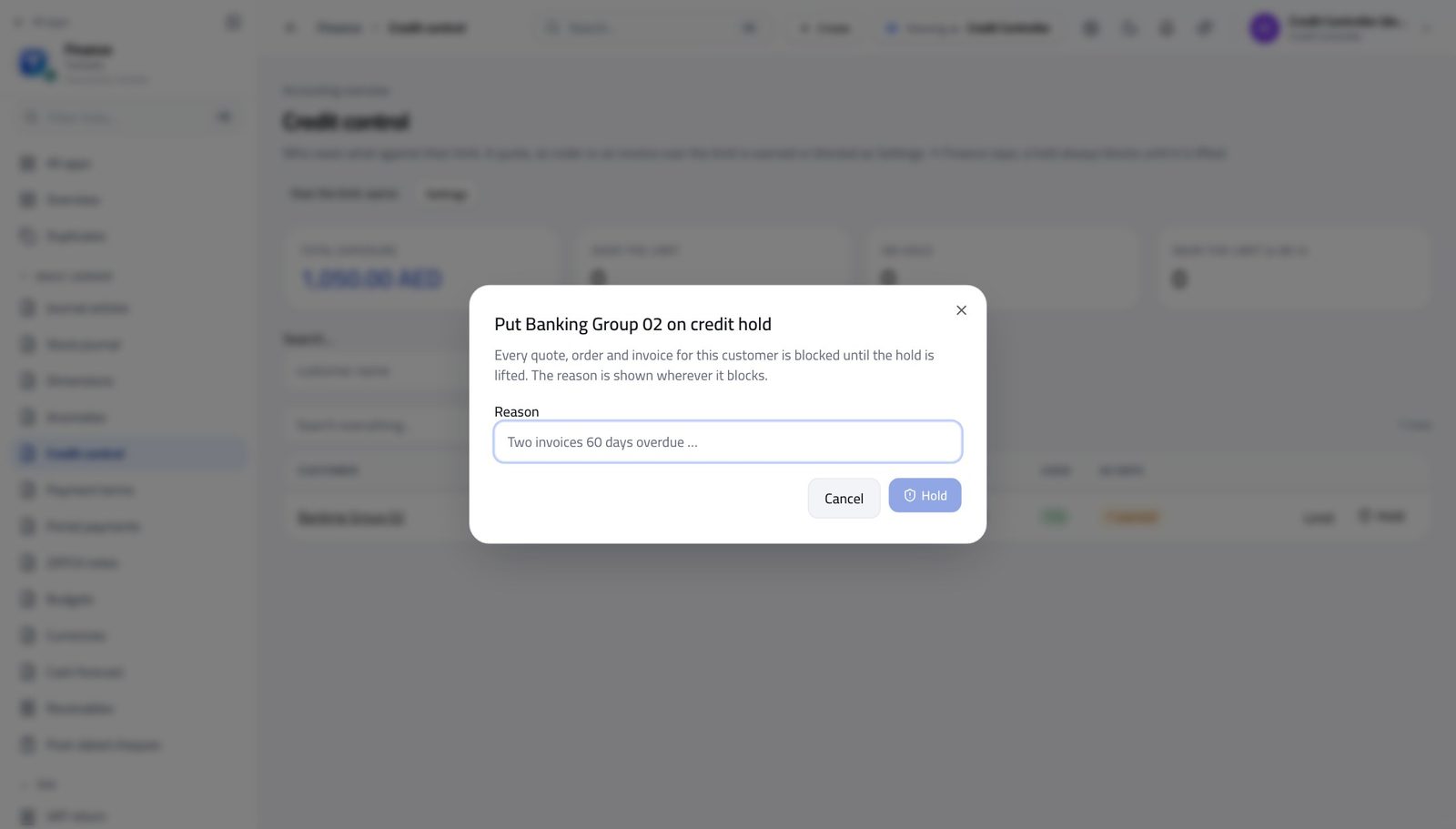
You should see The reason is shown wherever the hold blocks a quote.
Read the payment terms #
Where Finance » Payment terms
- Open Payment terms.
- Read What it means for each row.
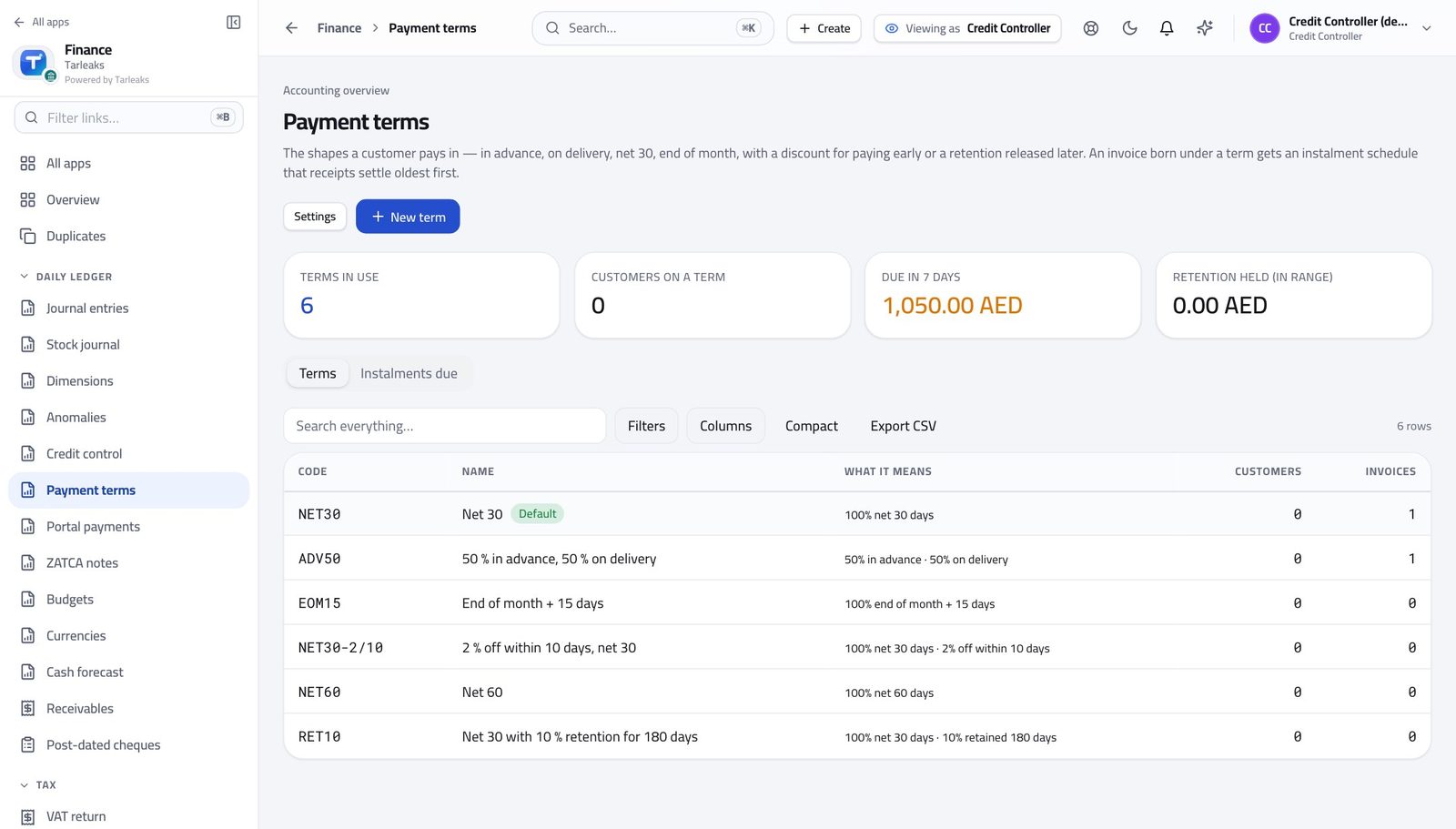
You should see The usual six exist from the first visit; the Default badge marks the fallback.
Design a term and watch the preview #
Where Finance » Payment terms » New term
- Click New term.
- Fill the code, name and lines.
- Add a retention and read the preview.
| Field | What to put in it |
|---|---|
| Code | ADV30 |
| Name | 30 % advance, 70 % net 30 |
| Line 1 | In advance · 30 % |
| Line 2 | Net · 70 % · 30 days |
| Retention held (%) | 10 |
| … released after (days) | 180 |
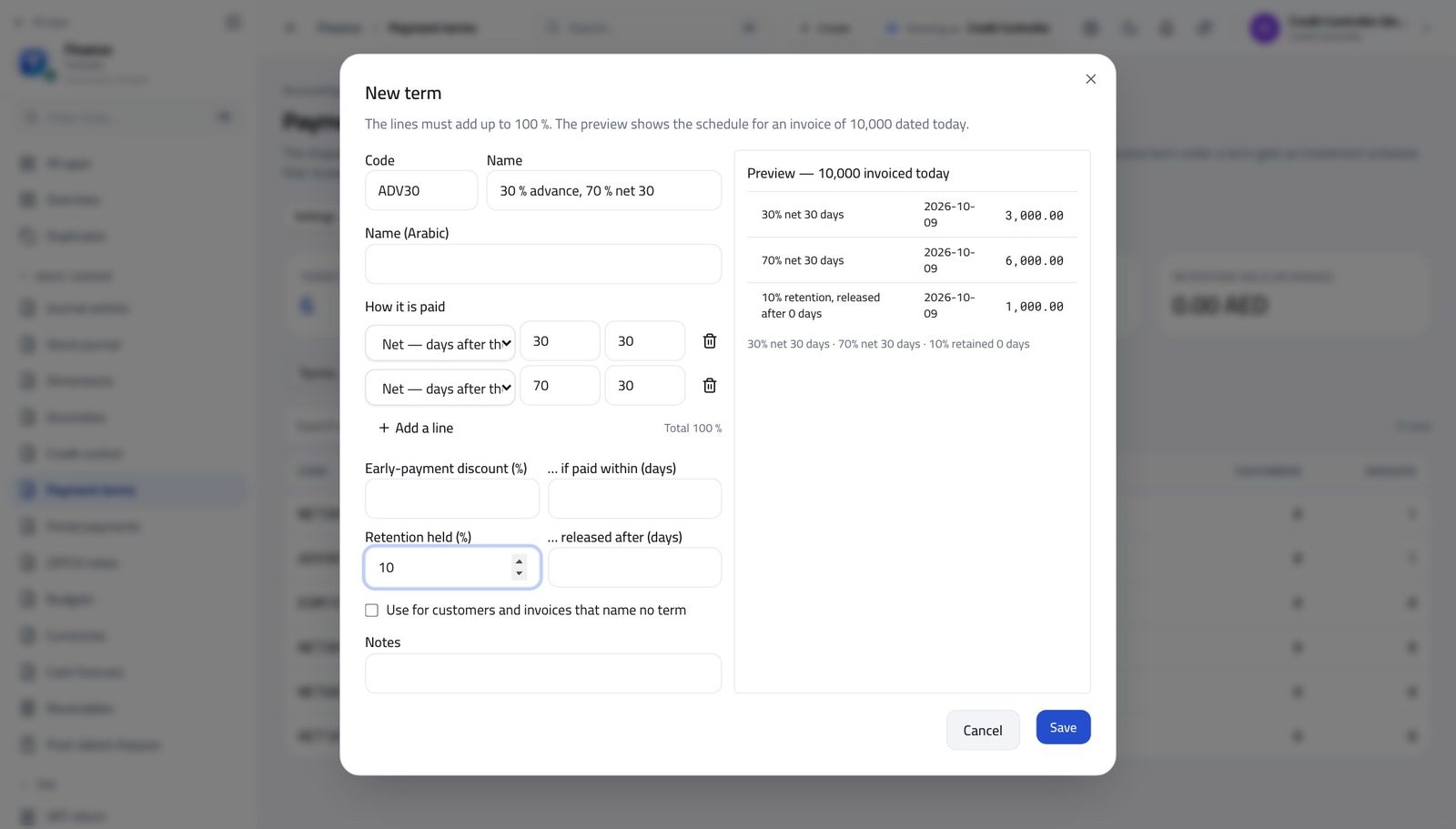
You should see Save enables only when the lines add up to 100 %.
Watch out Save stays disabled until the lines add up to 100 %.
Put a customer on a term #
Where Finance » Partners » the customer
- Open a customer.
- Pick a term in the Payment term field and Save.
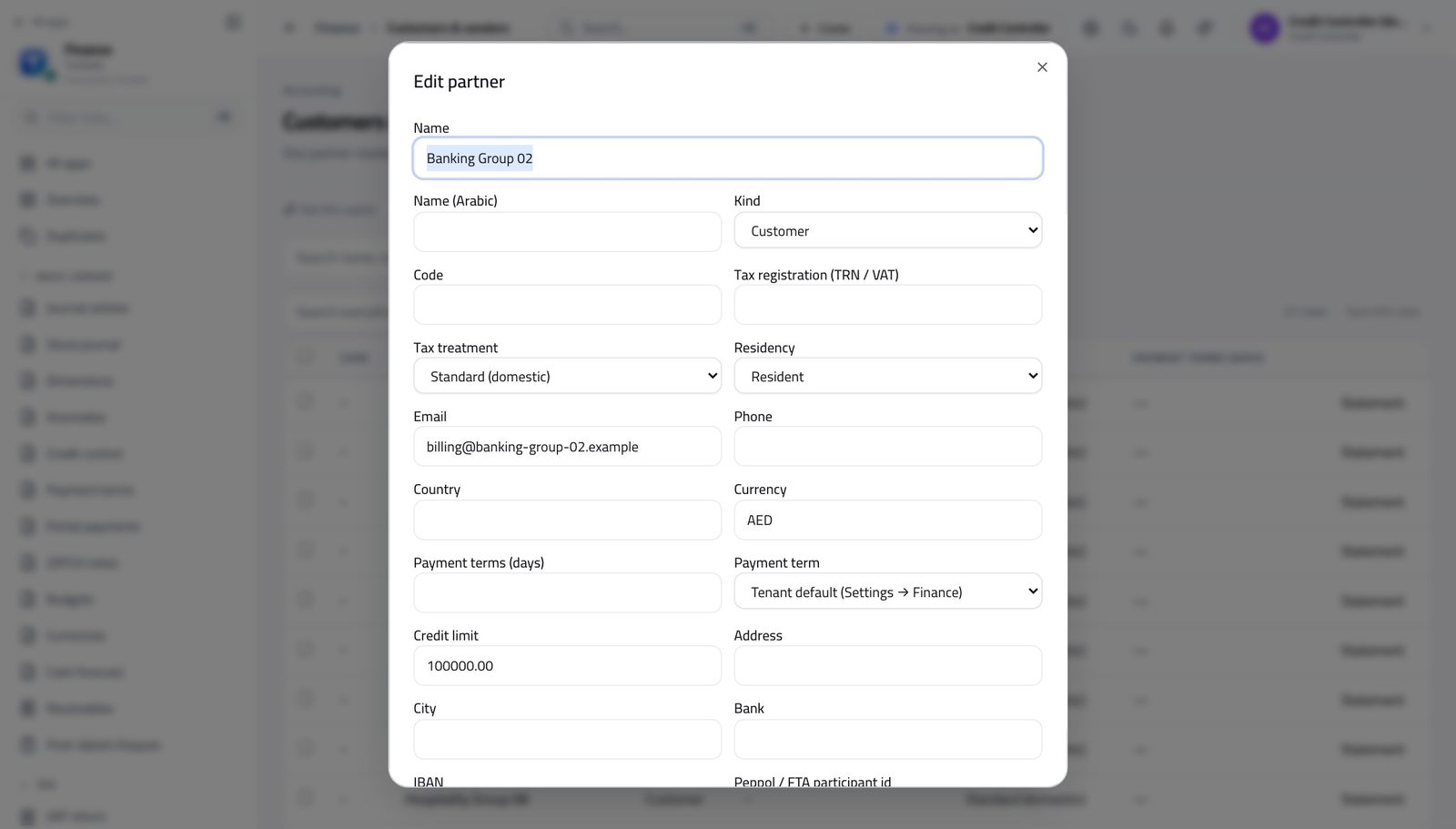
You should see The Terms column shows the code; every new invoice inherits it.
See the instalments falling due #
Where Finance » Payment terms » Instalments due
- Open the Instalments due tab.
- Overdue rows are red; the invoice and the customer are links.
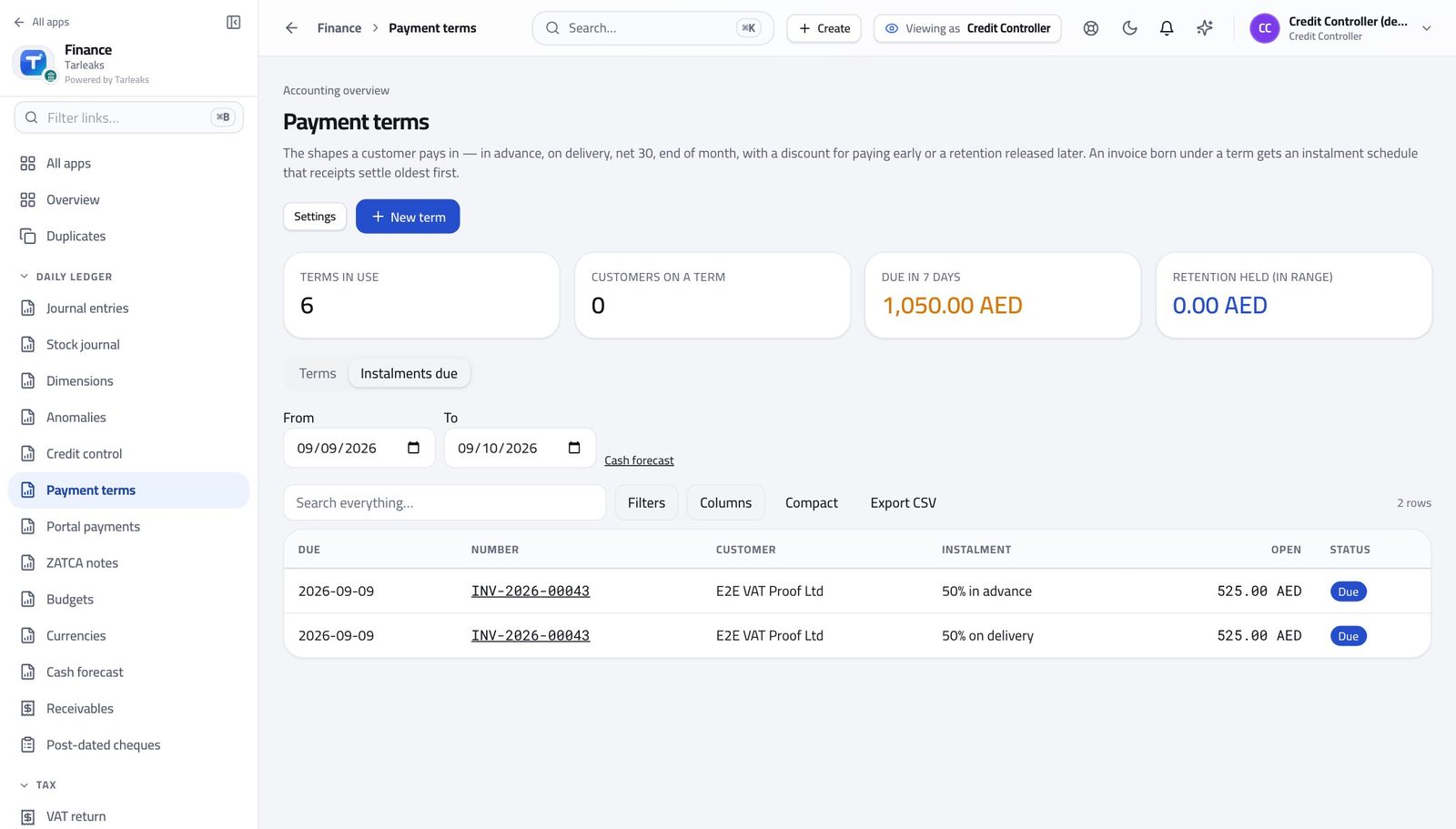
You should see A three-instalment invoice is three promises with three dates.
See what came in through the portal #
Where Finance » Portal payments
- Open Portal payments.
- Read the tiles; a row with the red badge is a paid attempt whose receipt failed.
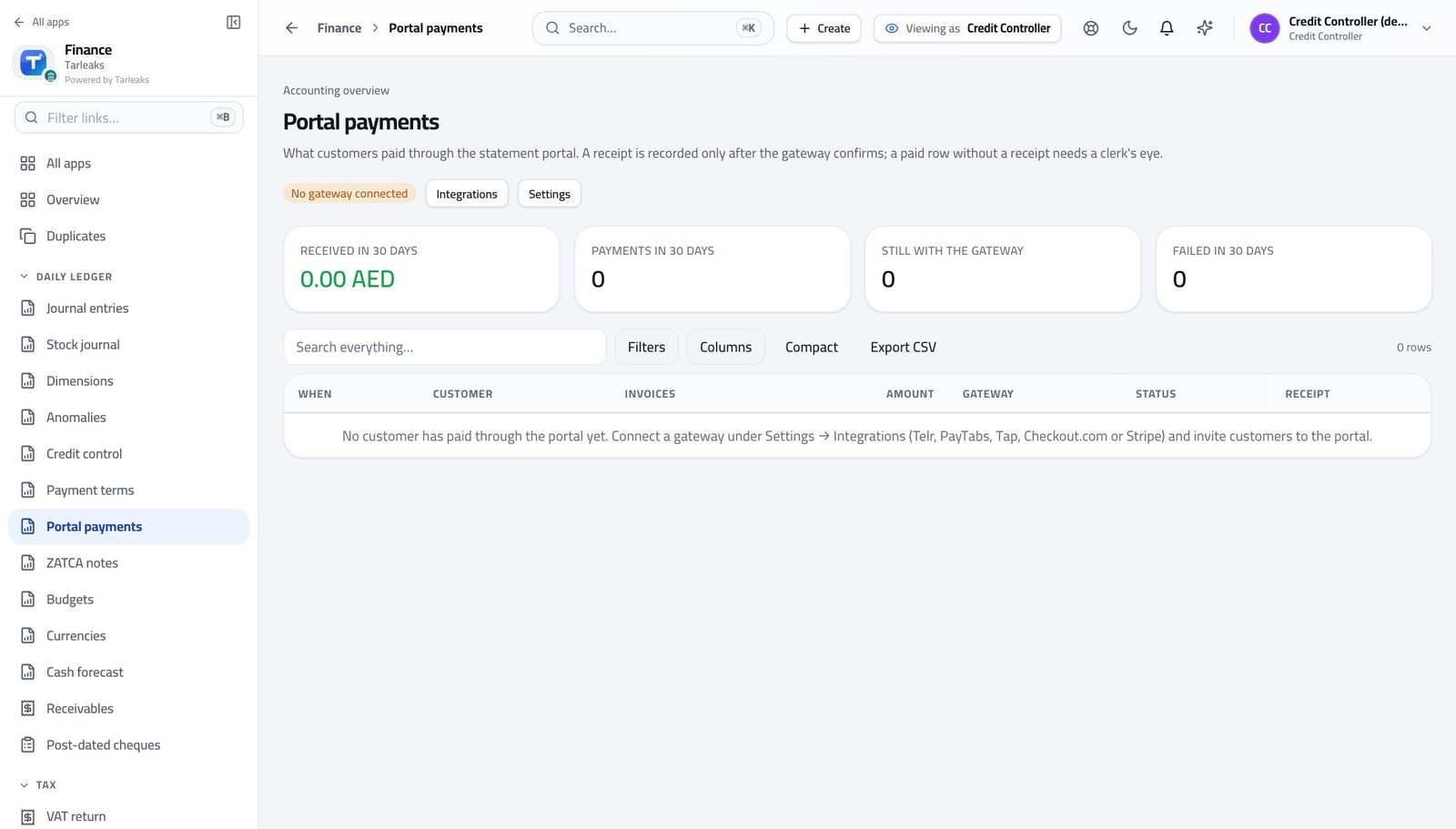
You should see A receipt is recorded only after the gateway confirms.
Use cases — the work, step by step
Each one is a sequence somebody actually performs, with the screen behind every step. Every screen here was opened in the product as this role before it was published.
weeklyMonday: who is over the limit, who is on hold, who to call #
A limit nobody looks at is a number; a limit somebody reads every Monday is credit control.
Open Credit control and click Over the limit; the table filters and the address bar keeps it.
Finance » Credit control — verified: the page says “Credit control” Click a customer: the standing and the decisions list.
Finance » Credit control » a row — verified: the control is offered Raise a limit that no longer fits, or put the customer on hold with a reason.
Finance » Credit control » Hold — verified: the control is offered
onceSet up the terms the business really uses #
'Net 30' on every customer is a placeholder; a term in words is what the invoice prints.
Read the six defaults and What it means.
Finance » Payment terms — verified: the page says “NET30” Design a term — 30 % in advance, 70 % net 30, 10 % retention — and read the preview.
Finance » Payment terms » New term — verified: the control is offered Put a customer on it.
Finance » Partners » the customer — verified: the control is offered
monthlyMonth end: what credit control did this month #
Three numbers and a list: exposure, what was blocked, what came in through the portal.
Credit control tiles for exposure and blocks.
Finance » Credit control — verified: the page says “Credit control” Portal payments tiles for what came in and what failed.
Finance » Portal payments — verified: the page says “Portal payments” Instalments due for the retention still held.
Finance » Payment terms » Instalments due — verified: the page says “Instalments due”
A limit nobody looks at is a number; a limit somebody reads every Monday is credit control.