Department Head — the register guide
Your department's correspondence, and only your department's.
Reads the correspondence of the departments they actually manage, and decides on what is put in front of them.
What you will be able to do
- See what was routed to you or to a department you manage
- Confirm receipt of what lands on your desk
- Decide on what is put in front of you
- Pick up a complaint escalated to you, with the reason attached
What this role can and cannot do
| Can | Cannot |
|---|---|
|
|
5 steps, each one carried out in the product on .
Your department's work, on one screen #
Where Correspondence » My queue
- Sidebar » My queue.
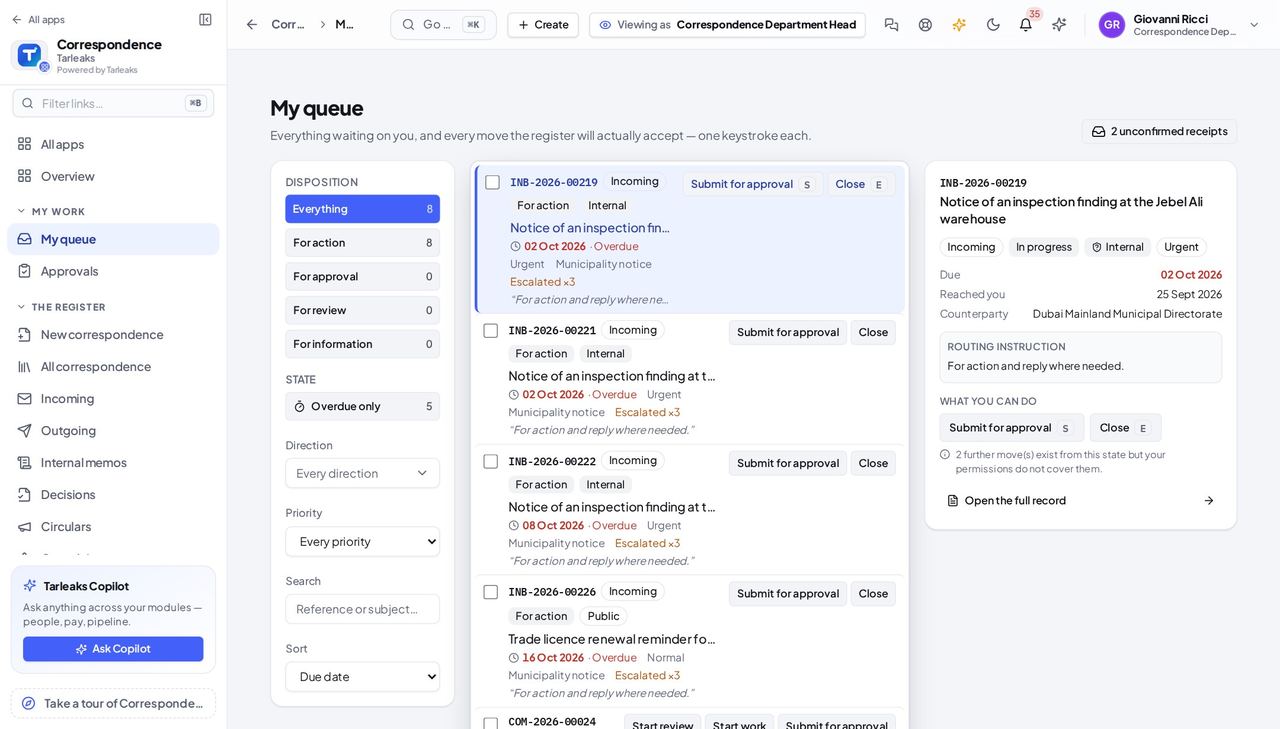
You should see Anything routed to you by name, and anything routed to a department you manage.
Watch out An empty queue with work you know exists usually means you are not recorded as the manager of a department. Ask an administrator to set that; it is what the register scopes your sight on.
Worth knowing If this is empty and you expect work, check that you are recorded as the manager of a department — that is what the register scopes on.
Confirm you received it #
Where My queue » a letter » Confirm receipt
- Open a letter from your queue and choose Confirm receipt.
- Say what actually arrived — 'two of two enclosures' is a useful note.
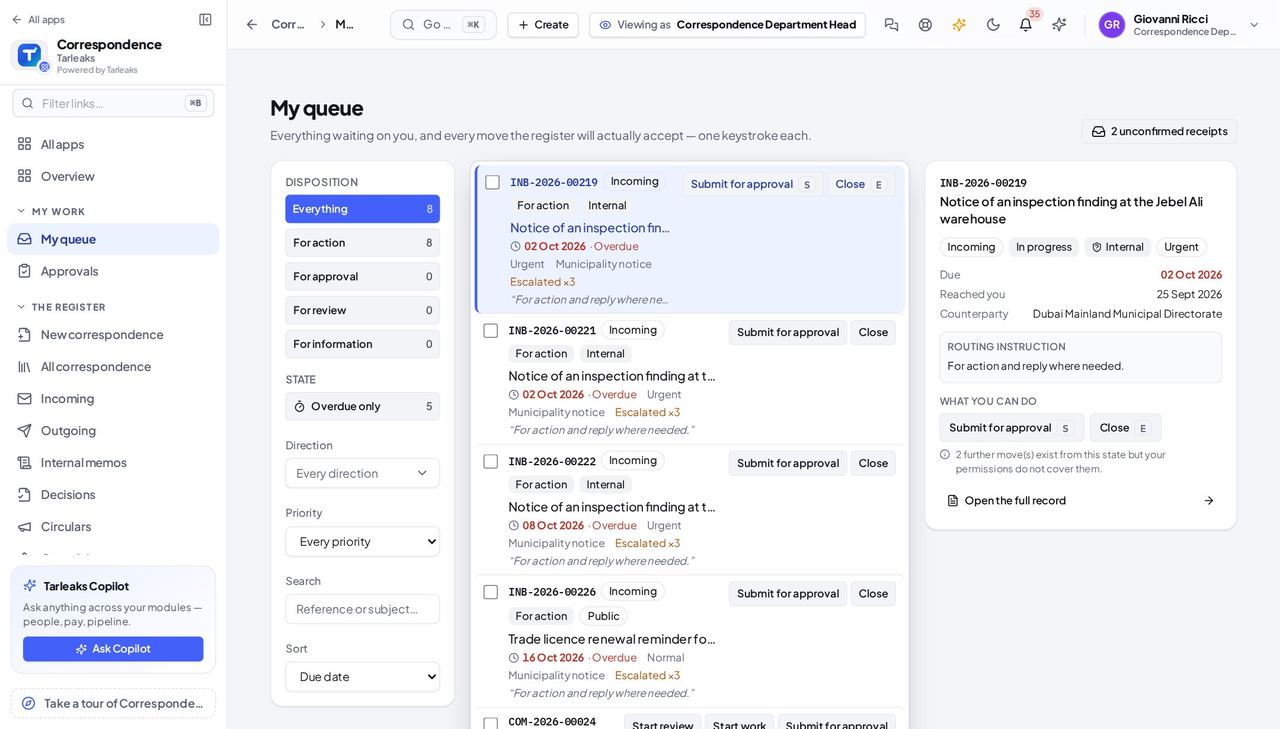
You should see An incoming letter is unread and unchangeable until the person it was sent to says it arrived. That person is you.
Your register, not everybody's #
Where Correspondence » Register
- Open the register.
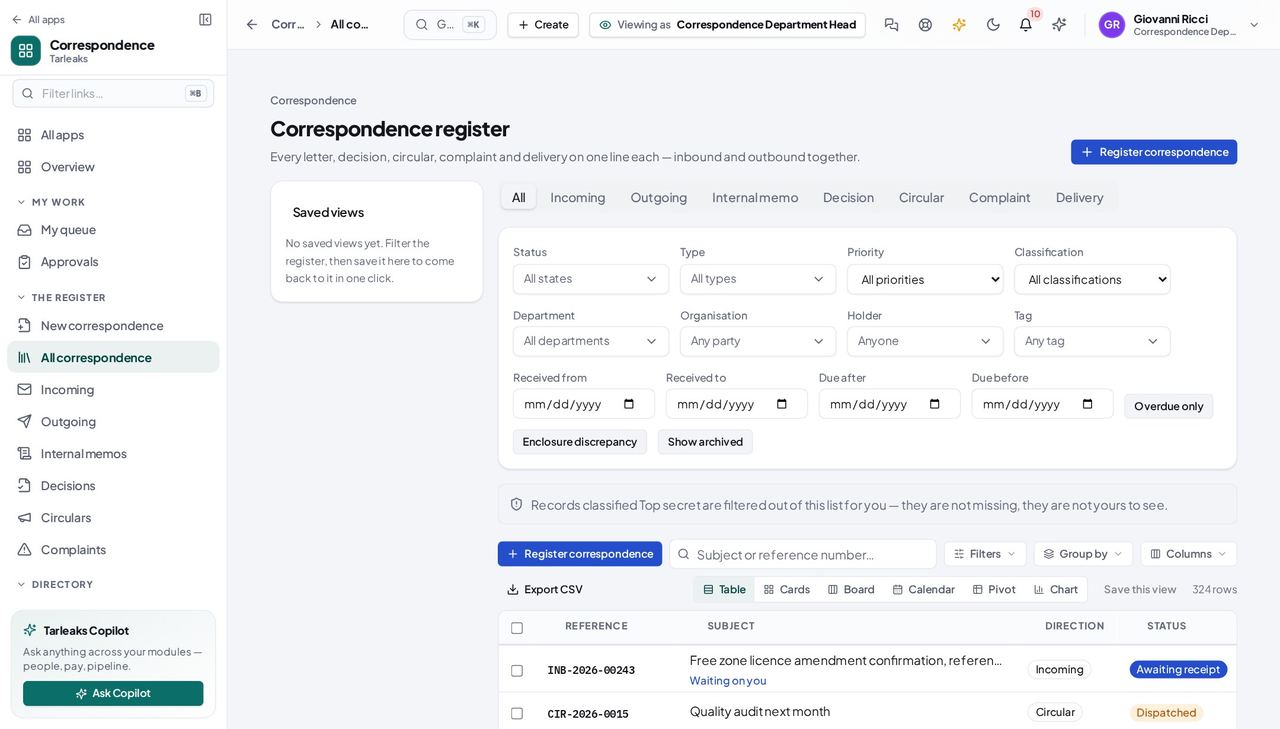
You should see Narrowed to the departments you manage. A letter belonging to another department is not hidden from you — it is not yours.
Pick up a complaint escalated to you #
Where Correspondence » Complaints
- Open Complaints.
- An escalated complaint arrives with the reason attached and its severity raised.
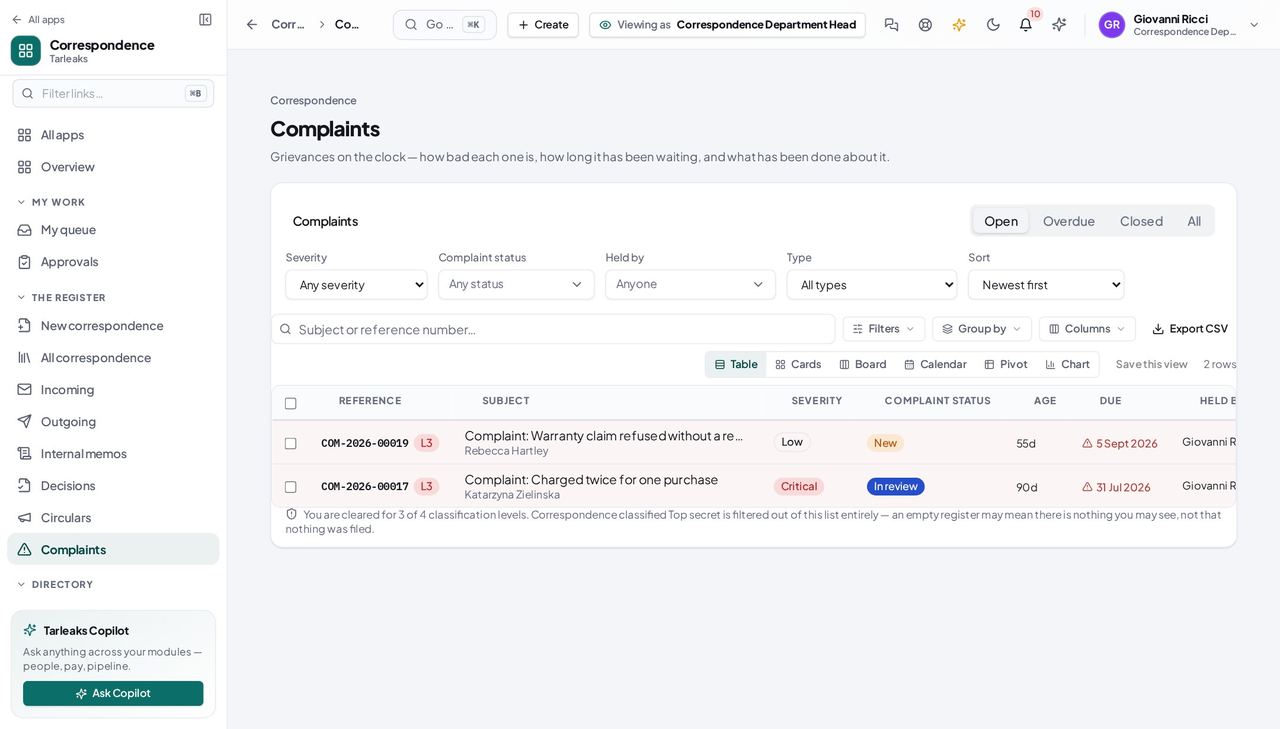
You should see Escalation puts the file on your desk, not just your name in a ledger.
Another department's letter is not yours #
Where Correspondence » Register
- Search the register for a reference belonging to a department you do not manage.
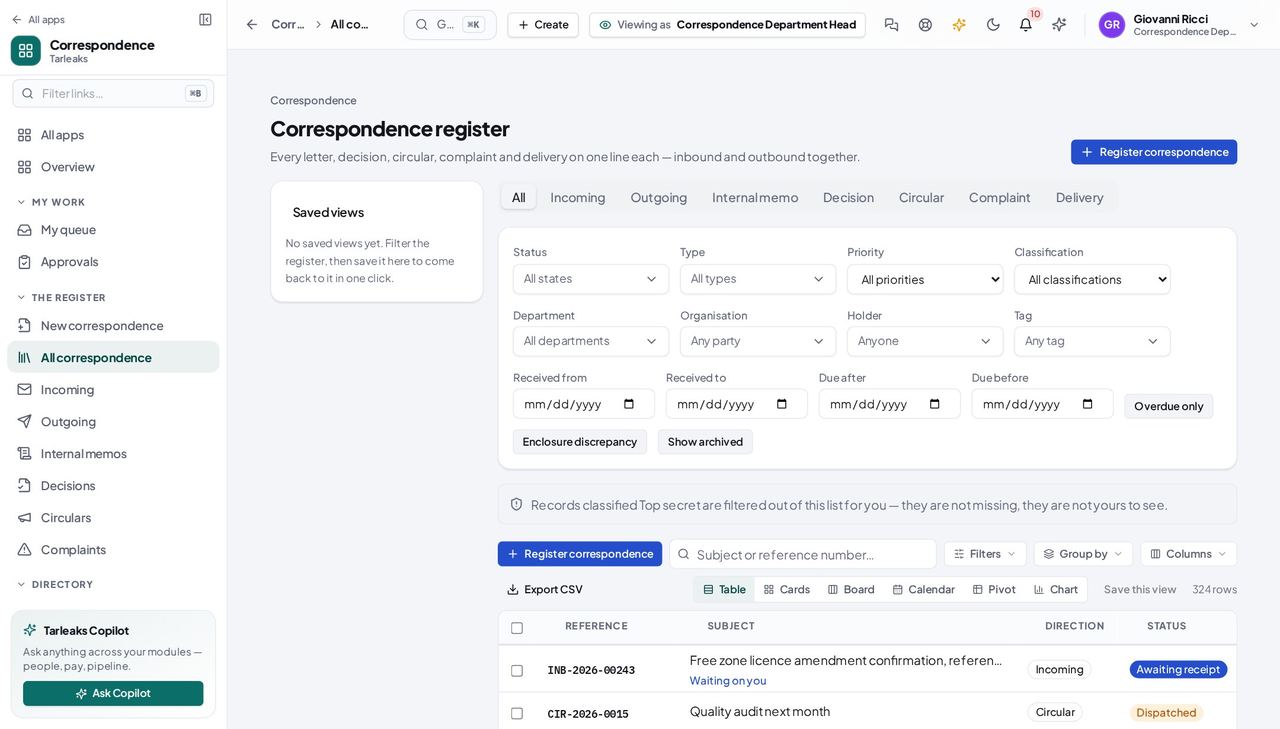
You should see Not hidden — not yours. The register narrows to what you are responsible for, and says so when a search comes back short.
Use cases — the work, step by step
Each one is a sequence somebody actually performs, with the screen behind every step. Every screen here was opened in the product as this role before it was published.
dailyClear your desk #
Your queue is the only screen that shows both what was sent to you personally and what was sent to your department.
Open My queue and read what is waiting.
Correspondence » My queue — verified: the page says “queue” Confirm receipt of anything that arrived — say what actually came, enclosures and all.
My queue » a letter » Confirm receipt — verified: the page says “queue” Open anything the queue offers you. If the queue shows it, you can open it.
Correspondence » Register — verified: the page says “Register”
when it happensTake on a complaint escalated to you #
An escalation is somebody saying this is now above their level. It arrives with the reason attached and its severity already raised.
Open Complaints; the escalated one is in your queue too.
Correspondence » Complaints — verified: the page says “Complaint” Read what has been done so far, then record what you do next.
Correspondence » Complaints — verified: the page says “Complaint”
This role is built on managing a department. If your queue and your register are both empty, the usual cause is that nobody has made you the manager of one — not that there is no work.