Records Archivist — the register guide
Nothing is destroyed by surprise, and every destruction can be accounted for.
Custody and disposal: what is due, what is frozen under legal hold, and the certificate every destruction leaves behind.
What you will be able to do
- See what falls due for disposal before it does
- Freeze a record against disposal for a named matter
- Read the certificate of every destruction, with its checksum
- Know what the nightly sweep did, and to what
What this role can and cannot do
| Can | Cannot |
|---|---|
|
|
11 steps, each one carried out in the product on .
Read the schedule you execute #
Where Correspondence » Archive » Retention
- Open Archive and read the retention rules.
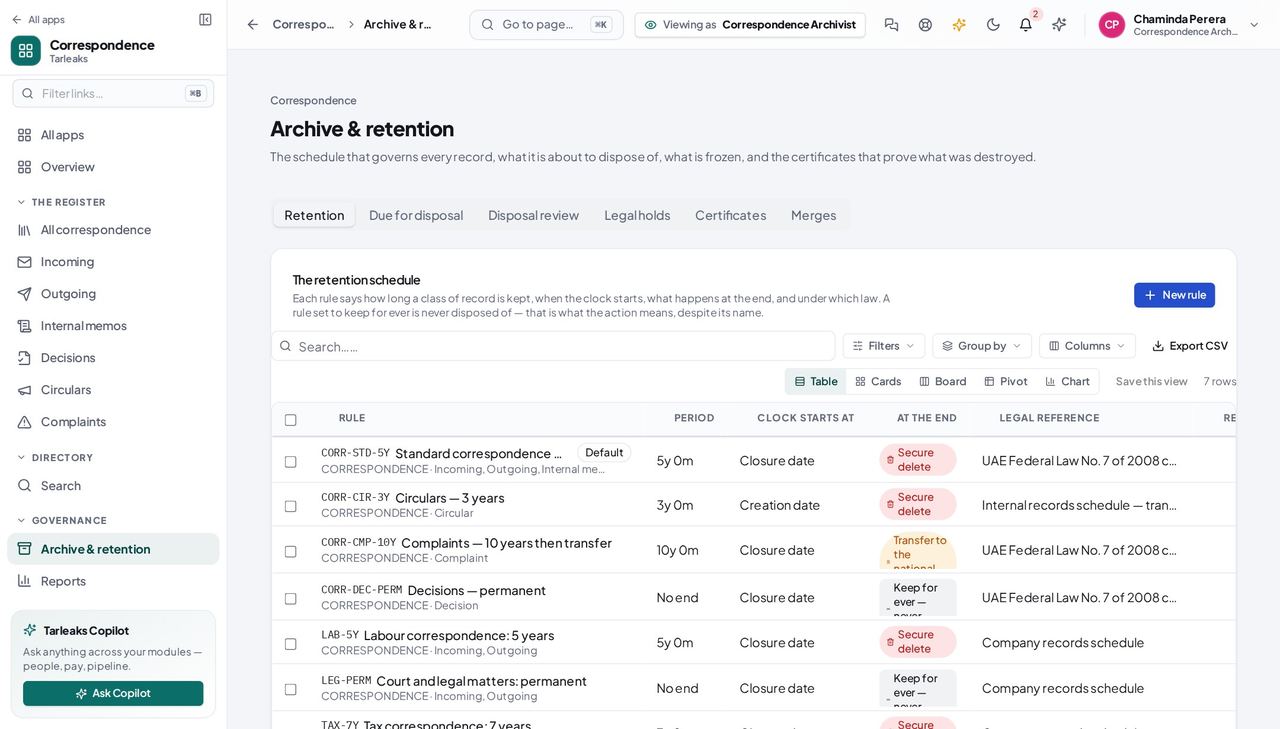
You should see How long, counting from when, and what happens at the end — destroy, or transfer to the national archive, or keep for ever.
See what falls due #
Where Archive » Due for disposal
- Open the Due-for-disposal tab.
- A record frozen under a legal hold shows as held, and is not destroyed.
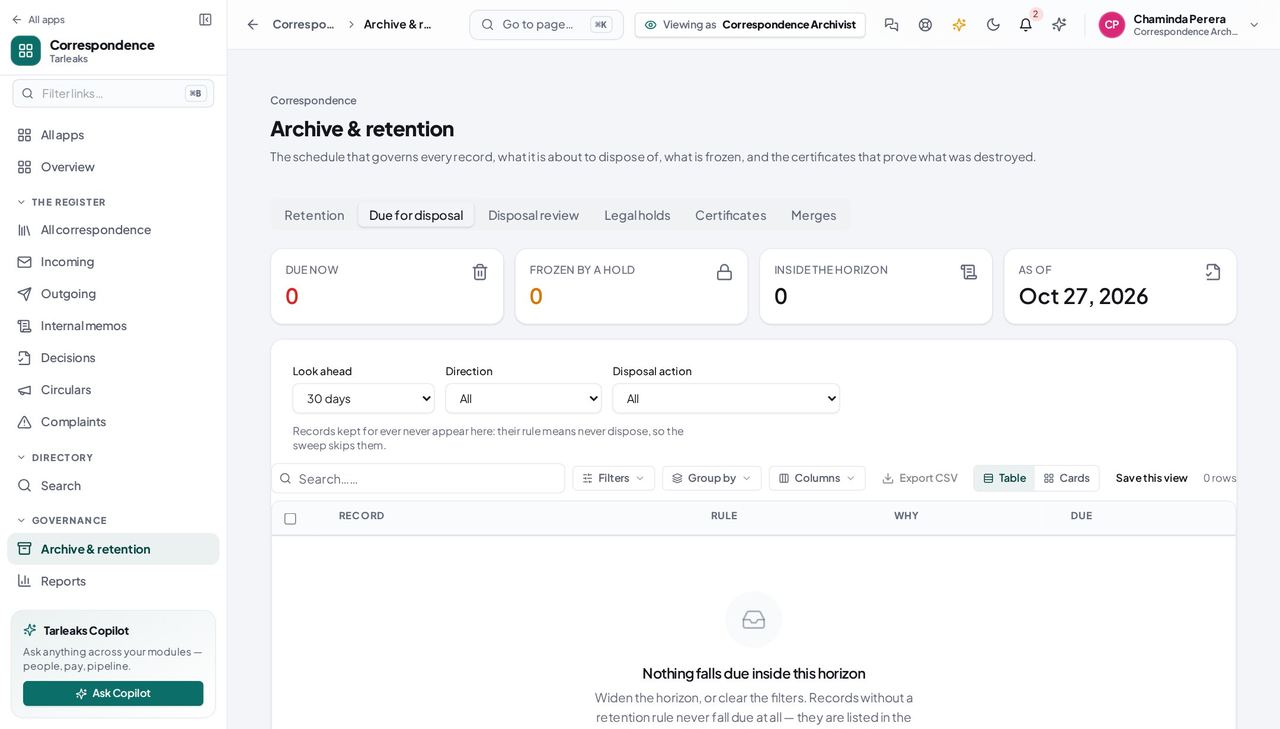
You should see A preview, not a surprise: the sweep destroys nothing that has not been listed here first.
Freeze a record against disposal #
Where Archive » Legal holds
- Sidebar » Archive » Legal holds.
- Place a hold.
- Name the matter it is held for.
| Field | What to put in it |
|---|---|
| Record | The one record this hold freezes |
| Reason | Why it is frozen |
| Matter | The case number, investigation or order it belongs to |
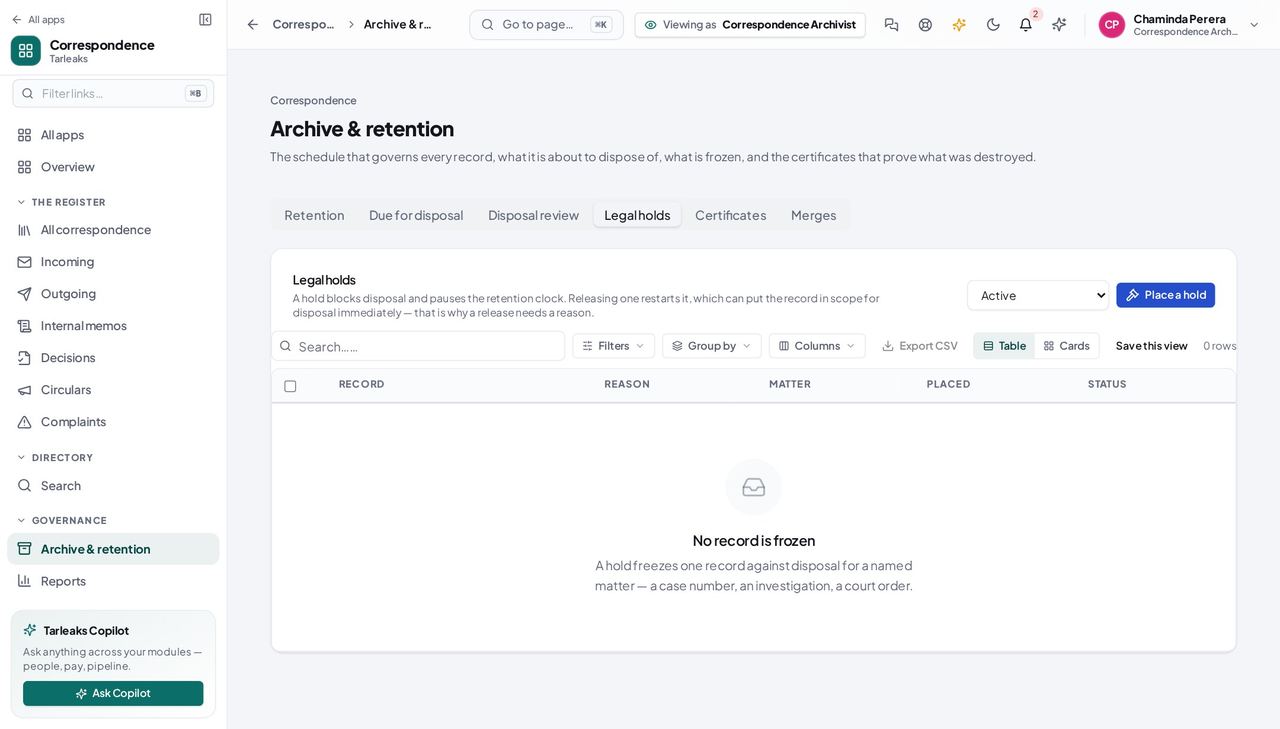
You should see The hold outranks the schedule. Nothing under one is destroyed, by you or by the nightly sweep.
Watch out A hold pauses disposal, not the clock. Release it and the record becomes due again — check the disposal date before you release.
Account for every destruction #
Where Archive » Certificates
- Open Certificates.
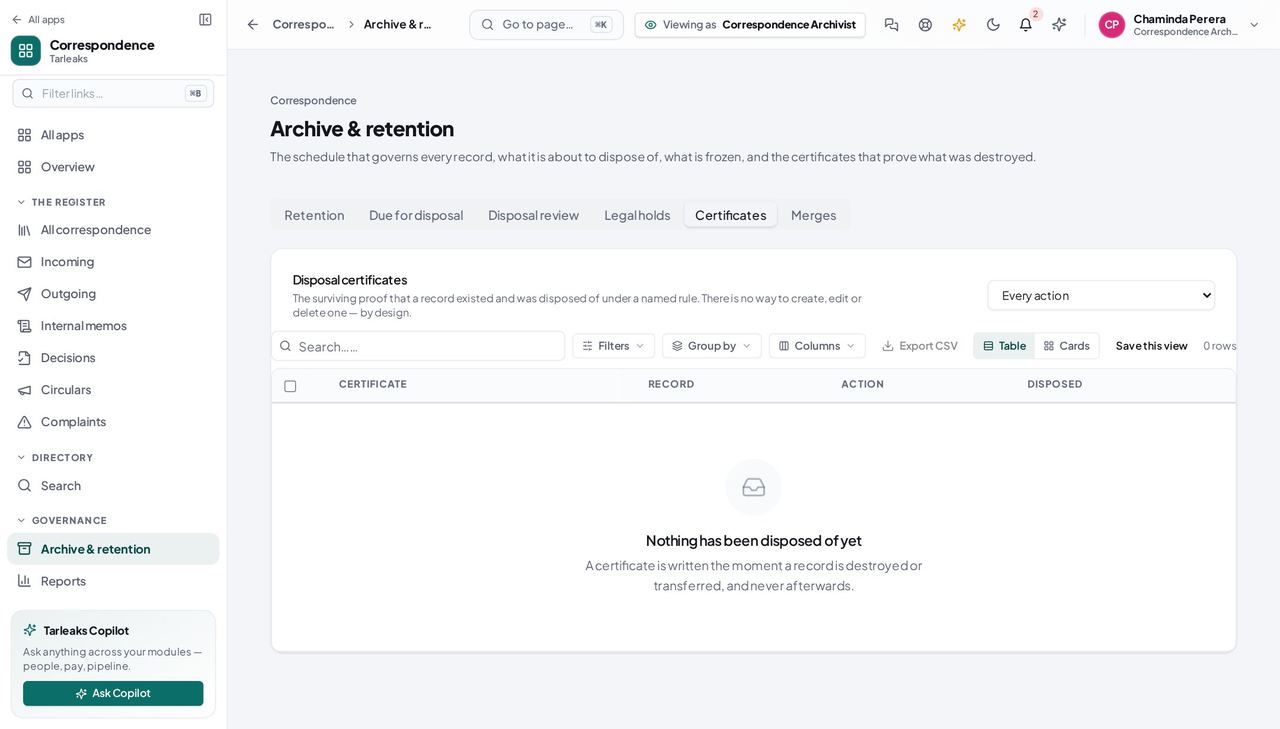
You should see What was destroyed, under which rule, by whom, and what it hashed to on the way out — so a later dispute about the contents has something to check against.
Worth knowing A certificate produced by the nightly sweep names 'Scheduled retention sweep' as the actor. That is the honest answer: nobody chose the moment, the schedule did.
The archive is the register's closed half #
Where Correspondence » Archive
- Open Archive.
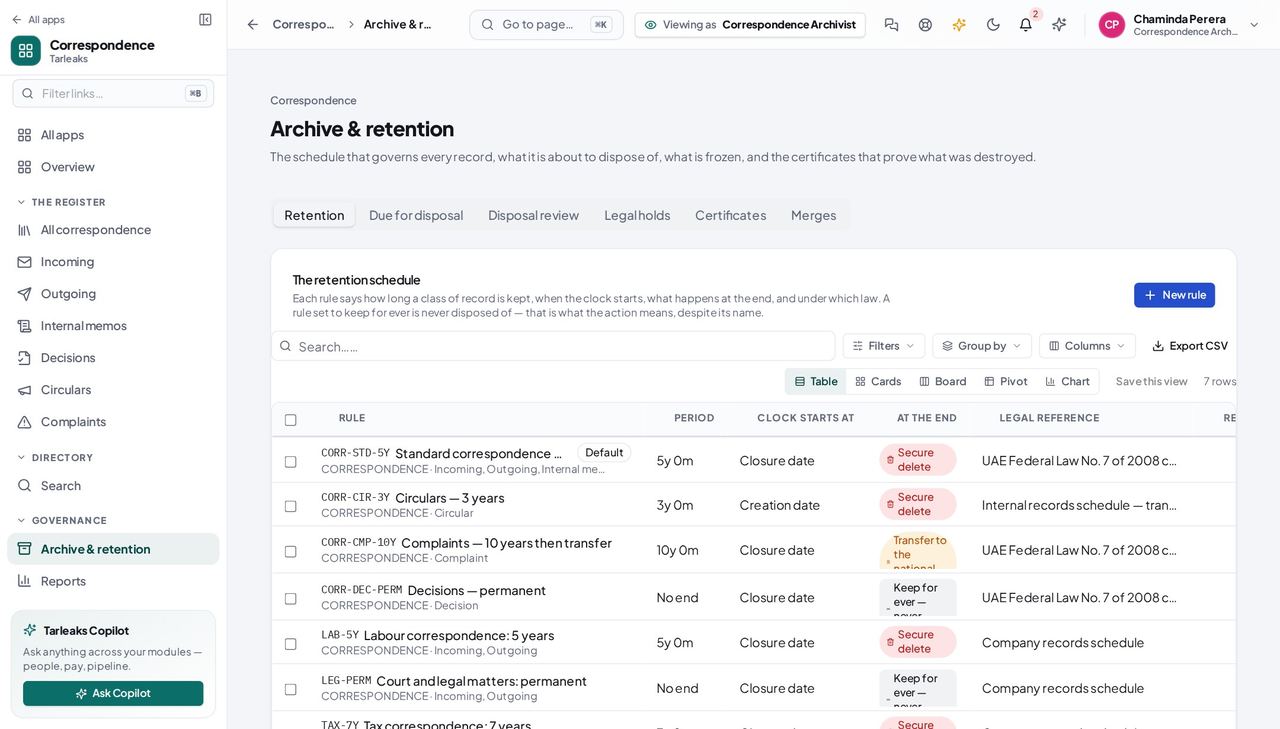
You should see Closed and archived records, still readable and still searchable — an archive is not a deletion.
You keep records; you do not rewrite them #
Where an archived record
- Open an archived record and look for Edit.
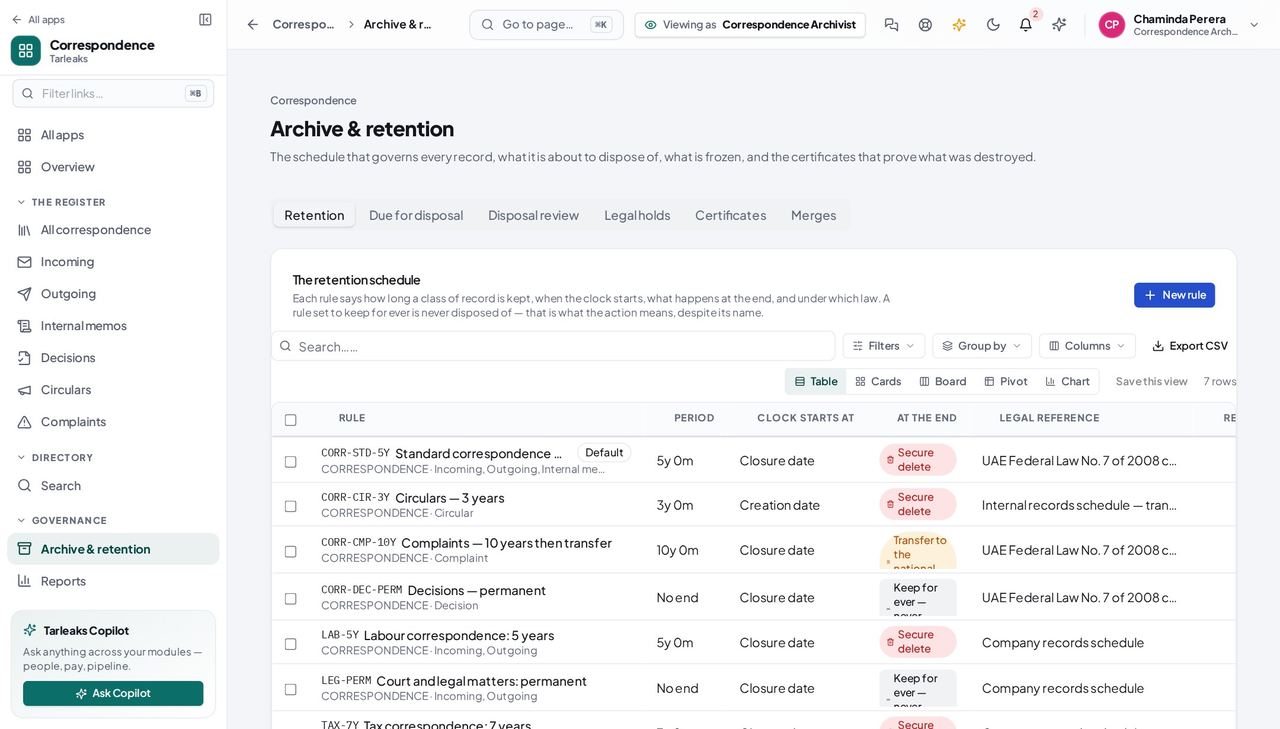
You should see Custody is not authorship. And a record that has been disposed of refuses to be reopened at all — its certificate is permanent.
Send records to the national archive #
Where Correspondence » Archive » Transfers
- Open Archive and click Transfers.
- Ready for transfer lists the closed records whose rule ends in a transfer and whose time has come.
- Tick the ones going together and pack them into a batch; the batch keeps a manifest of what left.
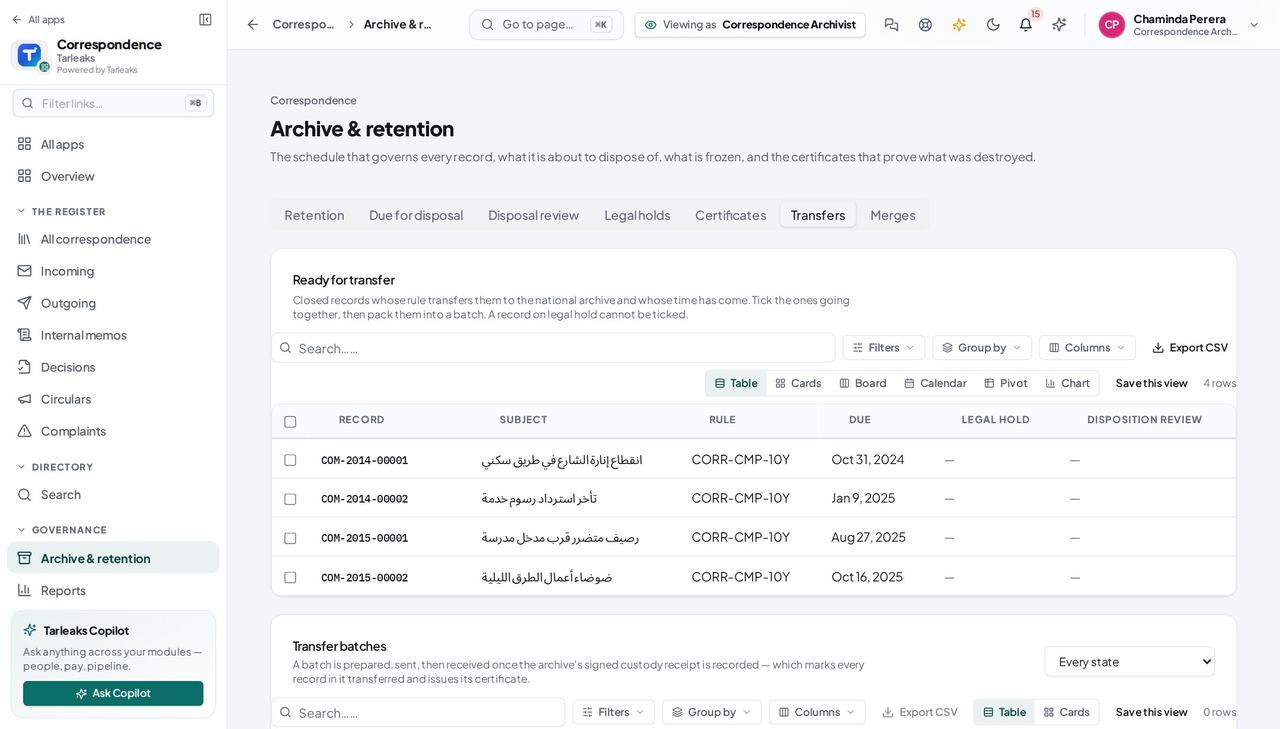
You should see The receiving authority comes from the retention rule (by default the national archive of your country pack), so the custody trail says who took the records — a transfer is never mistaken for a loss.
Worth knowing A record on legal hold cannot be ticked until the hold is lifted.
Start a transfer rule from the country pack #
Where Correspondence » Archive » Retention » New rule
- Sidebar » Archive.
- Click the Retention tab.
- Click New rule.
- Set At the end to Transfer to the national archive.
| Field | What to put in it |
|---|---|
| Years / Months | Filled in from the country pack; type over them once the National Archives confirm yours |
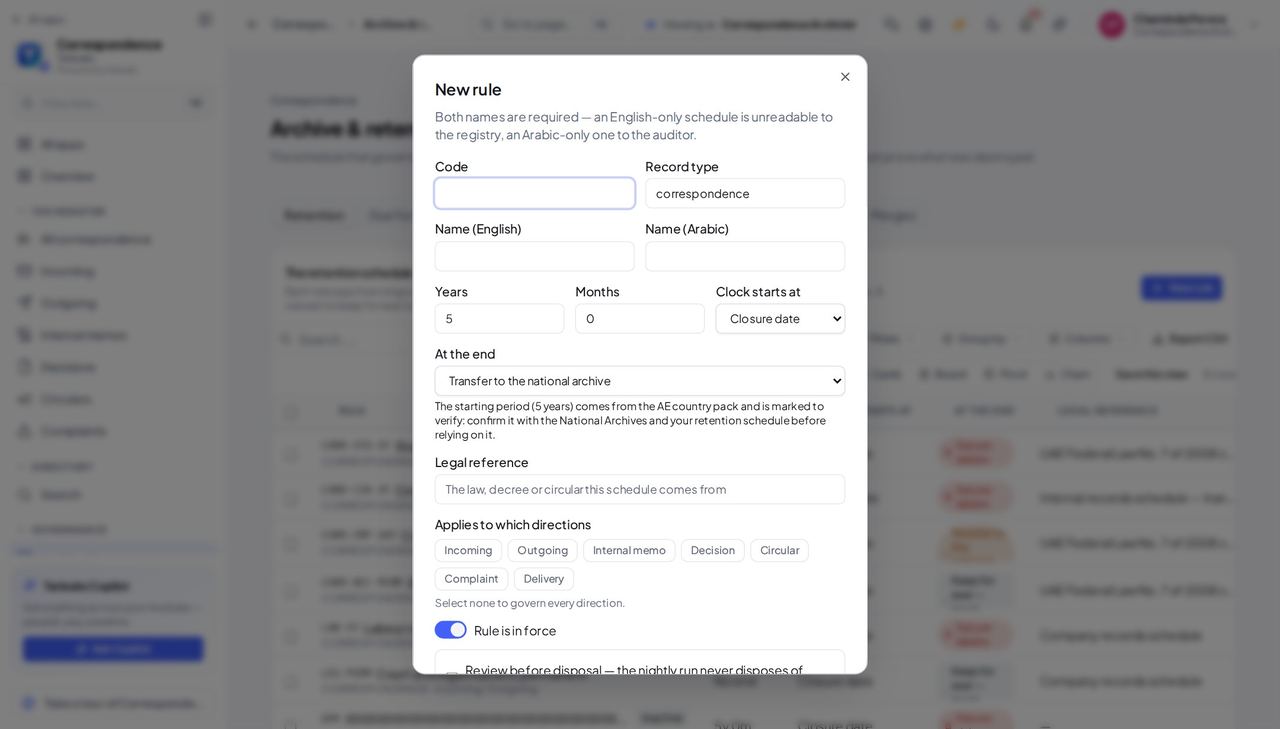
You should see The line under the action says the period comes from the country pack and is marked to verify: confirm it with the National Archives and your retention schedule before relying on it.
Watch out The pack value is marked to verify. Saving it is allowed, but confirm it with the National Archives first.
Worth knowing Editing an existing rule never changes its period by itself; only a new rule starts from the pack.
See which records wait for a disposition review #
Where Correspondence » Archive » Transfers
- Sidebar » Archive.
- Click the Transfers tab.
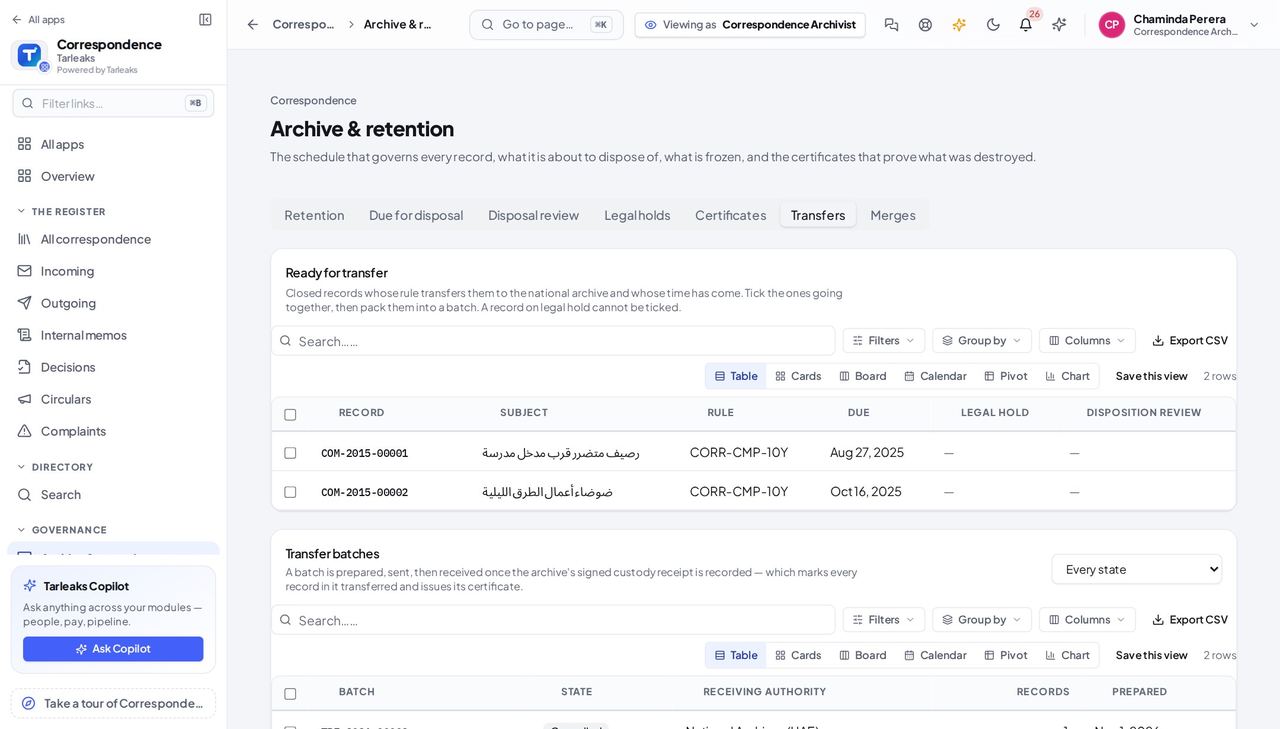
You should see A transfer is a disposal, so while disposition reviews are switched on, a record that needs one — its rule asks for a review before disposal, or its classification is at or above the company's review threshold — says Waiting for disposition review and cannot be ticked until a review approves it. One waiting record no longer gets a whole batch refused.
Worth knowing A dash in the column means the record is not waiting for a review: it needs none, or a review already approved it.
Print the transfer form, or make it as a PDF #
Where Correspondence » Archive » Transfers
- Sidebar » Archive.
- Click the Transfers tab.
- Click a batch number in Transfer batches.
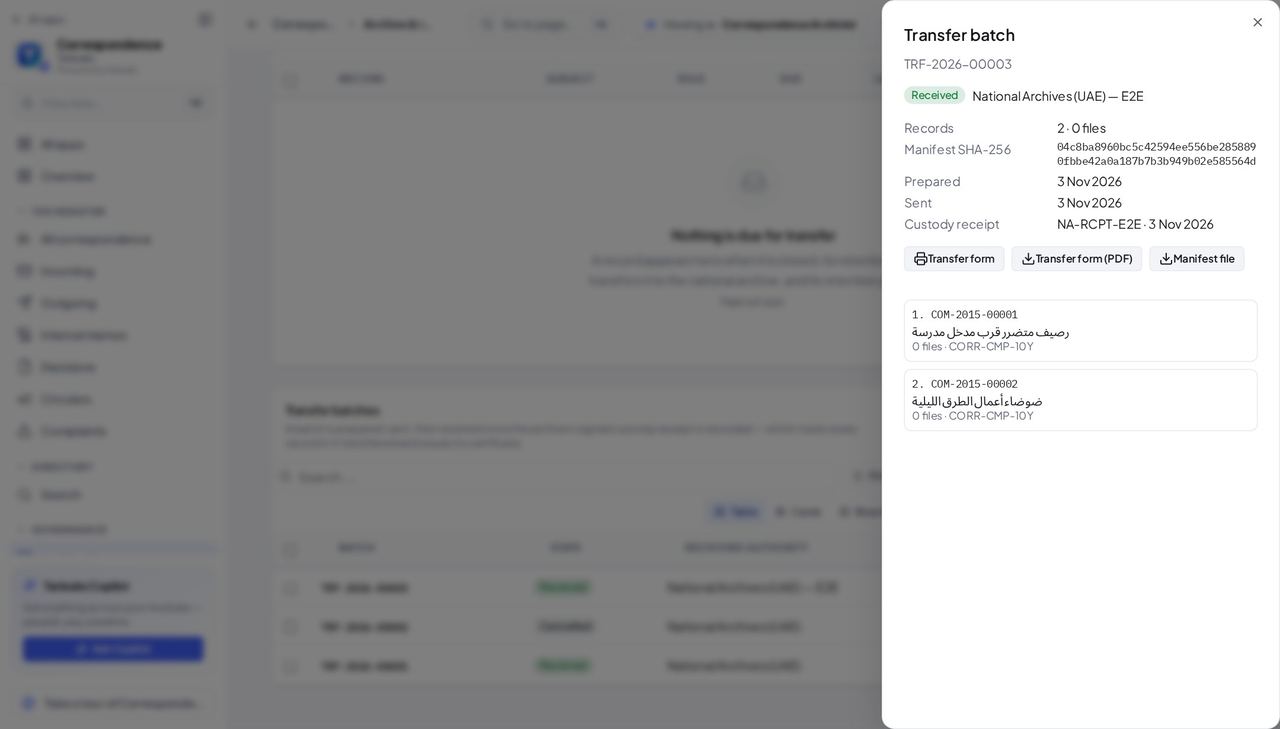
You should see The PDF is made by the server and also travels inside the package for the national archive, so what you print and what the archive receives are the same sheet.
Worth knowing If the PDF cannot be made the package is still made without it, and a message says why.
Read the date the retention counts were taken #
Where Correspondence » Archive » Due
- Sidebar » Archive.
- Click the Due tab.
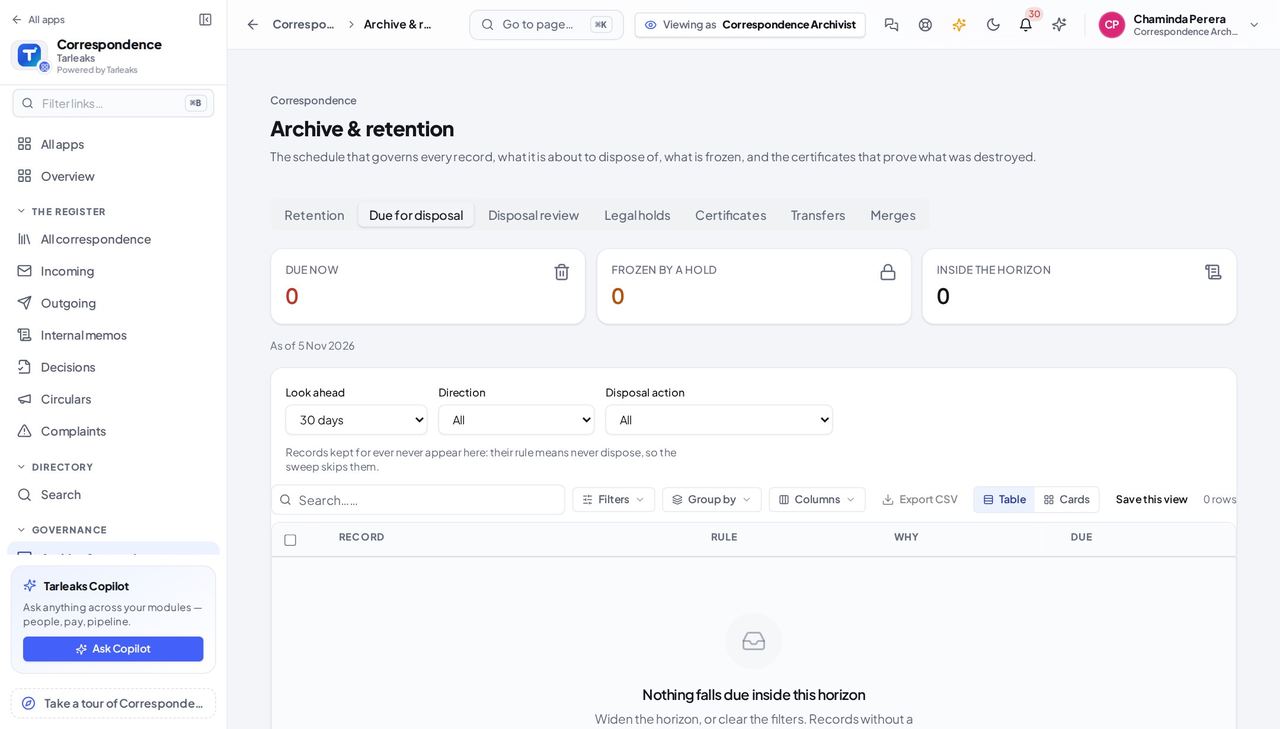
You should see The counts above it were taken on that date. It is a plain line, not a tile, because there is nothing behind it to open.
Use cases — the work, step by step
Each one is a sequence somebody actually performs, with the screen behind every step. Every screen here was opened in the product as this role before it was published.
monthly, before the sweepReview what is about to be destroyed #
The nightly sweep runs unattended. This screen is the only chance anybody has to look first.
Open Due for disposal and widen the horizon.
Archive » Due for disposal — verified: the page says “disposal” For anything contentious, place a legal hold and name the matter. A hold outranks the schedule.
Archive » Legal holds — verified: the page says “hold”
when auditedAccount for a destruction somebody asks about #
A certificate that names no actor and hashes nothing is not evidence. One that does is the answer to the question.
Open Certificates and find the record by its reference.
Archive » Certificates — verified: the page says “ertificate” Read what it says: the rule, the action, who did it, and the checksum of the content at the moment it was destroyed.
Archive » Certificates — verified: the page says “ertificate”
urgentFreeze a file because a matter has started #
A hold placed after the sweep has run is a hold placed too late.
Open Legal holds and place one on the record, naming the case or investigation it belongs to.
Archive » Legal holds — verified: the page says “hold” Check Due for disposal afterwards: the record now shows as held rather than due.
Archive » Due for disposal — verified: the page says “disposal”
A certificate that names no actor and hashes nothing is not evidence. Every disposal — yours or the schedule's — now names one and carries one.