Partner sales — Partners guide
Bring in new clients: share the link, register deals, and see who is live.
Brings new clients: shares the partner's link, registers deals before the client signs up, and follows which clients are live. Sees no amounts.
What you will be able to do
- Copy the company's referral link and share it
- See which clients are live, on trial or waiting for payment
- See every deal you and your colleagues registered, and what became of it
- Register a deal before the company signs up
What this role can and cannot do
| Can | Cannot |
|---|---|
|
|
6 steps, each one carried out in the product on .
What sales sees #
Where Partner portal » Dashboard
- Open partner.tarleaks.com and sign in with your e-mail address and password.
- The Dashboard opens.
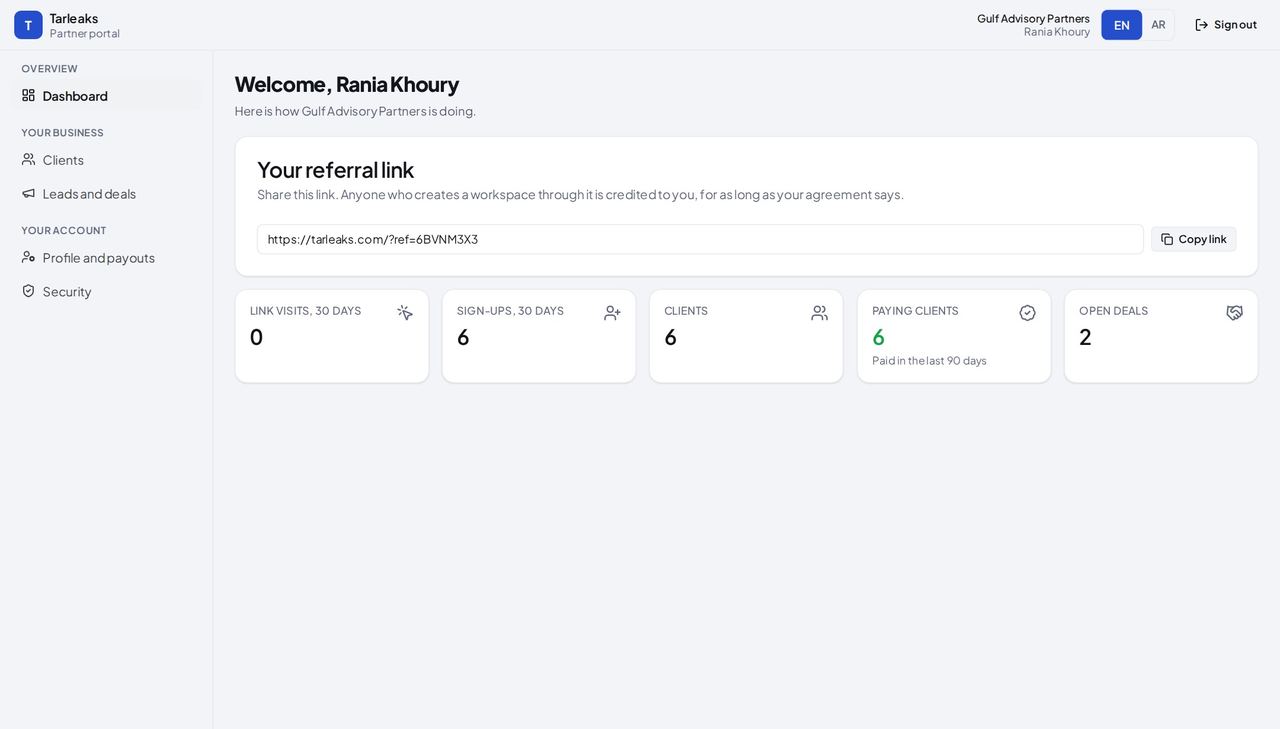
You should see The referral link, link visits, sign-ups, clients, paying clients and open deals. No amount, no payout and no bank detail.
Watch out The menu has no Commission, Statements, Payouts, Documents or Team; that is your role, not a fault.
Share the link #
Where Partner portal » Dashboard » Your referral link
- On the Dashboard, press Copy link.
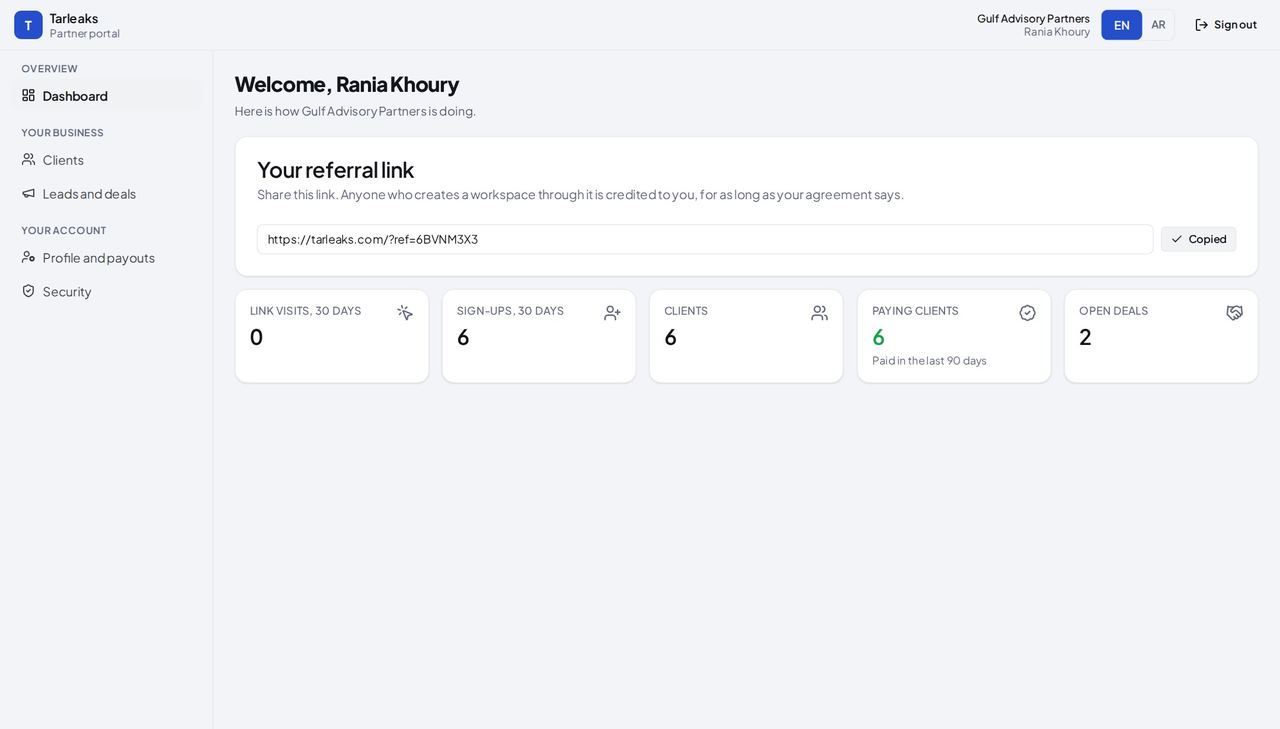
You should see The button says Copied. It is the same link as the owner's: a sign-up through it is credited to your company.
Watch out Send the link before the company signs up; or register a deal first.
Clients, without amounts #
Where Partner portal » Clients
- Open Clients.
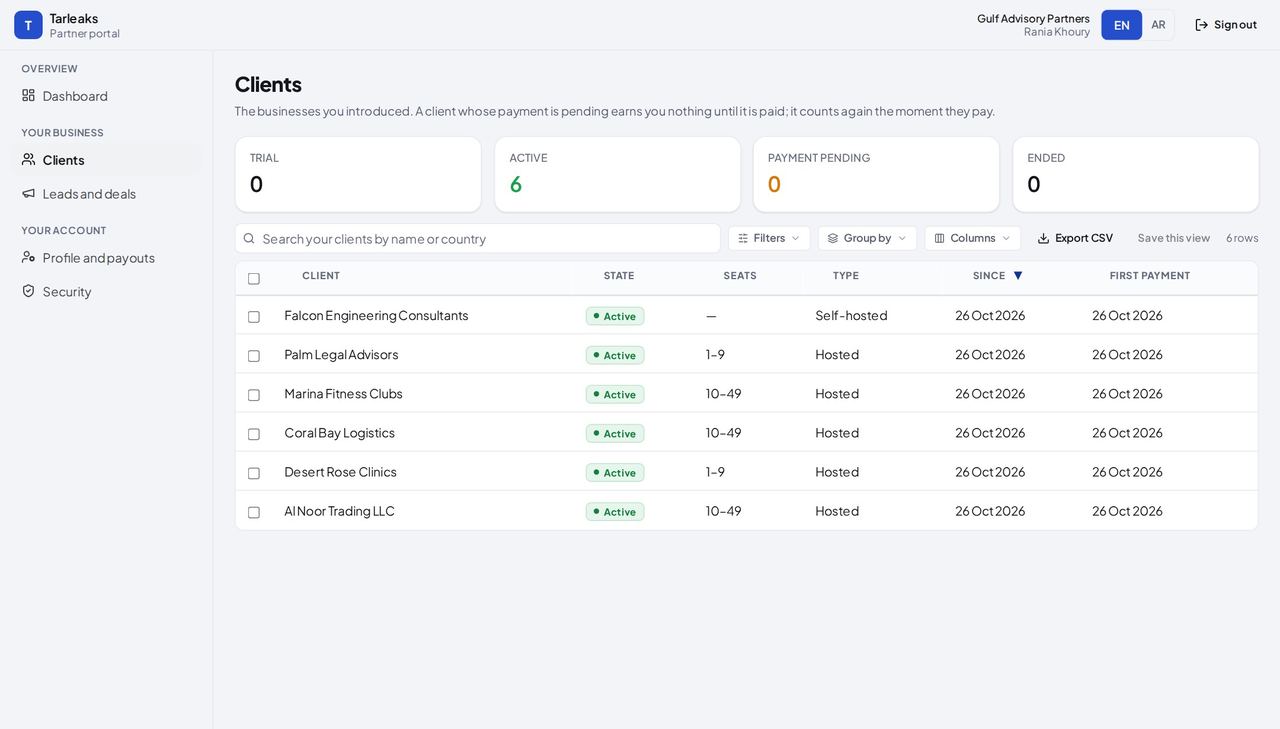
You should see Which companies are live, on trial or waiting for payment, their size and since when. There is no Commission earned column for you.
Watch out Payment pending means the client has not paid yet; follow up with them, not with the partner team.
Leads and deals #
Where Partner portal » Leads and deals
- Open Leads and deals.
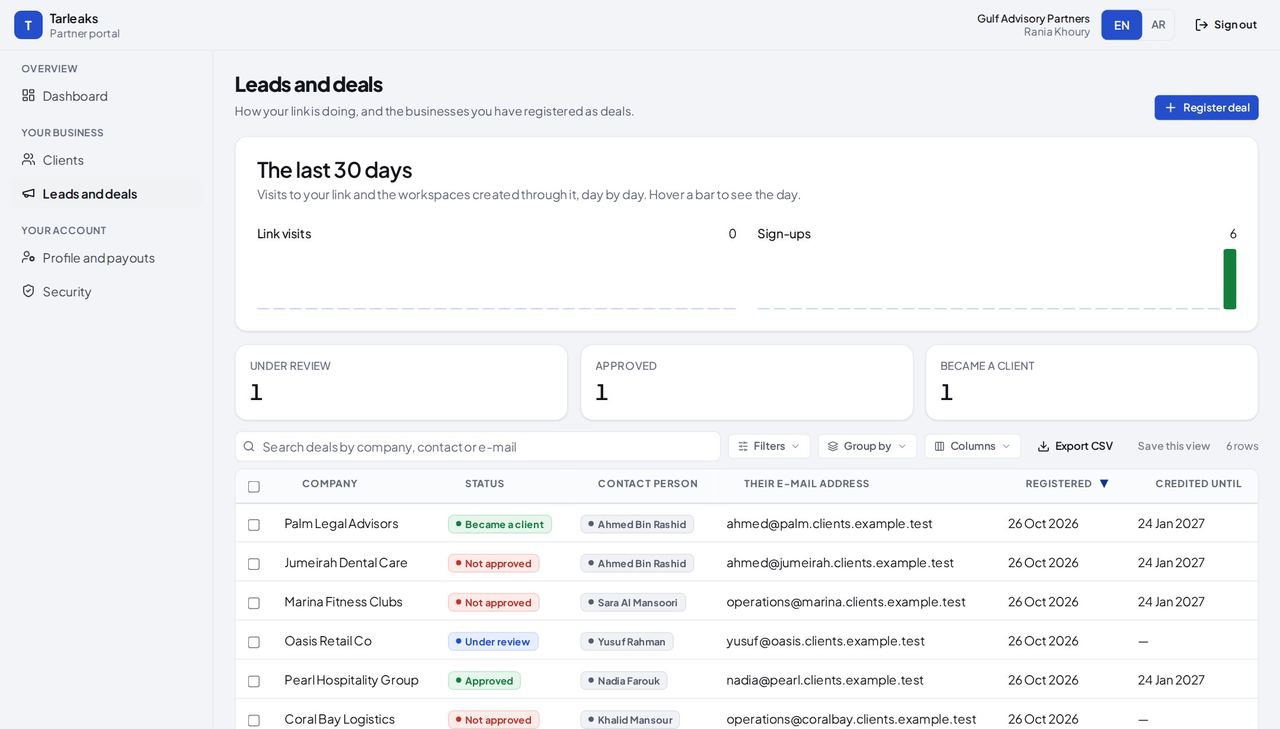
You should see The link's last 30 days, then every deal you and your colleagues registered, with its status and until when it is credited to your company.
Watch out A deal that passes Credited until without a sign-up expires; register it again if you are still talking.
Register a deal #
Where Partner portal » Leads and deals » Register deal
- Open Leads and deals.
- Press Register deal.
- Fill in the form.
- Press Register deal at the bottom of the window.
| Field | What to put in it |
|---|---|
| Company | The business you are talking to. Required. |
| Contact person | The person you deal with there. |
| Their e-mail address | Their work address at the company's own domain. Required: it is how their sign-up is matched to your deal. |
| Country | Where the company is. |
| Expected number of users | About how many people will use it. |
| Anything we should know | A sentence for the partner team, for example where you met. |
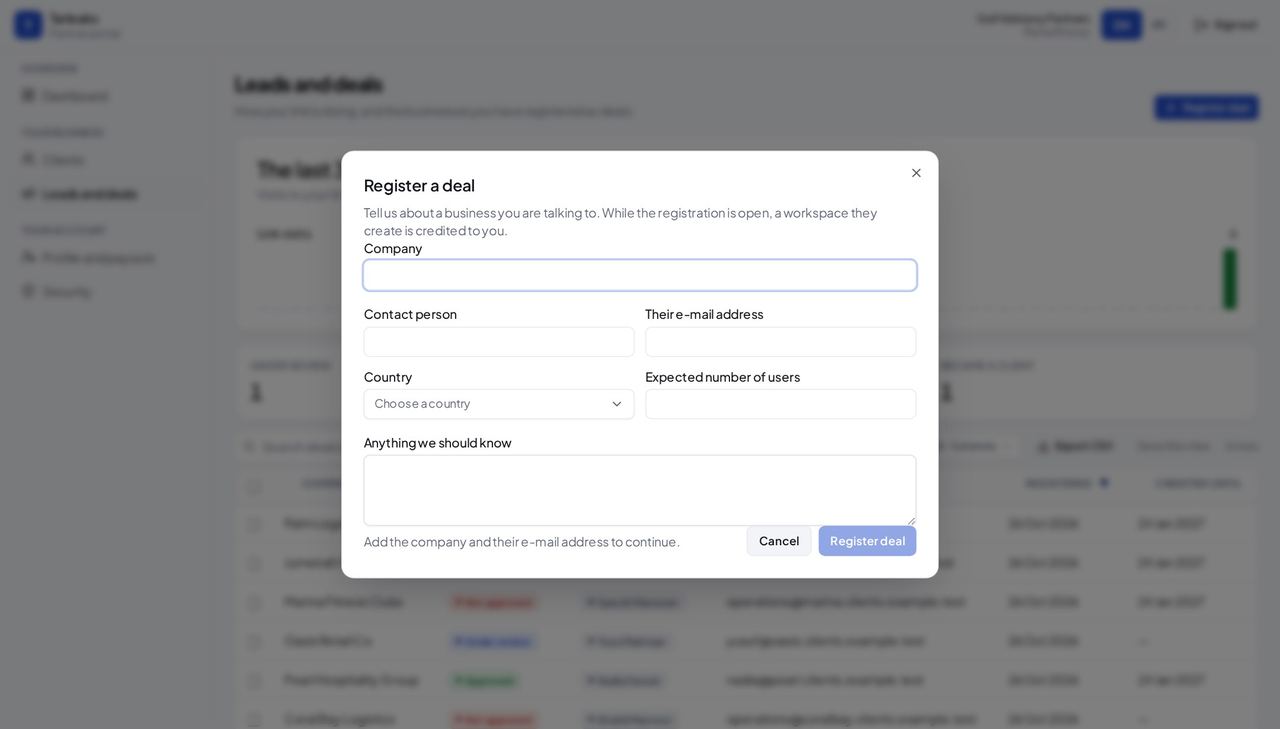
You should see The deal is listed as Under review. Once the partner team approves it, a workspace that company creates is credited to your company.
Watch out Register before the company creates its workspace.
Worth knowing Use the e-mail address at the company's own domain: that is how its sign-up is matched to your deal.
No money for sales #
Where Partner portal » Commission (not in your menu)
- Look at the menu.
- If you type the Commission page's address, the page says This is not available right now.
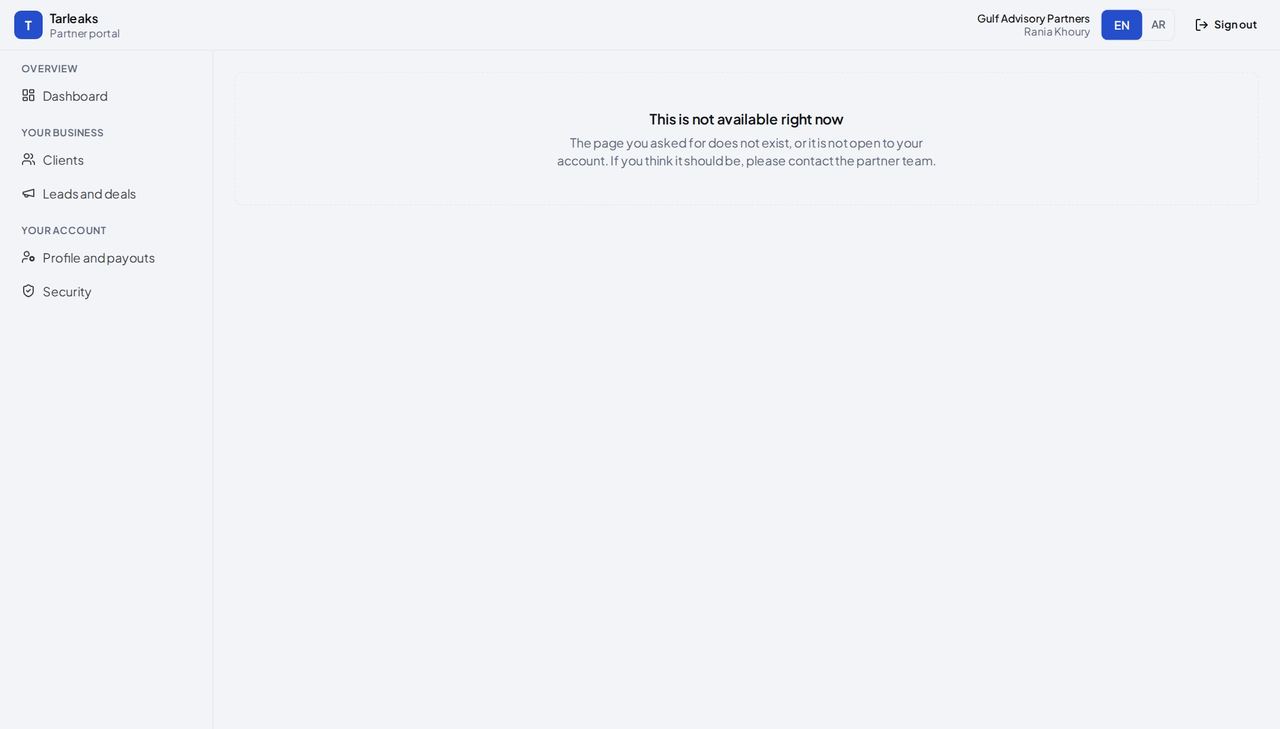
You should see Amounts, payouts and documents belong to the owner and finance; the server refuses them for your sign-in too.
Watch out If you need to know what a client earned, ask the owner or finance.
Use cases — the work, step by step
Each one is a sequence somebody actually performs, with the screen behind every step. Every screen here was opened in the product as this role before it was published.
every new prospectRegister a deal before the demo #
The first partner to register a company's deal holds it for 90 days. A conflict between two partners is decided by the platform's partner team.
Press Register deal and fill in the company and the contact.
Partner portal » Leads and deals » Register deal — verified: the control is offered; the page says “Register a deal” Follow it on Leads and deals.
Partner portal » Leads and deals — verified: the page says “Pearl Hospitality Group”; the page says “Oasis Retail Co”; the page says “The last 30 days”; 6 row(s) listed When the company signs up, it is on Clients — without amounts.
Partner portal » Clients — verified: the page says “Al Noor Trading LLC”; the page says “Coral Bay Logistics”; the action is not offered to this role; no “Commission earned” anywhere on the page; no “AED” anywhere on the page; 6 row(s) listed; the action is not offered to this role; the action is not offered to this role; the action is not offered to this role; the action is not offered to this role
You never see an amount, a payout or a bank detail. Commission, statements, payouts and documents are not in your menu, and the server refuses them for your sign-in.