Tenant Administrator — Projects guide
Set delivery up once, so every project starts the same way.
Sets the rails: which way of working a project runs on, what a work item can be called, which templates start a project, which automations chase it — and reads the audit trail when somebody asks who changed what.
What you will be able to do
- Choose the way of working each project runs on, and what that turns on
- Name the work items in your business's own words
- Install templates so a project starts from a blueprint, not a blank page
- Automate the chasing nobody enjoys, and let an agent do the writing
- Answer 'who changed that, and when' from the audit trail
What this role can and cannot do
| Can | Cannot |
|---|---|
|
|
12 steps, each one carried out in the product on .
Check what your sign-in can do #
Where Your name, top right » Profile
- Open your company's address in the browser — it looks like yourcompany.tarleaks.com.
- Type the e-mail address your administrator set up for you, then your password.
- You land on the app launcher: a grid of the apps your company uses.
- Click your name, top right.
- Choose Profile.
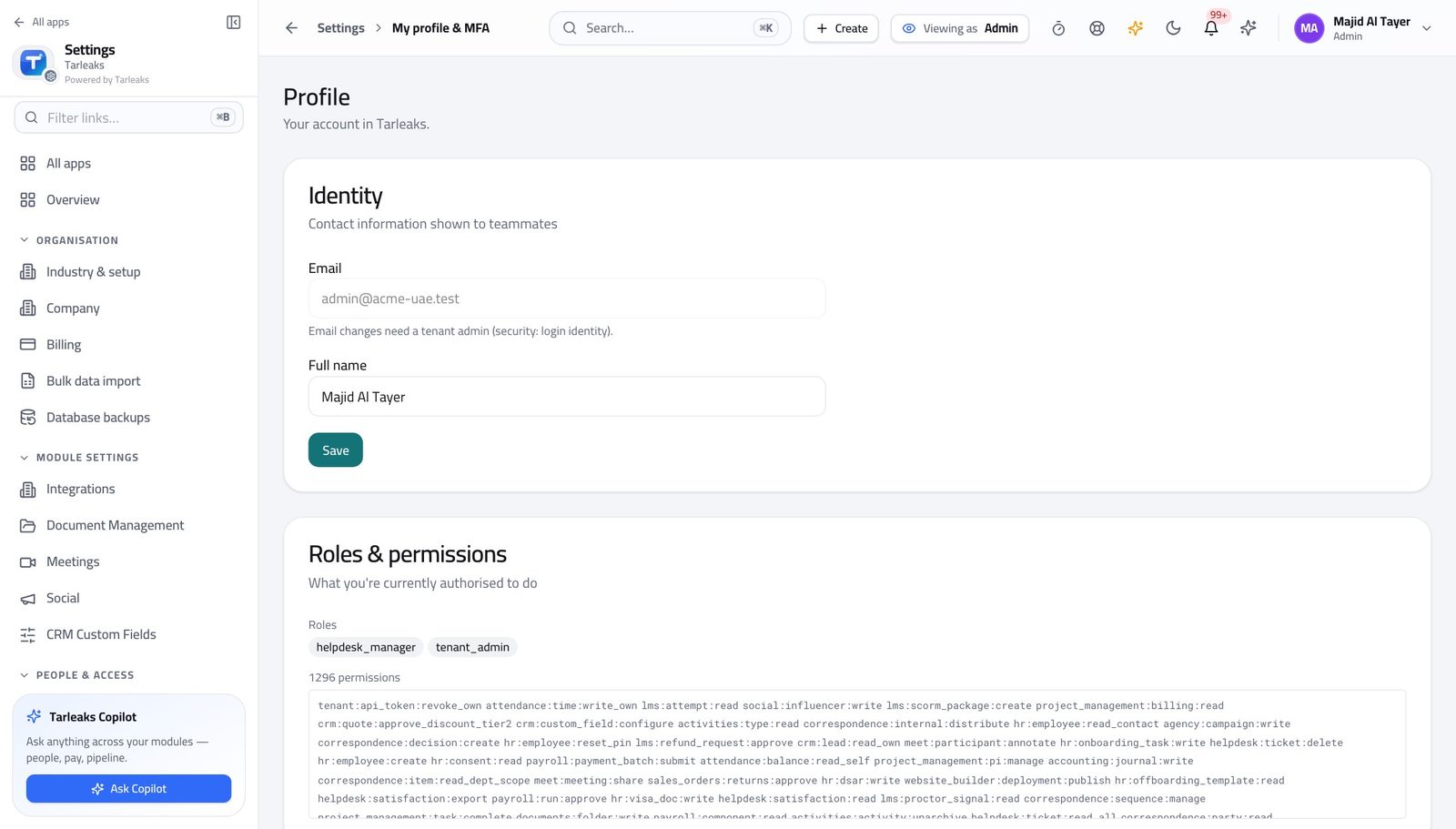
You should see It lists the tenant-administrator role. Templates, automations, work-item types, ways of working and the audit trail are yours.
See every project in the business #
Where Projects » All projects
- Open Projects.
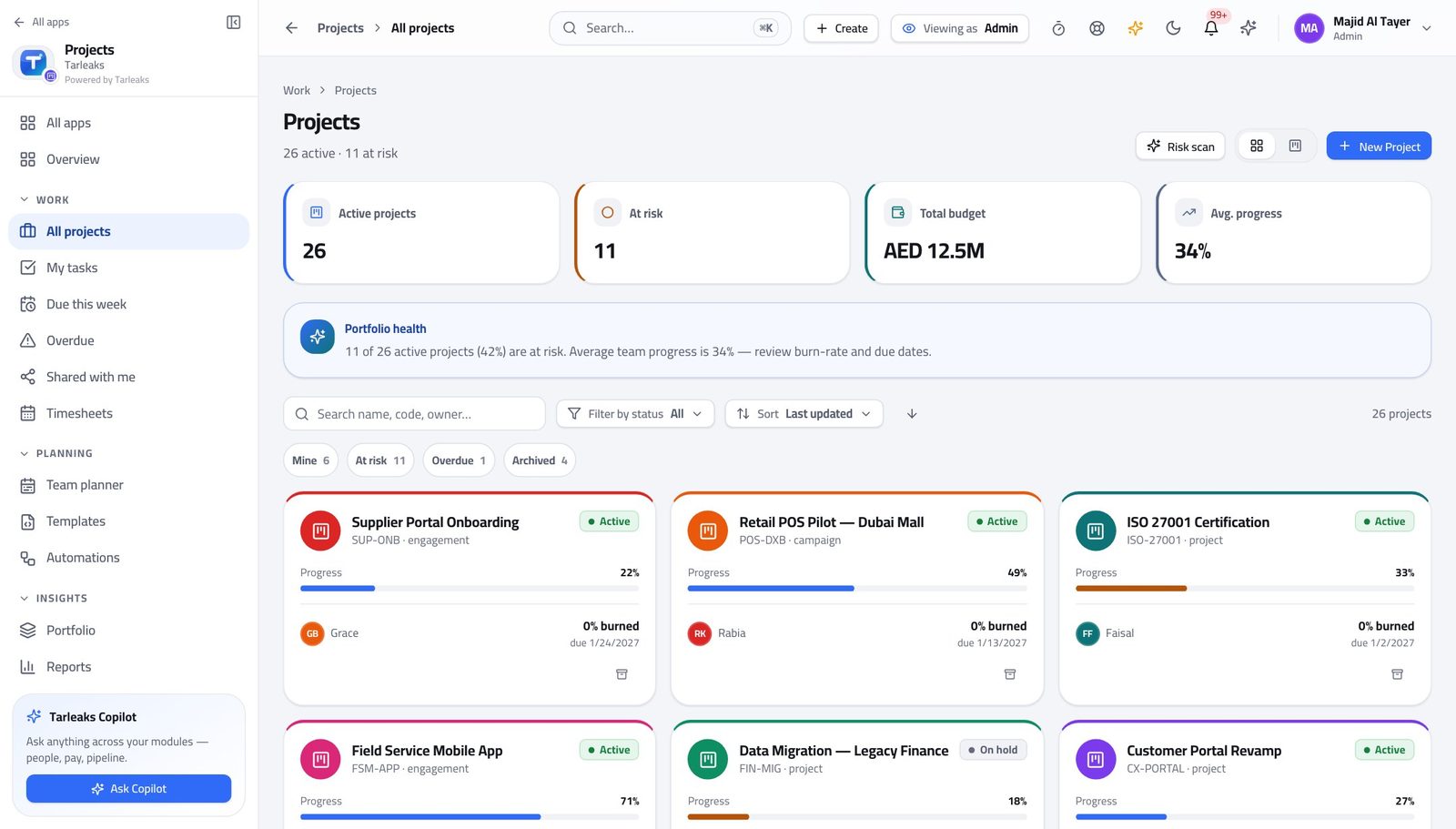
You should see You can answer a governance question without asking a project manager to export anything.
Watch out Seeing everything is not the same as running anything. Resist re-planning somebody else's project from here.
Worth knowing Seeing every project is not the same as running one. Creating and planning day to day is the project manager's job; you make sure the rails exist.
Start projects from a blueprint #
Where Projects » Templates
- Open Templates.
- Open one and read what it creates.
- Create template for a new blueprint, or Edit an existing one.
- Add stage, then name it, to change the board a new project starts with.
| Field | What to put in it |
|---|---|
| Name | What a project manager will pick from a list. |
| Code | The short key the template is referred to by. Keep it stable. |
| Industry | Which businesses this blueprint is meant for. |
| Stages | The board columns every project from this template starts with. |
| Sample tasks | The first work items, so a new project is never a blank page. |
| Labels | The grouping vocabulary the project inherits. |
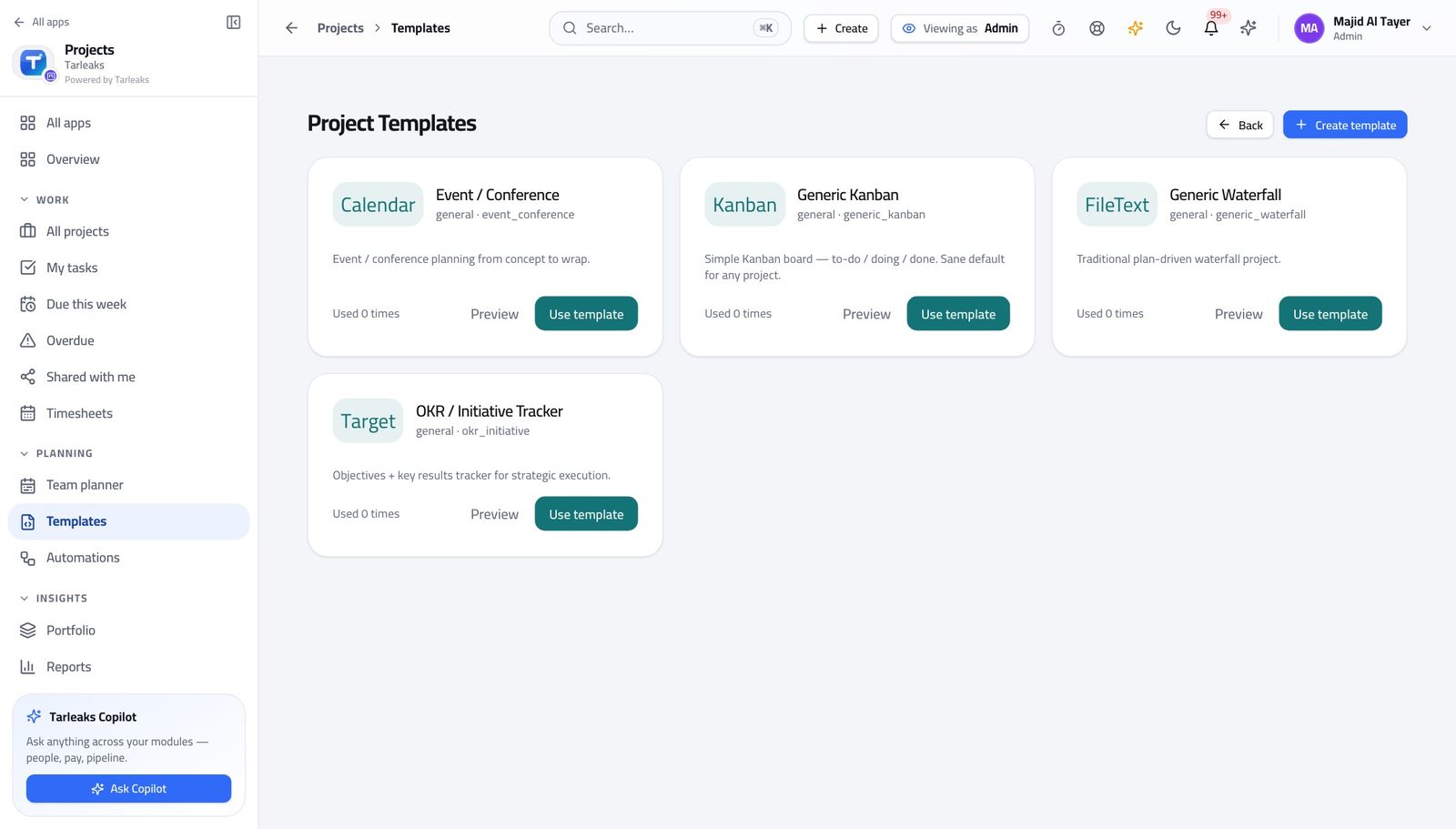
You should see A template means every project of that kind starts the same way — which is what makes reporting across them mean anything at all.
Watch out Editing a template does not change projects already created from it. That is deliberate; do not expect a fix to propagate.
Worth knowing Changing a template does not reach into projects already created from it. That is deliberate: a plan somebody is working to should not move under them.
Automate the chasing #
Where Projects » Automations
- Open Automations & Agents.
- Read each rule's trigger and action.
- Use Enable or Disable rather than Delete while you are testing.
- Open History to see what a rule has actually done.
| Field | What to put in it |
|---|---|
| Name | What the rule is for, in words somebody else will understand. |
| Trigger | What has to happen for the rule to run. |
| Action | What it then does — move, assign, notify, or write. |
| Days before due date | For the reminder-shaped rules; how much warning to give. |
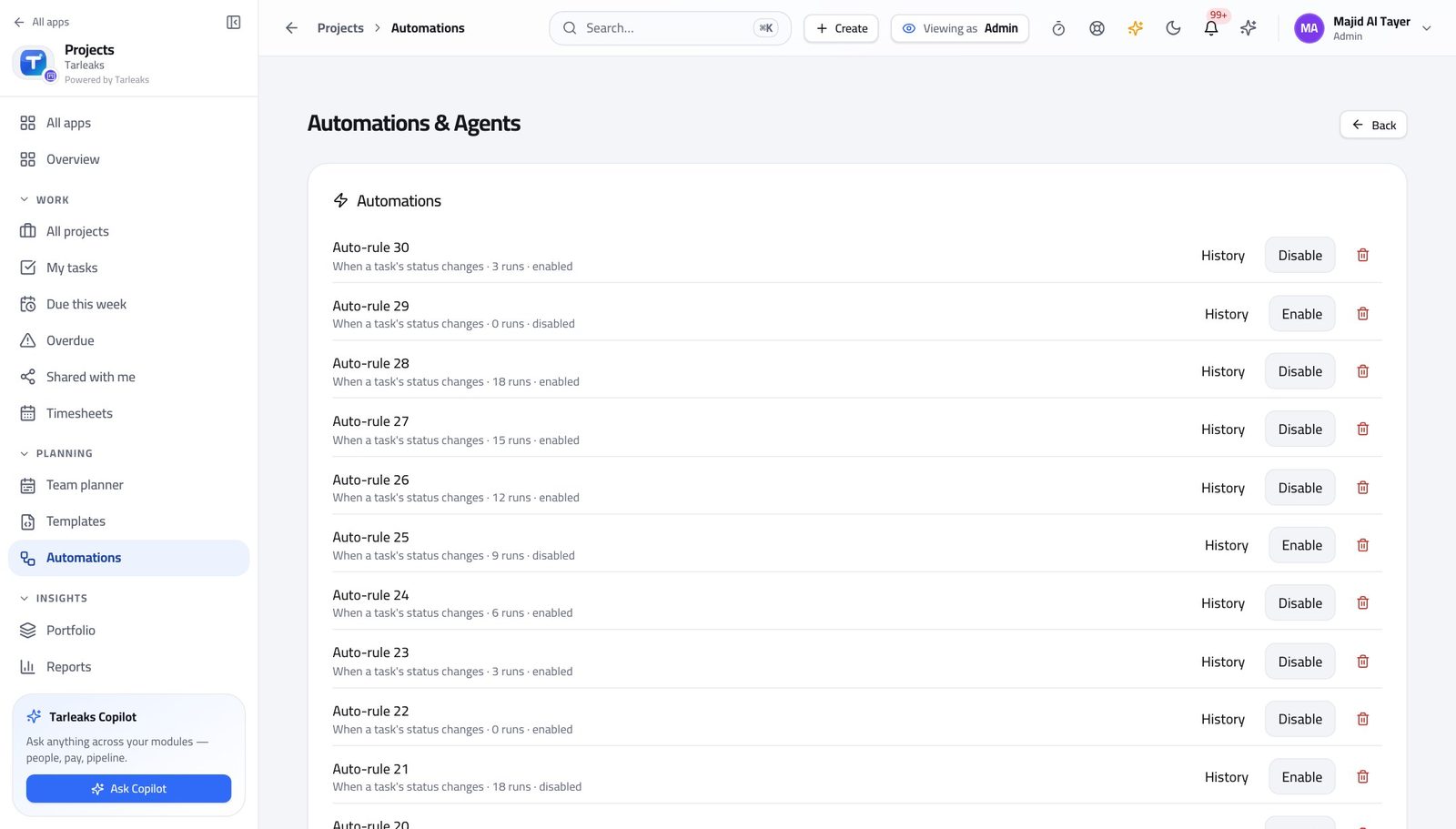
You should see A blocked task that flags itself is a rule, not a person remembering.
Watch out An automation that notifies everybody is one nobody reads. Aim it at the person who can act, then check History a week later to see whether it fired at all.
Worth knowing An automation that notifies everybody is one nobody reads. Aim it at the person who can act, and check History a week later to see whether it fired at all.
Let an agent do the writing #
Where Projects » Automations » AI Agents
- Scroll to AI Agents on the same page.
- Read each agent's prompt and where it runs.
- Use Invoke to try one.
- Read what it produced before you rely on it.
| Field | What to put in it |
|---|---|
| Name | What the agent is for. |
| Prompt for the model | The instruction it follows. Write it the way you would brief a new starter. |
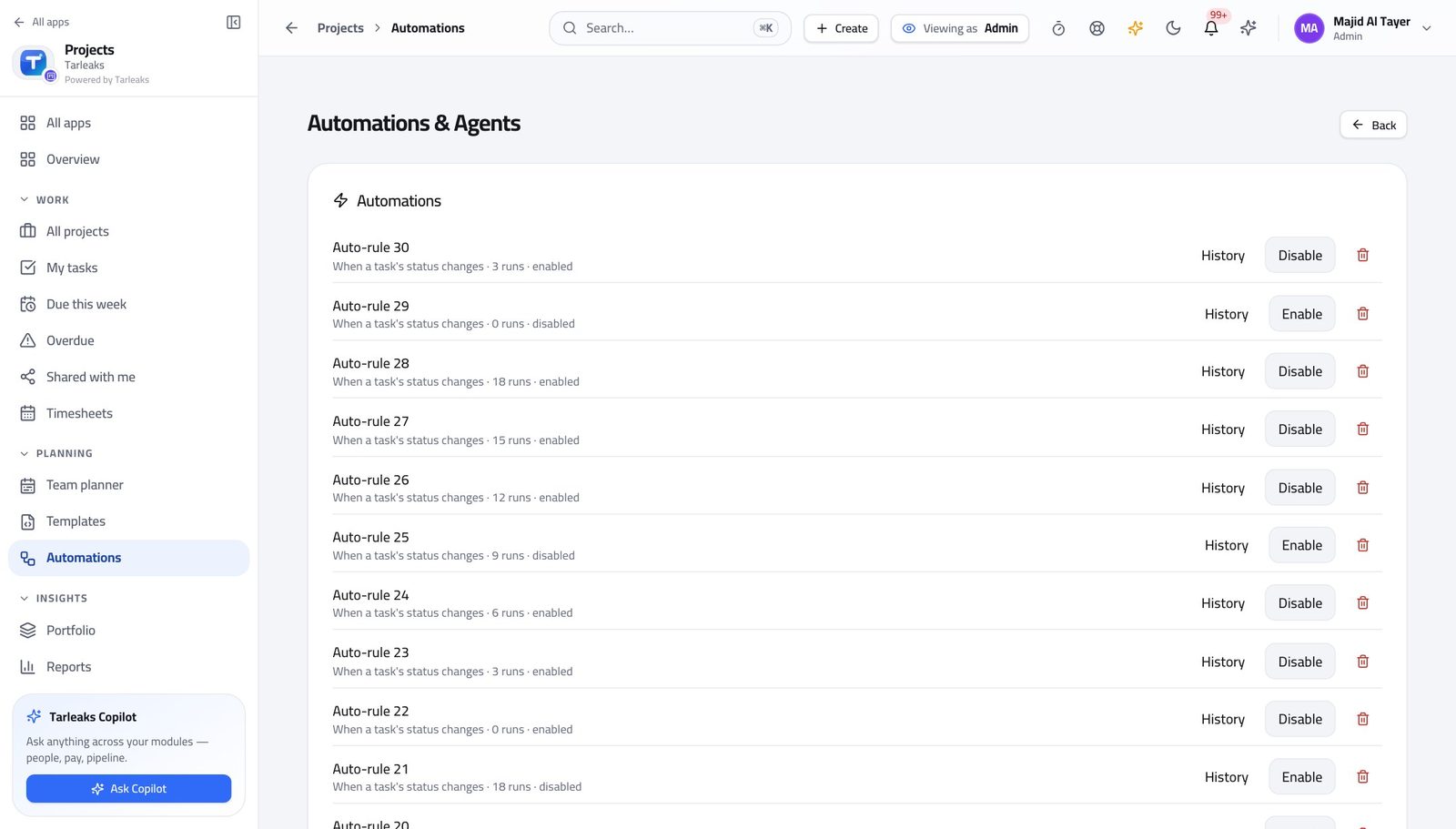
You should see An agent is an automation whose action is a piece of writing — same list, same switch, same history you can audit afterwards.
Watch out If agents are turned off for this workspace, the page says so plainly rather than pretending the section does not exist.
Name the work in your business's own words #
Where Projects » a project » Settings » Work item types
- Open a project's Settings tab.
- Find the work-item types.
- Rename one, add one, or archive one you never use.
| Field | What to put in it |
|---|---|
| Label | What people will call this kind of work item. |
| Level | Where it sits in the ladder. This is what makes a roll-up over an epic mean something. |
| Colour | How it reads at a glance on a board. |
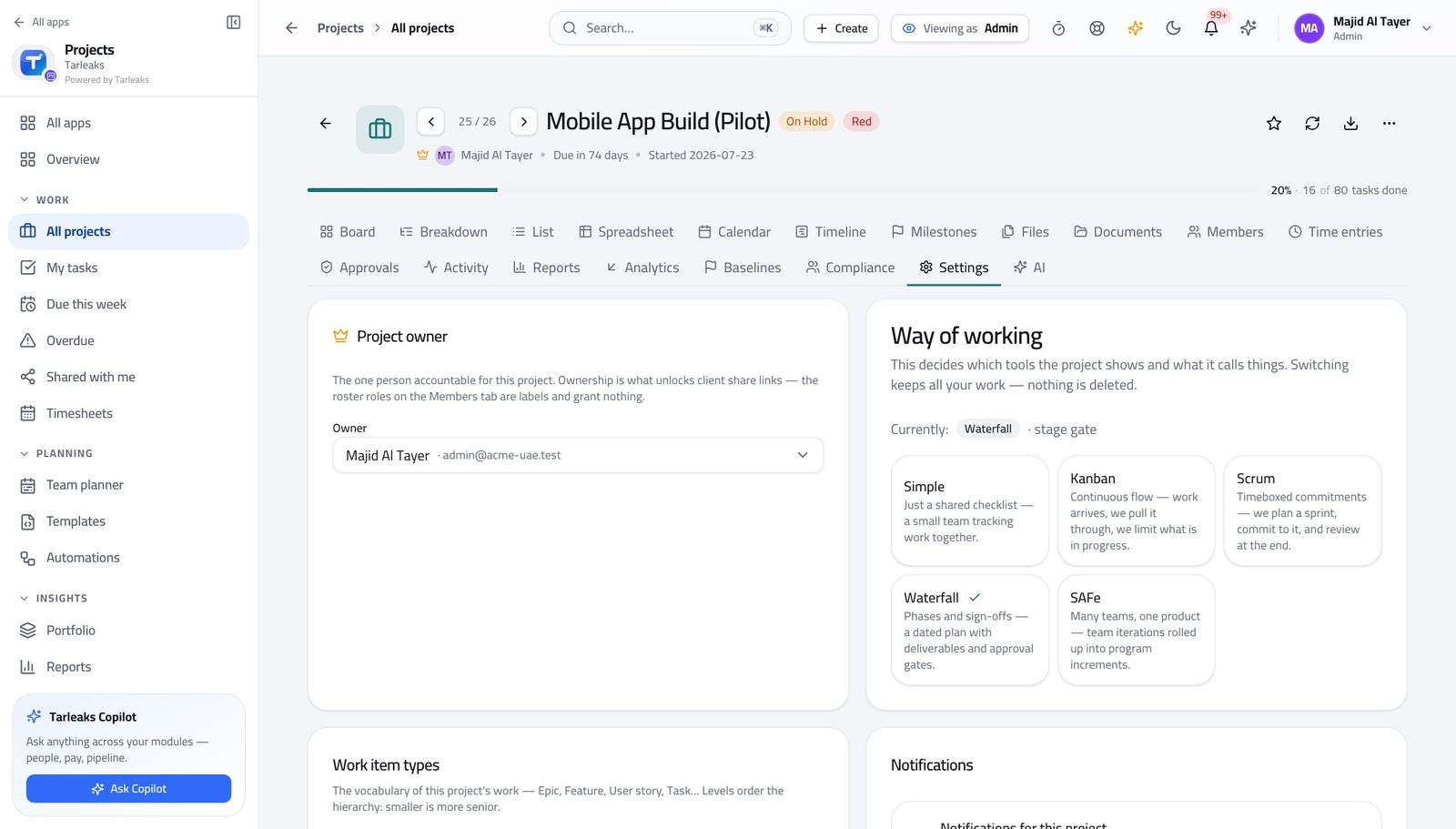
You should see Epic, Feature, User story and Task are rows in a table. A construction business calls them something else, and should.
Apply a whole vocabulary in one go #
Where Projects » a project » Settings » Work item types
- On the same card, read the schemes.
- Apply the one that matches the business.
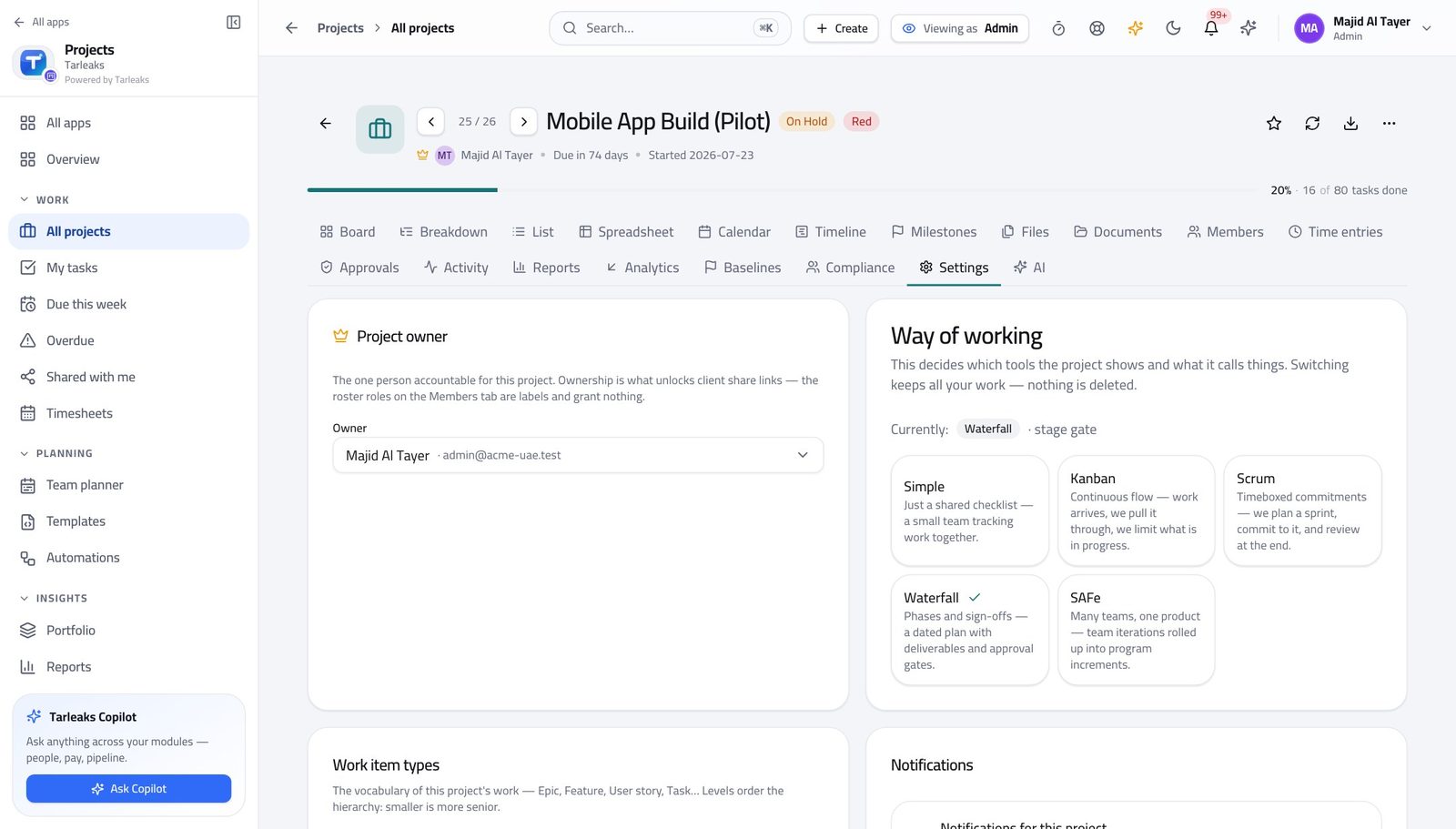
You should see You choose the ladder once per project instead of inventing type names project by project and then failing to report across them.
Watch out Applying a scheme changes the vocabulary for that project. Agree it with the project manager before you do it mid-flight.
Choose how a project is run #
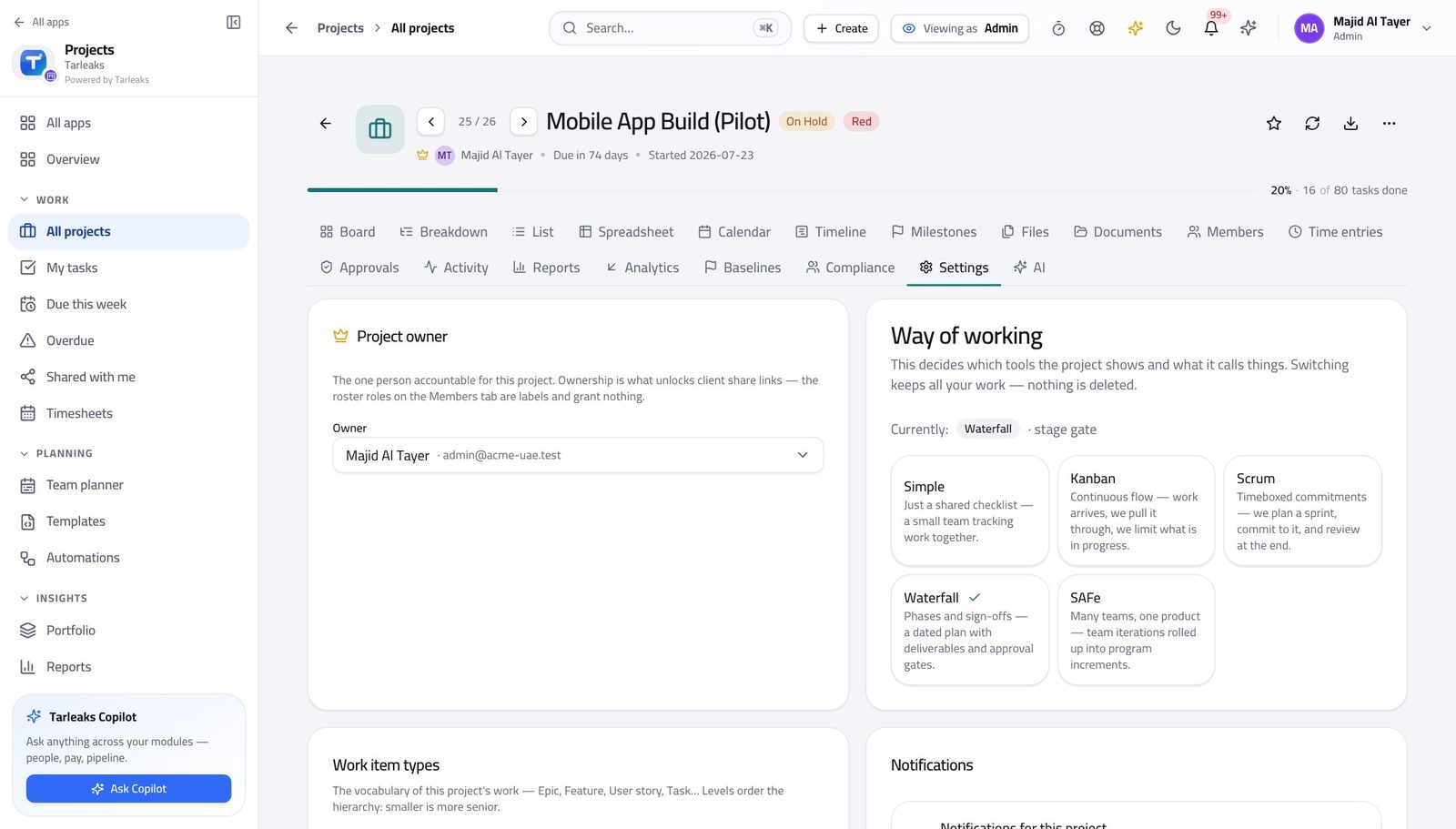
Where Projects » a project » Settings » Way of working
- On the Settings tab, read the way of working.
- Read what each method turns on before you switch.
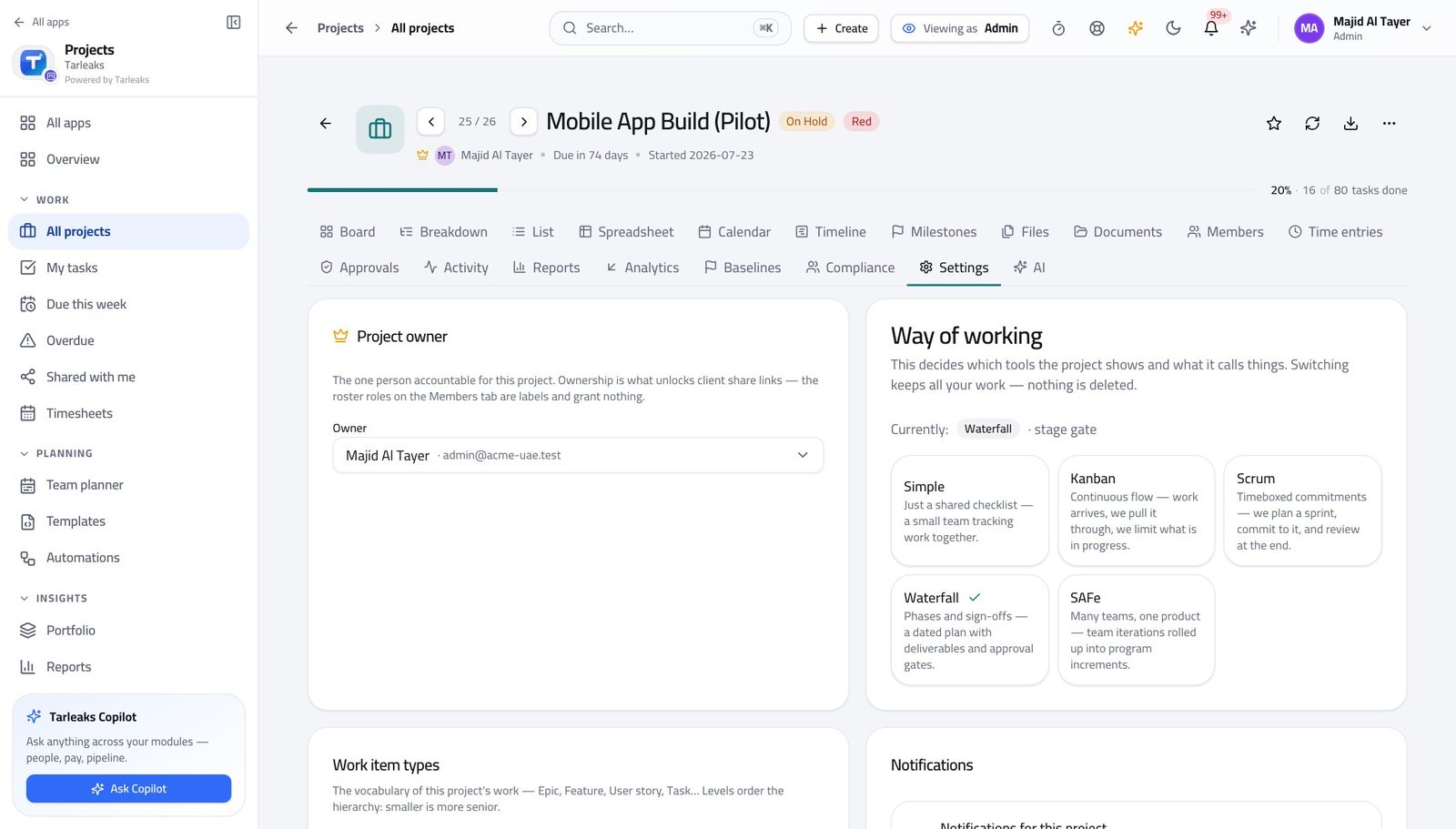
You should see The method decides which tabs a project has. A Simple project having no Sprints tab is the method working, not a feature missing.
Watch out Switching method changes which tabs exist. Nothing is deleted, but somebody will open the project tomorrow and find a tab gone — tell them first.
Worth knowing Switch a project's method and the tabs change immediately. Nothing already created is deleted — it just stops being shown where the new method has no place for it.
Carry what the product does not ship #
Where Projects » a project » Settings » Custom fields
- On the Settings tab, read the custom fields.
- Add one for the thing your business tracks that nobody else does.
| Field | What to put in it |
|---|---|
| Label | What the field is called on the work item. |
| Key | The stable name reports refer to. Do not change it later. |
| Type | Text, number, date or a list of choices. |
You should see A field is better than a convention in a task title, because a field can be filtered, reported and required.
Watch out A field nobody fills in is worse than no field, because reports then look empty rather than absent.
Decide how projects are ranked against each other #
Where Projects » Portfolio » Ranking model
- Open Portfolio.
- Choose a programme.
- Open the ranking model and read the formula.
- Test with sample numbers, then Save model.
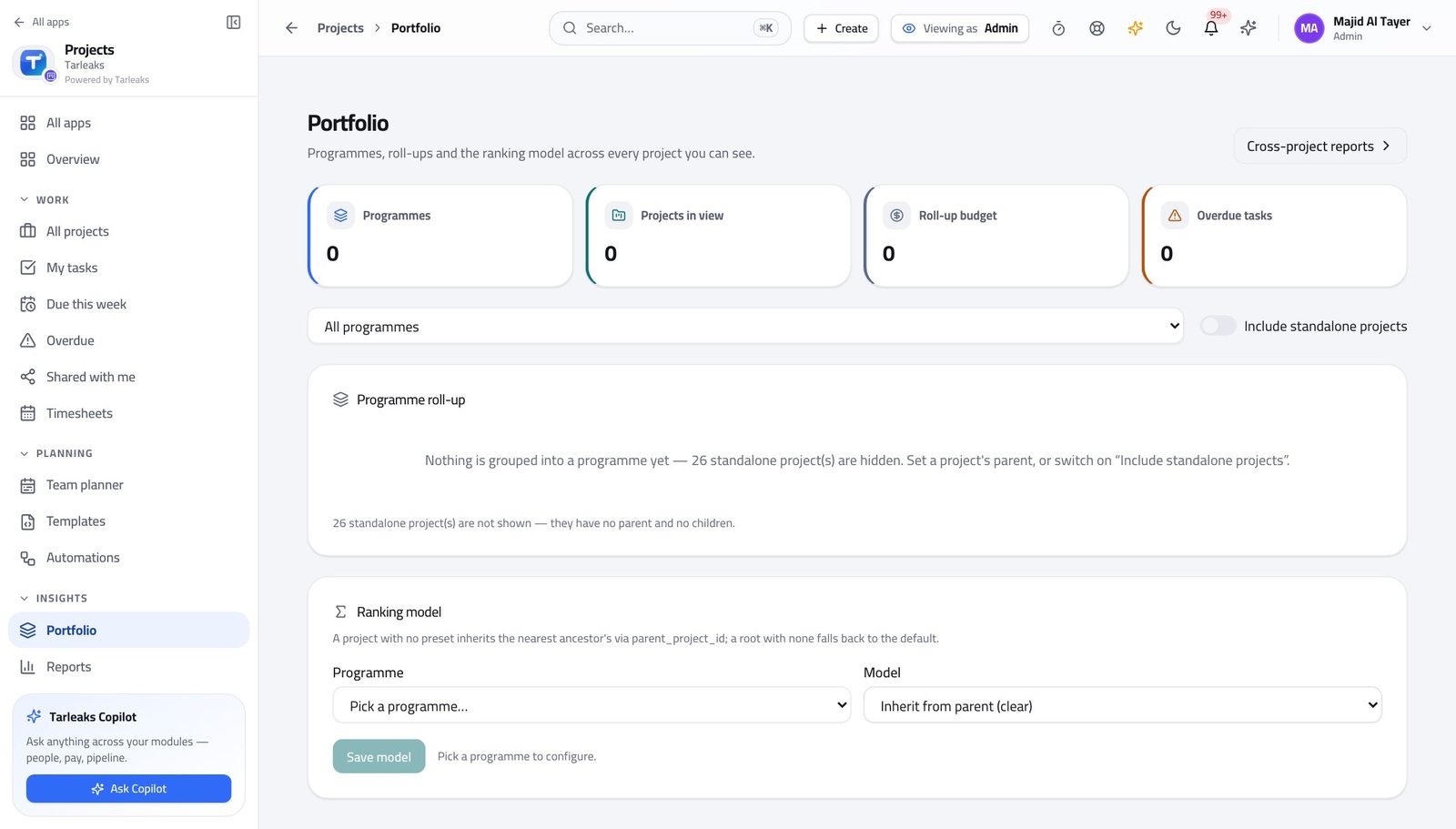
You should see How projects are ranked becomes a decision you recorded, not an opinion somebody defends in a meeting.
Watch out Test before you save. A ranking model that reorders the portfolio without anybody understanding why is worse than no model.
Answer 'who changed that, and when' #
Where Settings » Audit log
- Open Settings, then the Audit log.
- Filter to the period you care about.
- Read the person, the action, what it touched and the time.
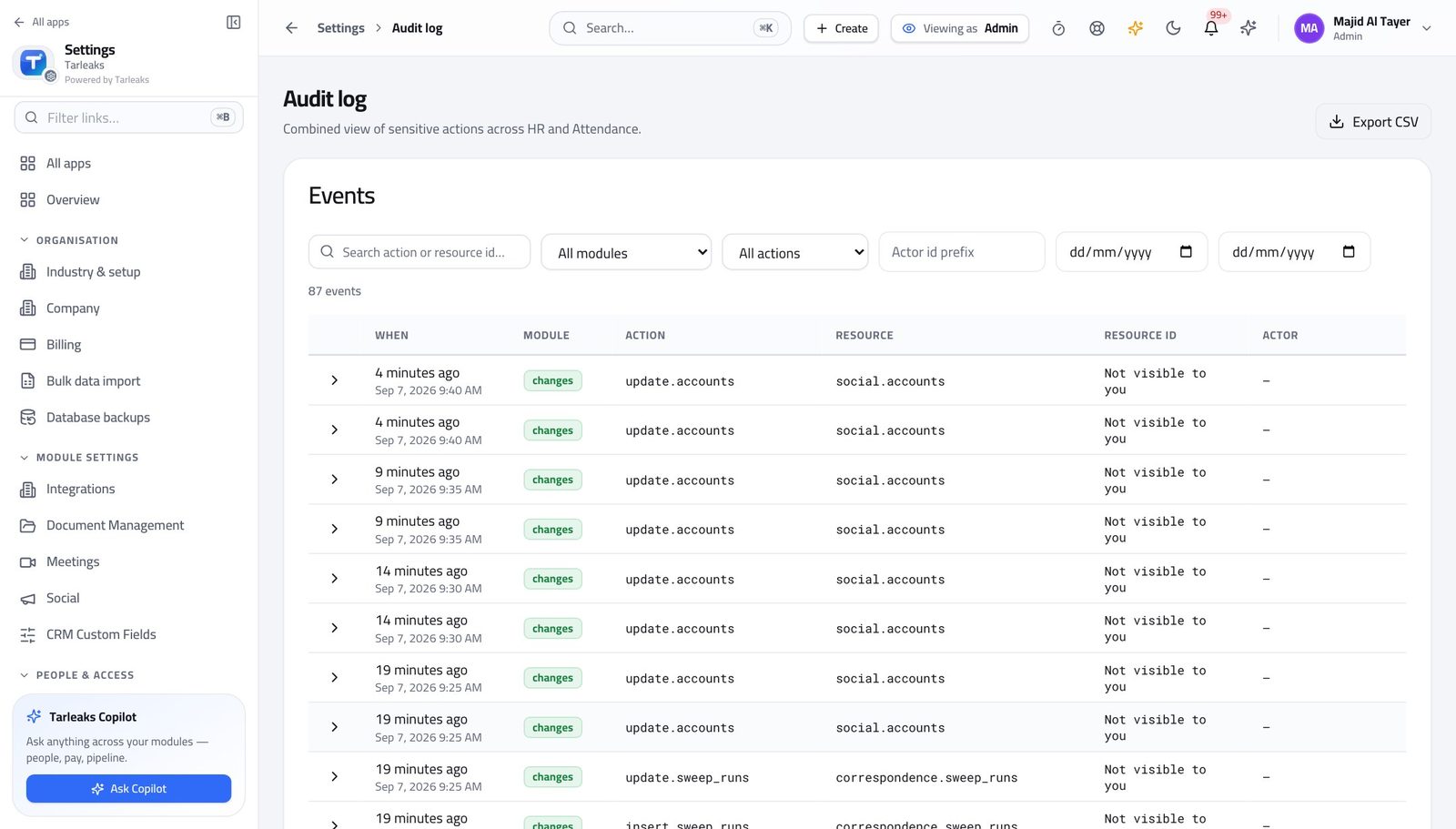
You should see Every action the module writes is on the trail. This is the screen an auditor asks for, and the one that ends an argument.
A client link belongs to the project's owner, not to you #
Where Projects » a project » Settings » Client share links
- Open a project you do not own.
- Go to its Settings tab and find Client share links.
- Read the refusal.
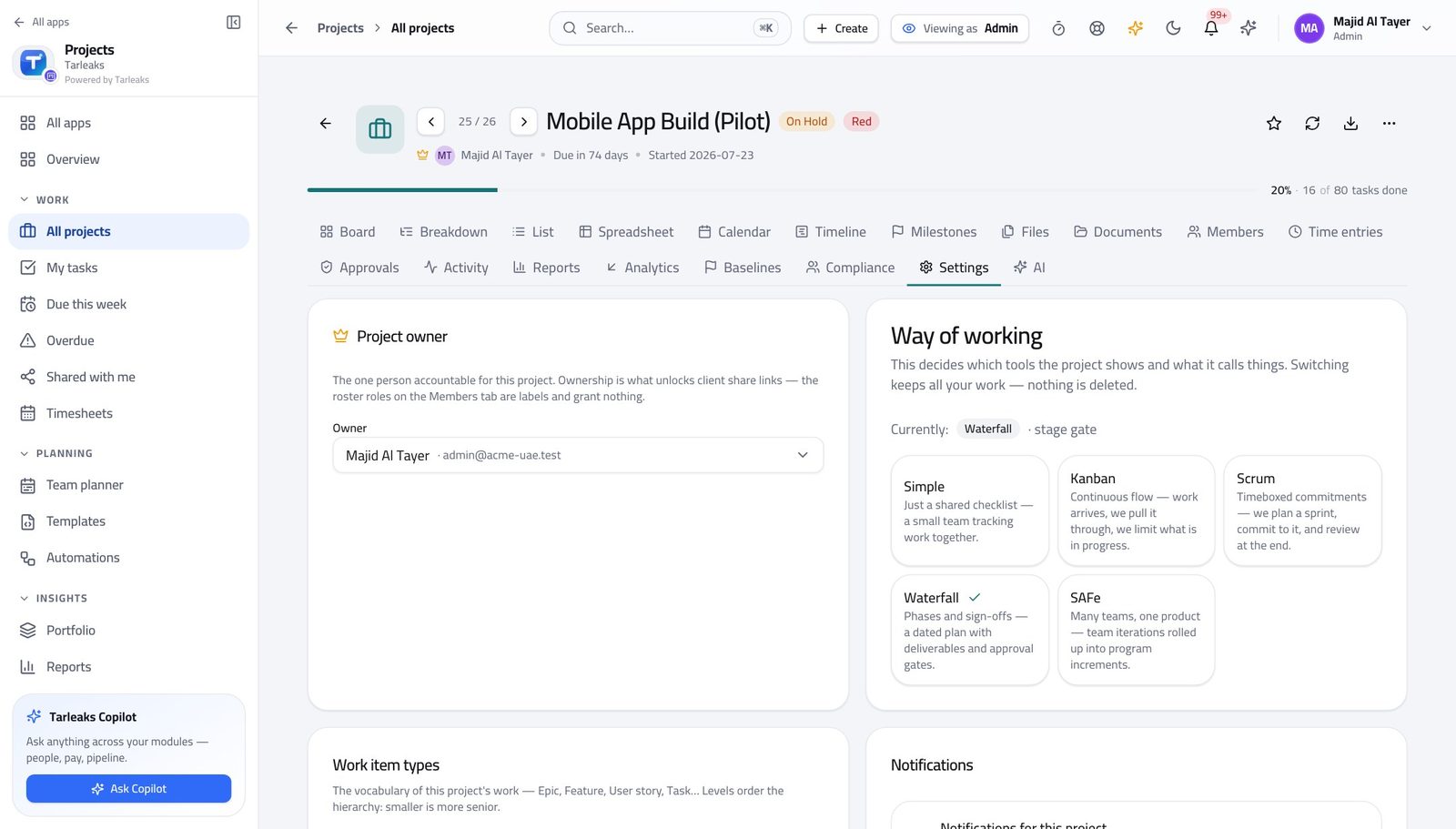
You should see A link that shows a customer their own project is a commitment, so the person accountable for that project issues it. Configuring the module does not make you its owner — which is exactly the guarantee a project manager needs from an administrator.
Watch out If a customer genuinely needs a link, change the project's owner or ask the owner to create it. Working around the refusal defeats the reason it exists.
Worth knowing If a link genuinely needs to exist, change the project's owner or ask them to create it. Do not work around it — the refusal is the feature.
Use cases — the work, step by step
Each one is a sequence somebody actually performs, with the screen behind every step. Every screen here was opened in the product as this role before it was published.
yearlyMake every project start the same way #
Reporting across projects only means something when the projects were built the same way.
Open Templates and read what one creates: stages, sample tasks and labels. Fix the blueprint rather than fixing every project made from it.
Projects » Templates — verified: the page says “Templates”; the page says “Create template” Set the work-item types to your business's own words — the level each type sits at is what makes a roll-up over an epic mean anything.
Projects » a project » Settings » Work item types — verified: the page says “Work item types” Apply a whole scheme where a project needs a different vocabulary: construction, consulting, marketing, agile software, or the general one.
Projects » a project » Settings » Work item types — verified: the page says “Work item types” Check the result across the whole business rather than in one project.
Projects » All projects — verified: the page says “Projects”; no “No projects yet” anywhere on the page
quarterlyA team's way of working has changed #
The method decides which tabs a project has. Switching it is one setting, but somebody opens that project tomorrow and finds a tab gone — so tell them first.
Open the project's Settings tab and read the way of working and what each method turns on.
Projects » a project » Settings » Way of working — verified: the page says “Settings” Check the work-item types still make sense under the new method — Scrum wants stories and points, Waterfall wants deliverables and dates.
Projects » a project » Settings » Work item types — verified: the page says “Work item types” Add any custom field the new way of working needs, rather than letting a convention grow inside task titles.
Projects » a project » Settings » Custom fields — verified: the page says “Custom fields” Then look at the rules: an automation written for the old method usually fires on a stage that no longer exists. History tells you whether it has run at all.
Projects » Automations — verified: the page says “Automations”; the page says “Trigger”
urgentSomebody asks who changed the plan #
The answer is one screen, and it is the same screen whichever module the change came from.
Open the audit log and filter to the period. Each row names the person, the action, what it touched and the time.
Settings » Audit log — verified: the page says “Audit”; 87 row(s) listed If a rule made the change rather than a person, open Automations and read that rule's history.
Projects » Automations — verified: the page says “Automations”; the page says “Trigger” If an agent wrote it, read the agent's prompt and its runs. An agent you cannot audit is one that should not have been switched on.
Projects » Automations » AI Agents — verified: the page says “Agents” Note what you cannot do: issue a client link on a project you do not own. If a customer needs one, the project's owner creates it.
Projects » a project » Settings » Client share links — verified: the page says “Client share links”
You set the rails; project managers run the trains. The one thing configuring the module does NOT give you is ownership of somebody else's project — a client link is issued by the project's owner, and the module says so.