The projects calendar — who does what, and when
10 use cases across 3 roles, placed by when they happen. Each one opens as a numbered sequence with the screen behind every step — nothing here is advice we have not carried out in the product. Filter to your own role, or read it once to know what lands on your desk and from whom.
Nothing matches that. Try a shorter word, or pick Everyone.
Every day
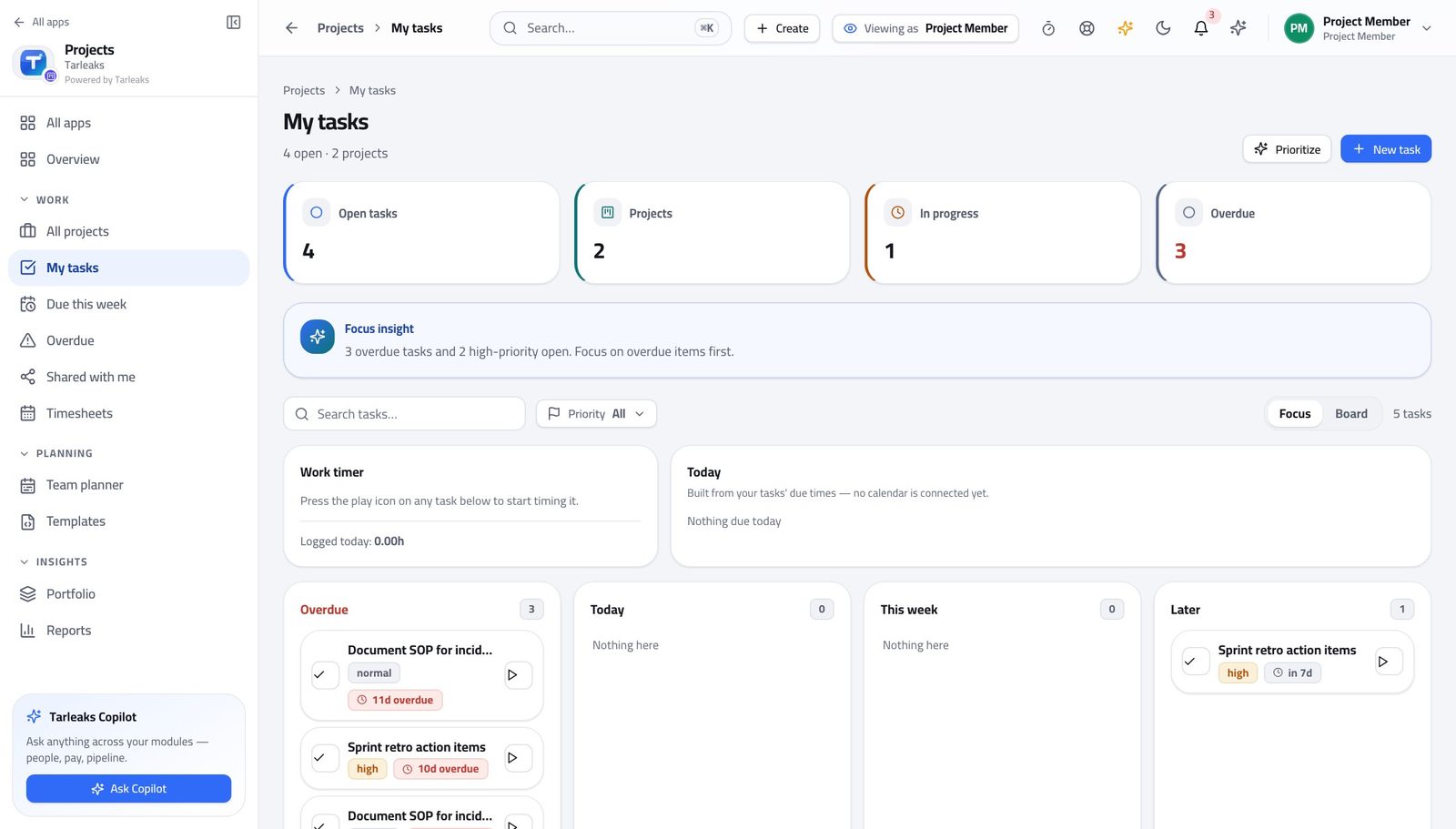
Team MemberYour day: pick up, move on, write down
Everything about a task lives on the task, so the next person does not have to find you to continue it.
4 steps, each with the screen it happens on.
Every week
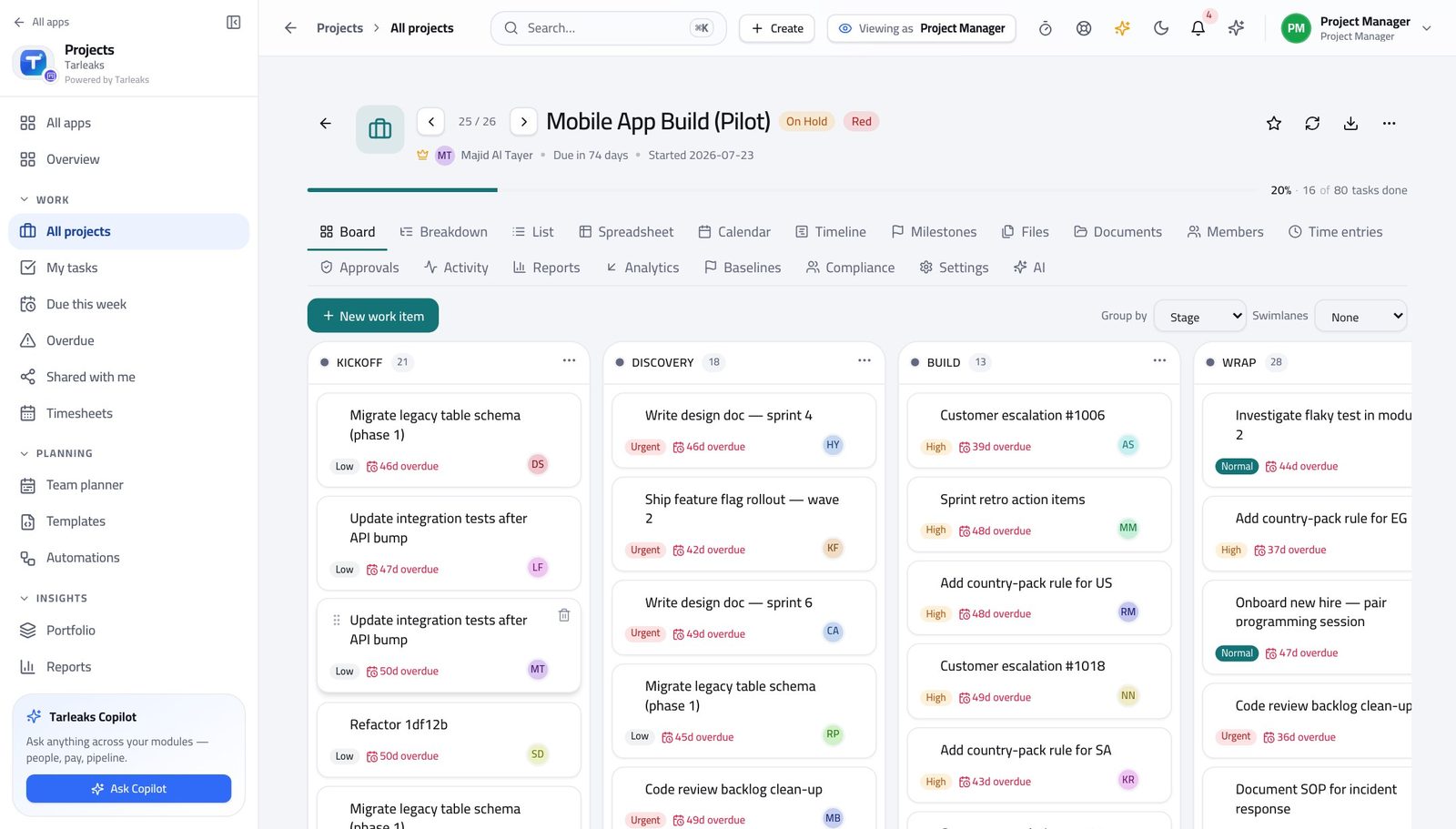
Project ManagerRun the week: board, blockers, hours
Four screens replace the status meeting — and they are the same data the team is working in, so nothing has to be assembled.
4 steps, each with the screen it happens on.
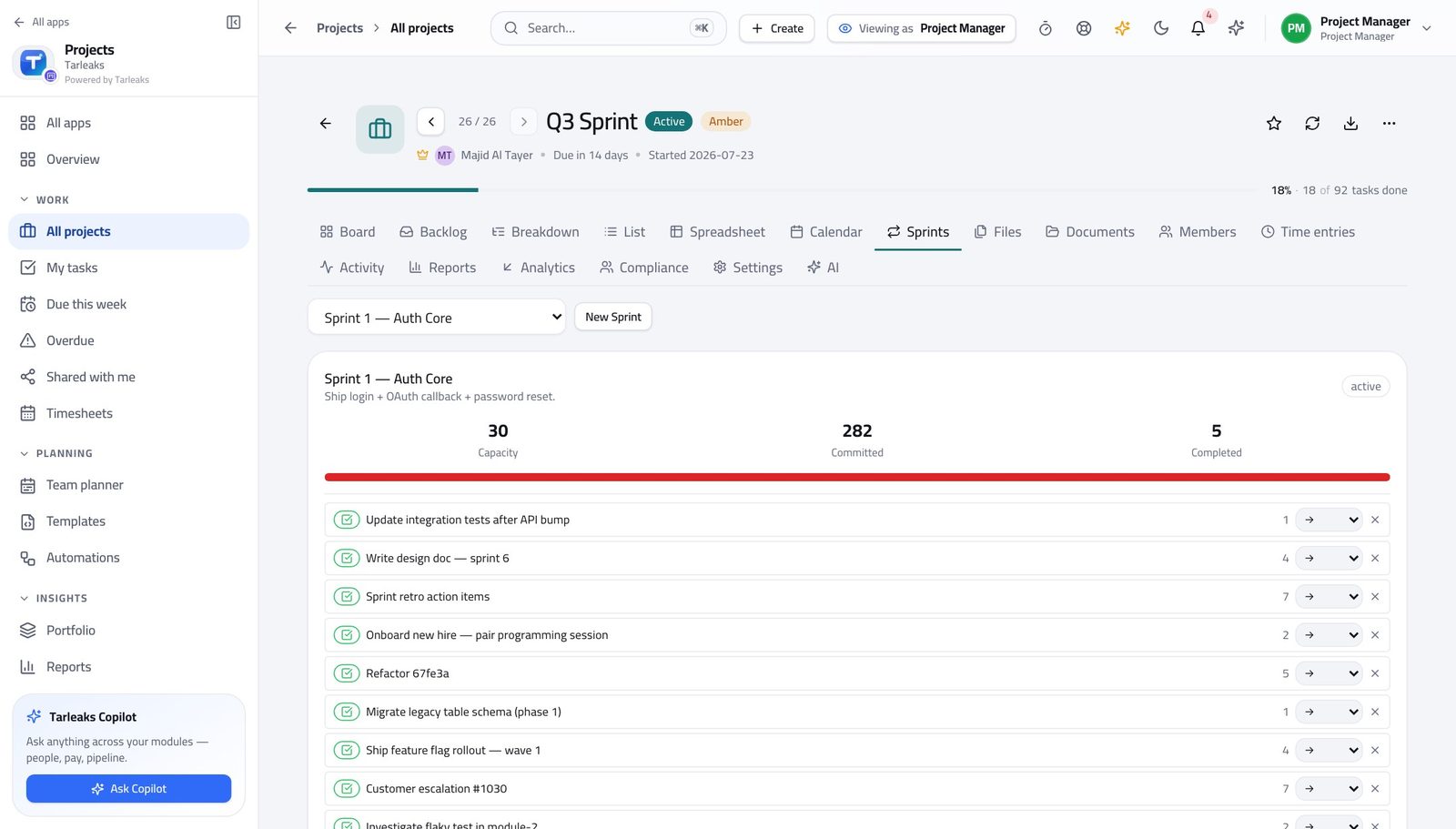
Project ManagerRun a sprint from planning to close
A sprint is a commitment with a start and an end. What did not finish should be rolled over deliberately, not carried quietly into the next one.
4 steps, each with the screen it happens on.
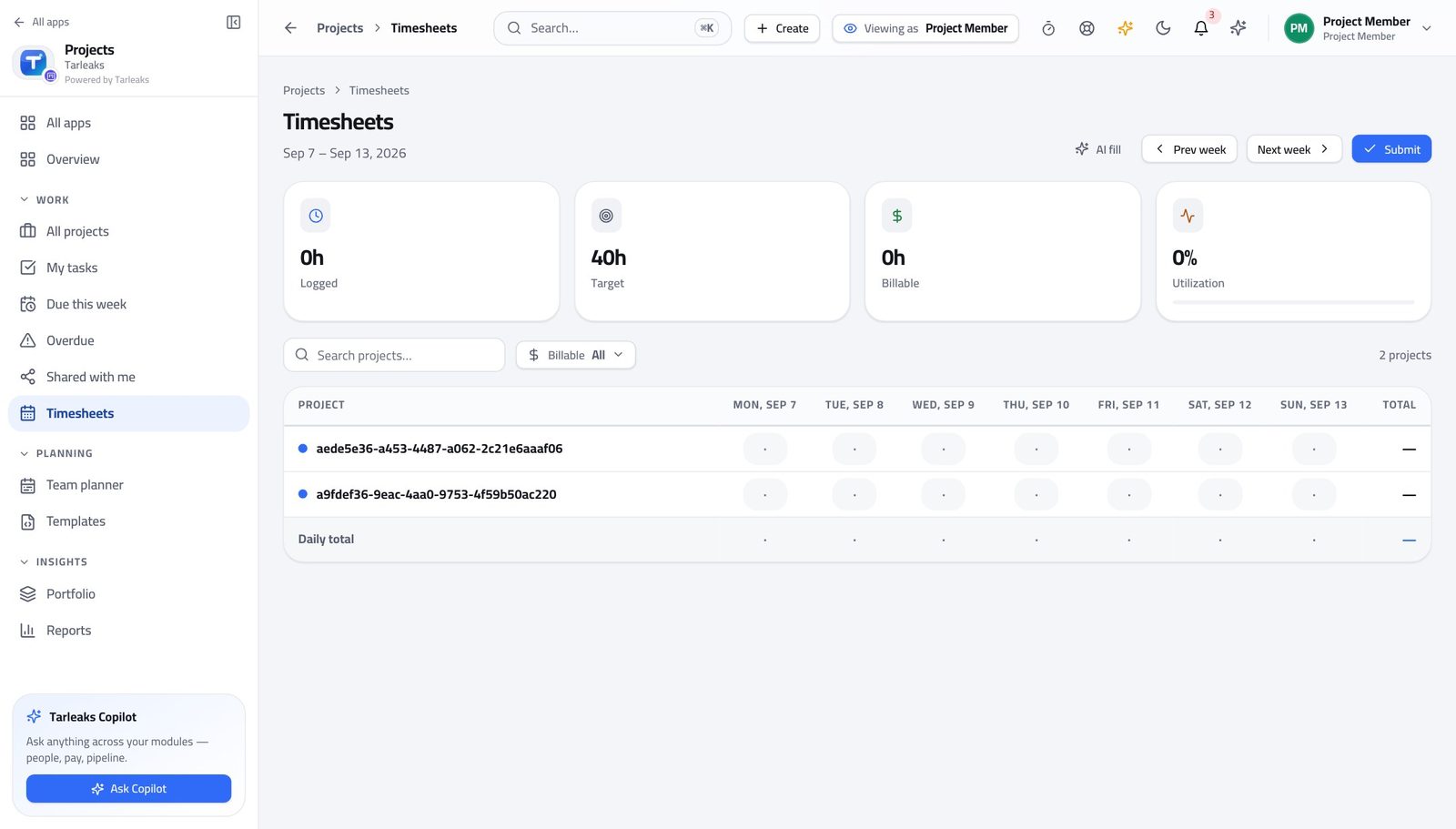
Team MemberClose the week: hours in, timesheet submitted
Approved hours are what the project's cost and any invoice are built from. Hours nobody submitted are counted nowhere.
4 steps, each with the screen it happens on.
Every month
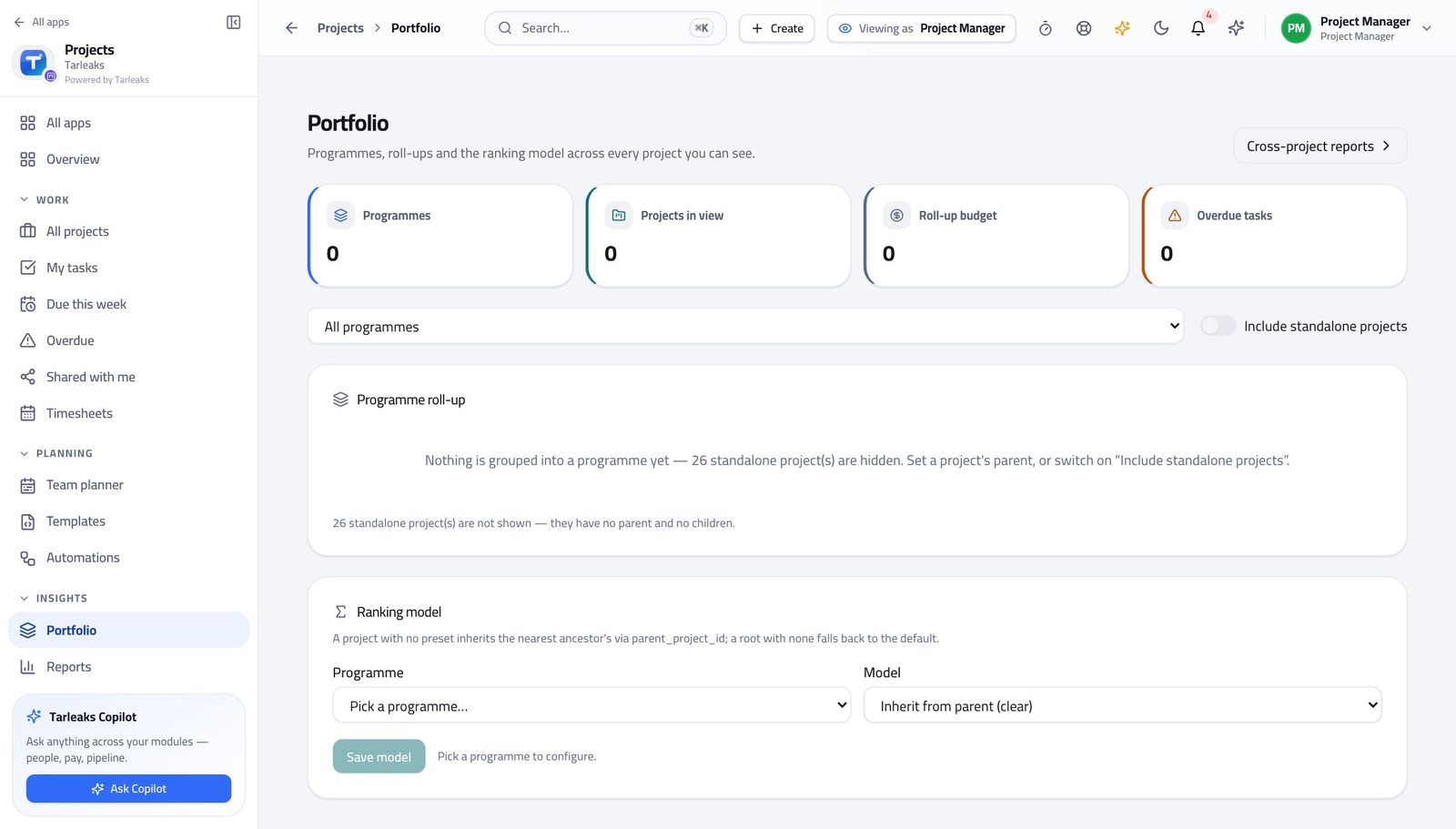
Project ManagerAnswer 'how are we doing' in two minutes
Every figure is computed from the tasks, so the answer you give matches the board somebody else can open while you are still talking.
4 steps, each with the screen it happens on.
Every quarter
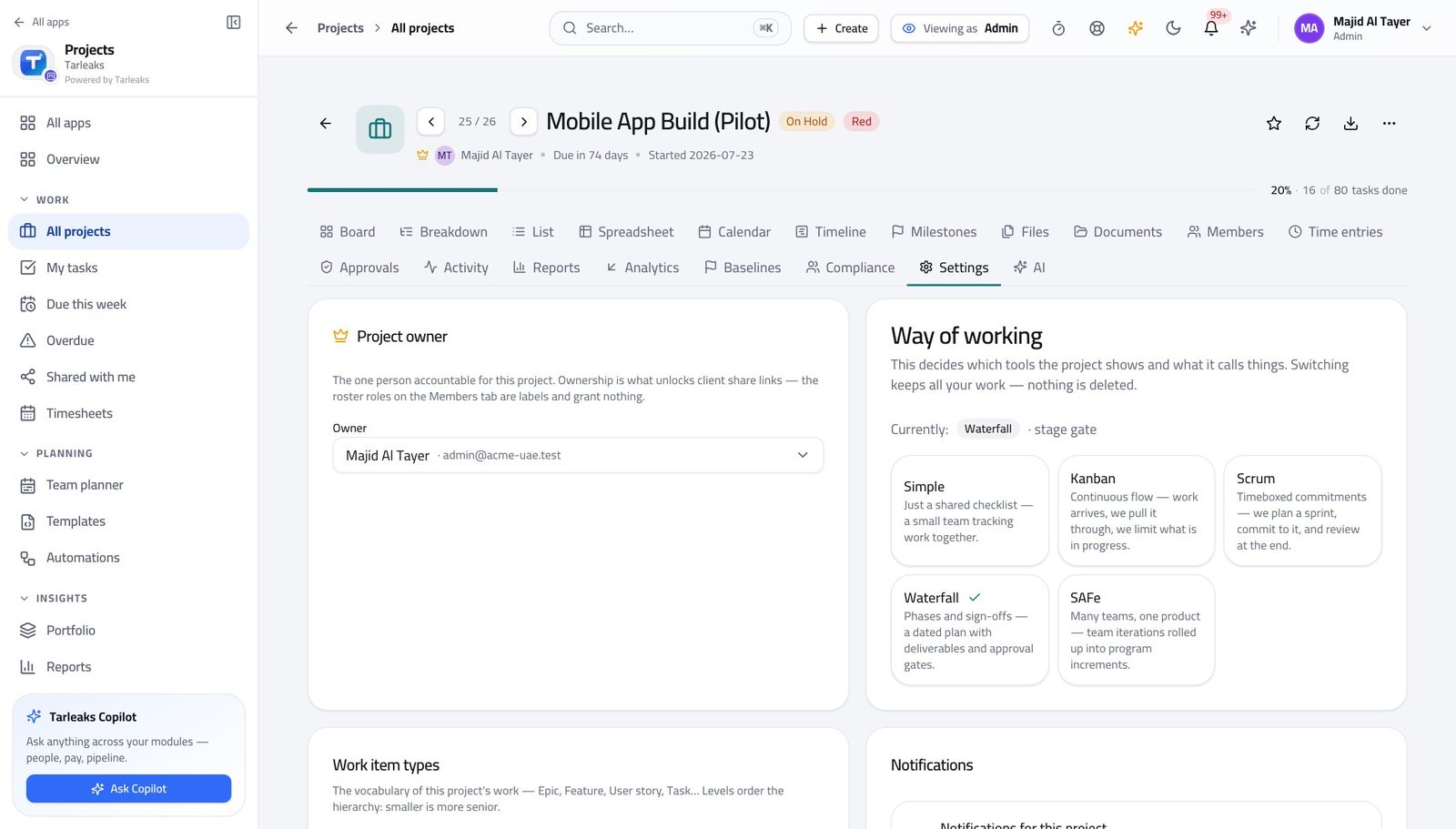
Tenant AdministratorA team's way of working has changed
The method decides which tabs a project has. Switching it is one setting, but somebody opens that project tomorrow and finds a tab gone — so tell them first.
4 steps, each with the screen it happens on.
Every year
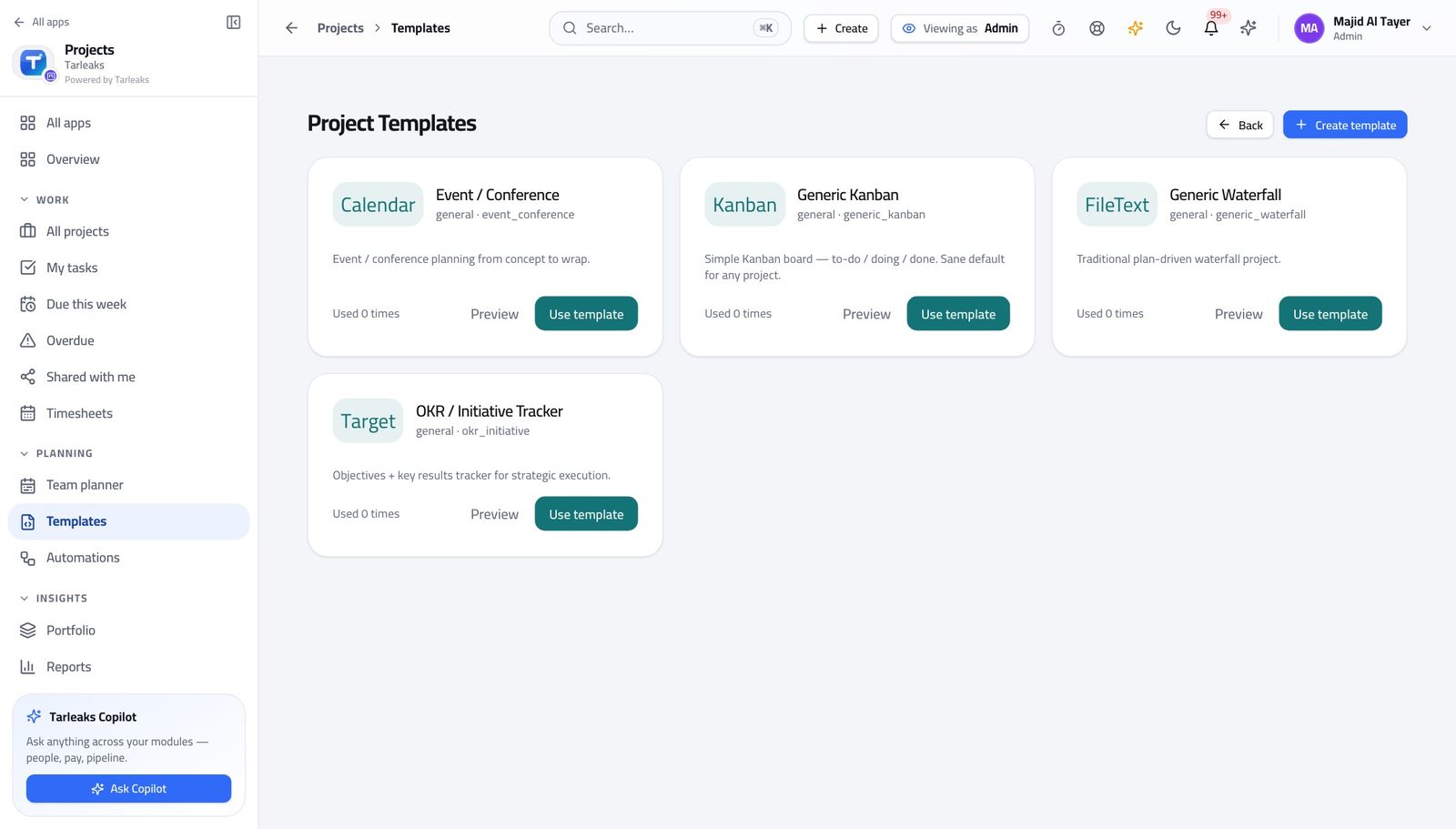
Tenant AdministratorMake every project start the same way
Reporting across projects only means something when the projects were built the same way.
4 steps, each with the screen it happens on.
When something goes wrong
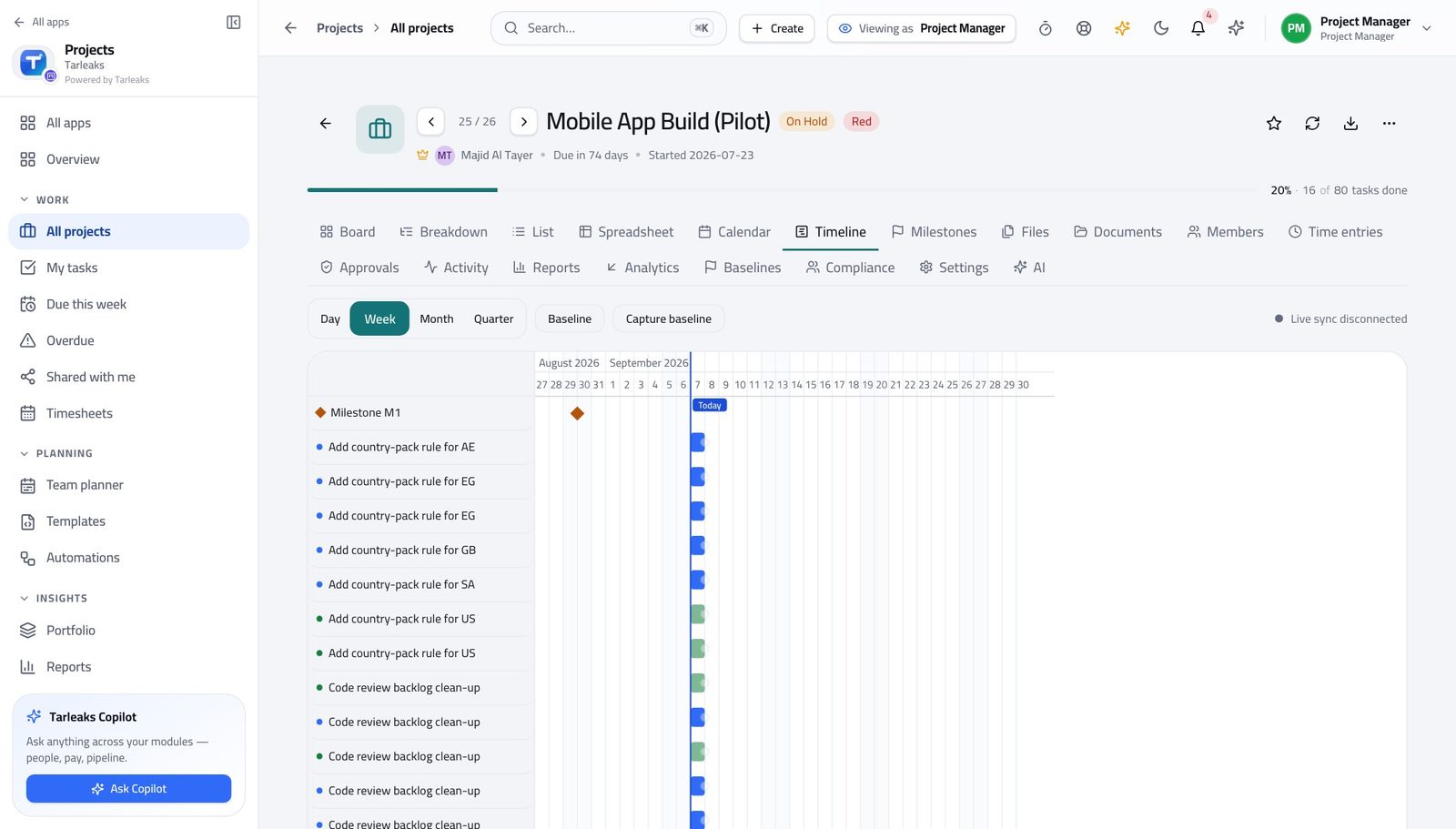
Project ManagerA project is slipping and somebody wants a date
You can answer with evidence in about five minutes: what the plan said, what actually happened, what it is costing, and the range you can honestly commit to.
5 steps, each with the screen it happens on.
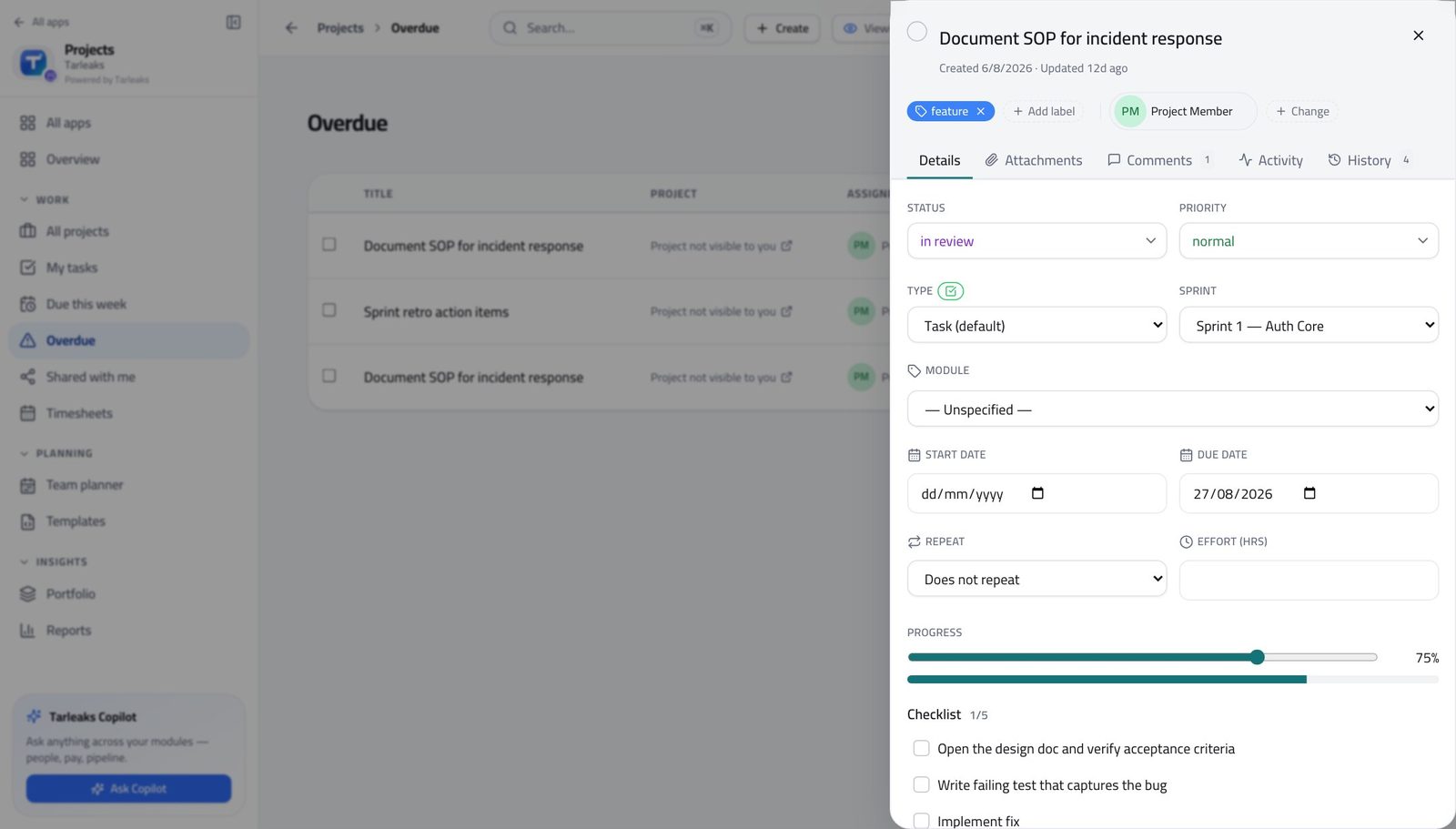
Team MemberYou are handed somebody else's task
If the task was worked properly you should not need a handover meeting. If you do need one, that is the finding.
4 steps, each with the screen it happens on.
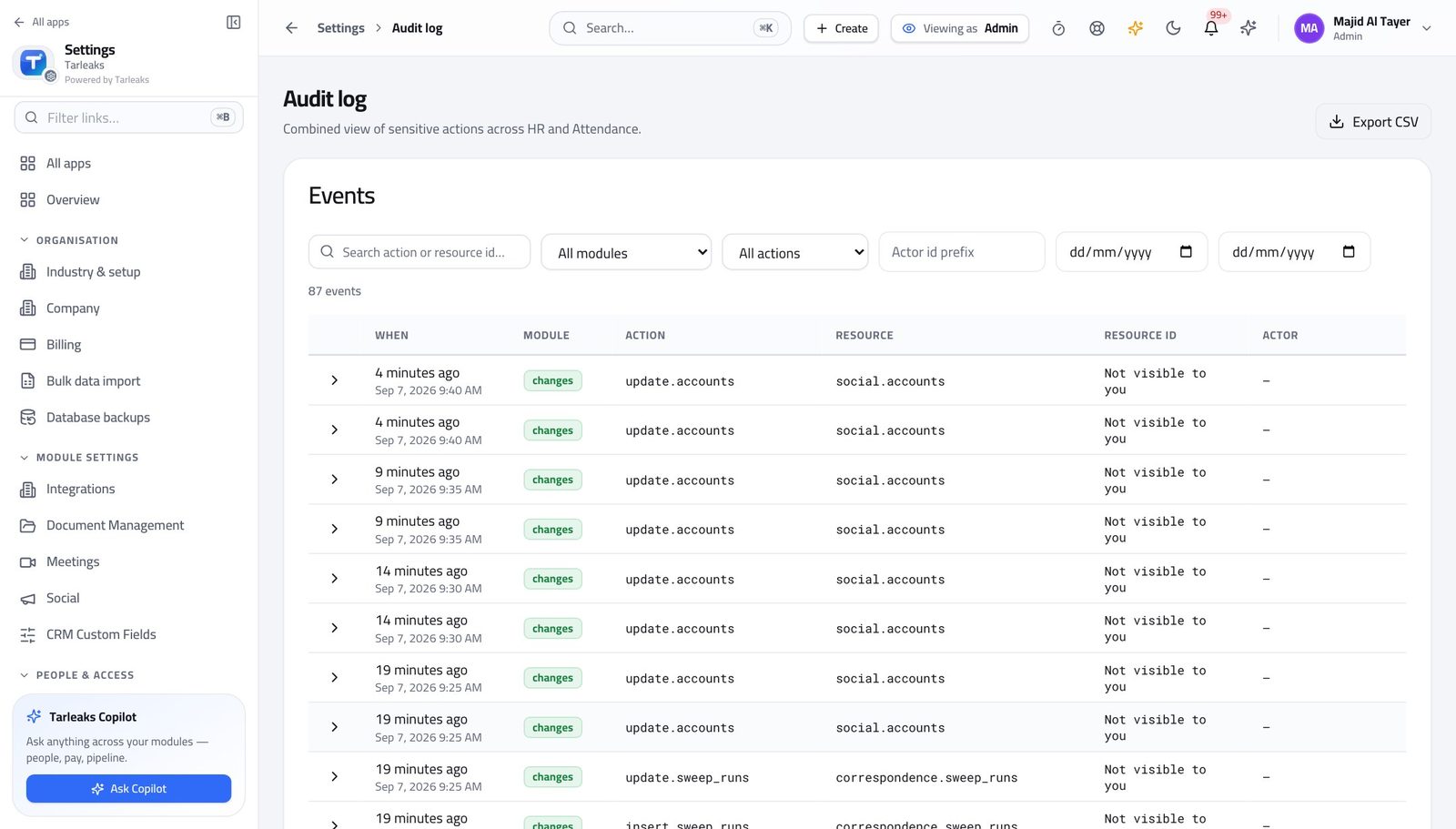
Tenant AdministratorSomebody asks who changed the plan
The answer is one screen, and it is the same screen whichever module the change came from.
4 steps, each with the screen it happens on.
Handovers — who passes what to whom
Finance rarely breaks inside a job. It breaks at the join: a bill nobody approved, a receipt nobody allocated, a month closed before the tax agent had it.
| When this happens | From → to | What happens next |
|---|---|---|
| A piece of work is finished | Team member → Project manager Projects » the board, or My tasks » Board | The card moves to review; the project manager accepts it or sends it back. Nothing is written up, because moving the card IS the update. A card parked in To do because it is blocked hides the blockage. Move it and say why in the comments. |
| The week ends | Team member → Project manager Projects » Timesheets, then Projects » a project » Time entries | Hours are submitted from Timesheets and wait for a decision on the project's Time entries tab. Approved hours become the project's cost. There is no Approve button on the member's screen and no team timesheet on it either — that separation is the whole reason an approved hour can be invoiced. |
| A sprint ends | Project manager → The team Projects » a Scrum project » Sprints | Closing the sprint asks what happens to unfinished work: roll it into the next sprint, or send it back to the backlog. The choice is recorded. Closing without deciding is how a backlog fills with work nobody chose to keep. |
| A milestone, budget, baseline or contract needs sign-off | Project manager → The approver Projects » a project » Approvals | It appears on the project's Approvals tab with who raised it. The decision and the note stay on the record. Rejecting without a note leaves the person guessing and leaves you with no record of the reason. |
| The plan is agreed | Project manager → Everyone who will ask later Projects » a project » Timeline, then Baselines | Capture a baseline. It freezes the dates so that later you can say how far from the agreed plan you are, not just how far from today. A baseline captured after things slip records the slip as the plan. |
| Approved hours exist on a billable project | Project manager → Finance Projects » a project » Analytics, then Finance | Billable hours and their rates feed what the project is worth, so the project's profit becomes answerable rather than estimated. An hour logged against the wrong task is invoiced to the wrong customer. The task is the field that matters most on a time entry. |
| A new way of working is adopted | Tenant administrator → Project manager Projects » a project » Settings | The method changes which tabs the project has — sprints, timeline, baselines, approvals, budget. Nothing already created is deleted. Tell the project manager before you switch. A tab disappearing overnight reads as a broken product, not as a decision. |