The fleet calendar — who does what, and when
16 use cases across 6 roles, placed by when they happen. Each one opens as a numbered sequence with the screen behind every step — nothing here is advice we have not carried out in the product. Filter to your own role, or read it once to know what lands on your desk and from whom.
Nothing matches that. Try a shorter word, or pick Everyone.
Every day
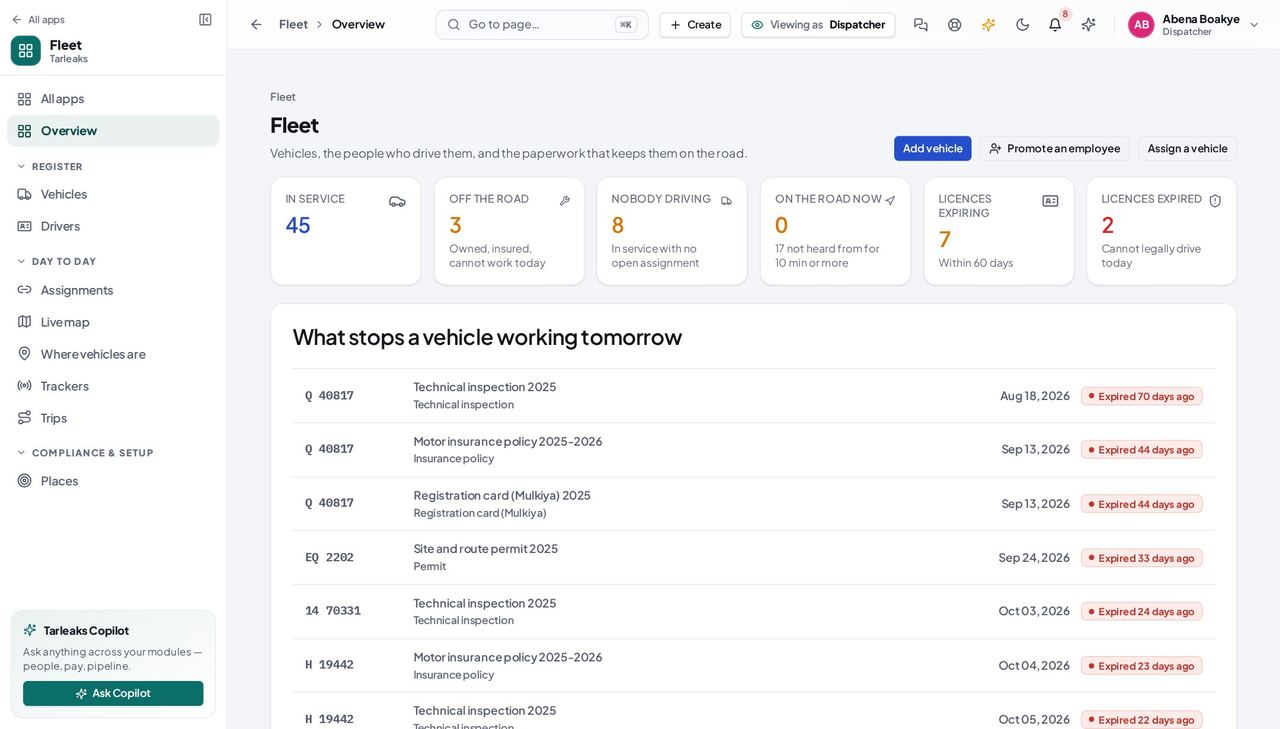
DispatcherWho is driving what, this morning
The only question a dispatcher is asked all day. Two screens answer it: who is holding a vehicle right now, and which vehicles nobody is responsible for.
3 steps, each with the screen it happens on.
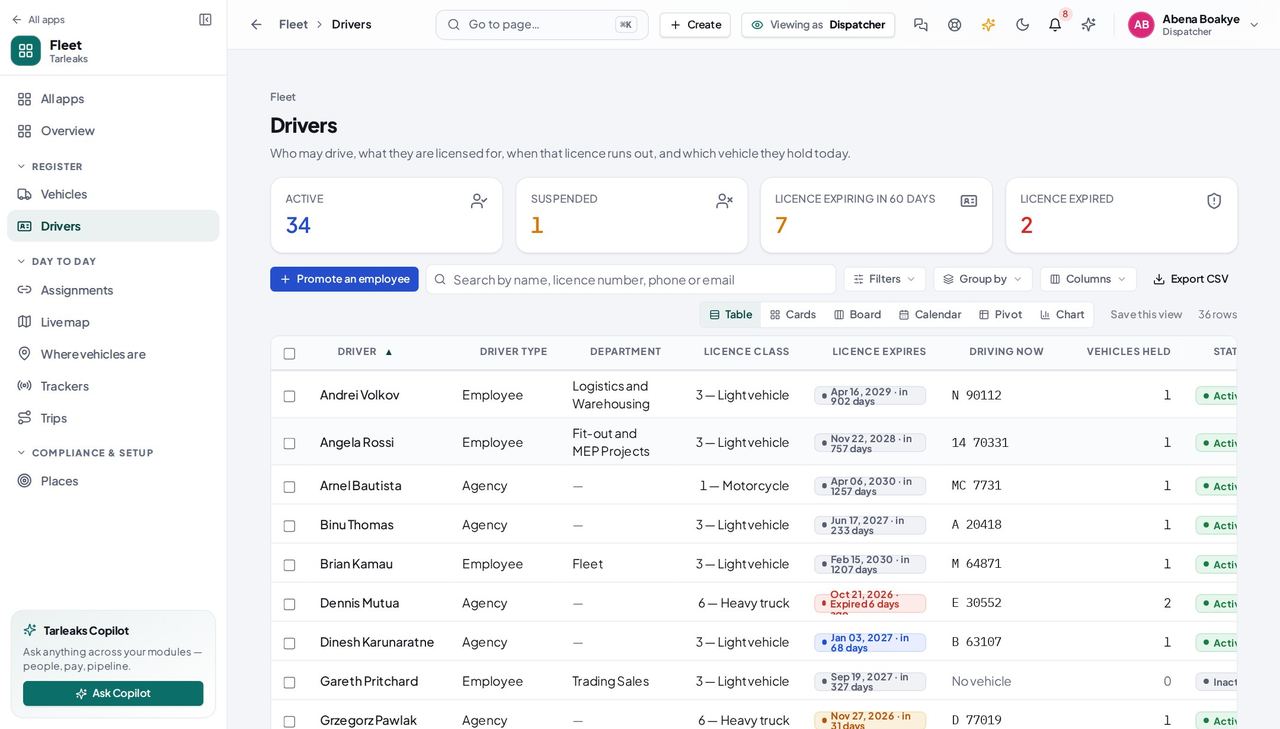
DispatcherHand a vehicle over to a driver
A handover is the moment responsibility moves. Everything afterwards — who had the vehicle on a date, what the odometer read, who answers for a toll when tolls arrive — is read off this one record.
3 steps, each with the screen it happens on.
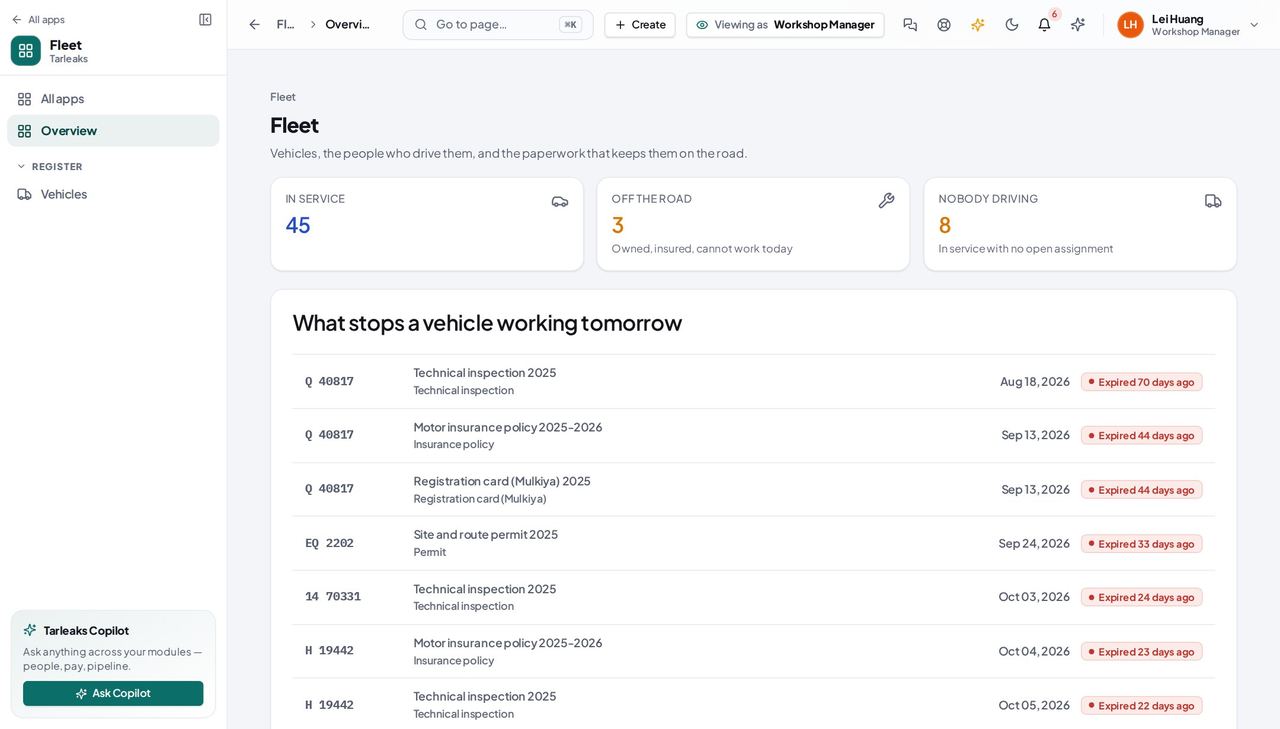
Workshop ManagerThe morning list: what is standing still
A workshop plans around two facts — which vehicles cannot work today, and which will stop next because a certificate runs out. The module gives you both; it does not yet give you anywhere to record the work itself.
2 steps, each with the screen it happens on.
Workshop ManagerLook a vehicle up before it comes into the bay
Reading the plate, the model year and the odometer off the register before you open the bonnet is faster than asking the driver, and it is the same number the fleet manager is looking at.
2 steps, each with the screen it happens on.
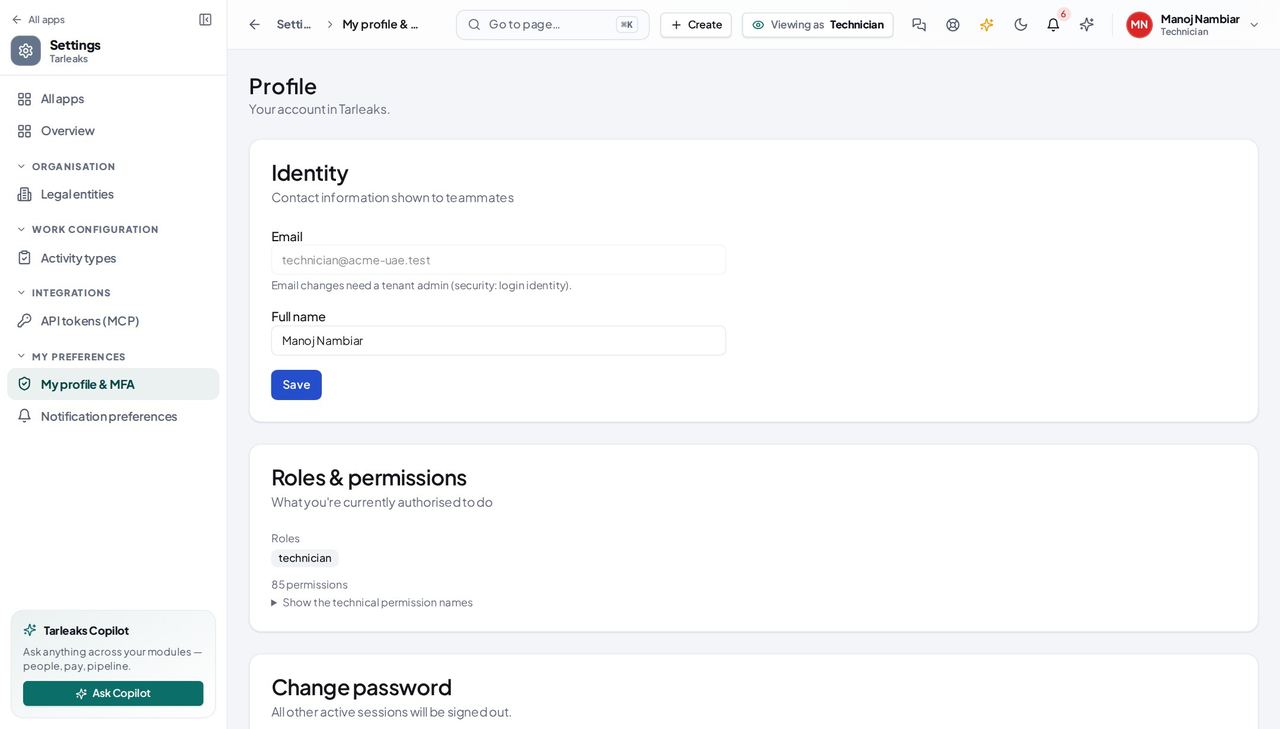
TechnicianIdentify the vehicle you were sent to
A technician needs to be certain which vehicle is in front of them — two white Hiluxes in one yard is how the wrong one gets serviced. The register answers that from the plate or the VIN.
2 steps, each with the screen it happens on.
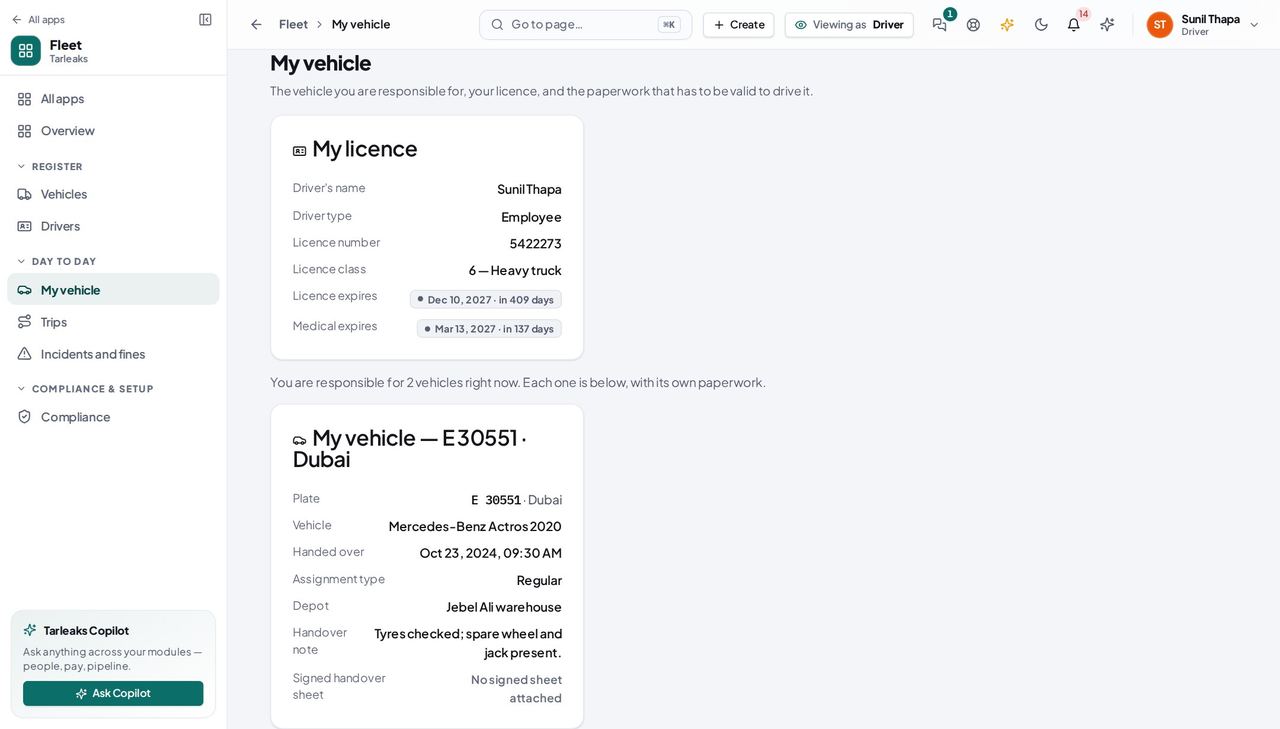
DriverCheck your vehicle before you take it out
Two minutes here is the difference between a normal day and being stopped with an expired registration card in a vehicle that is, on paper, your responsibility.
3 steps, each with the screen it happens on.
Every week
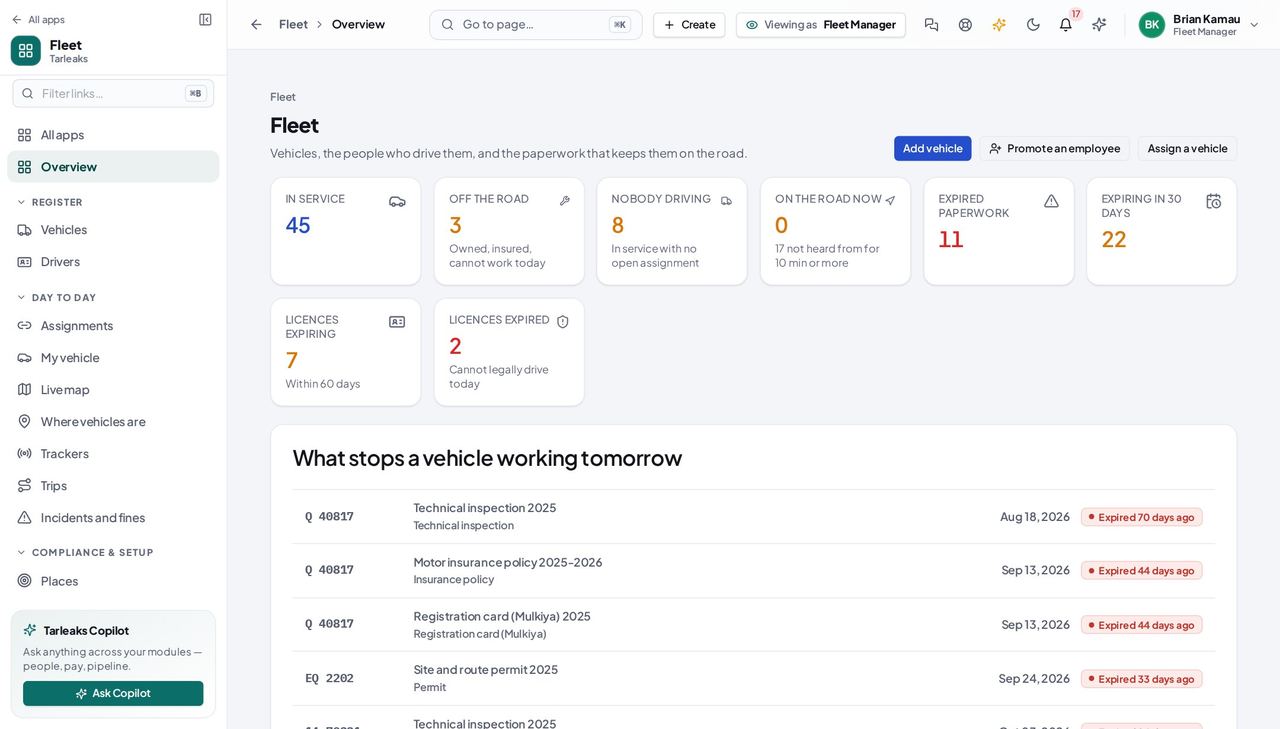
Fleet ManagerThe Monday morning sweep: what stops a vehicle this week
Every line on this list turns into the same three things — a vehicle standing at a depot, a fine at the roadside, or an insurer declining a claim. All three are cheap to prevent on Monday and expensive to explain on Thursday.
5 steps, each with the screen it happens on.
Every month
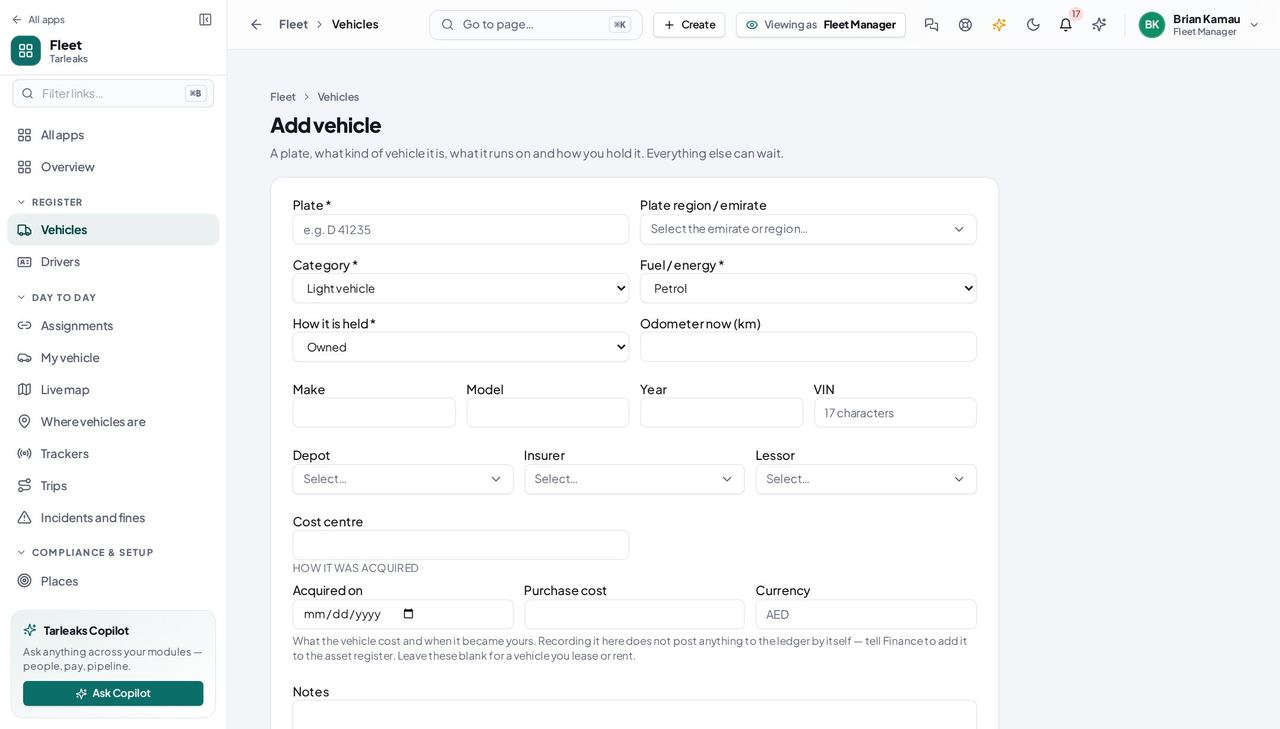
Fleet ManagerA new van arrives at the depot — or twenty of them
Until its plate is on the register, nothing watches its insurance, nobody can be handed it, and it is in none of the numbers you quote. Four fields put it on; the rest can wait until the file arrives.
6 steps, each with the screen it happens on.
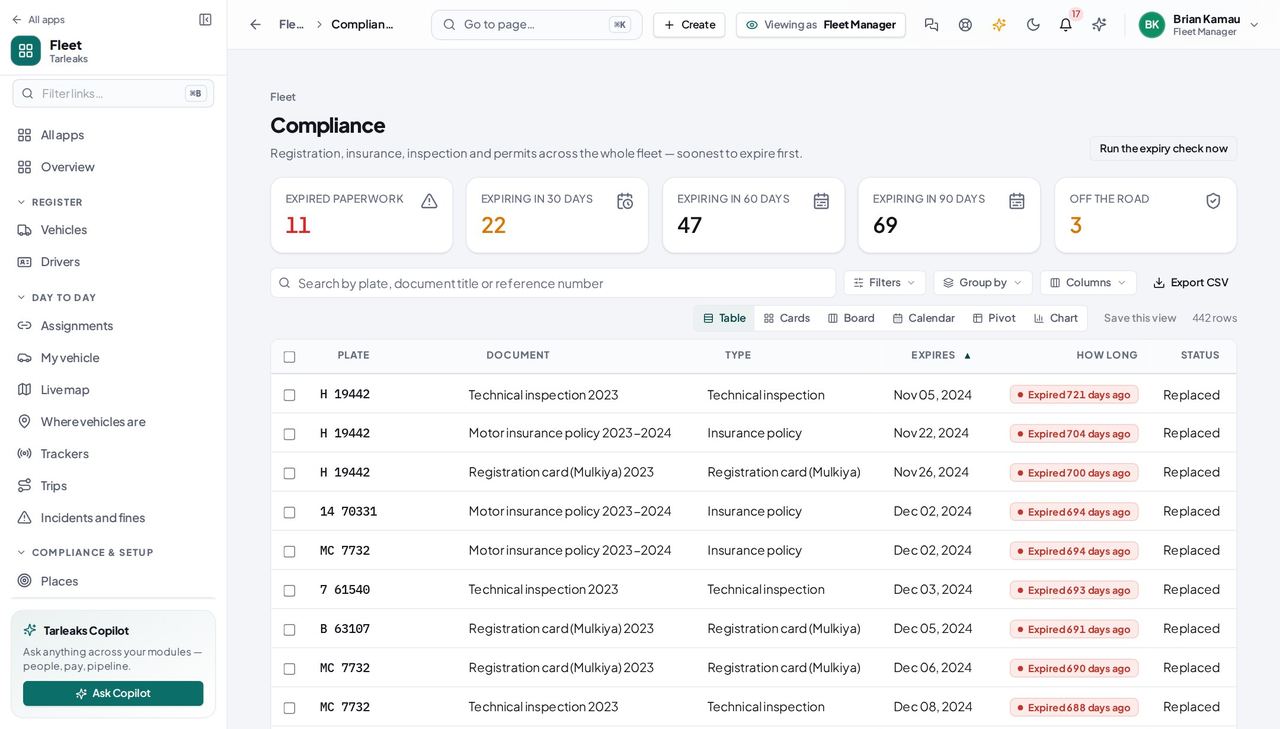
Fleet ManagerMonth end: prove the fleet is legal, and know where the cost is
Two different questions get asked at month end. “Is everything legal?” this module answers completely. “What did the fleet cost?” it does not answer yet, and saying so plainly is better than a number that is only part of the truth.
4 steps, each with the screen it happens on.
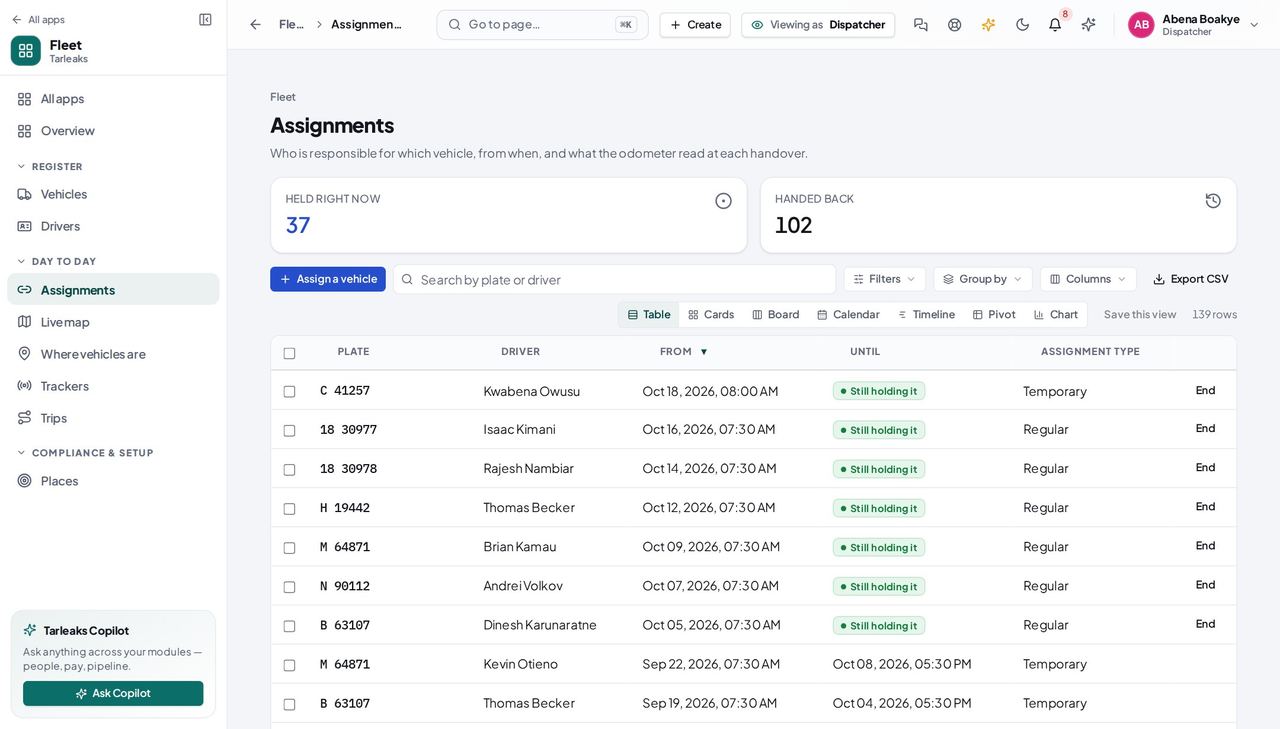
DispatcherSomebody is leaving — take the keys back
An open handover on a person who no longer works here is the one record that quietly ruins everything downstream: the vehicle cannot be given to anybody else, and it still points at them.
4 steps, each with the screen it happens on.
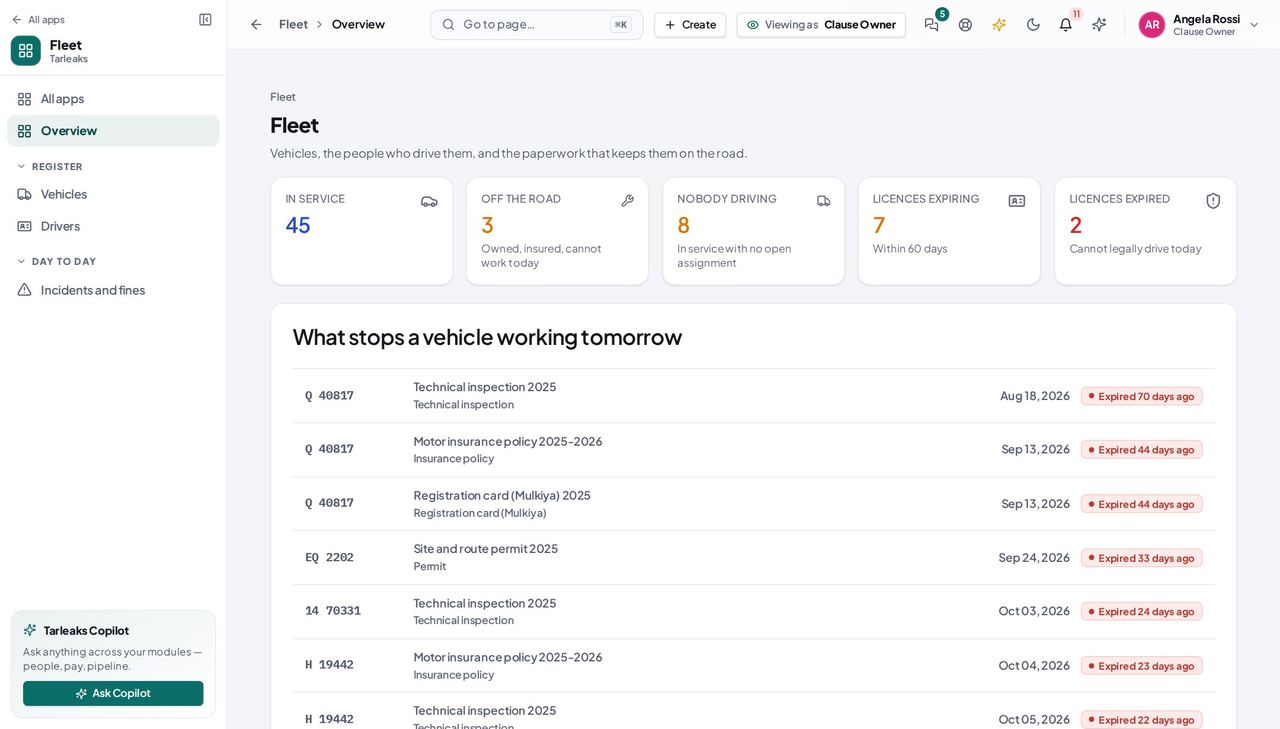
Safety OfficerThe monthly licence review
A driver with a lapsed licence is the single cheapest safety finding to prevent and the most expensive one to be caught with. It is one screen and it takes five minutes.
3 steps, each with the screen it happens on.
Every quarter
Safety OfficerBefore an inspection: is every vehicle on the road roadworthy?
An inspector asks two questions — are the vehicles legal, and are the people driving them licensed for what they are driving. Today you can answer both from the register; you cannot yet show them an incident file, because that part is not built.
3 steps, each with the screen it happens on.
Every year
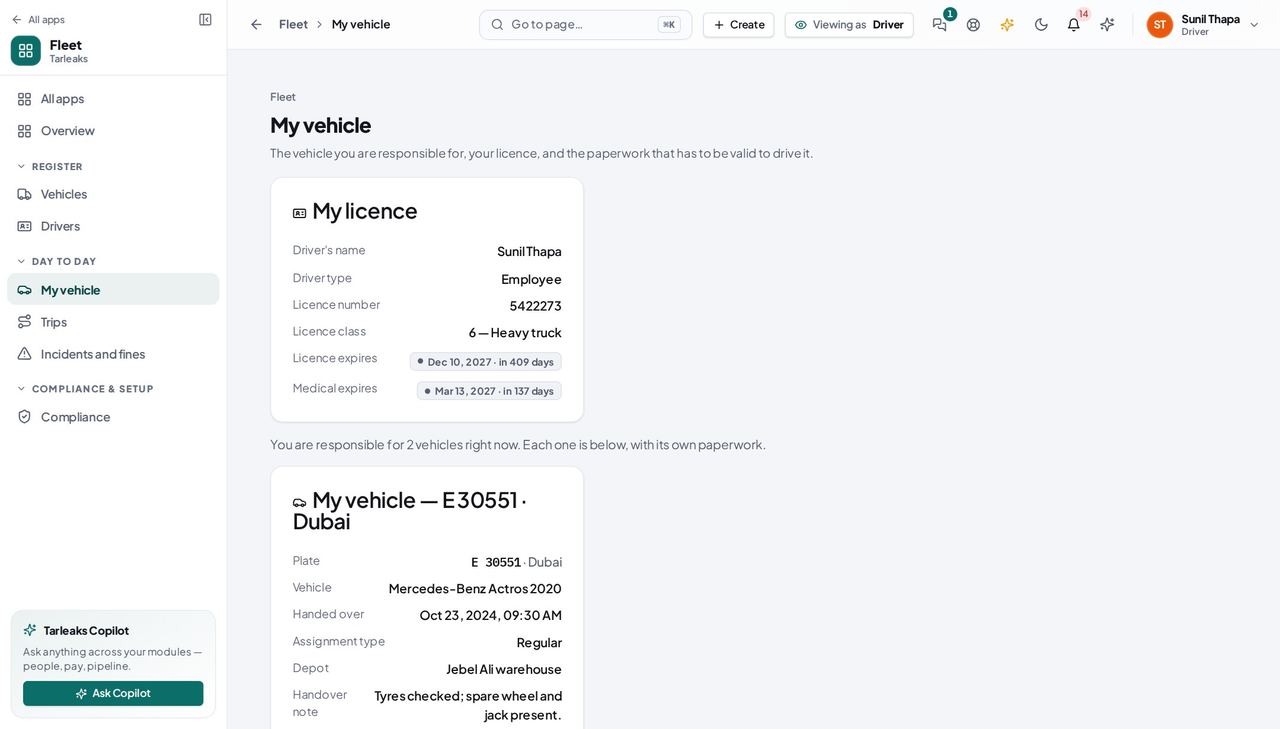
DriverMy licence is about to run out
An expired licence stops you being handed any vehicle at all — it is a hard refusal, not a warning — so the weeks before the date are the only time to deal with it quietly.
2 steps, each with the screen it happens on.
When something goes wrong
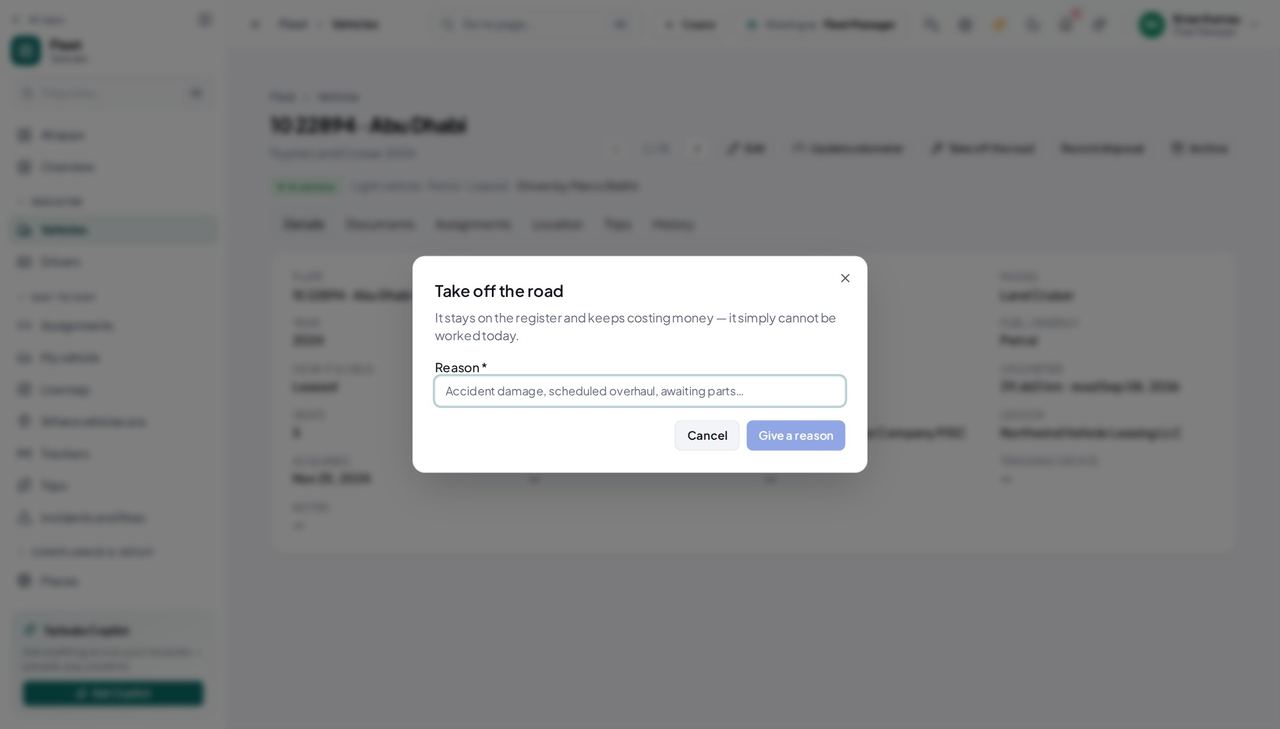
Fleet ManagerA vehicle goes into the workshop, and comes back
Off the road is not a failure state — the vehicle is still owned, still insured and still costing money. It simply cannot be worked today, and everybody who might hand it to a driver needs to know that before they try.
5 steps, each with the screen it happens on.
Fleet ManagerA driver is still holding a vehicle on an expired licence
An expired licence stops anybody handing that person a NEW vehicle, but it does not take back the one they already have. The expiry check tells the people who hand vehicles over, once; the vehicle is only safe again when somebody ends the handover or files the renewed licence date.
3 steps, each with the screen it happens on.
The awkward cases
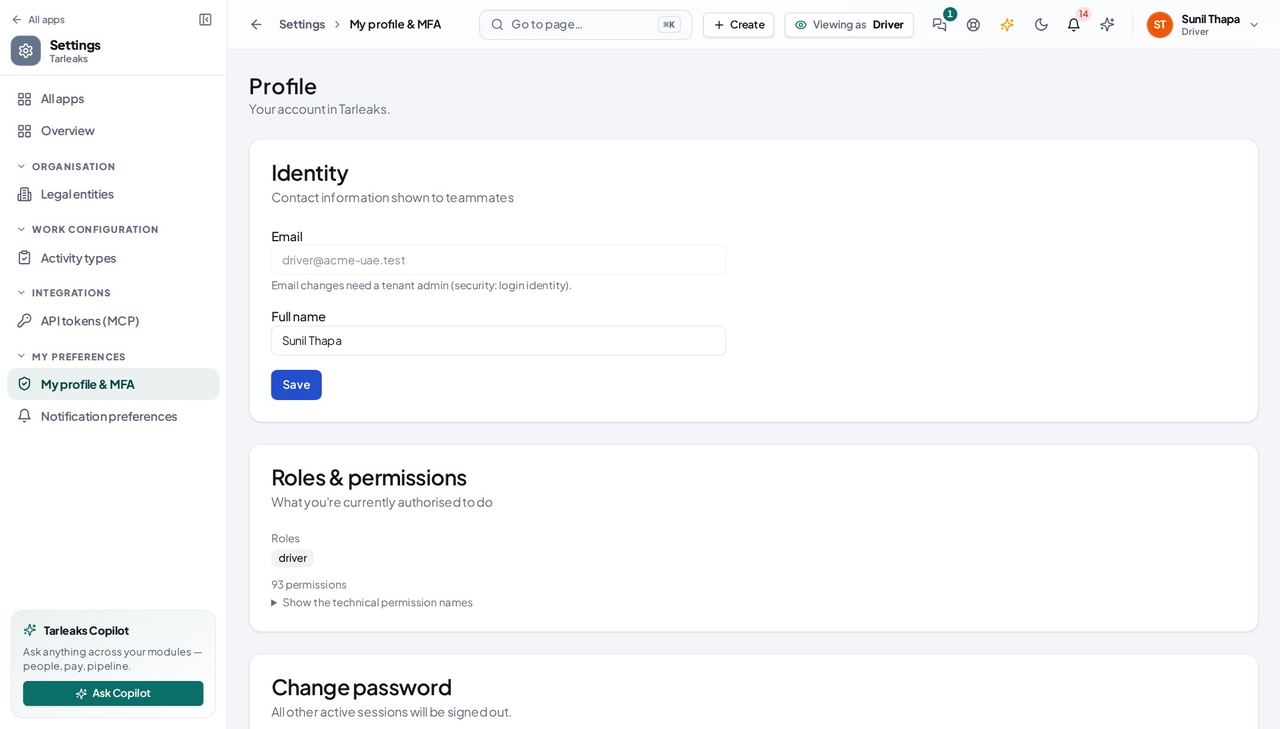
DriverWhy can I not see the rest of the fleet?
Because you are not meant to. A driver sees their own record, their own vehicle and its paperwork — and that boundary is the reason the fleet office can put a whole depot's data in one system.
2 steps, each with the screen it happens on.
Handovers — who passes what to whom
Finance rarely breaks inside a job. It breaks at the join: a bill nobody approved, a receipt nobody allocated, a month closed before the tax agent had it.
| When this happens | From → to | What happens next |
|---|---|---|
| A vehicle is bought or leased | Fleet manager → Everybody else Fleet » Vehicles » Add vehicle | Adding it to the register is what makes it exist: it can be handed over, its paper can be watched, and it counts in every number anybody quotes. A vehicle saved as Draft cannot be handed to a driver. Put it in service when it is actually ready to work. |
| The registration card and insurance arrive | Fleet manager → The expiry sweep, then whoever renews a vehicle » Documents » Add document | A document with an expiry date is watched from the moment it is filed — a reminder goes out 90, 60, 30, 15 and 7 days before, once each. A document with NO expiry date is never warned about. If the paper has a date on it, put it in. |
| A vehicle needs a driver | Fleet manager → Dispatcher Fleet » Assignments » Assign a vehicle | The dispatcher hands it over. Only vehicles in service that nobody holds are offered, so the list itself is the instruction. If the vehicle a dispatcher expects is missing from the picker, it is off the road, archived, or somebody already has it — in that order of likelihood. |
| A driver is handed a vehicle | Dispatcher → The driver Fleet » My vehicle | It appears on the driver's own My vehicle page with the handover note and the signed sheet, its paperwork becomes visible to them — only theirs, nobody else's — and they are sent a notice that opens that page. Taking it back sends the matching notice. The driver's login must be linked to their driver record, or the page tells them they are not set up as a driver while their vehicle sits right there on somebody else's screen — and the handover message tells the dispatcher that driver was not told. |
| A driver already holds as many vehicles as the company allows | The register → Dispatcher Fleet » Assignments » Assign a vehicle | A second REGULAR handover is refused, naming the vehicles the driver holds. A temporary or pool handover never counts toward the limit. The dialog warns before the click. The limit itself is the fleet manager's, at Fleet settings » Rules & reminders. |
| A licence lapses while the driver still holds a vehicle | The expiry check → Fleet manager and dispatchers Fleet » Drivers » Licence expired | One notice per driver per expiry date, naming the vehicles they hold, to everybody who can hand a vehicle over or take one back. The notice does not end the handover. Somebody has to — or file the renewed licence date on the driver's record. |
| A licence does not cover the vehicle | The register → Dispatcher Fleet » Assignments » Assign a vehicle | The handover is refused, with the sentence that says which class the driver holds, what it covers, and what this vehicle is. An expired licence is refused whatever the settings say. A wrong class can be allowed by switching the licence check off in Fleet settings — which you do only while your licence classes are still being loaded, never as a habit. |
| A driver finds a fault | The driver → Workshop manager not built — inspections and defects are a later release | Today: by radio, phone or in person, with the plate and the odometer. The module cannot yet take a defect report. This is the biggest gap in the module today. Whatever your depot uses now, keep using it, and write the odometer down. |
| A vehicle cannot be worked | Workshop manager → Fleet manager a vehicle » Take off the road | Only the fleet manager can take a vehicle off the road, and the reason is required. The moment they do, it leaves every handover picker. A vehicle somebody is still holding cannot be taken off the road — end the handover first. The refusal says exactly that. |
| A driver hands the keys back | Dispatcher → The register Fleet » Assignments » End | The closing odometer becomes the vehicle's reading, so nobody types the same number into two screens — and the vehicle is assignable again. The closing reading may not be lower than the opening one, and the hand-back may not be dated before the hand-over. Both are refused, with the two dates named. |
| A driver leaves the company | Dispatcher → Fleet manager Fleet » Drivers » Archive | The dispatcher ends the handover; the fleet manager archives the driver. Their past handovers stay on the record. Archive the person, do not delete them. Every closed handover still has to name who was holding the vehicle on a given day. |
| A vehicle is sold, scrapped or written off | Fleet manager → Finance a vehicle » Record disposal | Recording the disposal, with the date and the amount received, ends the vehicle's life on the register. It posts nothing to the ledger. Tell Finance to write the asset off — the dialog says so, because a screen that implied otherwise would be found out at year end. |